talk-data.com talk-data.com

A

Speaker

Alison Balter

12

talks

author

Filter by Event / Source

Talks & appearances

12 activities · Newest first

Search activities →
Sams Teach Yourself T-SQL in One Hour a Day

Master T-SQL database design, development, and administration the easy way–hands-on! In just one hour a day, you’ll build all the skills you need to create effective database applications with T-SQL and SQL Server. With this complete tutorial, you’ll quickly master the basics and then move on to more advanced features and concepts: Learn the fundamentals of T-SQL from the ground up, one step at a time Succeed with the newest versions of T-SQL, SQL Server, and SQL Server Management Studio Use T-SQL effectively as both an application developer and DBA Master powerful stored procedures, triggers, transactions, and user-defined functions (UDFs) Systematically optimize and secure your SQL Server databases Learn on your own time, at your own pace No previous T-SQL or database programming experience required Learn how to design efficient, reliable SQL Server databases Define efficient tables, table relationships, fields, and constraints Make the most of T-SQL’s SELECT and UPDATE statements Work effectively with simple and complex views and joins Master stored procedure techniques every developer should know Build and use powerful User-Defined Functions (UDFs) Secure databases with authentication, roles, permissions, and principals Configure, maintain, and tune SQL Server for maximum reliability, performance, and value Back up, restore, and audit databases Optimize databases with the SQL Server Profiler, System Monitor, and Index Tuning Wizard Leverage valuable insight and time saving techniques from a world renowned database expert Register your book at informit.com/register for access to source code, example files, updates, and corrections as they become available.
Access® 2013 Absolute Beginner’s Guide

Make the most of Access 2013— without becoming a technical expert! This book is the fastest way to master Access and use it to build powerful, useful databases of all kinds—even web application databases! Even if you’ve never used Access before, you’ll learn how to do what you want, one incredibly clear and easy step at a time. Access has never, ever been this simple! Who knew how simple Access® 2013 could be? This is the easiest, most practical beginner’s guide to using Microsoft’s incredibly powerful new Access 2013 database program… simple, reliable instructions for doing everything you really want to do! Here’s a small sample of what you’ll learn: • Create tables to efficiently store and navigate your data • Build queries that retrieve exactly the information you want • Design intuitive forms that help your users work more efficiently • Build reports that answer key questions intuitively and visually • Learn easy techniques for designing more reliable databases • Work faster with AutoForms, AutoReports, and other shortcuts • Automate repetitive tasks and build more polished databases with macros • Share Access data with Excel, SQL Server, and other applications • Solve complex problems with advanced query, form, and reporting techniques • Build modern web databases that serve users through browsers • Run your database on the cloud through Microsoft Office 365 • Construct a complete database application from start to finish • And much more… Alison Balter , President of InfoTech Services Group, Inc., has spent 25 years training and consulting on Microsoft Access and related applications with top organizations such as Cisco, Shell, Accenture, Northrop, the U.S. Drug Enforcement Administration, Prudential, Transamerica, Fox Broadcasting, and the U.S. Navy. She travels throughout North America delivering seminars on Access and has authored 14 books and videos for Pearson, including Microsoft Access 2010 LiveLessons and Alison Balter’s Mastering Access 2007 Development. She is past president of the Independent Computer Consultants Association of Los Angeles. Category: Databases Covers: Microsoft® Access® 2013 User Level: Beginning

Using Microsoft® Access® 2010

Get comfortable with Access 2010. Don’t just read about it: see it, hear it, with step-by-step video tutorials and valuable audio sidebars delivered through the Free Web Edition that comes with every USING book. For the price of the book you get online access anywhere with a web connection--no books to carry, updated content, and the benefit of video and audio learning. Way more than just a book, this is all the help you’ll ever need...where you want, when you want! Learn fast, learn easy, using web, video, and audio: Show Me video walks through tasks you’ve just got to see--including bonus advanced techniques Tell Me More audio delivers practical insights straight from the experts Audio sidebars featuring Ross Pimentel UNLOCK THE FREE WEB EDITION--To register your USING book, visit quepublishing.com/using.

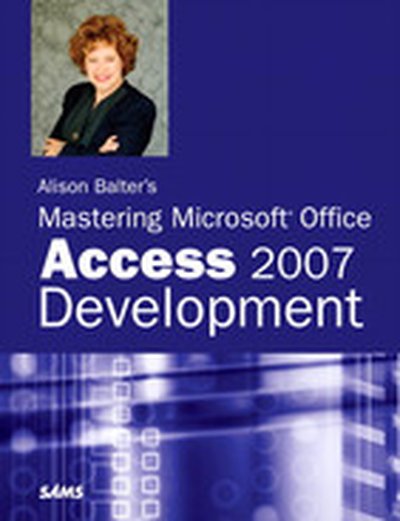
Alison Balter’s Mastering Microsoft® Office Access 2007 Development

Microsoft Office 2007 is a major upgrade from the last version of Office; Access will also be greatly revised. Alison Balter is the name that Access developers will trust to guide them through Access 2007's new features. She has the rare ability to take complex topics and explain them clearly, as shown by the success of her ten previous books on Access. Balter is known for providing real-world solutions to specific Access development problems. She also is known for her ability to back up her practical examples with just enough underlying theory to give the reader a good overall understanding of Access. In short, this book will provide beginning and intermediate Access developers with everything that they need to know to design and build Access 2007 applications. It should also appeal to DBAs and power users who want or need to get started building custom Access apps. This latest book in her Mastering Access series will not disappoint her many fans who anxiously await each new version, and should win her new fans as well. Introduction Part I The Basics of Access Development 1 Access as a Development Tool. . . . . . . . . . . . . . . . . . . . . . . . . . . . . . . . . . . . . . . . . . . . . . . . . . . . . . . . . . . 7 2 What Every Developer Needs to Know About Databases and Tables . . . . . . . 75 3 Relationships: Your Key to Data Integrity . . . . . . . . . . . . . . . . . . . . . . . . . . . . . . . . . . . . . . . . 115 4 What Every Developer Needs to Know About Query Basics. . . . . . . . . . . . . . . . . 137 5 What Every Developer Needs to Know About Forms. . . . . . . . . . . . . . . . . . . . . . . . . . 189 6 What Every Developer Needs to Know About Reports. . . . . . . . . . . . . . . . . . . . . . . . 269 7 What Are Macros, and When Do You Need Them? . . . . . . . . . . . . . . . . . . . . . . . . . . . 315 8 VBA: An Introduction . . . . . . . . . . . . . . . . . . . . . . . . . . . . . . . . . . . . . . . . . . . . . . . . . . . . . . . . . . . . . . . . . . 345 9 Objects, Properties, Methods, and Events Explained . . . . . . . . . . . . . . . . . . . . . . . . . . 401 10 Advanced Form Techniques. . . . . . . . . . . . . . . . . . . . . . . . . . . . . . . . . . . . . . . . . . . . . . . . . . . . . . . . . . . 431 11 Advanced Report Techniques. . . . . . . . . . . . . . . . . . . . . . . . . . . . . . . . . . . . . . . . . . . . . . . . . . . . . . . . . 493 12 Advanced Query Techniques . . . . . . . . . . . . . . . . . . . . . . . . . . . . . . . . . . . . . . . . . . . . . . . . . . . . . . . . . 539 13 Advanced VBA Techniques. . . . . . . . . . . . . . . . . . . . . . . . . . . . . . . . . . . . . . . . . . . . . . . . . . . . . . . . . . . . 599 14 Exploiting the Power of Class Modules. . . . . . . . . . . . . . . . . . . . . . . . . . . . . . . . . . . . . . . . . . . . 637 15 What Are ActiveX Data Objects, and Why Are They Important?. . . . . . . . . . 671 Part II What to Do When Things Don’t Go as Planned 16 Debugging: Your Key to Successful Development . . . . . . . . . . . . . . . . . . . . . . . . . . . . . . 727 17 Error Handling: Preparing for the Inevitable . . . . . . . . . . . . . . . . . . . . . . . . . . . . . . . . . . . . 755 18 Optimizing Your Application. . . . . . . . . . . . . . . . . . . . . . . . . . . . . . . . . . . . . . . . . . . . . . . . . . . . . . . . . 801 Part III Developing Multiuser and Enterprise Applications 19 A Strategy to Developing Access Applications. . . . . . . . . . . . . . . . . . . . . . . . . . . . . . . . . . . 835 20 Using External Data. . . . . . . . . . . . . . . . . . . . . . . . . . . . . . . . . . . . . . . . . . . . . . . . . . . . . . . . . . . . . . . . . . . . . 847 21 Access 2007 and SharePoint . . . . . . . . . . . . . . . . . . . . . . . . . . . . . . . . . . . . . . . . . . . . . . . . . . . . . . . . . . 883 22 Developing Multiuser and Enterprise Applications . . . . . . . . . . . . . . . . . . . . . . . . . . . . 909 00_0672329328_FM.qxd 5/4/07 9:23 AM Page iii Part IV Black Belt Programming 23 Working with and Customizing Ribbons . . . . . . . . . . . . . . . . . . . . . . . . . . . . . . . . . . . . . . . . . 935 24 Automation: Communicating with Other Applications. . . . . . . . . . . . . . . . . . . . . . 949 25 Exploiting the Power of the Windows API . . . . . . . . . . . . . . . . . . . . . . . . . . . . . . . . . . . . . . . 985 26 Creating Your Own Libraries. . . . . . . . . . . . . . . . . . . . . . . . . . . . . . . . . . . . . . . . . . . . . . . . . . . . . . . . 1011 27 Using Builders and Wizards . . . . . . . . . . . . . . . . . . . . . . . . . . . . . . . . . . . . . . . . . . . . . . . . . . . . . . . . . 1027 28 An Introduction to Access and the Internet/Intranet. . . . . . . . . . . . . . . . . . . . . . . . 1055 Part V Adding Polish to Your Application 29 Documenting Your Application. . . . . . . . . . . . . . . . . . . . . . . . . . . . . . . . . . . . . . . . . . . . . . . . . . . . 1073 30 Maintaining Your Application. . . . . . . . . . . . . . . . . . . . . . . . . . . . . . . . . . . . . . . . . . . . . . . . . . . . . . 1091 31 Database Security Made Easy . . . . . . . . . . . . . . . . . . . . . . . . . . . . . . . . . . . . . . . . . . . . . . . . . . . . . . . 1103 The following appendixes are available for download at www.samspublishing.com/title/0672329328. Part VI Appendixes A Naming Conventions. . . . . . . . . . . . . . . . . . . . . . . . . . . . . . . . . . . . . . . . . . . . . . . . . . . . . . . . . . . PDF:1131 B Table Structures. . . . . . . . . . . . . . . . . . . . . . . . . . . . . . . . . . . . . . . . . . . . . . . .

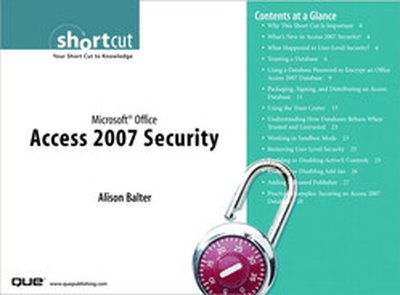
Microsoft® Office Access 2007 Security

Web Online Copy Access 2007 security is extremely different than that of its predecessors. For example, Access 2007 security eliminates user-level security. These changes to security have major implications for the applications built by an organization's employees. This Short Cut covers new topics such as using an Access 2007 database in a trusted location, encrypting in Access 2007, and packaging, signing, and distributing an Access 2007 database. It also covers how security works with databases created in other versions of Access. Finally, it covers the process of running unsafe expressions. All of these topics are vital for securing and successfully working with an Access 2007 database. Learn what’s new in Access 2007 security Find out how security applies to databases stored in one of the older file formats Get to know the Trust Center Learn how to package and sign a database Discover how easy it is to place a database in a Trusted Location Explore the new encryption feature in Access 2007 Table of Contents Why This Short Cut Is Important What's New in Access 2007 Security? What Happened to User-Level Security? Trusting a Database Using a Database Password to Encrypt an Office Access 2007 Database Packaging, Signing, and Distributing an Access Database Using the Trust Center Understanding How Databases Behave When Trusted and Untrusted Working in Sandbox Mode Removing User-Level Security Enabling or Disabling ActiveX Controls Enabling or Disabling Add-ins Adding a Trusted Publisher Practice Examples: Securing an Access 2007 Database

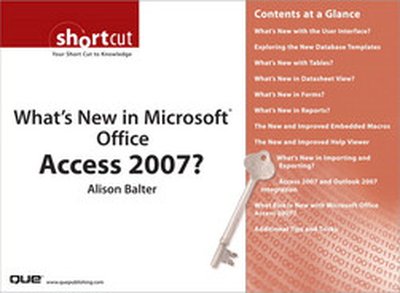
What’s New in Microsoft® Office Access 2007?

Microsoft Office Access 2007 includes a plethora of new features that could prove difficult to find for even seasoned users of previous versions of Access. Alison Balter's What's New in Microsoft Office Access 2007? includes a discussion of all the new features in Access 2007, providing details and practical examples on the use of each feature. Her teaching style is clear and succinct, providing you with a great jump-start to working with Access 2007. The topics covered include what's new with tables, the new and improved embedded macros, and what's new with importing and exporting. Table of Contents Section 1 What's New with the User Interface? Section 2 Exploring the New Database Templates Section 3 What's New with Tables? Section 4 What's New in Datasheet View? Section 5 What's New in Forms? Section 6 What's New in Reports? Section 7 The New and Improved Embedded Macros Section 8 The New and Improved Help Viewer Section 9 What's New in Importing and Exporting? Section 10 Access 2007 and Outlook 2007 Integration Section 11 What Else Is New with Microsoft Office Access 2007? Section 12 Additional Tips and Tricks Alison Balter has been writing about Access since Access 95. She has written eight books and co-authored two books on Access and has written one book on Microsoft SQL Server 2005 Express. Her books include Essential Access 95, Alison Balter's Mastering Access 95 Development, Alison Balter's Mastering Access 97 Development, Access 97 Unleashed, Alison Balter's Mastering Access 2000 Development, Alison Balter's Mastering Access 2002 Desktop Development, Alison Balter's Mastering Access 2002 Enterprise Development, Alison Balter's Mastering Office Access 2003 Development, Access 2003 In-a-Snap, Access 2003 in 24 Hours, and SQL Server Express in 24 Hours. Alison has more than 13 years of practical experience working with Access and Access applications. Her clients' projects range from small end-user projects through enterprisewide applications. Clients include the Archdiocese of Los Angeles, Southern California Edison, Accenture, Prudential Insurance, and the International Cinematographer's Guild. Her Access skills are not limited to writing and programming. Alison has also been teaching Access and speaking at conferences for more than 12 years. Her training has included everything from end-user training to corporate training, in both the United States and Canada.

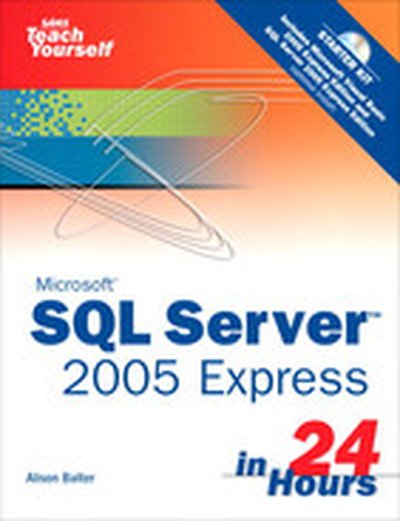
Sams Teach Yourself Microsoft SQL Server 2005 Express in 24 Hours

Written with clarity and a down-to-earth approach, Sams Teach Yourself SQL Server 2005 Express in 24 Hours covers the basics of Microsoft's latest version of SQL Server. Expert author Alison Balter takes you from basic concepts to an intermediate level in 24 one-hour lessons. You will learn all of the basic tasks necessary for the administration of SQL Server 2005. You will also learn how to write and fully utilize: SQL Server stored procedures Functions Triggers using T-SQL, VB.NET, and C# You will also learn how to output SQL Server data to reports and the Internet. Sams Teach Yourself SQL Server 2005 Express in 24 Hours is a well-organized, authoritative introduction that will quickly have you up and running with SQL Server 2005.

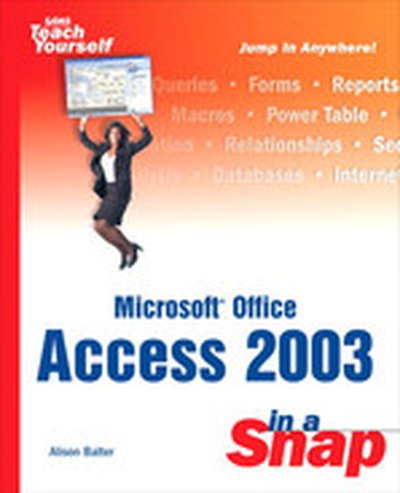
Microsoft Office Access 2003 in a Snap

Microsoft Access is a database development and maintenance program, but it can be confusing when trying to learn how to complete the tasks required to create an application. Microsoft Access 2003 In a Snap can quickly show you how to complete a specific task in an easy-to-follow format complete with illustrated steps. Sections of the book are organized into task categories such as Table Creation, Queries and Form Design. Intended to keep you focused and on-target, this book does not spend time explaining database architecture or application design. If you are the casual Access user or if you use it in your day-to-day work life, this book is a great reference tool!

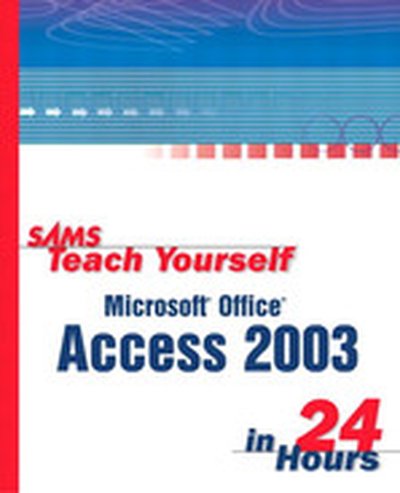
Sams Teach Yourself Microsoft® Office Access 2003 in 24 Hours

In just 24 sessions of one hour or less, the reader picks up all the skills needed to increase the effectiveness and reliability of Access applications. Using a straightforward, step-by-step approach, each lesson builds upon the previous one, allowing the reader to quickly learn the essentials of Access programming from the ground up. The book helps the reader to understand the fundamentals of the Access architecture, gain fast knowledge of the new features that Access offers, learn how to effectively use the latest tools and features of Access by following practical, real-world examples, and get expert tips from the best-selling author, Alison Balter. This book is designed for the way readers learn. They can go through each step-by-step chapter or just choose the lessons that interest them the most.

Alison Balter's Mastering Access 2002 Enterprise Development

Developing applications for the enterprise introduces challenges quite different from those associated with developing applications for desktops or small departments. This book offers a no-nonsense approach to enterprise development using Access 2002 as a front-end. it is written in a practical style and easily transitions the client/server neophyte to the sophisticated world of enterprise development. Although the book focuses on client/server development, the text covers other enterprise topics such as replication, trasaction processing, and data access pages. This book goes behond the basics covered by the many introductory books, but offers an easier read than the expert books available.

Alison Balter’s Mastering Microsoft Access 2002 Desktop Development

What Ms Balter's book offers over most or all of the other books on the market is that Ms Balter is able to take a highly technical topic and present it in a manner that is easy to comprehend. It is a book that the reader will often want to read from cover to cover, but it can also act as an excellent reference. Readers of Alison Balter's Mastering Microsoft Access 2002 Desktop Development will learn ( A thorough knowledge of Access application development. ( Real-world solutions to specific development and programming problems. ( Professional programming techniques backed by concise, no-nonsense explanations of the underlying theories. ( Debugging and troubleshooting methods to solve problems quickly and get stalled development projects back on track.