talk-data.com talk-data.com

J

Speaker

Jen Stirrup

6

talks

guest

Filter by Event / Source

Talks & appearances

6 activities · Newest first

Search activities →
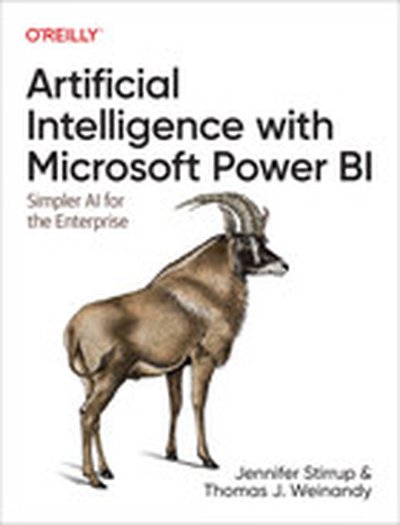
Artificial Intelligence with Microsoft Power BI

Advance your Power BI skills by adding AI to your repertoire at a practice level. With this practical book, business-oriented software engineers and developers will learn the terminologies, practices, and strategy necessary to successfully incorporate AI into your business intelligence estate. Jen Stirrup, CEO of AI and BI leadership consultancy Data Relish, and Thomas Weinandy, research economist at Upside, show you how to use data already available to your organization. Springboarding from the skills that you already possess, this book adds AI to your organization's technical capability and expertise with Microsoft Power BI. By using your conceptual knowledge of BI, you'll learn how to choose the right model for your AI work and identify its value and validity. Use Power BI to build a good data model for AI Demystify the AI terminology that you need to know Identify AI project roles, responsibilities, and teams for AI Use AI models, including supervised machine learning techniques Develop and train models in Azure ML for consumption in Power BI Improve your business AI maturity level with Power BI Use the AI feedback loop to help you get started with the next project

Data is eating the world and every industry is impacted. In most modern businesses, customer and employee activities create a plethora of data points and information that can be analysed and interpreted to make better decisions for the business and its customers. Unfortunately, this sounds a lot easier than it is. Despite the huge mountains of data being created, many organisations struggle to get their business intelligence to serve them in the best way. This is not due to a shortage of reports and dashboard floating around – in many cases there are too many ways to get an answer to the same question.  So, why are so many organisations lacking good BI and what should they do about it? I recently spoke to Jen Stirrup to get an answer to this question and many more relating to producing and consuming business intelligence effectively. Jen is the CEO & Founder of Data Relish, a global AI, Data Science and Business Intelligence Consultancy. She is a leading authority in AI and Business Intelligence Leadership and has been named one of the Top 50 Global Data Visionaries and Top 50 Women in Technology worldwide. In this episode of Leaders of Analytics, you will learn how to avoid data paralysis and discover how to create business intelligence that gives your organisation new superpowers. Jen's website: https://jenstirrup.com/ Jen's LinkedIn profile: https://www.linkedin.com/in/jenstirrup/ Jen on Twitter: https://twitter.com/jenstirrup

Advanced Analytics with R and Tableau

In "Advanced Analytics with R and Tableau," you will learn how to combine the statistical computing power of R with the excellent data visualization capabilities of Tableau to perform advanced analysis and present your findings effectively. This book guides you through practical examples to understand topics such as classification, clustering, and predictive analytics while creating compelling visual dashboards. What this Book will help me do Integrate advanced statistical computations in R with Tableau's visual analysis for comprehensive analytics. Master making R function calls from Tableau through practical applications such as RServe integration. Develop predictive and classification models in R, visualized wonderfully in Tableau dashboards. Understand clustering and unsupervised learning concepts, applied to real-world datasets for business insights. Leverage the combination of Tableau and R for making impactful, data-driven decisions in your organization. Author(s) Ruben Oliva Ramos, Jen Stirrup, and Roberto Rösler are accomplished professionals with extensive experience in data science and analytics. Their combined expertise brings practical insights into combining R and Tableau for advanced analytics. Advocates for hands-on learning, they emphasize clarity and actionable knowledge in their writing. Who is it for? "Advanced Analytics with R and Tableau" is ideal for business analysts, data scientists, and Tableau professionals eager to expand their capabilities into advanced analytics. Readers should be familiar with Tableau and have basic knowledge of R, though the book starts with accessible examples. If you're looking to enhance your analytics with R's statistical power seamlessly integrated into Tableau, this book is for you.

Mastering Tableau

Mastering Tableau is your comprehensive guide to becoming highly skilled in Tableau, focusing on advanced data visualization and practical applications. You will learn how to create complex dashboards, integrate R, and make the most of Tableau's features to deliver compelling insights. By the end of the book, you'll be ready to tackle real-world business intelligence challenges. What this Book will help me do Master advanced Tableau calculations such as row-level and aggregate-level calculations. Create engaging and efficient dashboards for professional data presentations. Integrate R functionalities with Tableau for predictive and advanced analytics. Design and implement custom geographic visualizations, including polygon maps. Optimize performance and best practices in Tableau for innovative BI solutions. Author(s) Jen Stirrup and None Baldwin are experienced data analysts and Tableau experts with years of practical experience in consulting and teaching. Jen has contributed significantly to the Tableau community through workshops and talks. Together, they provide structured guidance that helps readers master Tableau while emphasizing hands-on learning. Who is it for? This book is for business analysts aiming to enhance their data visualization skills using Tableau. Whether you are an intermediate Tableau user looking to tackle advanced techniques or someone wanting to streamline your BI workflows, this book focuses on practical problem-solving. It equips you to use Tableau effectively to create impactful visualizations and insights.

Tableau: Creating Interactive Data Visualizations

Illustrate your data in a more interactive way by implementing data visualization principles and creating visual stories using Tableau About This Book Use data visualization principles to help you to design dashboards that enlighten and support business decisions Integrate your data to provide mashed-up dashboards Connect to various data sources and understand what data is appropriate for Tableau Public Understand chart types and when to use specific chart types with different types of data Who This Book Is For Data scientists who have just started using Tableau and want to build on the skills using practical examples. Familiarity with previous versions of Tableau will be helpful, but not necessary. What You Will Learn Customize your designs to meet the needs of your business using Tableau Use Tableau to prototype, develop, and deploy the final dashboard Create filled maps and use any shape file Discover features of Tableau Public, from basic to advanced Build geographic maps to bring context to data Create filters and actions to allow greater interactivity to Tableau Public visualizations and dashboards Publish and embed Tableau visualizations and dashboards in articles In Detail With increasing interest for data visualization in the media, businesses are looking to create effective dashboards that engage as well as communicate the truth of data. Tableau makes data accessible to everyone, and is a great way of sharing enterprise dashboards across the business. Tableau is a revolutionary toolkit that lets you simply and effectively create high-quality data visualizations. This course starts with making you familiar with its features and enable you to develop and enhance your dashboard skills, starting with an overview of what dashboard is, followed by how you can collect data using various mathematical formulas. Next, you'll learn to filter and group data, as well as how to use various functions to present the data in an appealing and accurate way. In the first module, you will learn how to use the key advanced string functions to play with data and images. You will be walked through the various features of Tableau including dual axes, scatterplot matrices, heat maps, and sizing.In the second module, you'll start with getting your data into Tableau, move onto generating progressively complex graphics, and end with the finishing touches and packaging your work for distribution. This module is filled with practical examples to help you create filled maps, use custom markers, add slider selectors, and create dashboards. You will learn how to manipulate data in various ways by applying various filters, logic, and calculating various aggregate measures. Finally, in the third module, you learn about Tableau Public using which allows readers to explore data associations in multiple-sourced public data, and uses state-of-the-art dashboard and chart graphics to immerse the users in an interactive experience. In this module, the readers can quickly gain confidence in understanding and expanding their visualization, creation knowledge, and quickly create interesting, interactive data visualizations to bring a richness and vibrancy to complex articles. The course provides a great overview for beginner to intermediate Tableau users, and covers the creation of data visualizations of varying complexities. Style and approach The approach will be a combined perspective, wherein we start by performing some basic recipes and move on to some advanced ones. Finally, we perform some advanced analytics and create appealing and insightful data stories using Tableau Public in a step-by-step manner.