talk-data.com talk-data.com

C

Speaker

Conrad Carlberg

6

talks

author

Filter by Event / Source

Talks & appearances

6 activities · Newest first

Search activities →
Bayesian Analysis with Excel and R

Leverage the full power of Bayesian analysis for competitive advantage Bayesian methods can solve problems you can't reliably handle any other way. Building on your existing Excel analytics skills and experience, Microsoft Excel MVP Conrad Carlberg helps you make the most of Excel's Bayesian capabilities and move toward R to do even more. Step by step, with real-world examples, Carlberg shows you how to use Bayesian analytics to solve a wide array of real problems. Carlberg clarifies terminology that often bewilders analysts, provides downloadable Excel workbooks you can easily adapt to your own needs, and offers sample R code to take advantage of the rethinking package in R and its gateway to Stan. As you incorporate these Bayesian approaches into your analytical toolbox, you'll build a powerful competitive advantage for your organization---and yourself. Explore key ideas and strategies that underlie Bayesian analysis Distinguish prior, likelihood, and posterior distributions, and compare algorithms for driving sampling inputs Use grid approximation to solve simple univariate problems, and understand its limits as parameters increase Perform complex simulations and regressions with quadratic approximation and Richard McElreath's quap function Manage text values as if they were numeric Learn today's gold-standard Bayesian sampling technique: Markov Chain Monte Carlo (MCMC) Use MCMC to optimize execution speed in high-complexity problems Discover when frequentist methods fail and Bayesian methods are essential---and when to use both in tandem ...
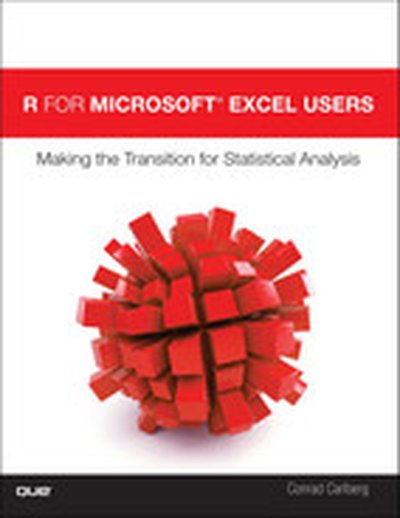
R for Microsoft® Excel Users: Making the Transition for Statistical Analysis

Microsoft Excel can perform many statistical analyses, but thousands of business users and analysts are now reaching its limits. R, in contrast, can perform virtually any imaginable analysis—if you can get over its learning curve. In R for Microsoft® Excel Users, Conrad Carlberg shows exactly how to get the most from both programs. Drawing on his immense experience helping organizations apply statistical methods, Carlberg reviews how to perform key tasks in Excel, and then guides you through reaching the same outcome in R—including which packages to install and how to access them. Carlberg offers expert advice on when and how to use Excel, when and how to use R instead, and the strengths and weaknesses of each tool. Writing in clear, understandable English, Carlberg combines essential statistical theory with hands-on examples reflecting real-world challenges. By the time you’ve finished, you’ll be comfortable using R to solve a wide spectrum of problems—including many you just couldn’t handle with Excel. • Smoothly transition to R and its radically different user interface • Leverage the R community’s immense library of packages • Efficiently move data between Excel and R • Use R’s DescTools for descriptive statistics, including bivariate analyses • Perform regression analysis and statistical inference in R and Excel • Analyze variance and covariance, including single-factor and factorial ANOVA • Use R’s mlogit package and glm function for Solver-style logistic regression • Analyze time series and principal components with R and Excel

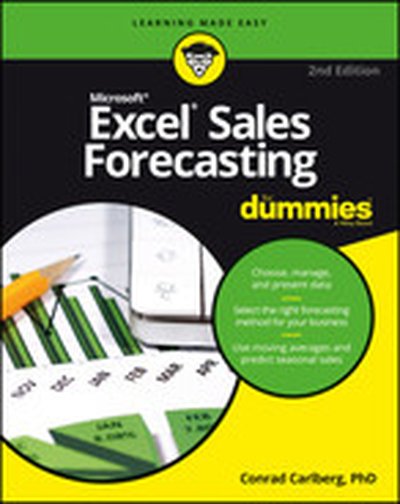
Excel Sales Forecasting For Dummies, 2nd Edition

Choose, manage, and present data Select the right forecasting method for your business Use moving averages and predict seasonal sales Create sales forecasts you can trust You don't need magic, luck, or an advanced math degree to develop reliable sales forecasts; you just need Excel and this book! This guide explains how forecasting works and how to use the tools built into Excel. You'll learn how to choose your data, set up tables, chart your baseline, to create both basic and advanced forecasts you can really use. Inside... Prevent common issues Why baselines matter How to organize your data Tips on setting up tables Working with pivot charts How to forecast seasonal sales revenue Forecasting with regression

Regression Analysis Microsoft® Excel®

This is today’s most complete guide to regression analysis with Microsoft® Excel for any business analytics or research task. Drawing on 25 years of advanced statistical experience, Microsoft MVP Conrad Carlberg shows how to use Excel’s regression-related worksheet functions to perform a wide spectrum of practical analyses. Carlberg clearly explains all the theory you’ll need to avoid mistakes, understand what your regressions are really doing, and evaluate analyses performed by others. From simple correlations and t-tests through multiple analysis of covariance, Carlberg offers hands-on, step-by-step walkthroughs using meaningful examples. He discusses the consequences of using each option and argument, points out idiosyncrasies and controversies associated with Excel’s regression functions, and shows how to use them reliably in fields ranging from medical research to financial analysis to operations. You don’t need expensive software or a doctorate in statistics to work with regression analyses. Microsoft Excel has all the tools you need—and this book has all the knowledge! Understand what regression analysis can and can’t do, and why Master regression-based functions built into all recent versions of Excel Work with correlation and simple regression Make the most of Excel’s improved LINEST() function Plan and perform multiple regression Distinguish the assumptions that matter from the ones that don’t Extend your analysis options by using regression instead of traditional analysis of variance Add covariates to your analysis to reduce bias and increase statistical power

Statistical Analysis: Microsoft® Excel® 2013

Use Excel 2013’s statistical tools to transform your data into knowledge Conrad Carlberg shows how to use Excel 2013 to perform core statistical tasks every business professional, student, and researcher should master. Using real-world examples, Carlberg helps you choose the right technique for each problem and get the most out of Excel’s statistical features, including recently introduced consistency functions. Along the way, he clarifies confusing statistical terminology and helps you avoid common mistakes. You’ll learn how to use correlation and regression, analyze variance and covariance, and test statistical hypotheses using the normal, binomial, t, and F distributions. To help you make accurate inferences based on samples from a population, this edition adds two more chapters on inferential statistics, covering crucial topics ranging from experimental design to the statistical power of F tests. Becoming an expert with Excel statistics has never been easier! You’ll find crystal-clear instructions, insider insights, and complete step-by-step projects—all complemented by extensive web-based resources. Master Excel’s most useful descriptive and inferential statistical tools Tell the truth with statistics—and recognize when others don’t Accurately summarize sets of values Infer a population’s characteristics from a sample’s frequency distribution Explore correlation and regression to learn how variables move in tandem Use Excel consistency functions such as STDEV.S() and STDEV.P() Test differences between two means using z tests, t tests, and Excel’s Data Analysis Add-in Use ANOVA to test differences between more than two means Explore statistical power by manipulating mean differences, standard errors, directionality, and alpha Take advantage of Recommended PivotTables, Quick Analysis, and other Excel 2013 shortcuts

Statistical Analysis: Microsoft® Excel 2010, Video Enhanced Edition

Statistical Analysis: Microsoft Excel 2010 “Excel has become the standard platform for quantitative analysis. Carlberg has become a world-class guide for Excel users wanting to do quantitative analysis. The combination makes Statistical Analysis: Microsoft Excel 2010 a must-have addition to the library of those who want to get the job done and done right.” —Gene V Glass, Regents’ Professor Emeritus, Arizona State University Use Excel 2010’s statistical tools to transform your data into knowledge Use Excel 2010’s powerful statistical tools to gain a deeper understanding of your data, Top Excel guru Conrad Carlberg shows how to use Excel 2010 to perform the core statistical tasks every business professional, student, and researcher should master. Using real-world examples, Carlberg helps you choose the right technique for each problem and get the most out of Excel’s statistical features, including its new consistency functions. Along the way, you discover the most effective ways to use correlation and regression and analysis of variance and covariance. You see how to use Excel to test statistical hypotheses using the normal, binomial, t and F distributions. Becoming an expert with Excel statistics has never been easier! You’ll find crystal-clear instructions, insider insights, and complete step-by-step projects—all complemented by an extensive set of web-based resources. • Master Excel’s most useful descriptive and inferential statistical tools • Tell the truth with statistics, and recognize when others don’t • Accurately summarize sets of values • View how values cluster and disperse • Infer a population’s characteristics from a sample’s frequency distribution • Explore correlation and regression to learn how variables move in tandem • Understand Excel’s new consistency functions • Test differences between two means using z tests, t tests, and Excel’s • Use ANOVA and ANCOVA to test differences between more than two means • Explore statistical power by manipulating mean differences, standard errors, directionality, and alpha