talk-data.com talk-data.com

Topic

database-management-tools

120

tagged

Activity Trend

1 peak/qtr
2020-Q1 2026-Q1

Activities

120 activities · Newest first

Fixing Access Annoyances

When an application is part of the Microsoft Office suite, it's sure to be a leader in its field. In the realm of desktop database management, Access is top dog with millions of users. But this is one dog that can bite. Although Access is a powerful, relational tool with the fetching talents of a Labrador, it's not an easy beast to train. Still, millions of users count on Access for everything from managing parts databases to running Web catalogs to working as a front end to mondo SQL databases. But Access is chockablock with annoyances---report hassles, query conundrums, VBA bugs, arcane error messages, and more. O'Reilly's Annoyances series offer real-world help, right now, and Fixing Access Annoyances continues tradition. You'll not only squash bugs and workaround Access' limits, but you'll learn how to use Access to the max, whether you're a newbie or a seasoned pro. Coverage includes install/configuration annoyances, building better tables and queries, creating forms that work right, generating reliable and sophisticated reports, pulling in data from a variety of sources, crafting macros and VBA code to customize Access, and much more. You could grab those other books for help, but do they solve problems from page one? Meet a book of a different stripe. The authors come armed with knowledge of the program's quirks, design hurdles and interface snags. They provide you with battle plans in Fixing Access Annoyances to save you time and bouts of hair pulling. Stop information from spiraling out of control when working with Access and trying to make this #$@@#$ thing work! Don't let its quirks, bugs, and troublemaking features beat you. Who you gonna call for help? Instead of waiting on the line for tech support or searching for the answer on the Internet with its too many resources to find exactly what you need, take control of databases with Fixing Access Annoyances, your partner on database adventures.

Access 2003 for Starters: The Missing Manual

Maybe you got Access as part of Microsoft Office and wonder what it can do for you and your household; maybe you're a small business manager and don't have a techie on staff to train the office in Microsoft Access. Regardless, you want to quickly get your feet wet--but not get in over your head--and Access 2003 for Starters: The Missing Manual is the book to make it happen. Far more than a skimpy introduction but much less daunting than a weighty tech book, Access 2003 for Starters: The Missing Manual demystifies databases and explains how to design and create them with ease. It delivers everything you need--and nothing you don't--to use Access right away. It's your expert guide to the Access features that are most vital and most useful, and it's your trusted advisor on the more in-depth features that are best saved for developers and programmers. Access is sophisticated and powerful enough for professional developers but easy and practical enough for everyday users like you. This Missing Manual explains all the major features of Access 2003, including designing and creating databases, organizing and filtering information, and generating effective forms and reports. Bestselling authors, database designers, and programmers Scott Palmer, Ph.D., and Kate Chase are your guides for putting the world's most popular desktop data management program to work. Their clear explanations, step-by-step instructions, plenty of illustrations, and timesaving advice help you get up to speed quickly and painlessly. Whether you're just starting out or you know you've been avoiding aspects of the program and missing out on much of what it can do, this friendly, witty book will gently immerse you in Microsoft Access. Keep it handy, as you'll undoubtedly refer to it again and again.

Hands-On Microsoft Access: A Practical Guide to Improving Your Access Skills

Praise for Hands-On Microsoft Access “Bob has distilled the essence of database design and Access development into a highly valuable and easily understandable resource that I wish was available when I first started out.” —Graham R. Seach, Microsoft Access MVP “If you’ve been using Access with that typical uncertainty, asking yourself 'Just how could I do that?' or 'Why isn’t this working?', if you’d like to know what you’re doing before you hit the wall, this book is probably perfect for you.” —Olaf Rabbachin, CEO, IntuiDev IT-solutions “Life at the cutting edge of Access development is exciting and very challenging. The knowledge and experience gained over many years of research and trial-and-error has been hard won. But Bob's new book encapsulates the knowledge we now take for granted, and for the first time the beginner is afforded the opportunity to bypass all that hard work. In this his latest work, Bob has distilled the essence of database design and Access development into a highly valuable and easily understandable resource that I wish was available when I first started out.” —Graham R Seach, MCP, MCAD, MCSD, Microsoft Access MVP, author “This is an excellent book for beginners, with an easy reading style. It is now on my recommended list of books that I hand out in every Access class that I teach.” —M.L. “Sco” Scofield, Microsoft Access MVP, MCSD, Senior Instructor, Scofield Business Services “If you've been using Access with that typical uncertainty, asking yourself 'Just how could I do that?' or 'Why isn't this working?', or if you'd like to know what you're doing before you hit the wall, this book is perfect for you. Access is a tremendous product and a database is created using a few clicks; but without at least some theoretical background you're bound to encounter problems soon. I wish a book like this one would've been available when I started getting deeper into working with Access some ten years ago.” —Olaf Rabbachin, CEO, IntuiDev IT-solutions “This book is for any level DB developer/user. It is packed full of real-world examples and solutions that are not the normal Northwind database that most Access books use. The examples and the technical content surrounding them are the real strength of the book. Schneider uses real-world scenarios that make for excellent reading. It made me want to go and redo a lot of my older Access DBs that were not written as well as they could have been. This book taught me different approaches to doing some routine tasks.” —Ron Crumbaker, Microsoft MVP – SMS “While a very powerful application (or perhaps because of its power), Microsoft Access does have a steep learning curve and can be intimidating to new users. Bob Schneider has managed to write a book that's both understandable and enjoyable to read. His examples should be understandable to all readers, and he extends them in a logical manner. This book should leave the reader well equipped to make use of what many consider to be the best desktop database product available.” —Doug Steele, Microsoft Access MVP “The author takes what is potentially a very dry subject and adds fantastic color through entertaining analogies and metaphors. For instance, his examples using the NBA, the Beatles, and Donald Rumsfeld help us 'get it' without realizing we have just traversed what could be very stale database theory. Brilliant!” —Kel Good, MCT, MCSD for Microsoft.NET, Custom Software Development Inc. (www.customsoftware.ca) Go from Access “beginner” to Access “master”! Millions of people use Microsoft Access, but only a small fraction of them are really comfortable with it. If you're ready to go “beyond the wizards”—and become a confident, highly effective Access user— Hands-On Microsoft Access was written for you. In plain English, Bob Schneider helps you master crucial principles for building flexible, powerful databases. Discover how to enter data more easily, retrieve it more freely, manipulate it more successfully, analyze it with greater sophistication, and share it more effectively. Schneider's dozens of hands-on examples thoroughly demystify Access, and his friendly, conversational style makes it more approachable than ever before. Hands-On Microsoft Access presents solutions for the challenges you're most likely to encounter, including How do Access objects and interfaces fit together, and when should I use each one? What's the best way for me to organize my fields into tables? How can I modify the tables, forms, and reports an Access wizard created for me? How can I design forms and reports for people to use more effectively? How do primary keys and relationships work, and why are they so important? How do I make sure my data stays consistent and accurate? How do I build queries that give me the right information—quickly, efficiently, and reliably? How do I use data from other sources, or deliver Access data to other people or programs? What are PivotTables and PivotCharts, what can I do with them, and how do I use them? Written for Access 2003, this book also contains special instructions for Access 2002 users and extensive coverage of issues relevant to Access 95, 97, and 2000.


Toad Pocket Reference for Oracle, 2nd Edition

Toad is an enormously popular interactive environment tool for Oracle development and administration. It allows developers to build, test, debug, and format their code via an easy-to-use graphical user interface, available in both freeware and commercial versions. Toad makes developers far more productive; using Toad, you'll find that program changes that once took hours can now be completed in minutes. Toad allows developers to browse their database tables, procedures, and object types; use code templates; and show errors. It also simplifies database administration by providing a way for DBAs to graphically browse and change database characteristics. Updated for Toad Versions 8.0 and 8.5, this pocket book is packed with quick-reference material: Toad feature and menu summaries, shortcut keys, suggested changes to Toad defaults, productivity tips and tricks, and more. The book includes concise discussions of all the basic Toad components: the SQL Editor, Procedure Editor, SQL Modeler, Schema Browser, Project Manager, and Debugger. The second edition includes coverage of new SQL Editor features, improvements in usability, and new tools such as CodeXpert (a robust code analyzer and advisor) and Script Debugger (the only tool available that provides real-time debugging of SQL*Plus scripts). It also provides helpful hints on using Toad to perform database administration and SQL tuning and optimization. Whether you're a new or experienced Toad user, you'll find this quick reference an indispensable companion to the product and its online help files.

Access Hacks

As part of the Microsoft Office suite, Access has become the industry's leading desktop database management program for organizing, accessing, and sharing information. But taking advantage of this product to build increasingly complex Access applications requires something more than your typical how-to book. What it calls for is Access Hacks from O'Reilly.This valuable guide provides direct, hands-on solutions that can help relieve the frustrations felt by users struggling to master the program's various complexities. For experienced users, Access Hacks offers a unique collection of proven techniques and tools that enable them to take their database skills and productivity to the next level. For Access beginners, it helps them acquire a firm grasp of the program's most productive features.A smart collection of insider tips and tricks, Access Hacks covers all of the program's finer points. Among the multitude of topics addressed, it shows users how to: work with Access in multi-user environments utilize SQL queries work with external data and programs integrate Access with third-party productsJust imagine: a learning process without the angst. Well, Access Hacks delivers it with ease, thanks to these down-and-dirty techniques not collected together anywhere else.Part of O'Reilly's best-selling Hacks series, Access Hacks is based on author Ken Bluttman's two decades of real-world experience in database programming and business application building. It's because of his vast experiences that the book is able to offer such a deep understanding of the program's expanding possibilities.

Access 2003 Programming by Example with VBA, XML, and ASP

This book is designed to take Microsoft Access users to the next step in programming. Its five parts cover an intro-duction to VBA programming, manipulating databases with ADO, using DDL, event programming, and using ASP and XML. With more than 300 hands-on examples and 11 custom projects, users can quickly build the toolset required for developing their own database solutions. Learn how to write and debug your programming code with the Visual Basic Editor, and understand and use common VBA programming structures such as conditions, loops, arrays, and collections. Learn how to create and manage databases with ActiveX Data Objects (ADO), and perform database tasks with Jet/Access Structured Query Language (SQL) and its Data Definition Language (DDL) component. Learn how to query and manipulate your database from a web browser with Active Server Pages (ASP) and export and import Access data to and from XML both manually and programmatically.

Modernizing IBM eServer iSeries Application Data Access - A Roadmap Cornerstone

In 1978 IBM introduced the System/38 as part of its midrange platform hardware base. One of the many outstanding features of this system was the built-in Relational Database Management System (RDMS) support. The system included a utility for defining databases, screens, and reports. This utility used a form named Data Description Specifications (DDS) to define the database physical (PF) and logical (LF) files (base tables, views, and indexes). In 1988, IBM announced the AS/400. The OS/400 operating system also contained a built-in RDMS, however, IBM offered Structured Query Language (SQL) as an alternative to DDS for creating databases. In addition, SQL Data Manipulation Language (DML) statements were made available as an ad hoc query language tool. These statements could also be embedded and compiled within high level language (HLL) programs. SQL Data Definition Language (DDL) has become the industry standard for defining RDMS databases. Many customers are in the process of modernizing their database definition and the database access. This IBM Redbooks publication will help you understand how to reverse engineer a DDS-created database along, and provides you with tips and techniques for modernizing applications to use SQL as the database access method. Additional Resources on DB2 for i Modernization:

Hibernate: A J2EE™ Developer's Guide

Build fast, high-performance Java database applications with Hibernate. Hibernate makes it far easier to build robust, high-performance database applications with Java. Now there's a practical, hands-on guide to using Hibernate's flexible, fast object/relational persistence and query services. Will Iverson covers every facet of development with Hibernate, from its mapping system toits advanced query mechanisms and transaction support. Iverson shows you how to build Hibernate solutions that can integrate with Swing, with JSP, and even with EJBs utilizing bean-managed persistence. Using realistic examples, he demonstrates how to work with persistent objects, manage schema, and optimize database application performance. After you've mastered Hibernate's core techniques, Iverson presents best practices, tips, tricks, and style guidance for even more effective development. Coverage includes Case study applications: starting from object/relational mapping files, Java code, and existing schema Writing Hibernate queries using HQL—Hibernate's object-oriented SQL extension Using Hibernate with Java-based Criteria and Example or native SQL The Hibernate mapping file format in detail: a complete reference How Hibernate handles class and database relationships Managing session and database transactions with Hibernate Tracking and optimizing performance with p6spy and IronTrack SQL Automatically generating DDL scripts that create, update, and drop tables Even if your Java database experience is limited to basic JDBC, this book will help you leverage Hibernate's remarkable power. You'll spend far less time writing code to bridge databases with Java applications—so you can get to market faster, with more features. © Copyright Pearson Education. All rights reserved.

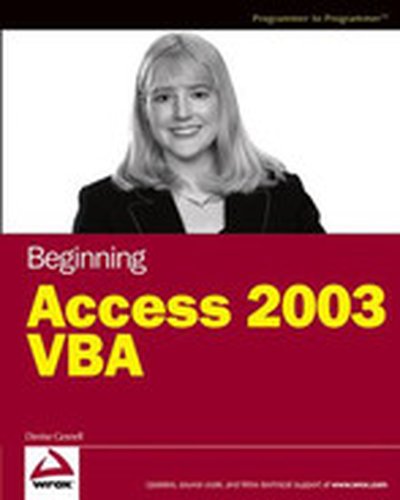
Beginning Access 2003 VBA

What is this book about? Written by an Access programmer with more than 10 years of VBA experience, this is the perfect guide for Access users who are ready to take their databases to the next level, or for programmers who are new to Access or VBA. Veteran Access developer Denise Gosnell shows readers the ins and outs of Access VBA and provides plenty of source code, and fully developed sample applications to guide you along the way. Not only do readers learn to build "stand-alone" desktop applications, but readers also learn how to integrate Access applications with Web Services, and SQL Server.

Business solutions Automating Microsoft® Access with VBA

If you use Microsoft Access in your every day business life but haven't learned to fully exploit the program, now's your chance. Automating Microsoft Access with VBA is a thorough introduction to programming Microsoft Accessing using Visual Basic for Applications (VBA). With this book, you will gain a working knowledge of VBA and be able to customize your Microsoft Access databases. You will cover topics that include: Operators and functions Debugging and error handling Menu commands Forms and reports Jet databases DAO object model Save money by learning to use VBA to customize your databases instead of paying someone else to do it for you!

Microsoft® Access 2003 Forms, Reports and Queries

When it comes to job-productivity, we all want to be able to perform well, especially when it comes to challenging assignments. Anyone who works with Microsoft Access on a regular basis knows that this program can prove to be one of the most challenging. If you are looking for a way to get the most you can out of the primary Access tasks, Microsoft Access 2003 Forms, Reports and Queries is the learning tool that you need. Focusing only on the forms, reports and queries functions, this book provides you with practical know-how, real-world examples and techniques that you can put to use immediately. Learn to condense mountains of information into manageable molehills of useful knowledge, so that you can perform at your best!

Microsoft Office Access 2003 in a Snap

Microsoft Access is a database development and maintenance program, but it can be confusing when trying to learn how to complete the tasks required to create an application. Microsoft Access 2003 In a Snap can quickly show you how to complete a specific task in an easy-to-follow format complete with illustrated steps. Sections of the book are organized into task categories such as Table Creation, Queries and Form Design. Intended to keep you focused and on-target, this book does not spend time explaining database architecture or application design. If you are the casual Access user or if you use it in your day-to-day work life, this book is a great reference tool!

Hibernate: A Developer's Notebook

Do you enjoy writing software, except for the database code? Hibernate:A Developer's Notebook is for you. Database experts may enjoy fiddling with SQL, but you don't have to--the rest of the application is the fun part. And even database experts dread the tedious plumbing and typographical spaghetti needed to put their SQL into a Java program. Hibernate: A Developers Notebook shows you how to use Hibernate to automate persistence: you write natural Java objects and some simple configuration files, and Hibernate automates all the interaction between your objects and the database. You don't even need to know the database is there, and you can change from one database to another simply by changing a few statements in a configuration file. Hibernate: A Developer's Notebook walks you through the ins and outs of using Hibernate, from installation and configuration, to complex associations and composite types. Two chapters explore ways to write sophisticated queries, which you can express either through a pure Java API, or with an SQL-inspired, but object-oriented, query language. Don't let that intimidate you though: one of the biggest surprises in working with Hibernate is that for many of the common real-world application scenarios, you don't need an explicit query at all. If you've needed to add a database backend to your application, don't put it off. It's much more fun than it used to be, and Hibernate: A Developer's Notebook shows you why. Here's what a few reviewers had to say: "I'm sitting on an airplane after finishing Hibernate: A Developer's Notebook. It's rare to find a book on a new Java technology that you can get through on a domestic flight. That this notebook effectively and succinctly tackles object-relational mapping makes it, and Hibernate, even more impressive. Many books in this category would need to be checked luggage. With this book, you travel first class." --Mike Clark "A simple persistence framework deserves a simple book, and this one delivers. The examples are well described and easy to understand, yet sophisticated enough to demonstrate Hibernate in a real-world context. Jim, I'm a new fan." --Bruce Tate About the new Developer's Notebook Series from O'Reilly: Developer's Notebooks are a new book series covering important new tools for software developers. Developer's Notebooks stress example over explanation and practice over theory. They are about learning by doing; by experimenting with tools and discovering what works. "All lab, no lecture," with a thoughtful lab partner to guide the way.

Access 2003 VBA Programmer's Reference

Covers all features of VBA programming for Access database applications Begins with an overview of VBA and highlights what's new in Microsoft Access 2003, the most popular database system in the world Real-world code examples demonstrate each programming topic, including using the Access Object Model, VBA execution and error handling, creating database objects with VBA, writing secure VBA code, and much more Shows how Access 2003 provides enhanced XML support, making it easier for programmers to publish data to the Web and exchange it with other organizations

Access Cookbook, 2nd Edition

Not a reference book, and not a tutorial either, the new second edition of the highly regarded Access Cookbook is an uncommonly useful collection of solutions to problems that Access users and developers are likely to face as they attempt to build increasingly complex applications.Although using any single "recipe" in the book will more than pay back the cost of the book in terms of both hours saved and frustration thwarted, Access Cookbook, Second Edition is much more than a handy assortment of cut-and-paste code.Each of the "recipes" examine a particular problem--problems that commonly occur when you push the upper limits of Access, or ones that are likely to trip up a developer attempting to design a more elegant Access application--even some things you never knew Access could do. The authors then, in a clear, accessible, step-by-step style, present the problems' solution. Following each "recipe" are insights on how Access works, potential pitfalls, interesting programming techniques that are used in the solution, and how and why the solution works, so you can adapt the problem-solving techniques to other similar situations.Fully updated for Access 2003, Access Cookbook, Second Edition is also one of the first books to thoroughly explore new support for .NET managed code and XML. All of the practical, real-world examples have been tested for compatibility with Access 2003, Windows XP, and Windows Server 2003. This updated new edition also covers Access and SharePoint, Access and SmartTags, Access and .NET; and Access and XML.Access power users and programmers at all levels, from the relatively inexperienced to the most sophisticated, will rely on the Access Cookbook for quick solutions to gnarly problems. With a dog-eared copy of Access Cookbook at your side, you can spend your time and energy where it matters most: working on the interesting facets of your Access application, not just the time-consuming ones.

Easy Microsoft® Office Access 2003

Easy Microsoft Office Access 2003 takes the work out of learning this powerful database by using short, easy-to-follow lessons that show you how to accomplish basic tasks quickly and efficiently! It is the perfect book for beginners who want to learn Microsoft's database application through a visual, full-color approach. More than 100 hands-on lessons are designed to teach the easiest, fastest, or most direct way to accomplish common Access tasks. The book is suited for new Access users, as well as those upgrading from an earlier version.

Absolute Beginner’s Guide to Microsoft® Office Access 2003

Microsoft Access 11 is a powerful, relational database software package that makes it easier for you to create and manage complex databases. With Access, you can create a database quickly from scratch or by using and Access database Wizard. Once you¿ve created your database, Access provides all the tools you need to enter and manipulate data. Using Access, you can do the following: Quickly start a new database by using the Database Wizard. Create tables from scratch or by using a Wizard. Add and edit database information by using both tables and forms. Manipulate data in a number of tables by using queries and reports.

Sams Teach Yourself Microsoft® Office Access 2003 in 24 Hours

In just 24 sessions of one hour or less, the reader picks up all the skills needed to increase the effectiveness and reliability of Access applications. Using a straightforward, step-by-step approach, each lesson builds upon the previous one, allowing the reader to quickly learn the essentials of Access programming from the ground up. The book helps the reader to understand the fundamentals of the Access architecture, gain fast knowledge of the new features that Access offers, learn how to effectively use the latest tools and features of Access by following practical, real-world examples, and get expert tips from the best-selling author, Alison Balter. This book is designed for the way readers learn. They can go through each step-by-step chapter or just choose the lessons that interest them the most.