talk-data.com talk-data.com

Topic

microsoft-sql-server

5

tagged

Activity Trend

1 peak/qtr
2020-Q1 2026-Q1

Activities

Showing filtered results

Filtering by: Stacia Misner ×
Microsoft SQL Server 2012 Reporting Services

Use your SQL Server skills to create and manage key data reports Deliver interactive business intelligence reports using SQL Server 2012 Reporting Services, and help facilitate real-time decision making throughout the enterprise. SQL Server expert Stacia Misner shows you in detail how to design, manage, and access custom reports that capture data from multiple sources. This book is ideal for experienced SQL Server developers, whether you’re new to Reporting Services or upgrading from an earlier version. Discover how to: Use the latest features, including the Power View ad hoc reporting tool Design reports by understanding how your audience accesses and uses data Add interactive features to help end users sort and filter data Create rich data visualization with charts, gauges, indictors, and data maps Configure your report server, provide security, and monitor report contents Use SharePoint or Report Manager to search and access reports online Create a library of report parts that clients can use for ad hoc reporting Build and manage reports using Reporting Services as a development platform
Introducing Microsoft® SQL Server® 2012

Introducing Microsoft® SQL Server® 2012 explores the exciting enhancements and new capabilities engineered into SQL Server, ranging from improvements in operation to those in reporting and management. This book is for anyone who has an interest in SQL Server 2012 and wants to understand its capabilities, including database administrators, application developers, and technical decision makers.

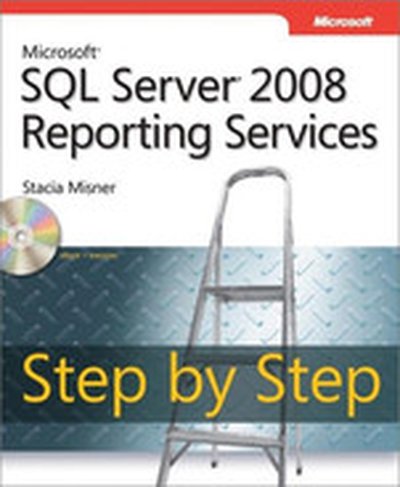
Microsoft® SQL Server® 2008 Reporting Services Step by Step

Teach yourself how to build, manage, and access SQL Server 2008 reports one step at a time. Whether you re a report developer, IT administrator, or business user, this sequential, learn-by-doing tutorial shows you how to deliver the business intelligence information your organization needs. Discover how to: Install and configure Reporting Services Put Report Builder and Report Designer tools to work Create interactive, online reports that enable users to sort and filter data Add charts and gauges to present data visually Deploy reports to Microsoft Office SharePoint Server Monitor server performance and help secure content Use subscriptions to distribute reports via e-mail Build ad hoc reports and extend them with custom code CD features: Practice exercises and code samples Fully searchable eBook.

Microsoft® SQL Server™ 2005 Analysis Services Step by Step

Your hands-on guide to learning Microsoft SQL Server Analysis Services, Microsoft’s customizable analysis solution for business data modeling and interpretation. Analysis Services is a powerful tool for business intelligence, so understanding the essentials—how to create a cube, as well as how to deploy, customize, and extend the basic calculations—is critical to harnessing the full benefits of SQL Server. This step-by-step tutorial shows you how to get started, how to build scalable analytical applications, and how to use and administer advanced features. Interactivity features (enhanced in SQL Server 2005), data translation, and security are also covered in detail. With STEP BY STEP, you work at your own pace through hands-on, learn-by-doing exercises. Whether you’re a beginning programmer or new to this version of the technology, you’ll understand the fundamental techniques for using Analysis Services. A companion CD includes data sets and sample code.

Microsoft® SQL Server™ 2005 Reporting Services Step by Step

Your hands-on guide to learning Microsoft SQL Server Reporting Services, Microsoft’s customizable reporting solution for business data analysis. Reporting Services is a powerful tool for business intelligence, so an understanding of the essentials—how to architect a report, as well as how to install and program Reporting Services—is key to harnessing the full benefits of SQL Server. This step-by-step tutorial shows you how to get started, how to use the report project wizard, how to think about and access data, and how to build queries. It also walks you through the creation of charts and visual layouts to enable maximum visual understanding of the data analysis. Interactivity features (enhanced in SQL Server 2005) and security are also covered in detail. With STEP BY STEP, you work at your own pace through hands-on, learn-by-doing exercises. Whether you’re a beginning programmer or new to this version of the technology, you’ll understand the fundamental techniques for using Reporting Services. A companion CD includes data sets and sample code.