talk-data.com talk-data.com

Topic

microsoft-visio

21

tagged

Activity Trend

1 peak/qtr
2020-Q1 2026-Q1

Activities

21 activities · Newest first

Visualize Complex Processes with Microsoft Visio

Visualize Complex Processes with Microsoft Visio is your go-to guide for learning how to effectively create and use process flow diagrams. By using Visio's built-in templates and features, this book enables you to document business processes and workflows clearly and professionally, ensuring better understanding and communication. What this Book will help me do Understand how to select and use flowchart types for visually communicating processes. Learn to navigate Visio's interface and features to efficiently create diagrams. Master integrating process flows with data and other M365 apps for added insights. Discover how to securely store and share diagrams for collaboration. Gain skills to customize templates and create diagrams that meet professional standards. Author(s) David Parker and Senaj Lelic are seasoned experts in business process visualization and Microsoft Visio. They bring years of experience in designing complex workflows and teaching professionals how to use Visio effectively. Their approachable writing style ensures clear guidance, empowering readers to achieve practical outcomes. Who is it for? This book is tailored for managers, analysts, and designers seeking to improve their skills in process visualization. Beginner Visio users will find step-by-step instructions valuable, while advanced users can explore tips for customization and integration. If you aim to enhance clarity in communications through professional diagrams, this book is for you.
Mastering Data Visualization with Microsoft Visio Professional 2016

Microsoft Visio Professional 2016 is an essential tool for creating sophisticated data visualizations across a variety of contexts and industries. In 'Mastering Data Visualization with Microsoft Visio Professional 2016', you'll learn how to utilize Visio's powerful features to transform data into compelling graphics and actionable insights. What this Book will help me do Understand how to integrate external data from various sources into your Visio diagrams. Master the use of Visio's tools to represent information using data-driven graphics. Learn the process of designing and utilizing custom shapes and templates for tailored visualizations. Discover methods for automating diagram creation from structured and external data sources. Gain techniques to share and present interactive and professional visuals with a wide audience. Author(s) John Marshall, the author of 'Mastering Data Visualization with Microsoft Visio Professional 2016,' brings years of experience in data modeling and visualization. With an extensive technical background, Marshall is a renowned expert in leveraging visual tools to communicate complex ideas effectively. His approachable writing style makes highly technical concepts accessible to professionals at various levels. Who is it for? If you're a business intelligence professional, technical analyst, or a Microsoft Office power user looking to enhance your skills in creating impactful visualizations, this book is for you. Its step-by-step approach is ideal for users of Visio Professional starting out or seeking advanced techniques. You'll gain practical insights and learn to apply them effectively in your business or technical workflows, achieving refined data presentations.
Microsoft Visio 2016 Step By Step

The quick way to learn Microsoft Visio 2016!This is learning made easy. Get more done quickly with Visio 2016. Jump in wherever you need answers--brisk lessons and colorful screenshots show you exactly what to do, step by step. Get results faster with starter diagrams Diagram processes, organizations, networks, and datacenters Add styles, colors, and themes Enhance diagrams with data-driven visualizations Link to external data sources, websites, and documents Add structure to diagrams with containers, lists, and callouts Validate flowchart, swimlane, and BPMN diagrams Collaborate and publish with Visio Services and Microsoft SharePoint 2016 Look up just the tasks and lessons you need

Visio Services Quick Guide: Using Visio with Sharepoint 2013 and Office 365

In this fast-paced 100-page guide, you’ll learn to load, display and interact with dynamic, data-powered Visio diagrams in SharePoint 2013 or Office 365. Visio Services Quick Guide gives you the tools to build anything from a simple project workflow to an organizational infrastructure diagram, powered by real data from SharePoint or SQL Server. Colleagues can load your diagrams entirely in the browser, meaning that a single Visio client installation is enough to get started. Readers with JavaScript experience will also find out how to get additional control over Visio diagrams using the JavaScript mashup API, and how to build a custom data provider. The final chapter covers some useful information on administering Visio Services. Get started bringing your Visio diagrams to life with the Visio Services Quick Guide.

Microsoft Visio 2013 Business Process Diagramming and Validation - Second Edition

This book, "Microsoft Visio 2013 Business Process Diagramming and Validation," is your comprehensive guide to leveraging the features of Microsoft Visio 2013 Professional for creating and validating structured diagrams. Through practical tutorials and code examples, it helps you master process diagramming and validation techniques for a range of business needs. What this Book will help me do Understand and utilize structured diagram functionality including basic and cross-functional flowcharts. Develop and apply custom validation rules to ensure diagram correctness and compliance using Visio 2013. Create and use advanced tools such as the Rules Tools add-on to enhance diagram validation. Learn to integrate Visio with platforms like SharePoint 2013 and Office365. Gain technical skills to build, publish, and share Visio templates and rule sets. Author(s) The authors of this book bring rich technical expertise in Microsoft Visio and business process management. They have extensive experience developing user-focused tutorials and tools, ensuring you gain both theoretical knowledge and practical skills. Their accessible writing makes complex topics approachable for a variety of learners. Who is it for? This book is for Microsoft Visio 2013 Professional Edition users who want to advance their skills in diagramming and validation. It's ideal for professionals who seek to improve diagram compliance and efficiency, including developers, analysts, and project managers. If you're already familiar with Visio basics, this book will take your skills to the next level by introducing advanced techniques for automation and standardization.

Visio® 2013 Absolute Beginner’s Guide

Make the most of Visio 2013– without becoming a technical expert! This book is the fastest way to master Visio and use it to build powerful, useful diagrams, org charts, and flowcharts of all kinds! Even if you’ve never used Visio before, you’ll learn how to do what you want, one incredibly clear and easy step at a time. Visio has never, ever been this simple! Who knew how simple Visio 2013 could be? This is the easiest, most practical beginner’s guide to using Microsoft Visio 2013...simple, reliable instructions for doing everything you really want to do! Here’s a small sample of what you’ll learn: Master new tools for creating intuitive, visually appealing diagrams Learn high-efficiency touch features for Windows 8 and tablets Create business and engineering diagrams, flowcharts, maps, floor plans, network diagrams, schedules, and more Instantly set or change diagram designs with enhanced templates and themes Simplify diagramming with built-in shapes and stencils–or create your own Craft more sophisticated diagrams with containers, callouts, screentips, and layers Import external images, from SVG graphics to AutoCAD drawings Visually present Excel spreadsheet data in Visio drawings Dynamically update diagrams with real-time data to support better decision-making Share diagrams to improve team collaboration

Microsoft Visio 2013 Step by Step

The smart way to learn Microsoft Visio 2013—one step at a time! Experience learning made easy—and quickly teach yourself how to create professional-looking business and technical diagrams with Visio 2013. With Step by Step, you set the pace—building and practicing the skills you need, just when you need them! Create dynamic organization charts with Visio Make charts with wizards or build them by hand Build drawings using Visio themes and effects Use data-driven drawings in Microsoft SharePoint Import, manipulate, and visualize business data Draw and then execute SharePoint 2013 workflows

Using Microsoft® Visio® 2010

Using Microsoft Visio 2010 is a customized, media-rich learning experience designed to help new users master Microsoft Visio 2010 quickly, and get the most out of it, fast! It starts with a concise, friendly, straight-to-the-point guide to Microsoft Visio 2010. This exceptional book is fully integrated with an unprecedented collection of online learning resources: online video, screencasts, podcasts, and additional web content, all designed to reinforce key concepts and help users achieve real mastery. The book and online content work together to teach everything mainstream Microsoft Visio 2010 users need to know. This practical, approachable coverage guides readers through all facets of working with Visio 2010, and adds coverage on new features and capabilities including: Visio's brand-new Ribbon interface, Live Preview, Auto size, align and adjust, Containers, status bar navigation tools, and data graphics legends. The 2010 edition also includes coverage on Visio services, processes management tools, new diagram types, and much more. Practical, approachable coverage that completely flattens the Microsoft Visio 2010 learning curve Tightly integrated with online video, screencast tutorials, podcasts, and more: the total learning experience for new Microsoft Visio 2010 users Companion website offers supplemental media including video, screencast tutorials, podcasts, and much more

Microsoft® Visio® 2010: Step by Step

Experience learning made easy—and quickly teach yourself how to create professional-looking business and technical diagrams with Visio 2010. With Step by Step, you set the pace—building and practicing the skills you need, just when you need them! Build a variety of charts and diagrams with Visio templates Draw organization charts, floor plans, flowcharts, and more Apply color, text, and themes to your Visio diagrams Use Visio shapes to link to, store, and visualize data Collaborate on diagrams with Microsoft SharePoint 2010 Create custom diagrams with your own shapes and templates Your Step by Step digital content includes: All the book's practice files—ready to download and put to work. Fully searchable online edition of this book—with unlimited access on the Web. Free online account required.

Microsoft Visio 2010 Business Process Diagramming and Validation

In the book 'Microsoft Visio 2010 Business Process Diagramming and Validation', you'll master the specialized features of Microsoft Visio 2010 Premium. This guide focuses on creating structured diagrams and validation rules, helping you enhance the accuracy and clarity of your business data visualization. What this Book will help me do Gain expertise in leveraging Visio's structured diagram tools for business process mapping. Learn how to build, customize, and apply Validation Rules for ensuring diagram accuracy. Develop skills in using the Visio Object Model and ShapeSheet to create advanced diagramming solutions. Understand and implement enhanced diagramming templates and rules, including BPMN and custom workflows. Acquire techniques for creating add-ins and publishing templates to establish company-wide diagramming standards. Author(s) David Parker, the author of this insightful book, is a seasoned professional with extensive experience in Microsoft Visio. His expertise includes creating complex diagramming solutions and training professionals in maximizing Visio's features. David's hands-on approach and understanding of business process needs make this a practical and enriching guide. Who is it for? This book is for users and developers of Microsoft Visio 2010 Premium Edition who want to master diagram validation and structured diagrams. Beginners with basic Visio knowledge and experienced users aiming to develop advanced applications will both benefit from this resource. It is especially useful for professionals seeking to enforce accuracy and compliance in their diagrams.

Special Edition Using Microsoft® Office Visio® 2007

THE ONLY VISIO 2007 BOOK YOU NEED “This book makes Visio as much fun as a video game.” Bob and Joy Schwabach, “On Computers,” Universal Press Syndicate We crafted this book to grow with you, providing the reference material you need as you move toward Visio® 2007 proficiency and the use of more advanced features. If you buy only one book on Visio® 2007, Special Edition Using Microsoft Office Visio® 2007 is the only book you need. • Working with shapes, stencils, and themes • Using the Data Graphics feature for extra customization • Importing content from Microsoft Excel and Microsoft Project • Displaying data as text, data bars, icons, and color-coding using Data Graphics • Creating custom stencils, icons, and templates • Storing and displaying employee information in organization charts • Customizing the layout of organization charts • Creating database models, flowcharts, and Gantt charts • Connecting shapes in network drawings • Using digital ink and animation • Creating macros • Handling guides and rulers • Working with layers • Getting the most from ShapeSheets

Visualizing Information with Microsoft® Office Visio® 2007

Create and distribute data-connected Microsoft Office Visio diagrams and reports Get full details on the powerful features of Microsoft Office Visio 2007 inside this comprehensive volume. Written by Visio expert David Parker, Visualizing Information with Microsoft Office Visio 2007 demonstrates how to effectively visualize, explore, and communicate complex business information. Learn to use PivotDiagrams, Data Graphics, and Smart Tags, as well as link data to shapes and create meaningful Visio documents and reports. Plus, you'll get vital security information, time-saving tips, troubleshooting techniques, and downloadable macros and code samples. Essential Skills for Database Users and Professionals Create shapes and link them to data Summarize and analyze information using PivotDiagrams Use Data Graphics, Smart Tags, and SmartShapes to reinforce information Generate robust Excel, HTML, and XML reports Create custom, reusable templates, stencils, and masters Update and enhance diagrams with Reviewer's comments and markups Integrate Visio diagrams with other Windows applications Publish and securely distribute Visio documents and summaries Extend functionality using VBA macros, add-ins, and wrapper applications

Visio® 2007 Bible

Whether you're designing a network, a business plan, or an office building, Visio 2007 can transform your vision into sophisticated diagrams and drawings and this comprehensive reference shows you how. You'll discover how to use Visio for IT, architecture, engineering, and business projects; explore the new features of Visio 2007; learn to publish Visio diagrams to the Web; and much more. If you want to develop your skills in Visio, this is the book you need to succeed.

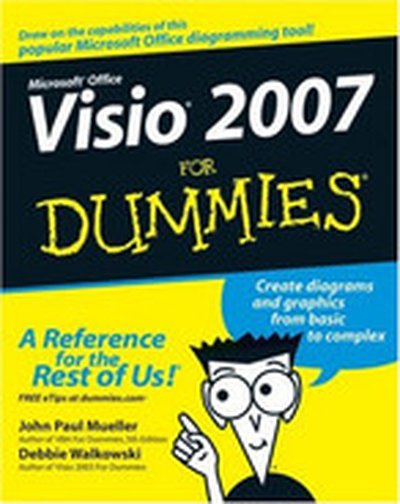
Visio® 2007 For Dummies®

Reveal your inner business artist with Visio Turn your ideas into diagrams and drawings with Visio's stencils and templates If you have an idea you want to get down on electronic paper, Visio 2007 is for you, and so is this book! They're both flexible and user-friendly. Here's how to use Visio to capture ideas from simple to intricate, update data in a drawing with a single click, add and manipulate text, work with connectors, and more. Discover how to Create business, engineering, software, or network diagrams Format an entire drawing using themes Analyze "what-if" scenarios with PivotDiagrams Produce layered multipage drawings Save drawings to publish on the Web

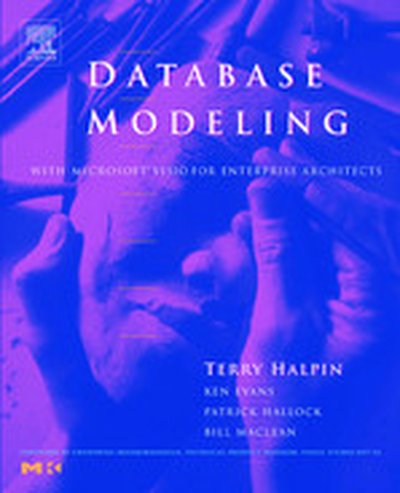
Database Modeling with Microsoft® Visio for Enterprise Architects

This book is for database designers and database administrators using Visio, which is the database component of Microsoft's Visual Studio .NET for Enterprise Architects suite, also included in MSDN subscriptions. This is the only guide to this product that tells DBAs how to get their job done. Although primarily focused on tool features, the book also provides an introduction to data modeling, and includes practical advice on managing database projects. The principal author was the program manager of VEA's database modeling solutions. · Explains how to model databases with Microsoft® Visio for Enterprise Architects (VEA), focusing on tool features.· Provides a platform-independent introduction to data modeling using both Object Role Modeling (ORM) and Entity Relationship Modeling (ERM), and includes practical advice on managing database projects.· Additional ORM models, course notes, and add-ins available online.

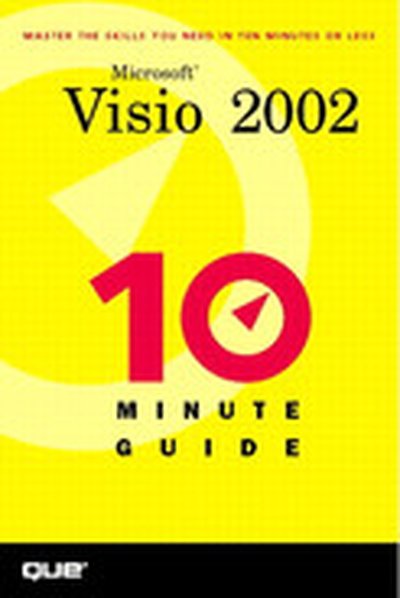
Ten Minute Guide to Microsoft® Visio® 2002

Because most people don't have the luxury of sitting down uninterrupted for hours at a time to learn Visio, this 10-Minute Guide focuses on the most often used features, covering them in lessons designed to take 10 minutes or less to complete. In addition, this guide teaches the user how to use Visio without relying on technical jargon, by providing straightforward, easy-to-follow explanations and lists of numbered steps that tell the user which keys to press and which options to select.