talk-data.com talk-data.com

M

Speaker

Michael Alexander

15

talks

author

Frequent Collaborators

Filter by Event / Source

Talks & appearances

15 activities · Newest first

Search activities →
Excel Dashboards & Reports For Dummies, 4th Edition

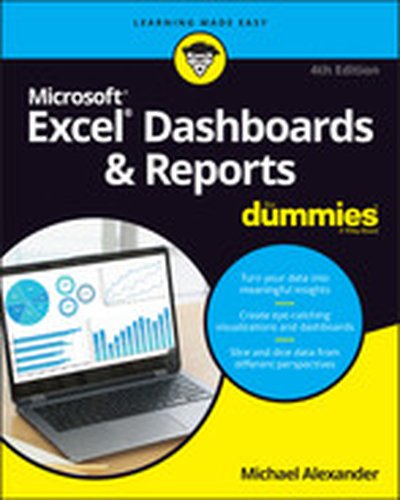
It’s time for some truly “Excel-lent” spreadsheet reporting Beneath the seemingly endless rows and columns of cells, the latest version of Microsoft Excel boasts an astonishing variety of features and capabilities. But how do you go about tapping into some of that power without spending all of your days becoming a spreadsheet guru? It’s easy. You grab a copy of the newest edition of Excel Dashboards & Reports For Dummies and get ready to blow the pants off your next presentation audience! With this book, you’ll learn how to transform those rows and columns of data into dynamic reports, dashboards, and visualizations. You’ll draw powerful new insights from your company’s numbers to share with your colleagues – and seem like the smartest person in the room while you’re doing it. Excel Dashboards & Reports For Dummies offers: Complete coverage of the latest version of Microsoft Excel provided in the Microsoft 365 subscription Strategies to automate your reporting so you don’t have to manually crunch the numbers every week, month, quarter, or year Ways to get new perspectives on old data, visualizing it so you can find solutions no one else has seen before If you’re ready to make your company’s numbers and spreadsheets dance, it’s time to get the book that’ll have them moving to your tune in no time. Get Excel Dashboards & Reports For Dummies today.
Excel Power Pivot & Power Query For Dummies, 2nd Edition

Learn to crunch huge amounts of data with PowerPivot and Power Query Do you have a ton of data you need to make sense of? Microsoft’s Excel program can handle amazingly large data sets, but you’ll need to get familiar with PowerPivot and Power Query to get started. And that’s where Dummies comes in. With step-by-step instructions—accompanied by ample screenshots—Excel PowerPivot & Power Query For Dummies will teach you how to save time, simplify your processes, and enhance your data analysis and reporting. Use Power Query to discover, connect to, and import your organization’s data. Then use PowerPivot to model it in Excel. You’ll also learn to: Make use of databases to store large amounts of data Use custom functions to extend and enhance Power Query Add the functionality of formulas to PowerPivot and publish data to SharePoint If you’re expected to wrangle, interpret, and report on large amounts of data, Excel PowerPivot & Power Query For Dummies gives you the tools you need to get up to speed quickly.

Access 2019 Bible

Master database creation and management Access 2019 Bible is your, comprehensive reference to the world's most popular database management tool. With clear guidance toward everything from the basics to the advanced, this go-to reference helps you take advantage of everything Access 2019 has to offer. Whether you're new to Access or getting started with Access 2019, you'll find everything you need to know to create the database solution perfectly tailored to your needs, with expert guidance every step of the way. The companion website features all examples and databases used in the book, plus trial software and a special offer from Database Creations. Start from the beginning for a complete tutorial, or dip in and grab what you need when you need it. Access enables database novices and programmers to store, organize, view, analyze, and share data, as well as build powerful, integrable, custom database solutions — but databases can be complex, and difficult to navigate. This book helps you harness the power of the database with a solid understanding of their purpose, construction, and application. Understand database objects and design systems objects Build forms, create tables, manipulate datasheets, and add data validation Use Visual Basic automation and XML Data Access Page design Exchange data with other Office applications, including Word, Excel, and more From database fundamentals and terminology to XML and Web services, this book has everything you need to maximize Access 2019 and build the database you need.

Excel Power Pivot and Power Query For Dummies

A guide to PowerPivot and Power Query no data cruncher should be without! Want to familiarize yourself with the rich set of Microsoft Excel tools and reporting capabilities available from PowerPivot and Power Query? Look no further! Excel PowerPivot & Power Query For Dummies shows you how this powerful new set of tools can be leveraged to more effectively source and incorporate 'big data' Business Intelligence and Dashboard reports. You'll discover how PowerPivot and Power Query not only allow you to save time and simplify your processes, but also enable you to substantially enhance your data analysis and reporting capabilities. Gone are the days of relatively small amounts of data—today's data environment demands more from business analysts than ever before. Now, with the help of this friendly, hands-on guide, you'll learn to use PowerPivot and Power Query to expand your skill-set from the one-dimensional spreadsheet to new territories, like relational databases, data integration, and multi-dimensional reporting. Demonstrates how Power Query is used to discover, connect to, and import your data Shows you how to use PowerPivot to model data once it's been imported Offers guidance on using these tools to make analyzing data easier Written by a Microsoft MVP in the lighthearted, fun style you've come to expect from the For Dummies brand If you spend your days analyzing data, Excel PowerPivot & Power Query For Dummies will get you up and running with the rich set of Excel tools and reporting capabilities that will make your life—and work—easier.

Excel Dashboards and Reports for Dummies, 3rd Edition

Make the most of your data using the power of Excel When you think of data, do you think of endless rows and columns in spreadsheets? Excel Dashboards and Reports For Dummies, 3 shows you how to make the most of your data—and puts an end to mind-numbing spreadsheets by exploring new ways to conceptualize and present key information. There's often a gap between handling data and synthesizing it into meaningful reports, and this approachable text bridges this gap with quick and accessible information that answers key questions, like how to meaningfully capture data trends, how to show relationships in data, and when it's better to show variances than actual data values. rd Edition As a leading spreadsheet application, Microsoft Excel is the go-to data software. This tool allows you to use dashboard reports that leverage gauges, maps, charts, sliders, and other visual elements to present complex data in a manner that's easy to understand. Using Excel dashboards effectively can improve your professional capabilities by leaps and bounds. Analyze and report on large amounts of data in a meaningful way Look at data from different perspectives, and better visualize the information you're presenting by quickly slicing data on the fly Automate redundant reporting and analysis functions, making your data analysis and reporting routine more efficient Create visualizations, dashboards, and what-if analyses that are as visually appealing as they are substantial Excel Dashboards and Reports For Dummies, 3 is a fantastic resource if you're looking to spice up your reporting! rd Edition

Access 2016 Bible

Master database creation and management Access 2016 Bible is your, comprehensive reference to the world's most popular database management tool. With clear guidance toward everything from the basics to the advanced, this go-to reference helps you take advantage of everything Access 2016 has to offer. Whether you're new to Access or getting started with Access 2016, you'll find everything you need to know to create the database solution perfectly tailored to your needs, with expert guidance every step of the way. The companion website features all examples and databases used in the book, plus trial software and a special offer from Database Creations. Start from the beginning for a complete tutorial, or dip in and grab what you need when you need it — this book gives you an expert Access 2016 companion on call 24/7. Access enables database novices and programmers to store, organize, view, analyze, and share data, as well as build powerful, integrable, custom database solutions — but databases can be complex, and difficult to navigate. This book helps you harness the power of the database with a solid understanding of their purpose, construction, and application. Understand database objects and design systems objects Build forms, create tables, manipulate datasheets, and add data validation Use Visual Basic automation and XML Data Access Page design Exchange data with other Office applications, including Word, Excel, and more From database fundamentals and terminology to XML and Web services, this book has everything you need to maximize Access 2016 and build the database you need.

Microsoft Business Intelligence Tools for Excel Analysts

Bridge the big data gap with Microsoft Business Intelligence Tools for Excel Analysts The distinction between departmental reporting done by business analysts with Excel and the enterprise reporting done by IT departments with SQL Server and SharePoint tools is more blurry now than ever before. With the introduction of robust new features like PowerPivot and Power View, it is essential for business analysts to get up to speed with big data tools that in the past have been reserved for IT professionals. Written by a team of Business Intelligence experts, Microsoft Business Intelligence Tools for Excel Analysts introduces business analysts to the rich toolset and reporting capabilities that can be leveraged to more effectively source and incorporate large datasets in their analytics while saving them time and simplifying the reporting process. Walks you step-by-step through important BI tools like PowerPivot, SQL Server, and SharePoint and shows you how to move data back and forth between these tools and Excel Shows you how to leverage relational databases, slice data into various views to gain different visibility perspectives, create eye-catching visualizations and dashboards, automate SQL Server data retrieval and integration, and publish dashboards and reports to the web Details how you can use SQL Server's built-in functions to analyze large amounts of data, Excel pivot tables to access and report OLAP data, and PowerPivot to create powerful reporting mechanisms You'll get on top of the Microsoft BI stack and all it can do to enhance Excel data analysis with this one-of-a-kind guide written for Excel analysts just like you.

Excel Dashboards and Reports For Dummies, 2nd Edition

Create dynamic dashboards and put your data on display with For Dummies No matter what business you're in, reports have become a staple of the workplace, but what good is a report if no reads it, or even worse, understands it? This all new edition of Excel Dashboards & Reports For Dummies is here to help you make meaning of all your data and turn it into clear and actionable visualizations. Fully updated for the latest business intelligence and spreadsheet tools in Excel 2013, this book shows you how to analyze large amounts of data, quickly slice data into various views on the fly, automate redundant reporting, create eye-catching visualizations, and more. Helps you move beyond reporting data with simple tables, rows, and columns to designing high-impact reports, dashboards, and visuals Walks you through a wide array of technical and analytical concepts to give you the background you need to select the right tool for interpreting and displaying data Covers how to build a chart, work with pivot tables, group and bucket your data, represent trends, create What-If analyses, and increase the value of your reports Excel Dashboards & Reports For Dummies, 2nd Edition is the business analysis tool you need to transform your raw data into a powerful and effective presentation that is accessible to everyone.

Excel Dashboards and Reports, 2nd Edition

Learn to use Excel dashboards and reports to better conceptualize data Updated for all the latest features and capabilities of Excel 2013, this go-to resource provides you with in-depth coverage of the individual functions and tools that can be used to create compelling Excel reports. Veteran author Michael Alexander walks you through the most effective ways to present and report data. Featuring a comprehensive review of a wide array of technical and analytical concepts, this essential guide helps you go from reporting data with simple tables full of dull numbers to presenting key information through the use of high-impact, meaningful reports and dashboards that will wow management both visually and substantively. Details how to analyze large amounts of data and report the results in a way that is both visually attractive and effective Describes how to use different perspectives to achieve better visibility into data, as well as how to slice data into various views on the fly Shows how to automate redundant reporting and analysis processes Walks you through creating impressive dashboards, eye-catching visualizations, and real-world What-If analyses Excel Dashboards and Reports, Second Edition is part technical manual, part analytical guidebook, and exactly what you need to become your organization's dashboard dynamo!

Access 2013 Bible

A comprehensive reference to the updated and new features of Access 2013 As the world's most popular database management tool, Access enables you to organize, present, analyze, and share data as well as build powerful database solutions. However, databases can be complex. That's why you need the expert guidance in this comprehensive reference. Access 2013 Bible helps you gain a solid understanding of database purpose, construction, and application so that whether you're new to Access or looking to upgrade to the 2013 version, this well-rounded resource provides you with a thorough look at everything Access can do. Explains how to create tables, manipulate datasheets, and work with multiple tables Teaches you how to apply the seven-step design method to build databases that are tailored to your needs Covers building forms with wizards, creating bound and unbound forms, and adding data validation Shows you ways to automate query parameters, create functions and subroutines, and add programmed error routines Features a bonus website with content that contains all source code from the book as well as bonus shareware, freeware, trial, demo, and evaluation programs If you are looking for a comprehensive book on all things Access, look no further than Access 2013 Bible.

Excel 2013 Pivot Table Data Crunching

CRUNCH ANY DATA, FROM ANY SOURCE, QUICKLY AND EASILY, WITH EXCEL 2013 PIVOT TABLES! Use Excel 2013 pivot tables and pivot charts to produce powerful, dynamic reports in minutes instead of hours… understand exactly what’s going on in your business… take control, and stay in control! Even if you’ve never created a pivot table before, this book will help you leverage all their amazing flexibility and analytical power. In just the first seven chapters, you learn how to generate complex pivot reports complete with drill-down capabilities and accompanying charts. Then, you go even further, discovering how to build a comprehensive, dynamic pivot table reporting system for any business task or function. Learning advanced pivot table and pivot chart techniques for Excel 2013 or the newest Office 365 has never been easier. You’ll find simple, step-by-step instructions, real-world case studies, even complete, easy recipes for solving your most common business analysis problems. • Create, customize, and change your pivot tables and pivot charts • Transform gigantic data sets into crystal-clear summary reports • Summarize and analyze data even faster with new Excel 2013 recommended pivot tables • Instantly highlight your most (and least) profitable customers, products, or regions • Quickly filter pivot tables using slicers • Use dynamic dashboards using Power View to see exactly where your business stands right now • Revamp analyses on the fly by simply dragging and dropping fields • Build dynamic self-service reporting systems your entire team can use • Use PowerPivot or the Data Model to create pivot tables from multiple data sources and worksheets • Work with and analyze OLAP data, and much more About MrExcel Library: Every book in the MrExcel Library pinpoints a specific set of crucial Excel tasks and presents focused skills and examples for performing them rapidly and effectively. Selected by Bill Jelen, Microsoft Excel MVP and mastermind behind the leading Excel solutions website MrExcel.com, these • Dramatically increase your productivity—saving you 50 hours a year or more • Present proven, creative strategies for solving real-world problems • Show you how to get great results, no matter how much data you have • Help you avoid critical mistakes that even experienced users make CATEGORY: Spreadsheets COVERS: Microsoft Office Excel 2013

Excel® Dashboards & Reports

The go to resource for how to use Excel dashboards and reports to better conceptualize data Many Excel books do an adequate job of discussing the individual functions and tools that can be used to create an "Excel Report." What they don't offer is the most effective ways to present and report data. Offering a comprehensive review of a wide array of technical and analytical concepts, Excel Reports and Dashboards helps Excel users go from reporting data with simple tables full of dull numbers, to presenting key information through the use of high-impact, meaningful reports and dashboards that will wow management both visually and substantively. Details how to analyze large amounts of data and report the results in a meaningful, eye-catching visualization Describes how to use different perspectives to achieve better visibility into data, as well as how to slice data into various views on the fly Shows how to automate redundant reporting and analyses Part technical manual, part analytical guidebook, Excel Dashboards and Reports is the latest addition to the Mr. Spreadsheet's Bookshelf series and is the leading resource for learning to create dashboard reports in an easy-to-use format that's both visually attractive and effective.

The Excel® Analyst's Guide to Access®

The ultimate handbook for Excel analysts who need reporting solutions using Access Excel and Access are intended to work together. This book offers a comprehensive review of the extensive analytical and reporting functionality that Access provides and how it enhances Excel reporting functions. Sales managers, operations analysts, administrative assistants, office managers, and many others who rely heavily on data can benefit from learning to integrate Excel and Access, and this book shows you how. Coverage includes: Data Analysis in Access & the Basics of Access Beyond Select Queries Transforming Your Data with Access Working with Calculations and Dates Performing Conditional Analysis Adding Dimension with Subqueries and Domain Aggregate Functions Running Descriptive Statistics in Access Scheduling and Running Batch Analysis Leveraging VBA to Enhance Data Analysis Reports, Dashboards, and Visualization in Access Presenting Data with Access Reports Using Pivot Tables and Pivot Charts in Access Enhancing Queries and Reports with Visualizations Advanced Excel and Access Integration Techniques Getting Access Data into Excel Using VBA to Move Data between Excel and Access Exploring Excel and Access Automation Integrating Excel and Access with XML Integrating Excel and Other Of?ce Applications Access VBA Fundamentals Understanding and Using SQL and more! The Excel Analyst's Guide to Access helps you get more from both applications. Note: CD-ROM/DVD and other supplementary materials are not included as part of eBook file.

Excel® 2007 Dashboards & Reports For Dummies®

What’s the use of putting out reports that no one reads? Properly created dashboards are graphical representations that put data in a context for your audience, and they look really cool! How cool? You’ll find out when you see the dazzling examples in Excel 2007 Dashboards & Reports For Dummies. And, before long, everyone’s eyes will be riveted to your dashboards and reports too! This revolutionary guide shows you how to turn Excel into your own personal Business Intelligence tool. You’ll learn the fundamentals of using Excel 2007 to go beyond simple tables to creating dashboard-studded reports that wow management. Get ready to catch dashboard fever as you find out how to use basic analysis techniques, build advanced dashboard components, implement advanced reporting techniques, and import external date into your Excel reports. Discover how to: Unleash the power of Excel as a business intelligence tool Create dashboards that communicate and get noticed Think about your data in a new way Present data more effectively and increase the value of your reports Create dynamic labels that support visualization Represent time and seasonal trending Group and bucket data Display and measure values versus goals Implement macro-charged reporting Using Excel 2007 as a BI tool is the most cost-efficient way for organizations of any size create powerful and insightful reports and distribute throughout the enterprise. And Excel 2007 Dashboards and Reports for Dummies is the fastest you for you to catch dashboard fever!

Pivot Table Data Crunching

Become a savvy Microsoft Excel user. Pivot tables are a great feature in Excel that help you organize and analyze data, but not many Excel users know how to use pivot tables. Pivot Table Data Crunching offers a comprehensive review of all the functionalities of Pivot Tables from author Bill Jelen, otherwise known as Mr. Excel from www.mrexcel.com, and Michael Alexander, a Microsoft Certified Application Developer. The authors' practical scenarios and real-world advice demonstrate the benefits of Pivot Tables and how to avoid the common pitfalls of every day data crunching. Each solution presented in the book can be accomplished with resources available in the Excel interface, making Pivot Table Data Crunching a beneficial resource for all levels of Excel users.