talk-data.com talk-data.com

Topic

powerpivot

24

tagged

Activity Trend

1 peak/qtr
2020-Q1 2026-Q1

Activities

24 activities · Newest first

DAX for Humans

Level up your Power BI skills by learning DAX in an easy, fun, and practical way using one core pattern that can be used to solve most problems Key Features Learn simple through advanced DAX in a clear, concise way using real-world examples Explore powerful techniques for debugging DAX and increasing efficiency Use artificial intelligence to write, refine, and troubleshoot your DAX formulas Purchase of the print or Kindle book includes a free PDF eBook Book Description Although DAX has been around for over a decade, many struggle to master the language primarily because DAX is often taught through the CALCULATE function, which is the most complex and unintuitive function in all of DAX. But what if DAX could be taught without CALCULATE? The result would be an incredibly intuitive and easy way to learn DAX. DAX for Humans stands the traditional approach to learning DAX on its head, foregoing the traditional, legacy methods of learning DAX for a more modern approach that focuses on core DAX concepts and not any specific function. Even if you know nothing about DAX, from the very first chapter you will learn the essentials of the DAX language, as well as a single pattern to solve the majority of DAX problems. From that point forward, you’ll explore how to work with the basic building blocks of the DAX language and apply what you learn to real-world business scenarios across customers, human resources, projects, finance, operations, and more. By the end of this book, you’ll be able to apply your DAX skills to simple, complex, and advanced scenarios; understand how to optimize and debug your DAX code; and even know how to efficiently apply artificial intelligence to help you write and debug your DAX code. What you will learn Master techniques to solve common DAX calculations Apply DAX to real-word, practical business scenarios Explore advanced techniques for tackling unusual DAX scenarios Discover new ideas, tricks, and time-saving techniques for better calculations Find out how to optimize and debug DAX effectively Leverage AI to assist in writing, troubleshooting, and improving DAX Who this book is for If you use Power BI but struggle with DAX or if you know DAX but want to improve and expand your skills, then this book is for you. Even if you have never used Power BI or DAX before, you will find this book helpful as you progress from the basics to mastery of the DAX language using real-world scenarios as your guide.

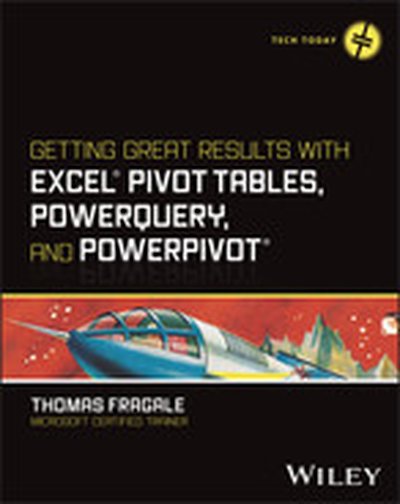
Getting Great Results with Excel Pivot Tables, PowerQuery and PowerPivot

Get more out of your data with step-by-step tutorials for the Excel features you need to know Excel is still the most popular tool for organizing and analyzing data, and today's professionals are expected to have a high degree of fluency with it. Complex Excel tools like Pivot Tables, PowerQuery, and PowerPivot can help you manage and report on data the way you need to. Getting Great Results with Excel Pivot Tables, PowerQuery and PowerPivot offers a fresh look at how these tools can help you. Author and Microsoft Certified Trainer Thomas Fragale breaks down the topics into easy-to-use steps and screenshots, so you'll be able to put your advanced Excel skills into practice right away. Using Pivot Tables, PowerQuery, and PowerPivot, you can import, sort, transform, summarize, and present your data, all without having to be a programmer. This book takes the technical jargon out of using these features, so you can do your job more efficiently, bring value to your teams, and advance your career. The plain-English instructions inside will help anyone learn to get quick, meaningful results from your data, without having a degree in computing. Get easy-to-understand walkthroughs for analyzing data and creating dashboards in Microsoft Excel Learn how to organize data in Excel and use advanced features to find patterns and insights Summarize any kind of data faster and easier, leaving you more time for other tasks Turn raw numbers into new knowledge, reports, and charts that tell coworkers and customers what they need to know This book is great for anybody who has tons of raw data and needs to make sense of it. Managers, salespeople, finance professionals, marketers—along with anyone else who works with large amounts of data—will love this quick and easy guide to Pivot Tables, PowerQuery, and PowerPivot.

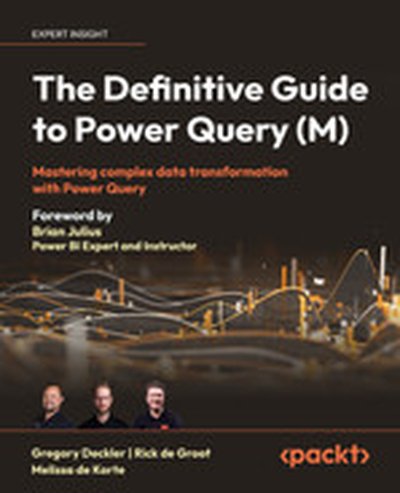
The Definitive Guide to Power Query (M)

Dive into the comprehensive world of data transformation with "The Definitive Guide to Power Query (M)". This book empowers you with the knowledge and skills necessary to effectively utilize Power Query for complex data transformation tasks. You will develop expertise in practical techniques, advanced M language concepts, and optimization strategies. What this Book will help me do Understand the fundamentals of Power Query and its functionalities. Learn to perform complex data transformations using various Power Query functions. Gain insight into advanced M language structures such as custom functions and nested expressions. Develop skills in error handling and debugging to streamline your data processes. Master performance optimization techniques for efficient data handling with Power Query. Author(s) Gregory Deckler, Rick de Groot, and Melissa de Korte are seasoned professionals in business intelligence and data analytics. With years of experience using Power Query, they bring a wealth of knowledge and practical insight into tackling real-world data problems. Their combined expertise ensures a clear and immersive learning experience for readers, guiding them through fundamental to advanced topics. Who is it for? This book is ideal for business analysts, data professionals, and power users who wish to advance their data transformation capabilities. If you're someone with foundational experience in Power Query looking to become proficient or an industry professional aiming to optimize workflows, this book is tailored to suit your goals.

Up and Running with DAX for Power BI: A Concise Guide for Non-Technical Users

Take a concise approach to learning how DAX, the function language of Power BI and PowerPivot, works. This book focuses on explaining the core concepts of DAX so that ordinary folks can gain the skills required to tackle complex data analysis problems. But make no mistake, this is in no way an introductory book on DAX. A number of the topics you will learn, such as the concepts of context transition and table expansion, are considered advanced and challenging areas of DAX. While there are numerous resources on DAX, most are written with developers in mind, making learning DAX appear an overwhelming challenge, especially for those who are coming from an Excel background or with limited coding experience. The reality is, to hit the ground running with DAX, it’s not necessary to wade through copious pages on rarified DAX functions and the technical aspects of the language. There are just a few mandatory concepts that must be fully understood before DAX can be mastered. Knowledge of everything else in DAX is built on top of these mandatory aspects. Author Alison Box has been teaching and working with DAX for over eight years, starting with DAX for PowerPivot, the Excel add-in, before moving into the Power BI platform. The guide you hold in your hands is an outcome of these years of experience explaining difficult concepts in a way that people can understand. Over the years she has refined her approach, distilling down the truth of DAX which is “you can take people through as many functions as you like, but it’s to no avail if they don’t truly understand how it all works.” You will learn to use DAX to gain powerful insights into your data by generating complex and challenging business intelligence calculations including, but not limited to: Calculations to control the filtering of information to gain better insight into the data that matters to you Calculations across dates such as comparing data for thesame period last year or the previous period Finding rolling averages and rolling totals Comparing data against targets and KPIs or against average and maximum values Using basket analysis, such as “of customers who bought product X who also bought product Y” Using “what if” analysis and scenarios Finding “like for like” sales Dynamically showing TopN/BottomN percent of customers or products by sales Finding new and returning customers or sales regions in each month or each year Who This Book Is For Excel users and non-technical users of varying levels of ability or anyone who wants to learn DAX for Power BI but lacks the confidence to do so

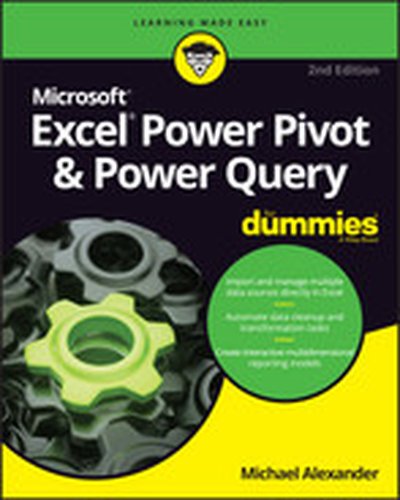
Excel Power Pivot & Power Query For Dummies, 2nd Edition

Learn to crunch huge amounts of data with PowerPivot and Power Query Do you have a ton of data you need to make sense of? Microsoft’s Excel program can handle amazingly large data sets, but you’ll need to get familiar with PowerPivot and Power Query to get started. And that’s where Dummies comes in. With step-by-step instructions—accompanied by ample screenshots—Excel PowerPivot & Power Query For Dummies will teach you how to save time, simplify your processes, and enhance your data analysis and reporting. Use Power Query to discover, connect to, and import your organization’s data. Then use PowerPivot to model it in Excel. You’ll also learn to: Make use of databases to store large amounts of data Use custom functions to extend and enhance Power Query Add the functionality of formulas to PowerPivot and publish data to SharePoint If you’re expected to wrangle, interpret, and report on large amounts of data, Excel PowerPivot & Power Query For Dummies gives you the tools you need to get up to speed quickly.

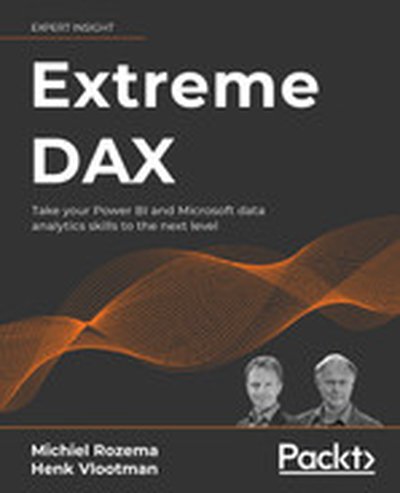
Extreme DAX

Delve into advanced Data Analysis Expressions (DAX) concepts and Power BI capabilities with Extreme DAX, designed to elevate your skills in Microsoft's Business Intelligence tools. This book guides you through solving intricate business problems, improving your reporting, and leveraging data modeling principles to their fullest potential. What this Book will help me do Master advanced DAX functions and leverage their full potential in data analysis. Develop a solid understanding of context and filtering within Power BI models. Employ strategies for dynamic visualizations and secure data access via row-level security. Apply financial DAX functions for precise investment evaluations and forecasts. Utilize alternative calendars and advanced time-intelligence for comprehensive temporal analyses. Author(s) Michiel Rozema and Henk Vlootman bring decades of deep experience in data analytics and business intelligence to your learning journey. Both authors are seasoned practitioners in using DAX and Microsoft BI tools, with numerous practical deployments of their expertise in business solutions. Their approachable writing reflects their teaching style, ensuring you can easily grasp even challenging concepts. This book combines their comprehensive technical knowledge with real-world, hands-on examples, offering an invaluable resource for refining your skills. Who is it for? This book is perfect for intermediate to advanced analysts who have a foundational knowledge of DAX and Power BI and wish to deepen their expertise. If you are striving to improve performance and accuracy in your reports or aiming to handle advanced modeling scenarios, this book is for you. Prior experience with DAX, Power BI, or equivalent analytical tools is recommended to maximize the benefit. Whether you're a business analyst, data professional, or enthusiast, this book will elevate your analytical capabilities to new heights.

DAX Cookbook

"DAX Cookbook: Over 120 recipes to enhance your business with analytics, reporting, and business intelligence" is the ultimate guidebook for mastering DAX (Data Analysis Expressions) in business intelligence, Power BI, and SQL Server Analysis Services. With hands-on examples and extensive recipes, it enables professionals to solve real-world data challenges effectively. What this Book will help me do Understand how to create tailored calculations for dates, time, and duration to enhance data insights. Develop key performance indicators (KPIs) and advanced business metrics for strategic decision-making. Master text and numerical data transformations to construct dynamic dashboards and reports. Optimize data models and DAX queries for improved performance and analytics accuracy. Learn to handle and debug calculations, and implement complex statistical and mathematical measures. Author(s) Greg Deckler is a seasoned business intelligence professional with extensive experience in using DAX and Power BI to provide actionable insights. As a recognized expert in the field, Greg brings practical knowledge of developing scalable BI solutions. His teaching approach is rooted in clarity and real-world application, making complex topics accessible to learners of all levels. Who is it for? This book is perfect for business professionals, BI developers, and data analysts with basic knowledge of the DAX language and associated tools. If you are looking to enhance your DAX skills and solve tough analytical challenges, this book is tailored for you. It's highly relevant for those aiming to optimize business intelligence workflows and improve data-driven decisions.

Hands-On Business Intelligence with DAX

Hands-On Business Intelligence with DAX is your comprehensive guide to mastering DAX (Data Analysis Expressions) within the context of Power BI, Excel Power Pivot, and more. You will learn how to craft powerful DAX queries, build efficient data models, and gain actionable insights from your data. What this Book will help me do Gain a comprehensive understanding of DAX query language and its applications. Learn the skills to create and optimize data models using real-world examples. Master the techniques needed to write advanced DAX expressions with confidence. Understand key DAX functions for complex data aggregation and calculations. Develop expertise in using DAX to derive deeper insights from diverse datasets. Author(s) None Horne is an experienced data professional passionate about teaching DAX and data modeling concepts in easy and approachable ways. With years of experience in business intelligence and a knack for breaking down complex topics, None Horne equips you with knowledge you can apply immediately. Who is it for? This book is ideal for business intelligence analysts, data professionals, and Power BI users who wish to enhance their DAX expertise. It is well-suited for readers with a basic understanding of BI concepts looking to expand their skills. Pragmatic learners looking to apply DAX to solve data problems will find this book highly practical. If you are keen to develop more efficient workflows and deeper data insights, this book fits your needs.

Pro DAX with Power BI: Business Intelligence with PowerPivot and SQL Server Analysis Services Tabular

Learn the intricate workings of DAX and the mechanics that are necessary to solve advanced Power BI challenges. This book is all about DAX (Data Analysis Expressions), the formula language used in Power BI—Microsoft’s leading self-service business intelligence application—and covers other products such as PowerPivot and SQL Server Analysis Services Tabular. You will learn how to leverage the advanced applications of DAX to solve complex tasks. Often a task seems complex due to a lack of understanding, or a misunderstanding of core principles, and how certain components interact with each other. The authors of this book use solutions and examples to teach you how to solve complex problems. They explain the intricate workings of important concepts such as Filter Context and Context Transition. You will learn how Power BI, through combining DAX building blocks (such as measures, table filtering, and data lineage), can yield extraordinary analytical power. Throughout Pro Dax with Power BI these building blocks are used to create and compose solutions for advanced DAX problems, so you can independently build solutions to your own complex problems, and gain valuable insight from your data. What You Will Learn Understand the intricate workings of DAX to solve advanced problems Deconstruct problems into manageable parts in order to create your own recipes Apply predefined solutions for addressing problems, and link back step-by-step to the mechanics of DAX, to know the foundation of this powerful query language Get fully on board with DAX, a new and evolving language, by learning best practices Who This Book Is For Anyone who wants to use Power BI to build advanced and complex models. Some experience writing DAX is helpful, but not essential if you have experience with other data query languages such as MDX or SQL.

Beginning DAX with Power BI: The SQL Pro’s Guide to Better Business Intelligence

Attention all SQL Pros, DAX is not just for writing Excel-based formulas! Get hands-on learning and expert advice on how to use the vast capabilities of the DAX language to solve common data modeling challenges. Beginning DAX with Power BI teaches key concepts such as mapping techniques from SQL to DAX, filtering, grouping, joining, pivoting, and using temporary tables, all aimed at the SQL professional. Join author Philip Seamark as he guides you on a journey through typical business data transformation scenarios and challenges, and teaches you, step-by-step, how to resolve challenges using DAX. Tips, tricks, and shortcuts are included and explained, along with examples of the SQL equivalent, in order to accelerate learning. Examples in the book range from beginner to advanced, with plenty of detailed explanation when walking through each scenario. What You’ll Learn Turbocharge your Power BI model by adding advanced DAX programming techniques Know when to use calculated measures versus calculated columns Generate new tables on the fly from existing data Optimize, monitor, and tune Power BI to improve performance of your models Discover new ideas, tricks, and time-saving techniques for better models Who This Book Is For Business intelligence developers, business analysts, or any SQL user who wants to use Power BI as a reporting tool. A solid understanding of SQL is recommended, as examples throughout the book include the DAX equivalents to SQL problem/solution scenarios.

Excel Power Pivot and Power Query For Dummies

A guide to PowerPivot and Power Query no data cruncher should be without! Want to familiarize yourself with the rich set of Microsoft Excel tools and reporting capabilities available from PowerPivot and Power Query? Look no further! Excel PowerPivot & Power Query For Dummies shows you how this powerful new set of tools can be leveraged to more effectively source and incorporate 'big data' Business Intelligence and Dashboard reports. You'll discover how PowerPivot and Power Query not only allow you to save time and simplify your processes, but also enable you to substantially enhance your data analysis and reporting capabilities. Gone are the days of relatively small amounts of data—today's data environment demands more from business analysts than ever before. Now, with the help of this friendly, hands-on guide, you'll learn to use PowerPivot and Power Query to expand your skill-set from the one-dimensional spreadsheet to new territories, like relational databases, data integration, and multi-dimensional reporting. Demonstrates how Power Query is used to discover, connect to, and import your data Shows you how to use PowerPivot to model data once it's been imported Offers guidance on using these tools to make analyzing data easier Written by a Microsoft MVP in the lighthearted, fun style you've come to expect from the For Dummies brand If you spend your days analyzing data, Excel PowerPivot & Power Query For Dummies will get you up and running with the rich set of Excel tools and reporting capabilities that will make your life—and work—easier.

Microsoft Excel 2013: Building Data Models with PowerPivot

Your guide to quickly turn data into results. Transform your skills, data, and business—and create your own BI solutions using software you already know and love: Microsoft Excel. Two business intelligence (BI) experts take you inside PowerPivot functionality for Excel® 2013, with a focus on real world scenarios, problem-solving, and data modeling. You'll learn how to quickly turn mass quantities of data into meaningful information and on-the-job results—no programming required! Understand the differences between PowerPivot for Self Service BI and SQL Server Analysis Services for Corporate BI Extend your existing data-analysis skills to create your own BI solutions Quickly manipulate large data sets, often in millions of rows Perform simple-to-sophisticated calculations and what-if analysis Create complex reporting systems with data modeling and Data Analysis Expressions Share your results effortlessly across your organization using Microsoft SharePoint®

Excel 2013 Pivot Table Data Crunching

CRUNCH ANY DATA, FROM ANY SOURCE, QUICKLY AND EASILY, WITH EXCEL 2013 PIVOT TABLES! Use Excel 2013 pivot tables and pivot charts to produce powerful, dynamic reports in minutes instead of hours… understand exactly what’s going on in your business… take control, and stay in control! Even if you’ve never created a pivot table before, this book will help you leverage all their amazing flexibility and analytical power. In just the first seven chapters, you learn how to generate complex pivot reports complete with drill-down capabilities and accompanying charts. Then, you go even further, discovering how to build a comprehensive, dynamic pivot table reporting system for any business task or function. Learning advanced pivot table and pivot chart techniques for Excel 2013 or the newest Office 365 has never been easier. You’ll find simple, step-by-step instructions, real-world case studies, even complete, easy recipes for solving your most common business analysis problems. • Create, customize, and change your pivot tables and pivot charts • Transform gigantic data sets into crystal-clear summary reports • Summarize and analyze data even faster with new Excel 2013 recommended pivot tables • Instantly highlight your most (and least) profitable customers, products, or regions • Quickly filter pivot tables using slicers • Use dynamic dashboards using Power View to see exactly where your business stands right now • Revamp analyses on the fly by simply dragging and dropping fields • Build dynamic self-service reporting systems your entire team can use • Use PowerPivot or the Data Model to create pivot tables from multiple data sources and worksheets • Work with and analyze OLAP data, and much more About MrExcel Library: Every book in the MrExcel Library pinpoints a specific set of crucial Excel tasks and presents focused skills and examples for performing them rapidly and effectively. Selected by Bill Jelen, Microsoft Excel MVP and mastermind behind the leading Excel solutions website MrExcel.com, these • Dramatically increase your productivity—saving you 50 hours a year or more • Present proven, creative strategies for solving real-world problems • Show you how to get great results, no matter how much data you have • Help you avoid critical mistakes that even experienced users make CATEGORY: Spreadsheets COVERS: Microsoft Office Excel 2013

PowerPivot for Business Intelligence Using Excel and SharePoint

PowerPivot comprises a set of technologies for easy access to data mining and business intelligence analysis from Microsoft Excel and SharePoint. Power users and developers alike can create sophisticated, online analytic processing (OLAP) solutions using PowerPivot for Excel, and then share those solutions with other users via PowerPivot for SharePoint. Data can be pulled in from any of the leading database platforms, as well as from spreadsheets and flat files. PowerPivot for Business Intelligence Using Excel and SharePoint is your key to mastering PowerPivot. The book takes a scenario-based approach to showing you how to collect data, to mine that data through insightful analysis, and to draw conclusions that drive business performance. Each chapter in the book is focused on a specific challenge that you'll encounter when using PowerPivot. Each chapter takes you through a solution technique that's been proven in the real world. Covers the leading technology for bringing data analytics to the desktop Presents real-world solutions to real-world scenarios Written by a Microsoft Virtual Technical Specialist (VTS) for Business Intelligence What you'll learn Install and verify the PowerPivot software Integrated existing, available data to deliver business intelligence Leverage Time Intelligence to report change over time Write Data Analysis Expressions (DAX) to create custom measures Identify and implement solutions for role-playing dimensions Recognize and work-around PowerPivot's missing features Who this book is for PowerPivot Solutions for Excel and SharePoint is aimed at information workers and data analysts who typically use Excel to drive business decisions. The book shows how you can apply PowerPivot to problems typically addressed through complicated and arcane spreadsheet techniques. Business people without the time and interest in learning Excel arcane will especially appreciate how PowerPivot enables them to easily create models and perform analysis far in advance of anything they could do using Excel alone.

Practical PowerPivot & DAX Formulas for Excel 2010

250 + ready-to-use, powerful DAX formulas Develop effective business intelligence (BI) solutions and drive faster, better decision making across your enterprise with help from an experienced database consultant and trainer. Through clear explanations, screenshots, and examples, Practical PowerPivot & DAX Formulas for Excel 2010 shows you how to extract actionable insights from vast amounts of corporate data. More than 250 downloadable DAX formulas plus valuable appendixes covering SQL, MDX, and DMX query design are included in this hands-on guide. Build pivot tables and charts with PowerPivot for Excel Import information from Access, Excel, data feeds, SQL Server, and other sources Organize and format BI reports using the PowerPivot Field List Write DAX formulas that filter, sort, average, and denormalize data Construct complex DAX formulas from statistical, math, and date functions Compare current and past performance using date and time intelligence Handle non-additive numbers, non-numeric values, and running totals Develop complete self-service and sharable BI solutions in a few minutes Download the source code from www.mhprofessional.com/computingdownload

Professional Microsoft® PowerPivot for Excel® and SharePoint®

With PowerPivot, Microsoft brings the power of Microsoft's business intelligence tools to Excel and SharePoint users. Self-service business intelligence today augments traditional BI methods, allowing faster response time and greater flexibility. If you're a business decision-maker who uses Microsoft Office or an IT professional responsible for deploying and managing your organization's business intelligence systems, this guide will help you make the most of PowerPivot. Professional Microsoft PowerPivot for Excel and SharePoint describes all aspects of PowerPivot and shows you how to use each of its major features. By the time you are finished with this book, you will be well on your way to becoming a PowerPivot expert. This book is for people who want to learn about PowerPivot from end to end. You should have some rudimentary knowledge of databases and data analysis. Familiarity with Microsoft Excel and Microsoft SharePoint is helpful, since PowerPivot builds on those two products. This book covers the first version of PowerPivot, which ships with SQL Server 2008 R2 and enhances Microsoft Office 2010. It provides an overview of PowerPivot and a detailed look its two components: PowerPivot for Excel and PowerPivot for SharePoint. It explains the technologies that make up these two components, and gives some insight into why these components were implemented the way they were. Through an extended example, it shows how to build a PowerPivot application from end to end. The companion Web site includes all the sample applications and reports discussed. What This Book Covers After discussing self-service BI and the motivation for creating PowerPivot, the book presents a quick, end-to-end tutorial showing how to create and publish a simple PowerPivot application. It then drilsl into the features of PowerPivot for Excel in detail and, in the process, builds a more complex PowerPivot application based on a real-world case study. Finally, it discusses the server side of PowerPivot (PowerPivot for SharePoint) and provides detailed information about its installation and maintenance. Chapter 1, "Self-Service Business Intelligence and Microsoft PowerPivot," begins Part I of the book. This chapter describes self-service BI and introduces PowerPivot, Microsoft's first self-service BI tool. It provides a high-level look at the two components that make up PowerPivot - PowerPivot for Excel and PowerPivot for SharePoint. Chapter 2, "A First Look at PowerPivot," walks you through a simple example of creating a PowerPivot application from end to end. In the process, it shows how to set up the two components of PowerPivot, and describes the normal workflow of creating a simple PowerPivot application. Chapter 3, "Assembling Data," starts off Part II of the book, and explains how to bring data into PowerPivot from various external data sources. It also introduces the extended example that you will build in this and subsequent chapters. Chapter 4, "Enriching Data," shows how to enhance the data you brought into your application by creating relationships and using PowerPivot's expression language, Data Analysis Expressions (DAX). Chapter 5, "Self-Service Analysis," describes how to use your PowerPivot data with various Excel features, such as PivotTables, PivotCharts, and slicers to do analysis. Chapter 5 also delves further into DAX, showing how to create and use DAX measures. Chapter 6, "Self-Service Reporting," shows how to publish your PowerPivot workbook to the server side of PowerPivot (PowerPivot for SharePoint), and make use of its features to view and update PowerPivot reports. It also shows how to use the data in a PowerPivot workbook as a data source for reports created in other tools such as Report Builder 3.0 and Excel. Chapter 7, "Preparing for SharePoint 2010," is the first chapter in Part III of the book. It describes the components of SharePoint 2010 that are relevant for PowerPivot, and looks at how PowerPivot for SharePoint interacts with those components. Chapter 8, "PowerPivot for SharePoint Setup and Configuration," provides instructions on how to set up and configure a multi-machine SharePoint farm that contains PowerPivot for SharePoint. Chapter 9, "Troubleshooting, Monitoring, and Securing PowerPivot Services," gives tips on how to troubleshoot PowerPivot for SharePoint issues. It also shows how to monitor the health of your PowerPivot for SharePoint environment, and discusses relevant security issues. Chapter 10, "Diving into the PowerPivot Architecture," describes at a deeper level the architecture of PowerPivot, both client and server. It also explains the Windows Identity Foundation and discusses the use of Kerberos in the context of PowerPivot for SharePoint. Chapter 11, "Enterprise Considerations," talks about common PowerPivot for SharePoint enterprise considerations: capacity planning, optimizing the environment, upgrade considerations, and uploading performance. Appendix A provides instructions for setting up the data sources that are used to build the SDR Healthcare extended example in Chapters 3 through 6. Additionally, two "bonus" elements are available online at this book's companion Web site: Appendix B is a comprehensive DAX reference that describes all the DAX functions and provides code snippets that show how to use them. A special chapter describes real-world scenarios in which PowerPivot is used to solve common problems.


PowerPivot for the Data Analyst: Microsoft® Excel 2010

ANALYZE HUGE AMOUNTS OF BUSINESS DATA FASTER, MORE EASILY, AND MORE ACCURATELY! Use Microsoft’s free PowerPivot add-in for Excel 2010 to analyze immense amounts of data from any source, perform state-of-the-art business analysis far more easily, and make better decisions in less time! Simple, step-by-step instructions walk you through installing PowerPivot, importing data, using PivotTables with PowerPivot, using super-powerful DAX functions and measures, reporting to print or SharePoint, and a whole lot more. Whatever your Excel data analysis experience, this book will help you use PowerPivot to get the right answers, right now—without IT’s help! • Import and integrate data from spreadsheets, SQL Server, Access, Oracle, text files, Atom data feeds, and other sources • Analyze multiple tables together, without complicated VLOOKUPs • Format, sort, and filter data in the PowerPivot window • Add calculated columns using new DAX functions • Create powerful reports from PowerPivot data–and format them so executives instantly get your point • Discover PivotTable tricks that work even better in PowerPivot • Control multiple PivotTable elements on one worksheet, with one set of Excel 2010 Slicers • Use DAX Measures to quickly perform tasks that were difficult or impossible with Calculated Fields • Compare today’s sales to yesterday’s–or to sales from the parallel period last fiscal year. • Use Named Sets to prepare asymmetric reports, show actuals for past months and plan for future months. About MrExcel Library: Every book in the MrExcel Library pinpoints a specific set of crucial Excel tasks and presents focused skills and examples for performing them rapidly and effectively. Selected by Bill Jelen, Microsoft Excel MVP and mastermind behind the leading Excel solutions website MrExcel.com, these books will • Dramatically increase your productivity–saving you 50 hours a year, or more • Present proven, creative strategies for solving real-world problems • Show you how to get great results, no matter how much data you have • Help you avoid critical mistakes that even experienced users make

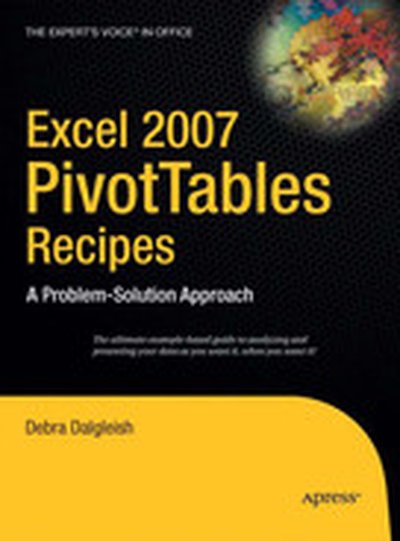
Excel 2007 PivotTables Recipes: A Problem-Solution Approach

Debra Dalgleish, Microsoft Office Excel "Most Valuable Professional" since 2001, and an expert and trainer in Excel, brings together a one-stop resource for anyone curious about representing, analyzing, and using their data with PivotTables and PivotCharts. You'll find this book inimitable when facing any new or difficult problem in PivotTables, covering the entire breadth of situations you could ever encounter, from planning and creating, to formatting and extracting data, to maximizing performance and troubleshooting. The author presents tips and techniques in this collection of recipes that can't be found in Excel's Help section, while carefully explaining the most confusing features of PivotTables to help you realize their powerful potential. The chapters in this book have been organized into a collection of recipes to take you step by step from the problem you are experiencing to the solution you are aiming for. Without fuss, you'll find clear and precise information to help you assess your situation, whether common or unique, and solve your problem. Working examples of complex PivotTables and numerous PivotTable programming examples will help you solve problems quickly, without the need to digest heavy content.