talk-data.com talk-data.com

Topic

XML

Extensible Markup Language (XML)

markup_language data_exchange data_storage file_format

28

tagged

Activity Trend

1 peak/qtr
2020-Q1 2026-Q1

Activities

Showing filtered results

Filtering by: O'Reilly Data Science Books ×
Xcelsius® 2008 Dashboard Best Practices

THE DEFINITIVE, COMPREHENSIVE, OFFICIAL GUIDE TO XCELSIUS 2008 DASHBOARDS Using Xcelsius, you can create powerful, interactive dashboards, gather data from spreadsheets or databases, and deliver knowledge that can be instantly understood and acted upon. Now there’s a definitive, authoritative guide to making the most of Xcelsius 2008, the newest version of this breakthrough product. Loren Abdulezer, editor-in-chief of Xcelsius Journal, shares insider’s knowledge that goes far beyond any other book or online help resource. Abdulezer introduces Xcelsius 2008, reviews its core concepts, and demonstrates the wide range of dashboards it can create. After you know what’s possible, you’ll go deep inside Xcelsius, gaining hands-on experience with every feature you need to master. You’ll learn how to quickly represent any data with charting components; use dials, gauges, and speedometers; incorporate multiple layers in your dashboards and visualizations; use Xcelsius to perform more useful analyses and manage more interactively; work with maps, demographics, and segmented data; create “smart data” and alerts; and much more. Abdulezer offers tips and tricks you won’t find anywhere else. You’ll learn how to work with data that isn’t rock-solid--and even how to create your own custom components that go beyond Xcelsius’s built-in features. Whether you’re a business intelligence or database professional, power user, developer, or consultant, this book will help you create superior Xcelsius dashboards--and make better decisions. THE ONLY XCELSIUS 2008 DASHBOARDING BOOK YOU NEED Use Xcelsius 2008 to get better answers, identify emerging trends and opportunities, and manage more effectively Learn hands-on, through step-by-step examples using real business data Discover tips and tricks proven in real-world environments Deliver dashboard content in whatever format works best: as HTML pages, PowerPoint presentations, PDF files, or Word documents Fully leverage the information in your Excel spreadsheets--and go beyond Excel to use XML source data, too Implement Xcelsius best practices drawn from the hard-won knowledge of the entire global user community ON THE WEB Registered owners of the book can find all this and more online: All sample files used in the book Additional guides and tutorials to help you build dashboards Templates and example files for new dashboard interfaces Introduction 1 Part I Xcelsius 2008 Fundamentals 1 Motivation for Using Xcelsius 2008 11 2 Showcase of Xcelsius 2008 Dashboards 33 3 Getting Familiar with Xcelsius 2008 43 4 Embedded Spreadsheets: The Secret Sauce of Xcelsius 2008 69 5 Using Charts and Graphs to Represent Data 127 6 Single Value Components: Dials, Gauges, Speedometers, and the Like 157 Part II Xcelsius 2008 Best Practices and Techniques 7 Using Multi-Layer Visibility in Your Dashboards and Visualizations 181 8 Managing Interactivity 203 9 Xcelsius and Statistics 229 10 Financial Analysis 257 11 Maps in Xcelsius 275 12 Smart Data and Alerts 297 13 Working with Less-Than-Optimal Data 315 14 Other Dashboard Techniques and Practices 337 Part III Advanced Features 15 XML and Data Connectivity 353 16 Creating Custom Components for Fun and Profit 371 Part IV Appendices A Supported Spreadsheet Functions in Xcelsius 2008 401 B Xcelsius Product Family Comparison 415 C Xcelsius Best Practice Techniques and Hip Pocket Tips 425 Index 431
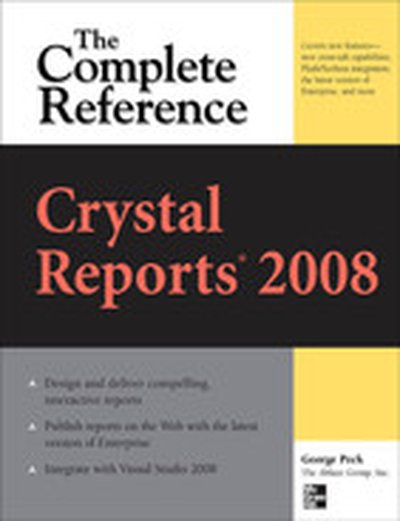

Crystal Reports 2008: The Complete Reference

Your One-Stop Guide to Enterprise Reporting with Crystal Reports 2008 Transform disconnected corporate data into compelling, interactive business intelligence using all of the powerful tools available in Crystal Reports 2008. Through detailed explanations, real-world examples, and expert advice, this comprehensive guide shows you how to create, maintain, and distribute dynamic, visually appealing enterprise database reports. Crystal Reports 2008: The Complete Reference explains how to select and gather pertinent business data, organize it into manageable groups, and assemble it into user-friendly business reports. You will learn how to improve report interactivity with sort controls and the parameter panel; solve complex reporting problems with cross-tabs and subreports; integrate Crystal Xcelsius dashboards; reduce development time; and publish your results to Web and Windows applications. Integrate pictures, multimedia files, graphs, and charts Allow user-controlled report sorting with new sort controls Develop sophisticated formulas and custom functions with the Formula Workshop Embed Flash files, including Xcelsius 2008 interactive dashboards Create complex cross-tab reports with new derived rows and columns Export reports into Word, Excel, Acrobat, and updated XML formats Enhance Web interactivity with the new parameter panel and optional parameter fields Work with SQL databases, OLAP cubes, and proprietary systems Centralize design elements and auto-update reports using the repository Schedule and distribute reports with the latest BusinessObjects Enterprise XI 3.0 Embed reports in Web and Windows applications using Visual Studio 2008

Integrating and Extending BIRT

The world-wide developer community has downloaded over three million copies of BIRT (Business Intelligence and Reporting Tools) from the Eclipse web site. Built on the open-source Eclipse platform, BIRT is a powerful reporting system that provides an end-to-end solution, from creating and deploying reports to integrating report capabilities in enterprise applications. The second of a two-book series on business intelligence and reporting technology, introduces programmers to BIRT architecture and the reporting framework. BIRT technology makes it possible for a programmer to build a customized report using scripting and BIRT APIs. A programmer can also extend the BIRT framework by creating a new plug-in using the Eclipse Plug-in Development Environment. This book provides extensive examples on how to build plug-ins to extend the features of the BIRT framework. The source code for these examples is available for download. Integrating and Extending BIRT, Second Edition The topics discussed include Installing and deploying BIRT Deploying a BIRT report to an application server Understanding BIRT architecture Scripting in a BIRT report design Integrating BIRT functionality into applications Working with the BIRT extension framework This second edition, revised and expanded, adds the following new content Updated architectural diagrams Expanded scripting examples Tag library descriptions In-depth description of BIRT Web Viewer Configuring BIRT to use a JNDI connection XML report rendering plug-in example Fragment plug-in localization example Open Data Access (ODA) plug-in example implementing the new Data Tools Platform (DTP) design and run-time wizards

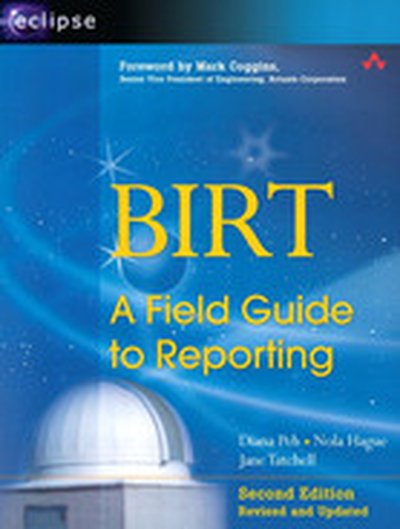
BIRT: A Field Guide to Reporting

The world-wide developer community has downloaded over three million copies of BIRT (Business Intelligence and Reporting Tools) from the Eclipse web site. Built on the open-source Eclipse platform, BIRT is a powerful reporting system that provides an end-to-end solution, from creating and deploying reports to integrating report capabilities in enterprise applications. The first in a two-book series about this exciting technology, is the authoritative guide to using BIRT Report Designer, the graphical tool that enables users of all levels to build reports, simple to sophisticated, without any programming. BIRT, Second Edition: A Field Guide to Reporting is an essential resource for users who want to create presentation quality reports from day one. The extensive examples, step-by-step instructions, and abundant illustrations help new users develop their report design skills quickly. Power users can find the information they need to make the most of the product’s rich set of features to build complex and compelling reports. By the time you finish this book, you learn the following and more BIRT, Second Edition: A Field Guide to Reporting Design effective business and corporate reports that convey information through images, charts, tables, and cross tabs Build reports using data from a variety of sources, including databases, XML documents, spreadsheets, and web services Enliven reports with interactive features, such as hyperlinks, Tooltips, and highlighting Create consistently styled reports and collaborate with other report designers through the use of templates and libraries of reusable elements Localize reports for an international audience This second edition, revised and expanded, adds updated examples and covers all the new and improved product features, including Cross tabs and OLAP cubes New chart types, including Gantt, bubble, tube, and cone charts Web services as a new data source New report output formats, including doc, ppt, xls, and PostScript The capability for reports to reference CSS Localization of report parameter and data values

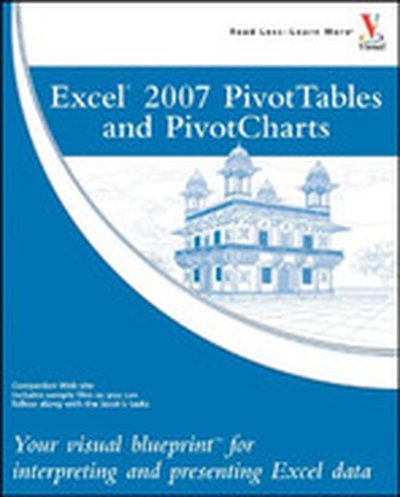
Excel® 2007 PivotTables and PivotCharts

Though many consumers know the basics of using Excel, few users understand the powerful capabilities of the PivotTable and PivotChart features. These tools can help turn long lists of unreadable data into dynamically generated, easy-to-read tables and charts that highlight useful and pertinent business information. Companies rely on this type of data from marketing, accounting, and finance to help make better decisions about products, sales and even human resources. Charts are interactive, allowing the consumer to tweak results with the click of a mouse and PivotTables allow you to fuse data from several sources into one document. This book shows users how to work with PivotTables and PivotCharts to make sense of their data. It covers features such as: understanding PivotTable benefits and uses; creating and customizing PivotTables; using PivotTables to analyze business data; building custom calculations; linking to external data sources, including Access databases, Word tables, Web pages, XML data, SQL Server databases, and OLAP cubes; publishing PivotTables to the Web; multiple consolidation of data, for example, summarizing annual fiscal data by quarters; preparing financial reporting, budgeting, and data analysis across departments; and using VBA to create macros that automate frequently used PivotTable tasks.

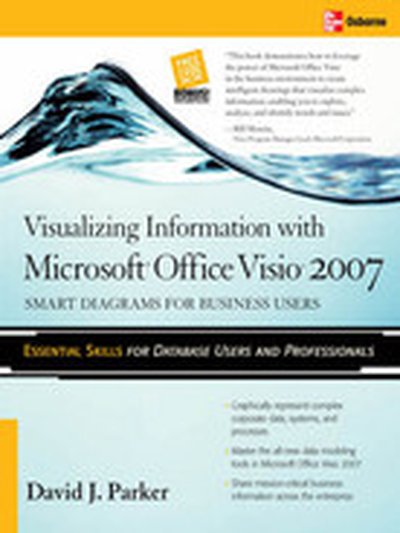
Visualizing Information with Microsoft® Office Visio® 2007

Create and distribute data-connected Microsoft Office Visio diagrams and reports Get full details on the powerful features of Microsoft Office Visio 2007 inside this comprehensive volume. Written by Visio expert David Parker, Visualizing Information with Microsoft Office Visio 2007 demonstrates how to effectively visualize, explore, and communicate complex business information. Learn to use PivotDiagrams, Data Graphics, and Smart Tags, as well as link data to shapes and create meaningful Visio documents and reports. Plus, you'll get vital security information, time-saving tips, troubleshooting techniques, and downloadable macros and code samples. Essential Skills for Database Users and Professionals Create shapes and link them to data Summarize and analyze information using PivotDiagrams Use Data Graphics, Smart Tags, and SmartShapes to reinforce information Generate robust Excel, HTML, and XML reports Create custom, reusable templates, stencils, and masters Update and enhance diagrams with Reviewer's comments and markups Integrate Visio diagrams with other Windows applications Publish and securely distribute Visio documents and summaries Extend functionality using VBA macros, add-ins, and wrapper applications

Supply Chains: A Manager's Guide

“An excellent summary of the state of supply chain management going into the twenty-first century. Explains the essential concepts clearly and offers practical, down-to-earth advice for making supply chains more efficient and adaptive. Truly a survival guide for executives as they struggle to cope with the increasing competition between supply chains.” — Christian Knoll, Vice President of Global Supply Chain Management, SAP AG “Through real-world case studies and graphic illustrations, David Taylor clearly demonstrates the bottom-line benefits of managing the supply chain effectively. Although the book is written for managers, I recommend it for everyone from the executive suite to the shipping floor because they all have to work together to master the supply chain. But beware—you can expect many passionate employees demanding improvements in your company’s supply chain after reading this book!” — David Myers, President, WinfoSoft Inc., Former Board Member of Supply Chain Council “A comprehensive, thoroughly researched, and well-designed book that gives managers the information they need in a highly readable form. I am already starting to use the techniques in this book to improve our international distribution system.” — Jim Muller, Vice President of Produce Sales, SoFresh Produce “Supply chain management is a deceptively deep subject. Simple business practices combine to form complex systems that seem to defy rational analysis: Companies that form trading partnerships continue to compete despite their best efforts to cooperate; small variations in consumer buying create devastating swings in upstream demand, and so on. In his trademark fashion, Taylor clearly reveals the hidden logic at work in your supply chain and gives you the practical tools you need to make better management decisions. A must-read for every manager who affects a supply chain, and in today's marketplace there are few managers who are exempt from this requirement.” — Adrian J. Bowles, Ph.D., President, CoSource.net “David Taylor has done it again. With his new book, David makes supply chain management easy to grasp for the working manager, just as he did with his earlier guides to business technology. If you work for a company that is part of a supply chain, you need this book.” — Dirk Riehle, Ph.D. “David Taylor has done a masterful job of defining the core issues in supply chain management without getting trapped in the quicksand of jargon. This concise book is well written, highly informative, and easy to read.” — Marcia Robinson, President, E-Business Strategies, author of Services Blueprint: Roadmap “Taylor has done a tremendous job of giving readers an intuitive grasp of a complicated subject. If you’re new to supply chains, this book will give you an invaluable map of the territory. If you're already among the initiated, it will crystallize your insights and help you make better decisions. In either case, you can only come out ahead by reading this book.” — Kevin Dick, Founder of Kevin Dick Associates, author of XML: A Manager’s Guide “My motto for compressing data is ‘squeeze it til it gags.’ In the current business climate, that’s what you have to do to costs, and Taylor shows you many ways to squeeze costs out of your supply chain. He also writes with the same economy: This book contains exactly what you need to manage your supply chain effectively. Nothing is missing, and nothing is extra.” — Charles Ashbacher, President, Charles Ashbacher Technologies Today's fiercest business battles are taking place between competitors' supply chains, with victory dependent on finding a way to deliver products to customers more quickly and efficiently than the competition. For proof, just look to Dell and Amazon.com, both of which revolutionized their industries by changing how companies produce, distribute, and sell physical goods. But they're hardly alone. By revamping their supply chains, Siemens CT improved lead time from six months to two weeks, Gillette slashed $400 million of inventory, and Chrysler saved $1.7 billion a year. It's a high-stakes game, and you don't have a lot of choice about playing: If your company touches a physical product, it's part of a supply chain--and your success ultimately hangs on the weakest link in that chain. In , best-selling author David Taylor explains how to assemble a killer supply chain using the knowledge, technology, and tools employed in supply-chain success stories. Using his signature fast-track summaries and informative graphics, Taylor offers a clear roadmap to understanding and solving the complex problems of supply-chain management. Supply Chains: A Manager's Guide Modern manufacturing has driven down the time and cost of the production process, leaving supply chains as the final frontier for cost reduction and competitive advantage. will quickly give managers the foundation they need to contribute effectively to their company's supply-chain success. Supply Chains: A Manager's Guide

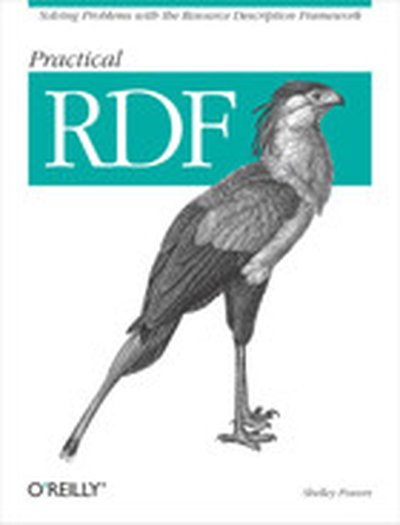
Practical RDF

The Resource Description Framework (RDF) is a structure for describing and interchanging metadata on the Web--anything from library catalogs and worldwide directories to bioinformatics, Mozilla internal data structures, and knowledge bases for artificial intelligence projects. RDF provides a consistent framework and syntax for describing and querying data, making it possible to share website descriptions more easily. RDF's capabilities, however, have long been shrouded by its reputation for complexity and a difficult family of specifications. Practical RDF breaks through this reputation with immediate and solvable problems to help you understand, master, and implement RDF solutions. Practical RDF explains RDF from the ground up, providing real-world examples and descriptions of how the technology is being used in applications like Mozilla, FOAF, and Chandler, as well as infrastructure you can use to build your own applications. This book cuts to the heart of the W3C's often obscure specifications, giving you tools to apply RDF successfully in your own projects.The first part of the book focuses on the RDF specifications. After an introduction to RDF, the book covers the RDF specification documents themselves, including RDF Semantics and Concepts and Abstract Model specifications, RDF constructs, and the RDF Schema. The second section focuses on programming language support, and the tools and utilities that allow developers to review, edit, parse, store, and manipulate RDF/XML. Subsequent sections focus on RDF's data roots, programming and framework support, and practical implementation and use of RDF and RDF/XML.If you want to know how to apply RDF to information processing, Practical RDF is for you. Whether your interests lie in large-scale information aggregation and analysis or in smaller-scale projects like weblog syndication, this book will provide you with a solid foundation for working with RDF.