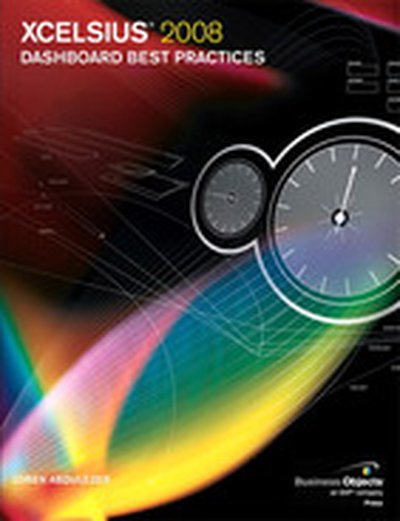
THE DEFINITIVE, COMPREHENSIVE, OFFICIAL GUIDE TO XCELSIUS 2008 DASHBOARDS Using Xcelsius, you can create powerful, interactive dashboards, gather data from spreadsheets or databases, and deliver knowledge that can be instantly understood and acted upon. Now there’s a definitive, authoritative guide to making the most of Xcelsius 2008, the newest version of this breakthrough product. Loren Abdulezer, editor-in-chief of Xcelsius Journal, shares insider’s knowledge that goes far beyond any other book or online help resource. Abdulezer introduces Xcelsius 2008, reviews its core concepts, and demonstrates the wide range of dashboards it can create. After you know what’s possible, you’ll go deep inside Xcelsius, gaining hands-on experience with every feature you need to master. You’ll learn how to quickly represent any data with charting components; use dials, gauges, and speedometers; incorporate multiple layers in your dashboards and visualizations; use Xcelsius to perform more useful analyses and manage more interactively; work with maps, demographics, and segmented data; create “smart data” and alerts; and much more. Abdulezer offers tips and tricks you won’t find anywhere else. You’ll learn how to work with data that isn’t rock-solid--and even how to create your own custom components that go beyond Xcelsius’s built-in features. Whether you’re a business intelligence or database professional, power user, developer, or consultant, this book will help you create superior Xcelsius dashboards--and make better decisions. THE ONLY XCELSIUS 2008 DASHBOARDING BOOK YOU NEED Use Xcelsius 2008 to get better answers, identify emerging trends and opportunities, and manage more effectively Learn hands-on, through step-by-step examples using real business data Discover tips and tricks proven in real-world environments Deliver dashboard content in whatever format works best: as HTML pages, PowerPoint presentations, PDF files, or Word documents Fully leverage the information in your Excel spreadsheets--and go beyond Excel to use XML source data, too Implement Xcelsius best practices drawn from the hard-won knowledge of the entire global user community ON THE WEB Registered owners of the book can find all this and more online: All sample files used in the book Additional guides and tutorials to help you build dashboards Templates and example files for new dashboard interfaces Introduction 1 Part I Xcelsius 2008 Fundamentals 1 Motivation for Using Xcelsius 2008 11 2 Showcase of Xcelsius 2008 Dashboards 33 3 Getting Familiar with Xcelsius 2008 43 4 Embedded Spreadsheets: The Secret Sauce of Xcelsius 2008 69 5 Using Charts and Graphs to Represent Data 127 6 Single Value Components: Dials, Gauges, Speedometers, and the Like 157 Part II Xcelsius 2008 Best Practices and Techniques 7 Using Multi-Layer Visibility in Your Dashboards and Visualizations 181 8 Managing Interactivity 203 9 Xcelsius and Statistics 229 10 Financial Analysis 257 11 Maps in Xcelsius 275 12 Smart Data and Alerts 297 13 Working with Less-Than-Optimal Data 315 14 Other Dashboard Techniques and Practices 337 Part III Advanced Features 15 XML and Data Connectivity 353 16 Creating Custom Components for Fun and Profit 371 Part IV Appendices A Supported Spreadsheet Functions in Xcelsius 2008 401 B Xcelsius Product Family Comparison 415 C Xcelsius Best Practice Techniques and Hip Pocket Tips 425 Index 431