talk-data.com talk-data.com

Topic

data-engineering

3377

tagged

Activity Trend

1 peak/qtr
2020-Q1 2026-Q1

Activities

Showing filtered results

Filtering by: O'Reilly Data Engineering Books ×
The Oracle® Hacker's Handbook: Hacking and Defending Oracle

David Litchfield has devoted years to relentlessly searching out the flaws in the Oracle database system and creating defenses against them. Now he offers you his complete arsenal to assess and defend your own Oracle systems. This in-depth guide explores every technique and tool used by black hat hackers to invade and compromise Oracle and then it shows you how to find the weak spots and defend them. Without that knowledge, you have little chance of keeping your databases truly secure.

Certification Guide Series: IBM Tivoli Provisioning Manager V5.1

IBM Tivoli Provisioning Manager, built on a Service Oriented Architecture, enhances usability for executing changes while keeping server and desktop software compliant. It helps organizations with provisioning, configuration and maintenance of servers and virtual servers, operating systems, middleware, applications, storage and network devices acting as routers, switches, firewalls, and load balancers. This IBM Redbooks publication is a study guide for IBM Tivoli Provisioning Manager V5.1 for people who want to get an IBM Professional Certification for this product. The IBM Tivoli Provisioning Manager V5.1 Certification, offered through the Professional Certification Program from IBM, is designed to validate the skills required of technical professionals who work in the implementation of the IBM Tivoli Provisioning Manager V5.1 product.This book provides a combination of theory and practical experience needed for a general understanding of the subject matter and sample questions that will help in the evaluation of personal progress and provide familiarity with the types of questions in the exam. The chapters are based on the sections of the Tivoli Provisioning Manager V5.1 Implementation Certification test. Studying each chapter will help you prepare for one section of the exam.

Expert MySQL

Since the enormous number of features made available with MySQL release 5.0, MySQL has been gaining steam as a viable alternative to database behemoths like Oracle and IBM DB2. MySQL users now have the ability to extend MySQL with new SQL commands, optimize query execution, and embed MySQL within low-resource environments like embedded devices and kiosks. Expert MySQL, by Dr. Charles A. Bell, is the first book to examine these opportunities in detail, showing you how to wield maximum control over this powerful open source database. You'll learn how to create your own custom storage handlers, ensuring maximum flexibility and speed within your specialized applications. You'll also gain valuable insight into MySQLs architecture and learn how to tweak its behavior through custom changes to the source code.

Selling IBM's Innovative Solutions

Arm yourself with the knowledge and tools to help you sell IBM® solutions and enable IBM clients to become innovative businesses enabled by on demand. This IBM Redbooks publication serves as a practical reference for those who desire to understand the IBM innovation enabled by on demand and how to sell the IBM innovative technology. It provides the perfect starting point for those who want to integrate on demand business concepts into their selling practice. It also serves as a guide for anyone preparing to take the IBM Certified for On Demand Business Solutions Advisor V2 Exam via Test 818. After reading this publication, your knowledge will expand in the following capacities:

Access 2007 for Starters: The Missing Manual

This fast-paced book teaches you the basics of Access 2007 so you can start using this popular database program right away. You'll learn how to work with Access' most useful features to design databases, maintain them, search for valuable nuggets of information, and build attractive forms for quick-and-easy data entry. The new Access is radically different from previous versions, but with this book, you'll breeze through the new interface and its timesaving features in no time with: Clear explanations Step-by-step instructions Lots of illustrations Larger type Plenty of friendly advice Ideal for small businesses and households, Access runs on PCs and manages large stores information, including numbers, pages of text, and pictures -- everything from a list of family phone numbers to an enormous product catalog. Unfortunately, each new version of the program crammed in yet another set of features -- so many that even the pros don't know where to find them all. Access 2007 breaks the mold: Microsoft changed the user interface by designing a tabbed toolbar that makes features easy to locate. One thing that hasn't improved is Microsoft's documentation. Even if you find the features you need, you still may not know what to do with them. Access 2007 for Starters: The Missing Manual is the perfect primer for small businesses with no techie to turn to, as well as those who want to organize household and office information.

Beginning Database Design

Beginning Database Design: From Novice to Professional provides short, easy-to-read explanations of how to get database design right the first time. This book offers numerous examples to help you avoid the many pitfalls that entrap new and not-so-new database designers. Through the help of use cases and class diagrams modeled in the UML, youll learn how to discover and represent the details and scope of the problem in question. Database design is not an exact science, and solid database design principles and examples help demonstrate the consequences of simplifications and pragmatic decisions. The rationale is to try to keep it simple, but allow room for development as situations change or resources permit. The book also features an introduction for implementing the final design in a relational database.

Certification Study Guide: IBM TotalStorage Productivity Center V3.1

This IBM Redbooks publication is a study guide for IBM TotalStorage Productivity Center for Data Version 3.1, and it is targeted for professionals who want to get an IBM Certification in this specific product. This Certification, offered through the Professional Certification Program from IBM, is designed to validate the skills required of technical professionals who work in the implementation of the IBM TotalStorage Productivity Center for Data Version 3.1 product. This book provides a combination of theory and practical experiences necessary for a general understanding of the subject matter. It also provides sample questions that will help in the evaluation of personal progress and provide familiarity with the types of questions that will be encountered in the exam. This book does not replace practical experience, nor is it designed to be a stand-alone guide for any subject. Instead, it is an effective tool that, when combined with education activities and experience, can be a useful preparation guide for the exam.

IBM Tivoli System Automation for z/OS Enterprise Automation

This IBM Redbooks publication provides an overview of IBM Tivoli System Automation for z/OS concepts and new features. We also discuss some considerations on migrating non-IBM products to IBM Tivoli System Automation for z/OS. The discussion is primarily aimed at technical professionals that are looking to understand the IBM Tivoli System Automation for z/OS new features and find migration options. This book explains some important features of IBM Tivoli System Automation for z/OS, including using the Processor Operations feature, integration with IBM Tivoli OMEGAMON Classic, and integration with End-to-end automation feature of the IBM System Automation for Multiplatform. We will also discuss the available services from the Software Migration Project Office that provide migration services for mainframe based products, including IBM Tivoli System Automation for z/OS, in this new implementation of IBM Tivoli System Automation for z/OS. We also provide some overview of the migration procedures from non-IBM products.

Global Positioning Systems, Inertial Navigation, and Integration, Second Edition

An updated guide to GNSS and INS, and solutions to real-world GPS/INS problems with Kalman filtering Written by recognized authorities in the field, this second edition of a landmark work provides engineers, computer scientists, and others with a working familiarity with the theory and contemporary applications of Global Navigation Satellite Systems (GNSS), Inertial Navigational Systems (INS), and Kalman filters. Throughout, the focus is on solving real-world problems, with an emphasis on the effective use of state-of-the-art integration techniques for those systems, especially the application of Kalman filtering. To that end, the authors explore the various subtleties, common failures, and inherent limitations of the theory as it applies to real-world situations, and provide numerous detailed application examples and practice problems, including GNSS-aided INS, modeling of gyros and accelerometers, and SBAS and GBAS. Drawing upon their many years of experience with GNSS, INS, and the Kalman filter, the authors present numerous design and implementation techniques not found in other professional references. This Second Edition has been updated to include: GNSS signal integrity with SBAS Mitigation of multipath, including results Ionospheric delay estimation with Kalman filters New MATLAB programs for satellite position determination using almanac and ephemeris data and ionospheric delay calculations from single and dual frequency data New algorithms for GEO with L1 /L5 frequencies and clock steering Implementation of mechanization equations in numerically stable algorithms To enhance comprehension of the subjects covered, the authors have included software in MATLAB, demonstrating the working of the GNSS, INS, and filter algorithms. In addition to showing the Kalman filter in action, the software also demonstrates various practical aspects of finite word length arithmetic and the need for alternative algorithms to preserve result accuracy.

Access™ 2007 Bible

I recommend this book for anyone who wants a strong foundation in Access. —Jeff Lenamon, CIBC World Markets Updated edition with exciting new Access 2007 features! Harness the power of Access 2007 with the expert guidance in this comprehensive reference. Beginners will appreciate the thorough attention to database fundamentals and terminology. Experienced users can jump right into Access 2007 enhancements like the all-new user interface and wider use of XML and Web services. Each of the book's six parts thoroughly focuses on key elements in a logical sequence, so you have what you need, when you need it. Designed as both a reference and a tutorial, Access 2007 Bible is a powerful tool for developers needing to make the most of the new features in Access 2007. Build Access tables using good relational database techniques Construct efficient databases using a five-step design method Design efficient data-entry and data display forms Utilize the improved Access report designer Use Visual Basic(r) for Applications and the VBA Editor to automate applications Build and customize Access 2007 ribbons Seamlessly exchange Access data with SharePoint(r) Employ advanced techniques such as the Windows(r) API and object-oriented programming Add security and use data replication in your Access applications What's on the CD-ROM? Follow the examples in the book chapter by chapter using the bonus materials on the CD-ROM. You'll find separate Microsoft Access database files for each chapter and other working files, including All the examples and databases used in the book, including database files, images, data files in various formats, and icon files used in the book's examples A complete sample application file, including queries, reports, objects, and modules, that you can use as a reference See the CD-ROM appendix for details and complete system requirements. Note: CD-ROM/DVD and other supplementary materials are not included as part of eBook file.

Teach Yourself VISUALLY™: Microsoft® Office Access™ 2007

Are you a visual learner? Do you prefer instructions that show you how to do something - and skip the long-winded explanations? If so, then this book is for you. Open it up, and you will find clear, step-by-step screen shots that show you how to tackle more than 170 Access 2007 tasks. Each task-based spread includes easy, visual directions for performing necessary operations, including * Navigating the new interface * Using templates to create databases * Entering and editing data * Working with tables and fields * Creating simple or summary queries * Linking to Excel(r) worksheets * Helpful sidebars offer practical tips and tricks * Full-color screen shots demonstrate each task * Succinct explanations walk you through step by step * Two-page lessons break big topics into bite-sized modules

Microsoft® Office Access™ 2007 Step by Step

Experience learning made easy—and quickly teach yourself how to build database solutions with Access 2007. With Step By Step, you set the pace—building and practicing the skills you need, just when you need them! Build databases from scratch or from templates Exchange data with other databases and Office documents Create forms to simplify data entry Use filters and queries to find and analyze information Design rich reports that help make your data meaningful Help prevent data corruption and unauthorized access Your all-in-one learning experience includes: Files for building skills and practicing the book’s lessons Fully searchable eBook Bonus quick reference to the Ribbon, the new Microsoft Office interface Windows Vista Product Guide eReference—plus other resources on CD For customers who purchase an ebook version of this title, instructions for downloading the CD files can be found in the ebook.

Microsoft® Office Access 2007 on Demand

Microsoft Office Access 2007 For those who would rather be shown how than told how See How To Create databases more efficiently using a new results-oriented interface Use tools for building a database that makes information easier to find and use Import data from other programs, HTML, XML files, and other databases Use forms, filters, queries, and reports to capture and analyze data Discover ways to prevent data corruption and unauthorized access Share your data with others through interactive web pages Put your newly acquired skills to work using the online workshops Organize information and add impact with clip art, SmartArt diagrams, tables, and charts Use Groove and SharePoint Team Services to collaborate and share documents and information Prepare for the Microsoft Certified Application Specialist (MCAS) exam On the Web This book uses real-world examples to give you a context in which to use the task. This book also includes workshops to help you put together individual tasks into projects. The Access example files that you need for project tasks are available at www.perspection.com Author Bio Perspection has written and produced books on a variety of computer software–including Microsoft Office 2003 and XP, Microsoft Windows XP, Apple Mac OS X Panther, Adobe Photoshop CS2, Macromedia Flash 8, Macromedia Director MX, and Macromedia Fireworks–and Web publishing. In 1991, after working for Apple Computer and Microsoft, Steve Johnson founded Perspection, Inc. Perspection is committed to providing information and training to help people use software more effectively. Perspection has written more than 80 computer books, and sold more Includes MCAS Exam Objectives! This courseware meets the objectives for the Microsoft Certified Application Specialist (MCAS). Upon completion of this courseware, you may be prepared to take the exam for MCAS qualification. To learn more about becoming a Microsoft Certified Application Specialist, visit www.microsoft.com. Category Database Covers Microsoft Office Access 2007 User Level Beginning–Intermediate 1 Getting Started with Access 2 Touring Access Databases 3 Planning and Creating a Custom Database 4 Working with Fields 5 Working with Tables 6 Locating Specific Information Using a Query 7 Simplifying Data Entry with Forms 8 Creating Reports to Convey Information 9 Improving the Appearance of Forms and Reports 10 Working on the Web 11 Importing and Exporting Information 12 Managing a Database 13 Protecting and Securing a Database 14 Customizing Access 15 Enhancing a Database with Programming 16 Working Together on Office Documents New Features Microsoft Certified Applications Specialist Index

Access 2007: The Missing Manual

Compared to industrial-strength database products such as Microsoft's SQL Server, Access is a breeze to use. It runs on PCs rather than servers and is ideal for small- to mid-sized businesses and households. But Access is still intimidating to learn. It doesn't help that each new version crammed in yet another set of features; so many, in fact, that even the pros don't know where to find them all. Access 2007 breaks this pattern with some of the most dramatic changes users have seen since Office 95. Most obvious is the thoroughly redesigned user interface, with its tabbed toolbar (or "Ribbon") that makes features easy to locate and use. The features list also includes several long-awaited changes. One thing that hasn't improved is Microsoft's documentation. To learn the ins and outs of all the features in Access 2007, Microsoft merely offers online help. Access 2007: The Missing Manual was written from the ground up for this redesigned application. You will learn how to design complete databases, maintain them, search for valuable nuggets of information, and build attractive forms for quick-and-easy data entry. You'll even delve into the black art of Access programming (including macros and Visual Basic), and pick up valuable tricks and techniques to automate common tasks -- even if you've never touched a line of code before. You will also learn all about the new prebuilt databases you can customize to fit your needs, and how the new complex data feature will simplify your life. With plenty of downloadable examples, this objective and witty book will turn an Access neophyte into a true master.

Integrating IBM DB2 with the IBM System Storage N series

This IBM Redbooks publication describes the steps carried out to configure and install an IBM DB2 database in a N series storage system UNIX environment. It particularly elaborates the configuration steps for the UNIX host as well as the IBM N series storage system. The UNIX host types covered in this book are Linux, IBM AIX, Sun Solaris, and HP-UX.

Access® 2007 For Dummies®

Reduce stress with timesaving database shortcuts Explore database basics and build tables and reports that corral your data Access has undergone an extreme makeover! Whether you've used one of the older versions or this is your first exposure to Access, here's where you'll find the essentials you need to make this database system work for you. Cruise around the new interface, team up Access with other Office applications, use wizards to automate your work, and much more. Discover how to * Create a new Access database * Import and export data * Build forms for efficient data entry * Search tables for specific data * Construct custom reports * Customize your database navigation

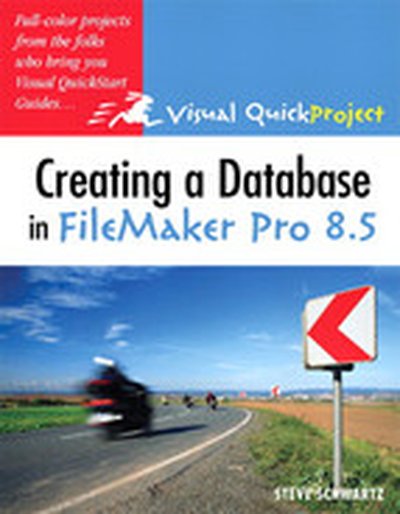
Creating a Database in FileMaker Pro 8.5: Visual QuickProject Guide

If you want to make a great-looking, practical database fast but don't want to get bogged down with the details, then you need a Visual Quic kProject Guide! If you've never created a database before, the task can be daunting. Recognizing that you don't necessarily want or need to know about every FileMaker Pro 8.5 feature, this low-priced, compact guide is the quickest route to creating a functional, organized database. Whether you're a small business owner looking for a better way to track inventory and invoices, someone just looking for a streamlined way to keep track of your contacts, or your boss simply needs a project database, this book covers the FileMaker Pro 8.5 basics, including the new Web Viewer, with full-color illustrations and step-by-step instructions to help you get your project done quickly.

IBM Tivoli Storage Manager for Advanced Copy Services

Backing up SAP software environments is increasingly challenging in today’s 24x7 enterprises. Even more challenging is restoring these environments. Applications and databases grow ever larger, putting increasing strain on the management infrastructure. Using hardware-assisted copy mechanisms to perform fast backups and restores is one way to address these issues. Tivoli Storage Manager, along with associated products, allows you to leverage FlashCopy to perform fast backups, almost “instant” restores, as well as database cloning for testing and other purposes. These applications are fully integrated with SAP software in DB2 UDB and Oracle environments, providing reliable, intelligent techniques for data protection. This IBM Redbooks publication will help you plan, configure, and run IBM Tivoli Storage Manager for Advanced Copy Services and associated applications in your SAP software environments.

IBM System Storage DS6000 Series: Copy Services with IBM System z

This IBM Redbooks publication will help you plan, install, and configure the IBM System Storage DS6000 Copy Services functions in System z environments, and provides the details you need to implement and manage these functions. The book includes hints and tips.