talk-data.com talk-data.com

Topic

microsoft-access

92

tagged

Activity Trend

1 peak/qtr
2020-Q1 2026-Q1

Activities

Showing filtered results

Filtering by: O'Reilly Data Engineering Books ×
Microsoft 365 Access For Dummies, 2nd Edition

Join the millions of people already using Microsoft Access and become a database power-user in no time! In the newly revised edition of Microsoft Access For Dummies, professional database developer and Access extraordinaire Laurie Ulrich-Fuller walks you through the ins-and-outs of one of the world's most popular database platforms. This is the perfect beginner's guide to Microsoft Access, showing you how to create databases, extract data, create reports, and more. The author demonstrates a ton of tips, tricks, and best practices you can use immediately to create, maintain, and improve your databases. You'll also find: Updates outlining edge browser controls in forms Step-by-step guides explaining how to import, export, and edit data Easy-to-follow query-writing tutorials to help you find the exact data you're looking for when you need it Whether you're a database novice or a data science whiz, Microsoft Access For Dummies has the info you need to supercharge your database skills. It's the perfect, how-to guide to get you up-to-speed on everything you need to know to get started with Microsoft's world-famous database app.

Advanced interactive interfaces with Access: Building Interactive Interfaces with VBA

Explore and learn advanced techniques for working with graphical, interactive interfaces that can be built in Access. This book starts with best practices and tips to write code using VBA, and covers how to implement them in a real-world scenario. You will learn how to create and use VBA classes. An introduction to the binary code and the "bit vector" technique is discussed, followed by the implementation of a drag-and-drop engine. You also will learn how to design a timeline, and make it scrollable. What You Will Learn Write readable, easy-to-maintain code Add a drag-and-drop engine to an Access application Apply variations to the drag-and-drop technique to create different graphical effects Embed a scrollable timeline in an Access application, on which objects can be dynamically placed Who This Book Is For VBA developers

Access For Dummies

Become a database boss —and have fun doing it—with this accessible and easy-to-follow guide to Microsoft Access Databases hold the key to organizing and accessing all your data in one convenient place. And you don’t have to be a data science wizard to build, populate, and organize your own. With Microsoft Access For Dummies, you’ll learn to use the latest version of Microsoft’s Access software to power your database needs. Need to understand the essentials before diving in? Check out our Basic Training in Part 1 where we teach you how to navigate the Access workspace and explore the foundations of databases. Ready for more advanced tutorials? Skip right to the sections on Data Management, Queries, or Reporting where we walk you through Access’s more sophisticated capabilities. Not sure if you have Access via Office 2021 or Office 365? No worries – this book covers Access now matter how you access it. The book also shows you how to: Handle the most common problems that Access users encounter Import, export, and automatically edit data to populate your next database Write powerful and accurate queries to find exactly what you’re looking for, exactly when you need it Microsoft Access For Dummies is the perfect resource for anyone expected to understand, use, or administer Access databases at the workplace, classroom, or any other data-driven destination.

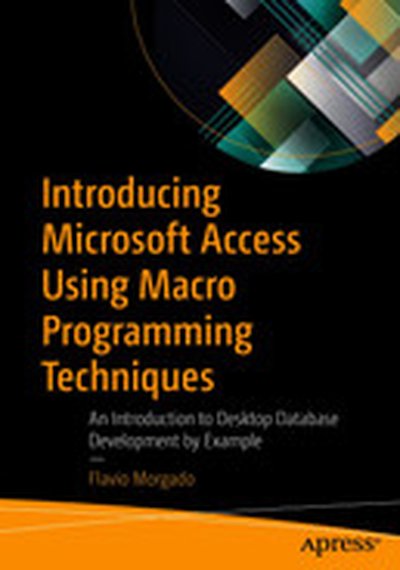
Introducing Microsoft Access Using Macro Programming Techniques: An Introduction to Desktop Database Development by Example

Learn Microsoft Access by building a powerful database application from start to finish. Microsoft Access ships with every version of Office, from Office 2019 to Office 365 Home and Personal editions. Most people understand the value of having a reliable contact database, but few realize that Access can be an incredibly valuable data tool and an excellent gateway for learning database development. Introducing Microsoft Access Using Macro Programming Techniques approaches database development from a practical and experiential standpoint. You will learn important data concepts as you journey through each step of creating a database using Access. The example you will build takes advantage of a massive amount of data from an external source of nutritional data (USDA). You will leverage this freely available repository of information in multiple ways, putting Access to the test in creating powerful business solutions that you can then apply to your own data sets. Thetables and records in this database will be used to demonstrate key relational principles in Access, including how to use the relationship window to understand the relationships between tables and how to create different objects such as queries, forms, reports, and macros. Using this approach, you will learn how desktop database development can be a powerful solution to meet your business needs. What You Will Learn Discover the relational database and how it is different from other databases Create database tables and establish relationships between them to create a solid relational database system Understand the concept and importance of referential integrity (RI) in data and databases Use different types of Access queries to extract the information you need from the database Show database information in individual, customized windows using Access Forms Present insightful information about the database using Access Reports Automate your database solutions with macros Who This Book Is For Anyone who wants to learn how to build a database using Microsoft Access to create customized solutions. It is also useful for those working in IT managing large contact data sets (healthcare, retail, etc.) who need to learn the basics in order to create a professional database solution. Readers should have access to some version of Microsoft Access in order to perform the exercises in this book.

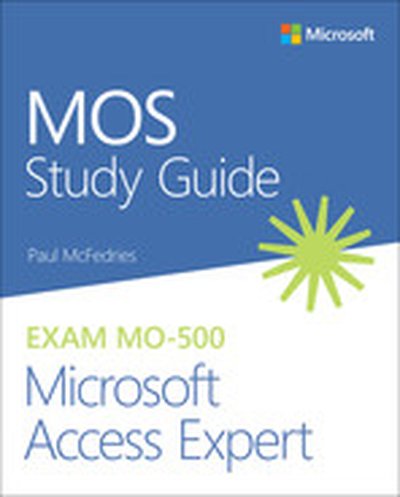
MOS Study Guide for Microsoft Access Expert Exam MO-500

Advance your everyday proficiency with Access 2019. And earn the credential that proves it! Demonstrate your expertise with Microsoft Access! Designed to help you practice and prepare for Microsoft Office Specialist (MOS): Access 2019 certification, this official Study Guide delivers: In-depth preparation for each MOS objective Detailed procedures to help build the skills measured by the exam Hands-on tasks to practice what you've learned Practice files and sample solutions Sharpen the skills measured by these objectives: Create and manage databases Build tables Create queries Create forms Create reports About MOS A Microsoft Office Specialist (MOS) certification validates your proficiency with Microsoft Office programs, demonstrating that you can meet globally recognized performance standards. Hands-on experience with the technology is required to successfully pass Microsoft Certification exams.

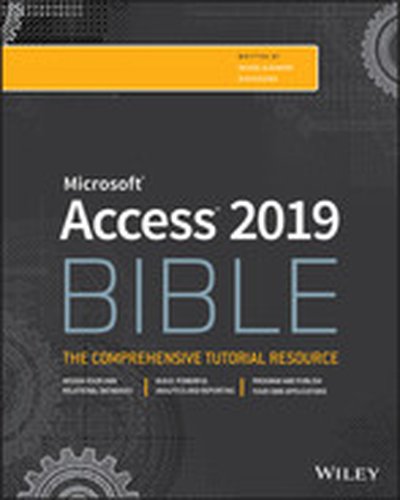
Access 2019 Bible

Master database creation and management Access 2019 Bible is your, comprehensive reference to the world's most popular database management tool. With clear guidance toward everything from the basics to the advanced, this go-to reference helps you take advantage of everything Access 2019 has to offer. Whether you're new to Access or getting started with Access 2019, you'll find everything you need to know to create the database solution perfectly tailored to your needs, with expert guidance every step of the way. The companion website features all examples and databases used in the book, plus trial software and a special offer from Database Creations. Start from the beginning for a complete tutorial, or dip in and grab what you need when you need it. Access enables database novices and programmers to store, organize, view, analyze, and share data, as well as build powerful, integrable, custom database solutions — but databases can be complex, and difficult to navigate. This book helps you harness the power of the database with a solid understanding of their purpose, construction, and application. Understand database objects and design systems objects Build forms, create tables, manipulate datasheets, and add data validation Use Visual Basic automation and XML Data Access Page design Exchange data with other Office applications, including Word, Excel, and more From database fundamentals and terminology to XML and Web services, this book has everything you need to maximize Access 2019 and build the database you need.

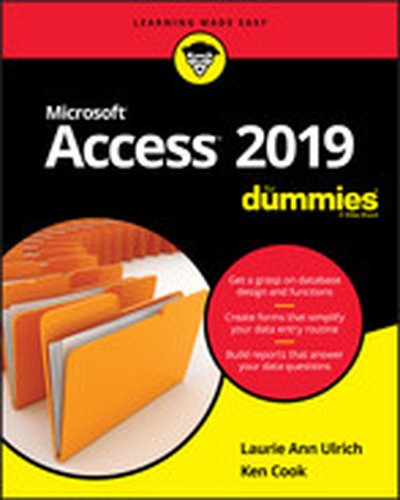
Access 2019 For Dummies

Easy steps to practical databases People who really know how to build, populate, and simplify databases are few and far between. Access 2019 For Dummies is here to help you join the ranks of office heroes who possess these precious skills. This book offers clear and simple advice on how to build and operate databases as well as create simple forms, import data from outside sources, query databases for information, and share knowledge in reports. In short, it’s the book that holds all the secrets behind the mysteries of Access! Build effective databases from the ground up Simplify your data entry with forms and tables Write queries that produce answers to your data questions Simplify input with forms There’s no time like the present to get your hands on the insight that database beginners need to become Access gurus.

MOS 2016 Study Guide for Microsoft Access

Advance your everyday proficiency with Access 2016. And earn the credential that proves it! Demonstrate your expertise with Microsoft Access! Designed to help you practice and prepare for Microsoft Office Specialist (MOS): Access 2016 certification, this official Study Guide delivers: • In-depth preparation for each MOS objective • Detailed procedures to help build the skills measured by the exam • Hands-on tasks to practice what you’ve learned • Practice files and sample solutions Sharpen the skills measured by these objectives: • Create and manage databases • Build tables • Create queries • Create forms • Create reports

Access 2016 Bible

Master database creation and management Access 2016 Bible is your, comprehensive reference to the world's most popular database management tool. With clear guidance toward everything from the basics to the advanced, this go-to reference helps you take advantage of everything Access 2016 has to offer. Whether you're new to Access or getting started with Access 2016, you'll find everything you need to know to create the database solution perfectly tailored to your needs, with expert guidance every step of the way. The companion website features all examples and databases used in the book, plus trial software and a special offer from Database Creations. Start from the beginning for a complete tutorial, or dip in and grab what you need when you need it — this book gives you an expert Access 2016 companion on call 24/7. Access enables database novices and programmers to store, organize, view, analyze, and share data, as well as build powerful, integrable, custom database solutions — but databases can be complex, and difficult to navigate. This book helps you harness the power of the database with a solid understanding of their purpose, construction, and application. Understand database objects and design systems objects Build forms, create tables, manipulate datasheets, and add data validation Use Visual Basic automation and XML Data Access Page design Exchange data with other Office applications, including Word, Excel, and more From database fundamentals and terminology to XML and Web services, this book has everything you need to maximize Access 2016 and build the database you need.

Access 2016 For Dummies

Your all-access guide to all things Access 2016 If you don't know a relational database from an isolationist table—but still need to figure out how to organize and analyze your data— Access 2016 For Dummies is for you. Written in a friendly and accessible manner, it assumes no prior Access or database-building knowledge and walks you through the basics of creating tables to store your data, building forms that ease data entry, writing queries that pull real information from your data, and creating reports that back up your analysis. Add in a dash of humor and fun, and Access 2016 For Dummies is the only resource you'll need to go from data rookie to data pro! This expanded and updated edition of Access For Dummies covers all of the latest information and features to help data newcomers better understand Access' role in the world of data analysis and data science. Inside, you'll get a crash course on how databases work—and how to build one from the ground up. Plus, you'll find step-by-step guidance on how to structure data to make it useful, manipulate, edit, and import data into your database, write and execute queries to gain insight from your data, and report data in elegant ways. Speak the lingo of database builders and create databases that suit your needs Organize your data into tables and build forms that ease data entry Query your data to get answers right Create reports that tell the story of your data findings If you have little to no experience with creating and managing a database of any sort, Access 2016 For Dummies is the perfect starting point for learning the basics of building databases, simplifying data entry and reporting, and improving your overall data skills.

Extend Microsoft Access Applications to the Cloud

Learn how to create an Access web app, and move your database into the cloud. This practical book shows you how to design an Access web app for Microsoft Office 365, and convert existing Access desktop databases to a web app as well. You’ll quickly learn your way around the web app design environment, including how to capitalize on its strengths and avoid the pitfalls. You don’t need any special web skills to get started. Discover how to: Make your desktop database compatible with web app table structures Create tables, views, and queries Customize the table selector and work with popup views to provide a navigation interface Implement business rules using the Macro Programming Tools Develop using Office 365 and SharePoint 2013 Use SQL Azure to investigate how your web app is structured Design, test, and troubleshoot Data Macros Understand how security links between a web app and Office 365 Deploy a public facing web app on your Office 365 public website

Professional Access 2013 Programming

Authoritative and comprehensive coverage for building Access 2013 Solutions Access, the most popular database system in the world, just opened a new frontier in the Cloud. Access 2013 provides significant new features for building robust line-of-business solutions for web, client and integrated environments. This book was written by a team of Microsoft Access MVPs, with consulting and editing by Access experts, MVPs and members of the Microsoft Access team. It gives you the information and examples to expand your areas of expertise and immediately start to develop and upgrade projects. Explores the new development environment for Access web apps Focuses on the tools and techniques for developing robust web applications Demonstrates how to monetize your apps with Office Store and create e-commerce solutions Explains how to use SQL Server effectively to support both web and client solutions Provides techniques to add professional polish and deploy desktop application Shows you how to automate other programs using Macros, VBA, API calls and more. Professional Access 2013 Programming is a complete guide on the latest tools and techniques for building Access 2013 applications for both the web and the desktop so that developers and businesses can move forward with confidence. Whether you want to add expand your expertise with Client/Server deployments or start developing web apps, you will want this book as a companion and reference.

Microsoft Access 2013 Inside Out

Conquer Microsoft Access 2013—from the inside out! You’re beyond the basics, so dive right into Access 2013—and use your skills to create sophisticated database apps! This supremely organized reference packs hundreds of timesaving solutions, troubleshooting tips, and workarounds. It’s all muscle and no fluff. Discover how the experts tackle Access 2013—and challenge yourself to new levels of mastery. Build an Access Services web app with Microsoft SharePoint Server Automate your Access web app with data macros Create tables in your Access web app using built-in templates Aggregate and display your web app data using totals queries Use the Autocomplete control to quickly search for related data Create a Summary view to consolidate and group information Display related data on your views with the Related Items control Package your web app for use by others in your organization Plus—download chapters on building desktop databases For Intermediate and Advanced Users and Database Designers

MOS 2013 Study Guide for Microsoft® Access®

Demonstrate your expertise with Microsoft Office! Designed to help you practice and prepare for the 2013 Access Microsoft Office Specialist (MOS) exam, this all-in-one study guide features: Full, objective-by-objective exam coverage Easy-to-follow procedures and illustrations to review essential skills Hands-on practice tasks to apply what you've learned Includes downloadable practice files

Access® 2013 on Demand

Need answers quickly? Access 2013 on Demand provides those answers in a visual step-by-step format. We will show you exactly what to do through lots of full color illustrations and easy-to-follow instructions. Inside the Book • Create desktop databases or web apps for traditional and online users to gather, organize, and share data • Use professional templates to help you create desktop databases or web apps • Create web apps on SharePoint Team Services to collaborate and share information • Use tools for building a database or web app that makes information easier to find and use • Import data from other programs, HTML, XML files, and other databases • Use forms, filters, queries, and reports to capture and analyze data • Organize information and add impact with themes, pictures, tables, and charts • Add hyperlinks and web pages to forms and reports to use content on the Internet • Use macros and Visual Basic for Applications (VBA) to automate and add functionality to databases • Prepare for the Microsoft Office Specialist (MOS) exam Numbered Steps guide you through each task See Also points you to related information in the book Did You Know? alerts you to tips and techniques Illustrations with matching steps Tasks are presented on one or two pages Register your book at queondemand.com to gain access to: • Workshops and related files • Keyboard shortcuts Visit the author site: perspection.com

Access 2013 Bible

A comprehensive reference to the updated and new features of Access 2013 As the world's most popular database management tool, Access enables you to organize, present, analyze, and share data as well as build powerful database solutions. However, databases can be complex. That's why you need the expert guidance in this comprehensive reference. Access 2013 Bible helps you gain a solid understanding of database purpose, construction, and application so that whether you're new to Access or looking to upgrade to the 2013 version, this well-rounded resource provides you with a thorough look at everything Access can do. Explains how to create tables, manipulate datasheets, and work with multiple tables Teaches you how to apply the seven-step design method to build databases that are tailored to your needs Covers building forms with wizards, creating bound and unbound forms, and adding data validation Shows you ways to automate query parameters, create functions and subroutines, and add programmed error routines Features a bonus website with content that contains all source code from the book as well as bonus shareware, freeware, trial, demo, and evaluation programs If you are looking for a comprehensive book on all things Access, look no further than Access 2013 Bible.

Access 2013: The Missing Manual

Unlock the secrets of Access 2013 and discover how to use your data in creative ways. With this book’s easy step-by-step instructions, you’ll learn how to build and maintain a full-featured database and even turn it into a web app. You also get tips and practices from the pros for good database design—ideal whether you’re using Access for business, school, or at home. The important stuff you need to know Build a database with ease. Organize and update lists, documents, catalogs, and other types of information. Create your own web app. Let your whole team work on a database in the cloud. Share your database on a network. Link your Access database to SQL Server or SharePoint. Customize the interface. Make data entry a breeze by building your own templates Find what you need fast. Search, sort, and summarize huge amounts of data in minutes. Put your info to use. Turn raw info into well-formatted printed reports. Dive into Access programming. Automate complex tasks and solve common challenges.

Access® 2013 Absolute Beginner’s Guide

Make the most of Access 2013— without becoming a technical expert! This book is the fastest way to master Access and use it to build powerful, useful databases of all kinds—even web application databases! Even if you’ve never used Access before, you’ll learn how to do what you want, one incredibly clear and easy step at a time. Access has never, ever been this simple! Who knew how simple Access® 2013 could be? This is the easiest, most practical beginner’s guide to using Microsoft’s incredibly powerful new Access 2013 database program… simple, reliable instructions for doing everything you really want to do! Here’s a small sample of what you’ll learn: • Create tables to efficiently store and navigate your data • Build queries that retrieve exactly the information you want • Design intuitive forms that help your users work more efficiently • Build reports that answer key questions intuitively and visually • Learn easy techniques for designing more reliable databases • Work faster with AutoForms, AutoReports, and other shortcuts • Automate repetitive tasks and build more polished databases with macros • Share Access data with Excel, SQL Server, and other applications • Solve complex problems with advanced query, form, and reporting techniques • Build modern web databases that serve users through browsers • Run your database on the cloud through Microsoft Office 365 • Construct a complete database application from start to finish • And much more… Alison Balter , President of InfoTech Services Group, Inc., has spent 25 years training and consulting on Microsoft Access and related applications with top organizations such as Cisco, Shell, Accenture, Northrop, the U.S. Drug Enforcement Administration, Prudential, Transamerica, Fox Broadcasting, and the U.S. Navy. She travels throughout North America delivering seminars on Access and has authored 14 books and videos for Pearson, including Microsoft Access 2010 LiveLessons and Alison Balter’s Mastering Access 2007 Development. She is past president of the Independent Computer Consultants Association of Los Angeles. Category: Databases Covers: Microsoft® Access® 2013 User Level: Beginning

Access 2013 For Dummies

The easy guide to Microsoft Access returns with updates on the latest version! Microsoft Access allows you to store, organize, view, analyze, and share data; the new Access 2013 release enables you to build even more powerful, custom database solutions that integrate with the web and enterprise data sources. Access 2013 For Dummies covers all the new features of the latest version of Accessand serves as an ideal reference, combining the latest Access features with the basics of building usable databases. You'll learn how to create an app from the Welcome screen, get support for your desktop databases, and much more. Includes coverage of all the new features of Access 2013, including the updated interface Shows you how to create and share reports Features special videos and materials created by the authors to help reinforce the lessons included in the book Helps you build data analysis and interface tools for your specific needs Offers plenty of techniques and tips for solving common problems Access 2013 For Dummies provides you with access to the latest version of this database tool.

Microsoft Access 2013 Plain & Simple

Learn the simplest ways to get things done with Microsoft Access 2013 Get the full-color, visual guide that makes learning Microsoft Access 2013 plain and simple! Follow the book’s easy steps and screenshots and clear, concise language to learn the simplest ways to build a database and sort information. Here’s WHAT you’ll learn: Build and manage your own database Apply professional designs across your databases Create presentations and publish reports online Secure your database with passwords and encryption Exchange data with other databases and documents Interact with your data easier using macros Here’s HOW you’ll learn it: Jump in wherever you need answers Follow easy STEPS and SCREENSHOTS to see exactly what to do Get handy TIPS for new techniques and shortcuts Use TRY THIS! Exercises to apply what you learn right away