talk-data.com talk-data.com

Topic

Dashboard

data_visualization reporting bi

52

tagged

Activity Trend

23 peak/qtr
2020-Q1 2026-Q1

Activities

Showing filtered results

Filtering by: O'Reilly Data Science Books ×
Advanced Web Metrics with Google Analytics, 3rd Edition

Get the latest information about using the #1 web analytics tool from this fully updated guide Google Analytics is the free tool used by millions of web site owners to assess the effectiveness of their efforts. Its revised interface and new features will offer even more ways to increase the value of your web site, and this book will teach you how to use each one to best advantage. Featuring new content based on reader and client requests, the book helps you implement new methods and concepts, track social and mobile visitors, use the new multichannel funnel reporting features, understand which filters to use, and much more. Gets you up and running with all the new tools in the revamped Google Analytics, and includes content requested by readers and users especially for new GA users Covers social media analytics features, advanced segmentation displays, multi-dashboard configurations, and using Top 20 reports Provides a detailed best-practices implementation guide covering advanced topics, such as how to set up GA to track dynamic web pages, banners, outgoing links, and contact forms Includes case studies and demonstrates how to optimize pay-per-click accounts, integrate AdSense, work with new reports and reporting tools, use ad version testing, and more Make your web site a more effective business tool with the detailed information and advice about Google Analytics in Advanced Web Metrics with Google Analytics, 3nd Edition.

SAP BusinessObjects Dashboards 4.0 Cookbook

Discover how to create compelling, interactive dashboards efficiently using SAP BusinessObjects Dashboards 4.0 (formerly Xcelsius). In this comprehensive cookbook, learn step-by-step recipes that guide you through practical tasks leveraging the tool's advanced features like dynamic visibility and live data connections. What this Book will help me do Master the use of Dashboard Design's spreadsheet and data-driven components to efficiently create professional dashboards. Learn various data visualization techniques to present data clearly and effectively within your dashboards. Implement dynamic interactivity and control logic using features like Dynamic Visibility to enhance dashboard usability. Understand how to connect dashboards to live data sources for up-to-date and real-time business insights. Explore and utilize additional Dashboard Design features and add-ons to customize and extend the capabilities of your dashboards. Author(s) The author(s) of this book are seasoned professionals in SAP BusinessObjects Dashboards and enterprise dashboard design. With years of experience in teaching and applying these tools in practical settings, they aim to demystify complex dashboarding concepts and empower professionals to build impactful visualizations. Who is it for? This book is targeted at developers and business professionals who wish to sharpen their skills in dashboard creation using SAP BusinessObjects Dashboards 4.0. Readers should have a basic understanding of dashboards and some experience with Excel to benefit from this content. It's ideal for those new to SAP Dashboard Design seeking a comprehensive and practical guide.

BIRT: A Field Guide, Third Edition

More than seven million people have downloaded BIRT (Business Intelligence and Reporting Tools) from the Eclipse web site, and more than one million developers are estimated to be using BIRT. Built on the open source Eclipse platform, BIRT is a powerful report development system that provides an end-to-end solution–from creating and deploying reports to integrating report capabilities in enterprise applications. The first in a two-book series about this exciting technology, is the authoritative guide to using BIRT Report Designer, the graphical tool that enables users of all levels to build reports, from simple to complex, without programming. BIRT: A Field Guide to Reporting, Third Edition, This book is an essential resource for users who want to create presentation-quality reports quickly. The extensive examples, step-by-step instructions, and abundant illustrations help new users develop report design skills. Power users can find the information they need to make the most of the product’s rich set of features to build sophisticated and compelling reports. Readers of this book learn how to Design effective corporate reports that convey complex business information using images, charts, tables, and cross tabs Build reports using data from multiple sources, including databases, spreadsheets, web services, and XML documents Enliven reports with interactive features, such as hyperlinks, tooltips, and highlighting Create reports using a consistent style, and, drawing on templates and libraries of reusable elements, collaborate with other report designers Localize reports for an international audience The third edition, newly revised for BIRT 2.6, adds updated examples, contains close to 1,000 new and replacement screenshots, and covers all the new and improved product features, including Result-set sharing to create dashboard-style reports Data collation conforming to local conventions Using cube data in charts, new chart types, and functionality Displaying bidirectional text, used in right-to-left languages Numerous enhancements to cross tabs, page management, and report layout

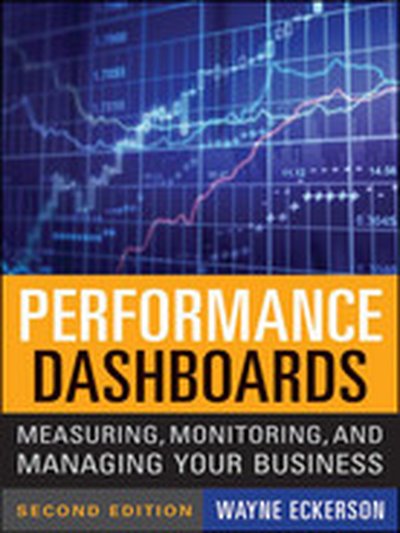
Performance Dashboards: Measuring, Monitoring, and Managing Your Business, 2nd Edition

Tips, techniques, and trends on harnessing dashboard technology to optimize business performance In Performance Dashboards, Second Edition, author Wayne Eckerson explains what dashboards are, where they can be used, and why they are important to measuring and managing performance. As Director of Research for The Data Warehousing Institute, a worldwide association of business intelligence professionals, Eckerson interviewed dozens of organizations that have built various types of performance dashboards in different industries and lines of business. Their practical insights explore how you can effectively turbo-charge performance–management initiatives with dashboard technology. Includes all-new case studies, industry research, news chapters on "Architecting Performance Dashboards" and "Launching and Managing the Project" and updated information on designing KPIs, designing dashboard displays, integrating dashboards, and types of dashboards. Provides a solid foundation for understanding performance dashboards, business intelligence, and performance management Addresses the next generation of performance dashboards, such as Mashboards and Visual Discovery tools, and including new techniques for designing dashboards and developing key performance indicators Offers guidance on how to incorporate predictive analytics, what-if modeling, collaboration, and advanced visualization techniques This updated book, which is 75% rewritten, provides a foundation for understanding performance dashboards, business intelligence, and performance management to optimize performance and accelerate results.

Excel® Dashboards & Reports

The go to resource for how to use Excel dashboards and reports to better conceptualize data Many Excel books do an adequate job of discussing the individual functions and tools that can be used to create an "Excel Report." What they don't offer is the most effective ways to present and report data. Offering a comprehensive review of a wide array of technical and analytical concepts, Excel Reports and Dashboards helps Excel users go from reporting data with simple tables full of dull numbers, to presenting key information through the use of high-impact, meaningful reports and dashboards that will wow management both visually and substantively. Details how to analyze large amounts of data and report the results in a meaningful, eye-catching visualization Describes how to use different perspectives to achieve better visibility into data, as well as how to slice data into various views on the fly Shows how to automate redundant reporting and analyses Part technical manual, part analytical guidebook, Excel Dashboards and Reports is the latest addition to the Mr. Spreadsheet's Bookshelf series and is the leading resource for learning to create dashboard reports in an easy-to-use format that's both visually attractive and effective.

Oracle CRM On Demand Dashboards

Design and Deliver Oracle CRM On Demand Dashboards Create custom, interactive dashboards to deliver actionable business intelligence directly to end users with help from this Oracle Press guide. Oracle CRM On Demand Dashboards provides comprehensive coverage of the versatile features available in Oracle Answers On Demand coupled with detailed planning and design strategies for building and deploying reports and dashboards with Oracle CRM On Demand. Real-world examples and time-saving formatting tips are included throughout this practical resource. Configure administrative settings to access report and dashboard development tools Take advantage of built-in dashboards Plan dashboards and reports based on business needs Create, edit, manage, save, and delete custom dashboards Configure dashboard properties and pages Add and configure dashboard objects, such as guided navigation, links, images, and folders Display and arrange reports on dashboards Develop dashboard filter prompts Deploy dashboards to Oracle CRM On Demand end users

Applied SAP BI 7.0 Web Reports: Using BEx Web Analyzer and Web Application Designer

Deliver SAP BI 7.0 Web Reports Distribute integrated, accurate, and timely data across your enterprise using the Web-based reporting components in SAP BI. Written by an SAP insider, Applied SAP BI 7.0 Web Reports: Using BEx Web Analyzer and Web Application Designer shows you how to construct effective queries, create HTML-based reports, and combine key analytics into a dashboard-style interface. Learn how to import data from multiple providers, configure custom templates, track Key Performance Indicators (KPIs), and incorporate JavaScript and XHTML. Security, troubleshooting, and third-party tools are also discussed in this comprehensive guide. Essential BI skills for business professionals: Define queries and export them as links with BEx Web Analyzer Create BI-specific HTML pages using Web Application Designer and Report Designer Construct reusable templates, shortcuts, and Web items Design high-impact BI dashboards, cockpits, and billboards Integrate toolbars,drilldown capabilities, and drag-and-drop features Publish reporting objects with the Broadcaster and Broadcast Wizard Migrate existing systems and reports to the SAP BI 7.0 platform Add BusinessObjects, Crystal Reports, and JavaScript components Peter Jones, MBA, is a principal/platinum business applications consultant with SAP Professional Services Consulting. He has more than 11 years of consulting and educational experience in a variety of strategic and leadership roles. Jones is the author of SAP Business Information Warehouse Reporting.

Sams Teach Yourself Google Analytics™ in 10 Minutes

Sams Teach Yourself Google Analytics™ in 10 Minutes gives you straightforward, practical answers when you need fast results. By working through its 10-minute lessons, you’ll learn everything you need to use Google Analytics to accurately measure your website’s performance–and improve it! 10 minutes is all you need to learn how to… Quickly create a Google Analytics account and add Google Analytics to your site Define goals and measure how well your site is achieving them Track visitors from search engines, pay-per-click advertising, email, and other sources Discover the pages your visitors view, how long they stay, and where they exit Monitor specific user actions, such as playing embedded video, selecting Flash menu items, or downloading files Identify your best and worst content, and fix poorly performing pages Improve your site by tracking error pages and broken links Measure AdWords traffic, position, and e-commerce performance Manage Google Analytics through the Dashboard Customize Google Analytics to work more effectively with your site Capture more accurate information by filtering out internal traffic Choose the right reports and data, understand them, and act on what you learn

Building Dashboards for Windows SharePoint Services 3.0 Using SharePoint Designer 2007

In this Wrox Blox, you'll learn how to create powerful Dashboards for Windows SharePoint Services 3.0. First, we introduce Web Part Pages and some of the out-of-the box Web Parts available in WSS. We then look at how to use Web Part Connections to add interactivity to our Dashboards. Later we create advanced Dashboard Views using the Data Form Web Part available with SharePoint Designer 2007. While the author focuses on Windows SharePoint Services, all of the topics discussed also apply to Microsoft Office SharePoint Server 2007 as it is a superset of WSS. This Wrox Blox will be valuable for anyone wishing to share data on their SharePoint site.

Xcelsius® 2008 Dashboard Best Practices

THE DEFINITIVE, COMPREHENSIVE, OFFICIAL GUIDE TO XCELSIUS 2008 DASHBOARDS Using Xcelsius, you can create powerful, interactive dashboards, gather data from spreadsheets or databases, and deliver knowledge that can be instantly understood and acted upon. Now there’s a definitive, authoritative guide to making the most of Xcelsius 2008, the newest version of this breakthrough product. Loren Abdulezer, editor-in-chief of Xcelsius Journal, shares insider’s knowledge that goes far beyond any other book or online help resource. Abdulezer introduces Xcelsius 2008, reviews its core concepts, and demonstrates the wide range of dashboards it can create. After you know what’s possible, you’ll go deep inside Xcelsius, gaining hands-on experience with every feature you need to master. You’ll learn how to quickly represent any data with charting components; use dials, gauges, and speedometers; incorporate multiple layers in your dashboards and visualizations; use Xcelsius to perform more useful analyses and manage more interactively; work with maps, demographics, and segmented data; create “smart data” and alerts; and much more. Abdulezer offers tips and tricks you won’t find anywhere else. You’ll learn how to work with data that isn’t rock-solid--and even how to create your own custom components that go beyond Xcelsius’s built-in features. Whether you’re a business intelligence or database professional, power user, developer, or consultant, this book will help you create superior Xcelsius dashboards--and make better decisions. THE ONLY XCELSIUS 2008 DASHBOARDING BOOK YOU NEED Use Xcelsius 2008 to get better answers, identify emerging trends and opportunities, and manage more effectively Learn hands-on, through step-by-step examples using real business data Discover tips and tricks proven in real-world environments Deliver dashboard content in whatever format works best: as HTML pages, PowerPoint presentations, PDF files, or Word documents Fully leverage the information in your Excel spreadsheets--and go beyond Excel to use XML source data, too Implement Xcelsius best practices drawn from the hard-won knowledge of the entire global user community ON THE WEB Registered owners of the book can find all this and more online: All sample files used in the book Additional guides and tutorials to help you build dashboards Templates and example files for new dashboard interfaces Introduction 1 Part I Xcelsius 2008 Fundamentals 1 Motivation for Using Xcelsius 2008 11 2 Showcase of Xcelsius 2008 Dashboards 33 3 Getting Familiar with Xcelsius 2008 43 4 Embedded Spreadsheets: The Secret Sauce of Xcelsius 2008 69 5 Using Charts and Graphs to Represent Data 127 6 Single Value Components: Dials, Gauges, Speedometers, and the Like 157 Part II Xcelsius 2008 Best Practices and Techniques 7 Using Multi-Layer Visibility in Your Dashboards and Visualizations 181 8 Managing Interactivity 203 9 Xcelsius and Statistics 229 10 Financial Analysis 257 11 Maps in Xcelsius 275 12 Smart Data and Alerts 297 13 Working with Less-Than-Optimal Data 315 14 Other Dashboard Techniques and Practices 337 Part III Advanced Features 15 XML and Data Connectivity 353 16 Creating Custom Components for Fun and Profit 371 Part IV Appendices A Supported Spreadsheet Functions in Xcelsius 2008 401 B Xcelsius Product Family Comparison 415 C Xcelsius Best Practice Techniques and Hip Pocket Tips 425 Index 431

BusinessObjects™ XI Release 2 for Dummies®

BusinessObjects XI Release 2 For Dummies In no time, you'll be finding your way around Universes to see how everything is shaping up, viewing and creating reports, building powerful queries on your organizations database, and measuring your company's performance using BusinessObjects XI Release 2. This completely jargon-free handbook will put you in complete control of the ways and means of a truly exciting and powerful suite of business intelligence tools. Discover how to: Make business decisions with help from BusinessObjects Use BusinessObjects XI wizards Perform a server installation Create and define a Universe Set up desktop reporting Customize and use InfoView Measure performance with Dashboard and Analytics Take advantage of data marts and understand how they fit into your BusinessObjects system Created by a team with more than 15 years combined experience working with BusinessObjects tools, BusinessObjects XI Release 2 For Dummies comes complete with several short lists of useful information, including tips on how to prepare for a successful BusinessObjects integration and helpful resources beyond the pages of this book. You'll also find an overview of Crystal Reports, BusinessObjects’ companion reporting tool.

Excel® 2007 Dashboards & Reports For Dummies®

What’s the use of putting out reports that no one reads? Properly created dashboards are graphical representations that put data in a context for your audience, and they look really cool! How cool? You’ll find out when you see the dazzling examples in Excel 2007 Dashboards & Reports For Dummies. And, before long, everyone’s eyes will be riveted to your dashboards and reports too! This revolutionary guide shows you how to turn Excel into your own personal Business Intelligence tool. You’ll learn the fundamentals of using Excel 2007 to go beyond simple tables to creating dashboard-studded reports that wow management. Get ready to catch dashboard fever as you find out how to use basic analysis techniques, build advanced dashboard components, implement advanced reporting techniques, and import external date into your Excel reports. Discover how to: Unleash the power of Excel as a business intelligence tool Create dashboards that communicate and get noticed Think about your data in a new way Present data more effectively and increase the value of your reports Create dynamic labels that support visualization Represent time and seasonal trending Group and bucket data Display and measure values versus goals Implement macro-charged reporting Using Excel 2007 as a BI tool is the most cost-efficient way for organizations of any size create powerful and insightful reports and distribute throughout the enterprise. And Excel 2007 Dashboards and Reports for Dummies is the fastest you for you to catch dashboard fever!