talk-data.com talk-data.com

Topic

business-intelligence

227

tagged

Activity Trend

46 peak/qtr
2020-Q1 2026-Q1

Activities

Showing filtered results

Filtering by: O'Reilly Data Science Books ×
Data Cleaning with Power BI

Delve into the powerful world of data cleaning with Microsoft Power BI in this detailed guide. You'll learn how to connect, transform, and optimize data from various sources, setting a strong foundation for insightful data-driven decisions. Equip yourself with the skills to master data quality, leverage DAX and Power Query, and produce actionable insights with improved efficiency. What this Book will help me do Master connecting to various data sources and importing data effectively into Power BI. Learn to use the Query Editor to clean and transform data efficiently. Understand how to use the M language to perform advanced data transformations. Gain expertise in creating optimized data models and handling relationships within Power BI. Explore insights-driven exploratory data analysis using Power BI's powerful tools. Author(s) None Frazer is an experienced data professional with a deep knowledge of business intelligence tools and analytics processes. With a strong background in data science and years of hands-on experience using Power BI, Frazer brings practical advice to help users improve their data preparation and analysis skills. Known for creating resources that are both comprehensive and approachable, Frazer is dedicated to empowering readers in their data journey. Who is it for? This book is ideal for data analysts, business intelligence professionals, and business analysts who work regularly with data. If you are someone with a basic understanding of BI tools and concepts looking to deepen their skills, especially in Power BI, this book will guide you effectively. It will also help data scientists and other professionals interested in data cleaning to build a robust basis for data quality and analysis. Whether you're addressing common data challenges or seeking to enhance your BI capabilities, this guide is tailored to accommodate your needs.

Extending Dynamics 365 Finance and Operations Apps with Power Platform

This book, "Extending Dynamics 365 Finance and Operations Apps with Power Platform", is your comprehensive guide to mastering the integration of Power Platform tools with Dynamics 365 Finance and Operations (F&O). Dive into practical scenarios and learn how to leverage tools like Power Automate, Power Apps, and Power BI to maximize efficiency and streamline operations. What this Book will help me do Learn to extend Dynamics 365 F&O functionalities using Dataverse and other Power Platform tools. Understand practical integration techniques including dual-write and virtual tables. Explore automation of workflows and tasks with Power Automate in an F&O context. Utilize Power BI for creating insightful reports with Azure Data Lake Storage. Gain insights into governance and lifecycle management for the Power Platform in your F&O projects. Author(s) Adrià Ariste Santacreu, a seasoned expert in Power Platform and Microsoft Dynamics, shares his rich industry experience through this book. He has implemented numerous real-world solutions integrating Power Platform with Dynamics 365, and his expertise is evident in the clear and actionable guidance provided herein. Adrià's approach helps both novices and experts discover the true potential of these technologies. Who is it for? This book is ideal for Dynamics 365 Finance & Operations consultants and Power Platform professionals seeking to extend their knowledge and capabilities. It is particularly suitable for technical and solutions architects who aim to implement innovative solutions for business requirements using the Power Platform. If you aim to leverage low-code/no-code tools for dynamics projects, this book has you covered.

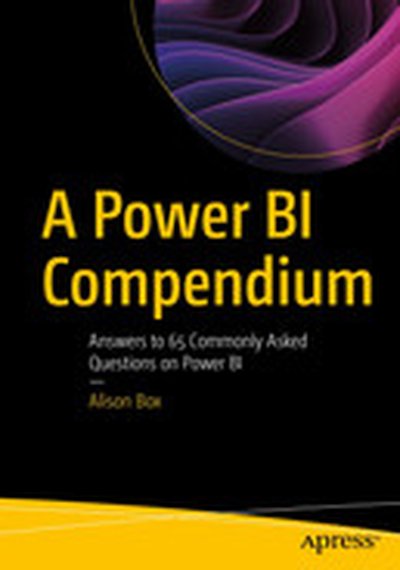
A Power BI Compendium: Answers to 65 Commonly Asked Questions on Power BI

Are you a reasonably competent Power BI user but still struggling to generate reports that truly tell the story of your data? Or do you simply want to extend your knowledge of Power BI by exploring more complex areas of visualizations, data modelling, DAX, and Power Query? If so, this book is for you. This book serves as a comprehensive resource for users to implement more challenging visuals, build better data models, use DAX with more confidence, and execute more complex queries so they can find and share important insights into their data. The contents of the chapters are in a question-and-answer format that explore everyday data analysis scenarios in Power BI. These questions have been generated from the author’s own client base and from commonly sought-for information from the Power BI community. They cover a wide and diverse range of topics that many Power BI users often struggle to get to grips with or don’t fully understand. Examples of suchquestions are: How can I generate dynamic titles for visuals? How can I control subtotals in a Matrix visual? Why do I need a date dimension? How can I show the previous N month’s sales in a column chart?Why do I need a Star Schema? Why aren't my totals correct? How can I bin measures into numeric ranges? Can I import a Word document? Can I dynamically append data from different source files? Solutions to these questions and many more are presented in non-technical and easy-to-follow explanations negating the requirement to perform tiresome and fruitless “google” searches. There are also companion Power BI Desktop files that set out the answers to each question so you can follow along with the examples given in the book.. After working through this book, you will have extended your knowledge of Power BI to an expert level, alleviating your existing frustrations and so enabling you to design Power BI reports where you are no longer limited by your lack of knowledge or experience. Who is This Book For: Power BI users who can build reports and now want to extend their knowledge of Power BI.

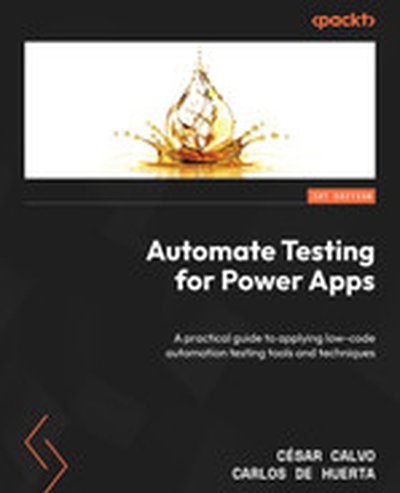
Automate Testing for Power Apps

Are you looking to step up your Power Apps development game? "Automate Testing for Power Apps" is your comprehensive guide to leveraging low-code automation testing tools and techniques. Learn practical steps to integrate these methods into your workflow, ensuring your Power Apps are efficient, effective, and top-notch in quality. What this Book will help me do Master automation testing principles tailored specifically for Power Apps applications. Leverage tools like Test Studio and Test Engine to efficiently test Canvas apps. Learn advanced automation testing techniques for PCF components and model-driven apps. Incorporate robust testing procedures into software deployment for improved workflows. Enhance Power Apps quality and efficiency, reducing emergency fixes and improving user satisfaction. Author(s) César Calvo and Carlos de Huerta have deep expertise in Power Apps development and testing. With years of industry experience, they have honed their skills in creating robust apps and ensure quality through advanced testing techniques. Their approachable teaching style ensures learners grasp complex concepts effectively. Who is it for? This book is for Power Apps developers and IT professionals aiming to enhance their testing knowledge. Whether you're a beginner looking to grasp the basics or an advanced user exploring new automation possibilities, you'll find this guide invaluable. A basic understanding of Power Apps and Power Platform concepts will be beneficial.

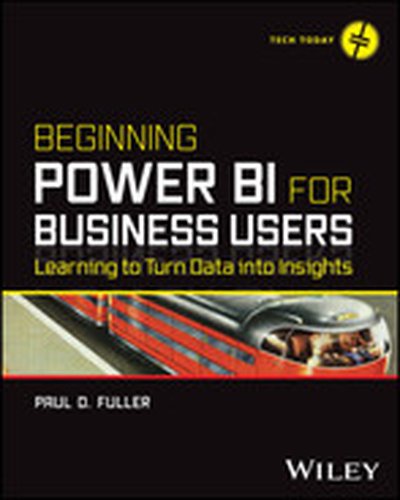
Beginning Power BI for Business Users

Discover the utility of your organization’s data with Microsoft Power BI In Beginning Power BI for Business Users: Learning to Turn Data into Insights, accomplished data professional and business intelligence expert Paul Fuller delivers an intuitive and accessible handbook for professionals seeking to use Microsoft’s Power BI to access, analyze, understand, report, and act on the data available to their organizations. In the book, you’ll discover Power BI’s robust feature set, learn to ingest and model data, visualize and report on that data, and even use the DAX scripting language to unlock still more utility from Microsoft’s popular program. Beginning with general principles geared to readers with no or little experience with reporting or data analytics tools, the author walks you through how to manipulate common, publicly available data sources—including Excel files and relational databases. You’ll also learn to: Use the included and tested sample code to work through the helpful examples included by the author Conduct data orchestration and visualization to better understand and gain insights from your data An essential resource for business analysts and Excel power users reaching the limits of that program’s capabilities, Beginning Power BI for Business Users will also benefit data analysts who seek to prepare reports for their organizations using Microsoft’s flexible and intuitive software.

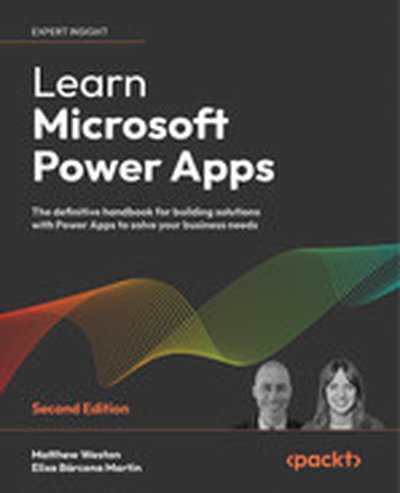
Learn Microsoft Power Apps - Second Edition

Learn Microsoft Power Apps is your complete guide to building personalized business applications using Microsoft's low-code platform. You'll discover how to create interactive, secure apps tailored to your needs, with the help of detailed examples, best practices, and progressive tutorials. Unleash the power of tools like AI Builder and Dataverse to add cutting-edge functionality to your applications. What this Book will help me do Understand the Power Apps ecosystem and its licensing to make informed decisions. Create canvas applications to address specific business challenges effectively. Incorporate integration with SharePoint, Power Automate, and other Microsoft tools for enhanced app capabilities. Use Dataverse for data storage and employ model-driven approaches for robust applications. Leverage artificial intelligence features like AI Builder and Copilot to accelerate and improve development. Author(s) Matthew Weston and Elisa Bárcena Martín are seasoned professionals in the Microsoft and business solutions field. Their combined experience includes decades of expertise in developing applications, consulting, and teaching others how to harness Power Platform technologies. They excel in breaking down complex topics into understandable, actionable content, and their supportive tone makes learning enjoyable and productive. Who is it for? This book is ideal for business analysts, IT professionals, and solution developers seeking to streamline business processes through custom applications. Whether you're a seasoned developer looking to expand into low-code platforms or a beginner eager to tackle real-world problems, this book guides you step by step. A basic understanding of Microsoft 365 is all that's needed to get started, giving non-developers and tech enthusiasts alike the confidence to create impactful applications.

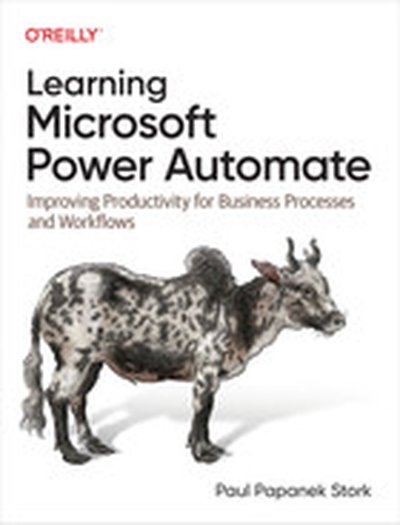
Learning Microsoft Power Automate

Processing information efficiently is critical to the successful operation of modern organizations. One particularly helpful tool is Microsoft Power Automate, a low-code/no-code development platform designed to help tech-savvy users create and implement workflows. This practical book explains how small-business and enterprise users can replace manual work that takes days with an automated process you can set up in a few hours using Power Automate. Paul Papanek Stork, principal architect at Don't Pa..Panic Consulting, provides a concise yet comprehensive overview of the foundational skills required to understand and work with Power Automate. You'll learn how to use these workflows, or flows, to automate repetitive tasks or complete business processes without manual intervention. Whether you're transferring form responses to a list, managing document approvals, sending automatic reminders for overdue tasks, or archiving emails and attachments, these skills will help you: Design and build flows with templates or from scratch Select triggers and actions to automate a process Add actions to a flow to retrieve and process information Use functions to transform information Control the logic of a process using conditional actions, loops, or parallel branches Implement error checking to avoid potential problems

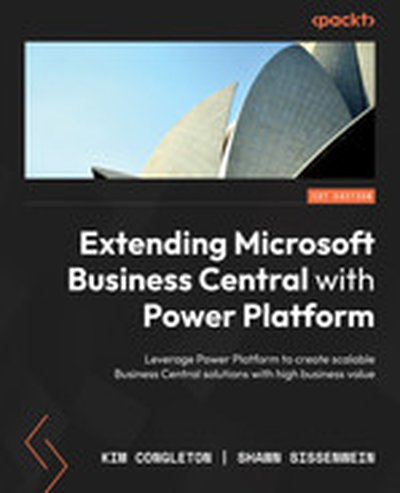
Extending Microsoft Business Central with Power Platform

Unlock the full potential of Microsoft Business Central by integrating it with the Power Platform through this practical and hands-on guide. With step-by-step tutorials, you'll learn how to combine the capabilities of tools like Power Apps, Power Automate, and Dataverse to build scalable and efficient business solutions. By the end of the book, you'll be equipped to streamline business processes and add significant value. What this Book will help me do Effectively deploy Power Platform functionalities for Microsoft Business Central projects. Seamlessly connect Business Central with cloud and on-premises services. Leverage Dataverse and virtual tables to enhance data modeling and accessibility. Build custom applications using Power Apps and automate workflows with Power Automate. Generate advanced visual reports with Power BI directly integrated with Business Central. Author(s) Kim Congleton and Shawn Sissenwein are industry professionals with extensive experience in ERP systems and Microsoft technologies. With a deep knowledge of Business Central and the Power Platform, they bring practical insights into maximizing business value through technological advancements. Their teaching approach focuses on hands-on learning, real-world application, and empowering readers with actionable skills. Who is it for? This book is ideal for Business Central users, consultants, and solution architects aiming to enhance Business Central's capabilities through the Power Platform. If you're familiar with Business Central's basics and seek to optimize and extend its functionality without requiring extensive programming knowledge, then this guide is tailored for you.

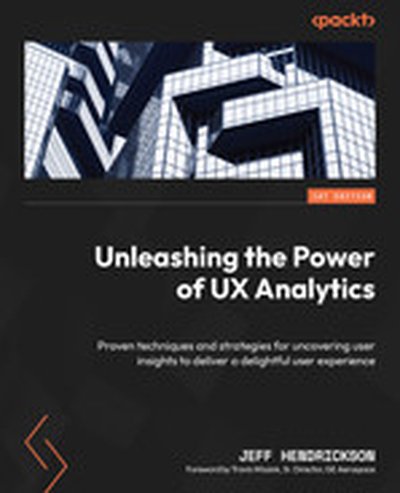
Unleashing the Power of UX Analytics

Explore the comprehensive world of UX analytics with "Unleashing the Power of UX Analytics." This book uncovers proven techniques to collect, analyze, and interpret crucial data for enhancing user experiences. Through practical insights and methodologies, you'll master the art of creating empathetic, data-informed designs that meet user needs effectively. What this Book will help me do Master the techniques for effective qualitative and quantitative user data analysis. Learn to implement and interpret key UX metrics and KPIs to guide design processes. Understand and apply design thinking to bridge user goals with business objectives. Discover how to utilize and integrate UX analytics tools and methodologies. Learn strategies for presenting research findings and making impactful data-driven recommendations. Author(s) Jeff Hendrickson is a seasoned UX designer, researcher, and analytics expert with over a decade of experience in the field. His approach emphasizes empathy and user needs in driving design solutions, combining his background in psychology and data analysis. Jeff's ability to translate complex analytics into actionable insights makes his writing relatable and pragmatic for professionals. Who is it for? This book is perfect for UX researchers, product managers, and designers who aim to deepen their understanding of UX analytics. Whether you're an experienced professional or just beginning your journey, you'll gain the tools to make informed, user-centric decisions. If you're eager to enhance your design impact through analytics, this book is for you.

Pro Power BI Architecture: Development, Deployment, Sharing, and Security for Microsoft Power BI Solutions

This book provides detailed guidance around architecting and deploying Power BI reporting solutions, including help and best practices for sharing and security. You’ll find chapters on dataflows, shared datasets, composite model and DirectQuery connections to Power BI datasets, deployment pipelines, XMLA endpoints, and many other important features related to the overall Power BI architecture that are new since the first edition. You will gain an understanding of what functionality each of the Power BI components provide (such as Dataflow, Shared Dataset, Datamart, thin reports, and paginated reports), so that you can make an informed decision about what components to use in your solution. You will get to know the pros and cons of each component, and how they all work together within the larger Power BI architecture. Commonly encountered problems you will learn to handle include content unexpectedly changing while users are in the process of creating reports and building analyses, methods of sharing analyses that don’t cover all the requirements of your business or organization, and inconsistent security models. Detailed examples help you to understand and choose from among the different methods available for sharing and securing Power BI content so that only intended recipients can see it. The knowledge provided in this book will allow you to choose an architecture and deployment model that suits the needs of your organization. It will also help ensure that you do not spend your time maintaining your solution, but on using it for its intended purpose: gaining business value from mining and analyzing your organization’s data. What You Will Learn Architect Power BI solutions that are reliable and easy to maintain Create development templates and structures in support of reusability Set up and configure the Power BI gateway as a bridge between on-premises data sourcesand the Power BI cloud service Select a suitable connection type—Live Connection, DirectQuery, Scheduled Refresh, or Composite Model—for your use case Choose the right sharing method for how you are using Power BI in your organization Create and manage environments for development, testing, and production Secure your data using row-level and object-level security Save money by choosing the right licensing plan Who This Book Is For Data analysts and developers who are building reporting solutions around Power BI, as well as architects and managers who are responsible for the big picture of how Power BI meshes with an organization’s other systems, including database and data warehouse systems.

Intelligent Analytics for Industry 4.0 Applications

In Industry 4.0, intelligent analytics has a broader scope in terms of descriptive, predictive, and prescriptive sub-domains. To this end, the book will aim to review and highlight the challenges faced by Intelligent Analytics in Industry 4.0 and present the recent developments done to address those challenges.

Power BI Machine Learning and OpenAI

Microsoft Power BI Machine Learning and OpenAI offers a comprehensive exploration into advanced data analytics and artificial intelligence using Microsoft Power BI. Through hands-on, workshop-style examples, readers will discover the integration of machine learning models and OpenAI features to enhance business intelligence. This book provides practical examples, real-world scenarios, and step-by-step guidance. What this Book will help me do Learn to apply machine learning capabilities within Power BI to create predictive analytics Understand how to integrate OpenAI services to build enhanced analytics workflows Gain hands-on experience in using R and Python for advanced data visualization in Power BI Master the skills needed to build and deploy SaaS auto ML models within Power BI Leverage Power BI's AI visuals and features to elevate data storytelling Author(s) Greg Beaumont, an expert in data science and business intelligence, brings years of experience in Power BI and analytics to this book. With a focus on practical applications, Greg empowers readers to harness the power of AI and machine learning to elevate their data solutions. As a consultant and trainer, he shares his deep knowledge to help readers unlock the full potential of their tools. Who is it for? This book is ideal for data analysts, BI professionals, and data scientists who aim to integrate machine learning and OpenAI into their workflows. If you're familiar with Power BI's fundamentals and are eager to explore its advanced capabilities, this guide is tailored for you. Perfect for professionals looking to elevate their analytics to a new level, combining data science concepts with Power BI's features.

Embedded Analytics

Over the past 10 years, data analytics and data visualization have become essential components of an enterprise information strategy. And yet, the adoption of data analytics has remained remarkably static, reaching no more than 30% of potential users. This book explores the most important techniques for taking that adoption further: embedding analytics into the workflow of our everyday operations. Authors Donald Farmer and Jim Horbury show business users how to improve decision making without becoming analytics specialists. You'll explore different techniques for exchanging data, insights, and events between analytics platforms and hosting applications. You'll also examine issues including data governance and regulatory compliance and learn best practices for deploying and managing embedded analytics at scale. Learn how data analytics improves business decision making and performance Explore advantages and disadvantages of different embedded analytics platforms Develop a strategy for embedded analytics in an organization or product Define the architecture of an embedded solution Select vendors, platforms, and tools to implement your architecture Hire or train developers and architects to build the embedded solutions you need Understand how embedded analytics interacts with traditional analytics

Teach Yourself VISUALLY Power BI

A comprehensive and fully visual guide to Microsoft Power BI Teach Yourself VISUALLY Power BI collects all the resources you need to master the everyday use of Microsoft's powerful data visualization software and delivers them in a single, easy-to-use volume. Fully illustrated, step-by-step instructions are combined with crystal-clear screenshots that walk you through the basic and advanced functions of Microsoft Power BI. Teach Yourself VISUALLY Power BI offers the best visual learning techniques with complete source material about the interface and substance of Power BI, as well as: Stepwise guidance on working with, transforming, and processing data sources Instructions for customizing data visualizations to create informative and presentation-ready charts and graphs Full-color, two-page tutorials on the more advanced features of Power BI, including app integrations and data access with DAX The fastest, easiest way for visual learners to get a handle on Microsoft Power BI, Teach Yourself VISUALLY Power BI is a can't-miss resource, loaded with useful tips for newbies and experts alike.

Transitioning to Microsoft Power Platform: An Excel User Guide to Building Integrated Cloud Applications in Power BI, Power Apps, and Power Automate

Welcome to this step-by-step guide for Excel users, data analysts, and finance specialists. It is designed to take you through practical report and development scenarios, including both the approach and the technical challenges. This book will equip you with an understanding of the overall Power Platform use case for addressing common business challenges. While Power BI continues to be an excellent tool of choice in the BI space, Power Platform is the real game changer. Using an integrated architecture, a small team of citizen developers can build solutions for all kinds of business problems. For small businesses, Power Platform can be used to build bespoke CRM, Finance, and Warehouse management tools. For large businesses, it can be used to build an integration point for existing systems to simplify reporting, operation, and approval processes. The author has drawn on his15 years of hands-on analytics experience to help you pivot from the traditional Excel-based reporting environment. By using different business scenarios, this book provides you with clear reasons why a skill is important before you start to dive into the scenarios. You will use a fast prototyping approach to continue to build exciting reporting, automation, and application solutions and improve them while you acquire new skill sets. The book helps you get started quickly with Power BI. It covers data visualization, collaboration, and governance practices. You will learn about the most practical SQL challenges. And you will learn how to build applications in PowerApps and Power Automate. The book ends with an integrated solution framework that can be adapted to solve a wide range of complex business problems. What You Will Learn Develop reporting solutions and business applications Understand the Power Platform licensing and development environment Apply Data ETL and modeling in Power BI Use Data Storytelling and dashboard design to better visualize data Carry out data operations with SQL and SharePoint lists Develop useful applications using Power Apps Develop automated workflows using Power Automate Integrate solutions with Power BI, Power Apps, and Power Automate to build enterprise solutions Who This Book Is For Next-generation data specialists, including Excel-based users who want to learn Power BI and build internal apps; finance specialists who want to take a different approach to traditional accounting reports; and anyone who wants to enhance their skill set for the future job market.