talk-data.com talk-data.com

Topic

Microsoft

technology software cloud

1606

tagged

Activity Trend

556 peak/qtr
2020-Q1 2026-Q1

Activities

1606 activities · Newest first

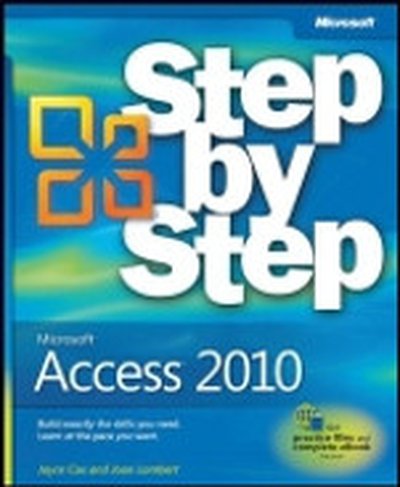
Microsoft® Access® 2010: Step by Step

Experience learning made easy-and quickly teach yourself how to build database solutions with Access 2010. With STEP BY STEP, you set the pace-building and practicing the skills you need, just when you need them! Topics include building an Access database from scratch or from templates; publishing your database to the Web; exchanging data with other databases and Microsoft Office documents; creating data-entry forms; using filters and queries; designing reports; using conditional formatting; preventing data corruption and unauthorized access; and other core topics.

Microsoft Visio 2010 Business Process Diagramming and Validation

In the book 'Microsoft Visio 2010 Business Process Diagramming and Validation', you'll master the specialized features of Microsoft Visio 2010 Premium. This guide focuses on creating structured diagrams and validation rules, helping you enhance the accuracy and clarity of your business data visualization. What this Book will help me do Gain expertise in leveraging Visio's structured diagram tools for business process mapping. Learn how to build, customize, and apply Validation Rules for ensuring diagram accuracy. Develop skills in using the Visio Object Model and ShapeSheet to create advanced diagramming solutions. Understand and implement enhanced diagramming templates and rules, including BPMN and custom workflows. Acquire techniques for creating add-ins and publishing templates to establish company-wide diagramming standards. Author(s) David Parker, the author of this insightful book, is a seasoned professional with extensive experience in Microsoft Visio. His expertise includes creating complex diagramming solutions and training professionals in maximizing Visio's features. David's hands-on approach and understanding of business process needs make this a practical and enriching guide. Who is it for? This book is for users and developers of Microsoft Visio 2010 Premium Edition who want to master diagram validation and structured diagrams. Beginners with basic Visio knowledge and experienced users aiming to develop advanced applications will both benefit from this resource. It is especially useful for professionals seeking to enforce accuracy and compliance in their diagrams.

Access® 2010 Bible

The expert guidance you need to get the most out of Access 2010 Get the Access 2010 information you need to succeed with this comprehensive reference. If this is your first encounter with Access, you'll appreciate the thorough attention to database fundamentals and terminology. If you're familiar with earlier versions, you can jump right into Access 2010 enhancements such as the new Access user interface and wider use of XML and Web services. Takes you under the hood of Microsoft Access 2010, the database application included with Microsoft Office 2010 Explores the latest enhancements, such as a new user interface and wider use of XML and Web services; also, how to exchange data with Word, Excel, PowerPoint, and other Office apps Covers how to create tables, manipulate datasheets, and work with multiple tables Explains the seven database objects and how to use a seven-step design method to build a database tailored to your needs Shows you how to build forms, use Visual Basic and the VBA Editor, automate query parameters, create functions and subroutines, use XML to create data access pages, and more Includes a CD with all source code from the book and working examples, plus bonus shareware, freeware, trial, demo and evaluation programs that work with or enhance Microsoft Office You’ll want to keep this soup-to-nuts Access reference close at hand! Note: CD-ROM/DVD and other supplementary materials are not included as part of eBook file.

Microsoft® Access® 2010 Plain & Simple

Get the guide that makes learning Microsoft Access 2010 plain and simple! This full color, no-nonsense book shows you the quickest ways to build a database and sort information, using easy-to-follow steps and concise, straightforward language. You'll learn how out-of-the-box templates and reusable components make Access 2010 a fast and simple database solution. Here's WHAT you'll learn: Design and build your own database quickly Use Access forms to collect information with ease Create and modify tables to organize your data Store files such as documents and images Exchange data with other databases and documents Bring your data alive with colorful reports Here's HOW you'll learn it: Jump in whenever you need answers Easy-to-follow STEPS and SCREENSHOTS show exactly what to do Handy TIPS teach new techniques and shortcuts Quick TRY THIS! exercises help apply what you learn right away

Professional Microsoft® PowerPivot for Excel® and SharePoint®

With PowerPivot, Microsoft brings the power of Microsoft's business intelligence tools to Excel and SharePoint users. Self-service business intelligence today augments traditional BI methods, allowing faster response time and greater flexibility. If you're a business decision-maker who uses Microsoft Office or an IT professional responsible for deploying and managing your organization's business intelligence systems, this guide will help you make the most of PowerPivot. Professional Microsoft PowerPivot for Excel and SharePoint describes all aspects of PowerPivot and shows you how to use each of its major features. By the time you are finished with this book, you will be well on your way to becoming a PowerPivot expert. This book is for people who want to learn about PowerPivot from end to end. You should have some rudimentary knowledge of databases and data analysis. Familiarity with Microsoft Excel and Microsoft SharePoint is helpful, since PowerPivot builds on those two products. This book covers the first version of PowerPivot, which ships with SQL Server 2008 R2 and enhances Microsoft Office 2010. It provides an overview of PowerPivot and a detailed look its two components: PowerPivot for Excel and PowerPivot for SharePoint. It explains the technologies that make up these two components, and gives some insight into why these components were implemented the way they were. Through an extended example, it shows how to build a PowerPivot application from end to end. The companion Web site includes all the sample applications and reports discussed. What This Book Covers After discussing self-service BI and the motivation for creating PowerPivot, the book presents a quick, end-to-end tutorial showing how to create and publish a simple PowerPivot application. It then drilsl into the features of PowerPivot for Excel in detail and, in the process, builds a more complex PowerPivot application based on a real-world case study. Finally, it discusses the server side of PowerPivot (PowerPivot for SharePoint) and provides detailed information about its installation and maintenance. Chapter 1, "Self-Service Business Intelligence and Microsoft PowerPivot," begins Part I of the book. This chapter describes self-service BI and introduces PowerPivot, Microsoft's first self-service BI tool. It provides a high-level look at the two components that make up PowerPivot - PowerPivot for Excel and PowerPivot for SharePoint. Chapter 2, "A First Look at PowerPivot," walks you through a simple example of creating a PowerPivot application from end to end. In the process, it shows how to set up the two components of PowerPivot, and describes the normal workflow of creating a simple PowerPivot application. Chapter 3, "Assembling Data," starts off Part II of the book, and explains how to bring data into PowerPivot from various external data sources. It also introduces the extended example that you will build in this and subsequent chapters. Chapter 4, "Enriching Data," shows how to enhance the data you brought into your application by creating relationships and using PowerPivot's expression language, Data Analysis Expressions (DAX). Chapter 5, "Self-Service Analysis," describes how to use your PowerPivot data with various Excel features, such as PivotTables, PivotCharts, and slicers to do analysis. Chapter 5 also delves further into DAX, showing how to create and use DAX measures. Chapter 6, "Self-Service Reporting," shows how to publish your PowerPivot workbook to the server side of PowerPivot (PowerPivot for SharePoint), and make use of its features to view and update PowerPivot reports. It also shows how to use the data in a PowerPivot workbook as a data source for reports created in other tools such as Report Builder 3.0 and Excel. Chapter 7, "Preparing for SharePoint 2010," is the first chapter in Part III of the book. It describes the components of SharePoint 2010 that are relevant for PowerPivot, and looks at how PowerPivot for SharePoint interacts with those components. Chapter 8, "PowerPivot for SharePoint Setup and Configuration," provides instructions on how to set up and configure a multi-machine SharePoint farm that contains PowerPivot for SharePoint. Chapter 9, "Troubleshooting, Monitoring, and Securing PowerPivot Services," gives tips on how to troubleshoot PowerPivot for SharePoint issues. It also shows how to monitor the health of your PowerPivot for SharePoint environment, and discusses relevant security issues. Chapter 10, "Diving into the PowerPivot Architecture," describes at a deeper level the architecture of PowerPivot, both client and server. It also explains the Windows Identity Foundation and discusses the use of Kerberos in the context of PowerPivot for SharePoint. Chapter 11, "Enterprise Considerations," talks about common PowerPivot for SharePoint enterprise considerations: capacity planning, optimizing the environment, upgrade considerations, and uploading performance. Appendix A provides instructions for setting up the data sources that are used to build the SDR Healthcare extended example in Chapters 3 through 6. Additionally, two "bonus" elements are available online at this book's companion Web site: Appendix B is a comprehensive DAX reference that describes all the DAX functions and provides code snippets that show how to use them. A special chapter describes real-world scenarios in which PowerPivot is used to solve common problems.

PowerPivot for the Data Analyst: Microsoft® Excel 2010

ANALYZE HUGE AMOUNTS OF BUSINESS DATA FASTER, MORE EASILY, AND MORE ACCURATELY! Use Microsoft’s free PowerPivot add-in for Excel 2010 to analyze immense amounts of data from any source, perform state-of-the-art business analysis far more easily, and make better decisions in less time! Simple, step-by-step instructions walk you through installing PowerPivot, importing data, using PivotTables with PowerPivot, using super-powerful DAX functions and measures, reporting to print or SharePoint, and a whole lot more. Whatever your Excel data analysis experience, this book will help you use PowerPivot to get the right answers, right now—without IT’s help! • Import and integrate data from spreadsheets, SQL Server, Access, Oracle, text files, Atom data feeds, and other sources • Analyze multiple tables together, without complicated VLOOKUPs • Format, sort, and filter data in the PowerPivot window • Add calculated columns using new DAX functions • Create powerful reports from PowerPivot data–and format them so executives instantly get your point • Discover PivotTable tricks that work even better in PowerPivot • Control multiple PivotTable elements on one worksheet, with one set of Excel 2010 Slicers • Use DAX Measures to quickly perform tasks that were difficult or impossible with Calculated Fields • Compare today’s sales to yesterday’s–or to sales from the parallel period last fiscal year. • Use Named Sets to prepare asymmetric reports, show actuals for past months and plan for future months. About MrExcel Library: Every book in the MrExcel Library pinpoints a specific set of crucial Excel tasks and presents focused skills and examples for performing them rapidly and effectively. Selected by Bill Jelen, Microsoft Excel MVP and mastermind behind the leading Excel solutions website MrExcel.com, these books will • Dramatically increase your productivity–saving you 50 hours a year, or more • Present proven, creative strategies for solving real-world problems • Show you how to get great results, no matter how much data you have • Help you avoid critical mistakes that even experienced users make

SQL Server® 2008 Administration: Real World Skills for MCITP Certification and Beyond

The ideal on-the-job reference guide for SQL Server 2008 database administrators If you manage and administer SQL Server 2008 in the real world, you need this detailed guide at your desk. From planning to disaster recovery, this practical book explores tasks and scenarios that a working SQL Server DBA faces regularly and shows you step by step how to handle them. Topics include installation and configuration, creating databases and tables, optimizing the database server, planning for high availability, and more. And, if you're preparing for MCTS or MCITP certification in SQL Server 2008 administration, this book is the perfect supplement to your preparation, featuring a CD with practice exams, flashcards, and video walkthroughs of the more difficult administrative tasks Delves into Microsoft's SQL Server 2008, a rich set of enterprise-level database services for business-critical applications Explores the skills you'll need on the job as a SQL Server 2008 administrator Shows you how to implement, maintain, and repair the SQL Server database, including bonus videos on the CD where the authors walks you through the more difficult tasks Covers database design, installation and configuration, creating databases and tables, security, backup and high availability, and more Supplements your preparation for MCTS and MCITP SQL Server 2008 certification with in-depth coverage of the skill sets required for certification, as defined by Microsoft Uses hands-on exercises and real-world scenarios to keep what you're learning grounded in the reality of the workplace Make sure you're not only prepared for certification, but also for your job as a SQL Server 2008 administrator, with this practical reference! Note: CD-ROM/DVD and other supplementary materials are not included as part of eBook file.

Statistics for Business

Statistical analysis is essential to business decision-making and management, but the underlying theory of data collection, organization and analysis is one of the most challenging topics for business students and practitioners. This user-friendly text and CD-ROM package will help you to develop strong skills in presenting and interpreting statistical information in a business or management environment. Based entirely on using Microsoft Excel rather than more complicated applications, it includes a clear guide to using Excel with the key functions employed in the book, a glossary of terms and equations, plus a section specifically for those readers who feel rusty in basic maths. Each chapter has worked examples and explanations to illustrate the use of statistics in real life scenarios, with databases for the worked examples, cases and answers on the accompanying CD-ROM.

Microsoft® SQL Server® Reporting Services Recipes: for Designing Expert Reports

Learn to design more effective and sophisticated business reports While most users of SQL Server Reporting Services are now comfortable designing and building simple reports, business today demands increasingly complex reporting. In this book, top Reporting Services design experts have contributed step-by-step recipes for creating various types of reports. Written by well-known SQL Server Reporting Services experts, this book gives you the tools to meet your clients' needs Coverage includes: Business Reporting Paradigms Basic Report Design Concepts Using Report Builder. Report Design Essentials Tabular and Matrix Reports Expressions and Custom Code Formatting Report Data Columnar and Grouped Reports Bi Dashboards and Elements Synchronizing Groups, Charts, and Sparklines Chart and Gauge Reports Creating a Personal Report Card Creating a Multi-Series Multi-Y Axis Chart Interactive Reporting Integrated Reporting Applications Offline Reporting Using The Report Viewer Control Creating a Calendar Report Creating Mailing Labels Barcodes Excel Worksheet Naming and Page Naming External Image Sources Language Localization Creating a Checkbox List To Show Existing Records Using a Checkbox List To Select and Deselect Records Using The Map Wizard Filtering and Parameterization Multiple Criterion Report Filtering Using Multi-Value Parameters with a Stored Procedure Using Multi-Value Parameters with a Subscription Report Creating Custom Sorting Reports Filtering User-Specific Report Data Custom and Dynamic Data Sources Using a Web Service As a Data Source Reporting On Sharepoint List Data Dynamics Ax Report Wizard and More! Microsoft® SQL Server® Reporting Services Recipes brings together great report designs that have been field-tested by the experts Note: CD-ROM/DVD and other supplementary materials are not included as part of eBook file.

Microsoft® Access® Small Business Solutions: State-of-the-Art Database Models for Sales, Marketing, Customer Management, and More Key Business Activities

Database models developed by a team of leading Microsoft Access MVPs provide read-to-use solutions for sales, marketing, customer management and other key business activities for most small businesses As the most popular relational database in the world, Microsoft Access is widely used by small business owners. This book responds to the growing need for resources that help business managers and end users design and build effective Access database solutions for specific business functions. Written by a team of Microsoft Access MVPs, this guide shows you how to design databases for the essential activities of most small businesses, including marketing and sales, customer management, inventory management, quality control, budgeting, financial tracking and analysis, and more The accompanying CD-ROM contains ready-to-load databases that can quickly be customized, saving you countless hours of development effort Features a step-by-step interview process to help tailor the database structure to specific business scenarios With this valuable guide and CD-ROM, you'll be on your way to implementing database solutions in no time.

Microsoft® Business Intelligence For Dummies®

Learn to create an effective business strategy using Microsoft's BI stack Microsoft Business Intelligence tools are among the most widely used applications for gathering, providing access to, and analyzing data to enable the enterprise to make sound business decisions. The tools include SharePoint Server, the Office Suite, PerformancePoint Server, and SQL Server, among others. With so much jargon and so many technologies involved, Microsoft Business Intelligence For Dummies provides a much-needed step-by-step explanation of what's involved and how to use this powerful package to improve your business. Microsoft Business Intelligence encompasses a broad collection of tools designed to help business owners and managers direct the enterprise effectively This guide provides an overview of SharePoint, PerformancePoint, the SQL Server suite, Microsoft Office, and the BI development technologies Explains how the various technologies work together to solve functional problems Translates the buzzwords and shows you how to create your business strategy Examines related technologies including data warehousing, data marts, Online Analytical Processing (OLAP), data mining, reporting, dashboards, and Key Performance Indicators (KPIs) Simplifies this complex package to get you up and running quickly Microsoft Business Intelligence For Dummies demystifies these essential tools for enterprise managers, business analysts, and others who need to get up to speed.

Microsoft® SQL Server® 2008 Integration Services: Problem-Design-Solution

An authoritative guide to designing effective solutions for data cleansing, ETL, and file management with SQL Server 2008 Integration Services SQL Server Integration Services (SSIS) is the leading tool in the data warehouse industry, used for performing extraction, transformation, and load operations. After an overview of SSIS architecture, the authors walk you a series of real-world problems and show various techniques for handling them. Shows you how to design SSIS solutions for data cleansing, ETL and file management Demonstrates how to integrate data from a variety of data sources, Shows how to monitor SSIS performance, Demonstrates how to avoid common pitfalls involved with SSIS deployment Explains how to ensure performance of the deployed solution and effectively handle unexpected system failures and outages The companion Web site provides sample code and database scripts that readers can directly implement This book shows you how to design, build, deploy, and manage solutions to real-world problems that SSIS administrators and developers face day-to-day.

Inside Microsoft® SQL Server® 2008: T-SQL Programming

Get a detailed look at the internal architecture of T-SQL with this comprehensive programming reference. Database developers and administrators get best practices, expert techniques, and code samples to master the intricacies of this programming language—solving complex problems with real-world solutions. Discover how to: Work with T-SQL and CLR user-defined functions, stored procedures, and triggers. Handle transactions, concurrency, and error handling. Efficiently use temporary objects, including temporary tables, table variables, and table expressions. Evaluate when to use set-based programming techniques and when to use cursors. Work with dynamic SQL in an efficient and secure manner. Treat date- and time-related data in a robust manner. Develop CLR user-defined types and learn about temporal support in the relational model. Use XML and XQuery and implement a dynamic schema solution. Work with spatial data using the new geometry and geography types and spatial indexes. Track access and changes to data using extended events, SQL Server Audit, change tracking, and change data capture. Use Service Broker for controlled asynchronous processing in database applications. All the book’s code samples will be available for download from the companion Web site.

SQL Server® 2008 Administration: Instant Reference

Perfect companion to any SQL Server 2008 book, providing fast, accurate answers on the spot for millions of IT professionals System and database administrators, IT consultants, and database application developers often need quick answers and practical solutions for SQL Server issues. This convenient guide offers you quick referencing for the product and database topics you need most. If you're an IT administrator looking for the essentials in the day-to-day tasks of administering SQL Server 2008, you'll appreciate this book's design for providing quick and easy look up of solutions and tables, lists, and step-by-step instructions for answers on the spot. SQL Server 2008 Instant Administration Reference is a guide that you want to keep within reach. SQL Server is Microsoft's bestselling database manager; the 2008 version offers enhanced security and high availability, encouraging users to upgrade Features thumb tabs, secondary and tertiary tables of contents, and special heading treatments to provide quick and easy lookup, as well as quick-reference tables and lists to provide answers on the spot Covers installing, configuring, managing, and maintaining SQL Server; optimizing server performance; and troubleshooting SQL Server 2008 Administration Instant Reference answers the questions you encounter most often in your daily work.

Statistics for Health Care Professionals: Working With Excel, 2nd Edition

Statistics for Health Care Professionals: Working with Excel (second edition) is written in a clear, easily followed style keyed to the powerful statistical tool, Microsoft Excel 2007. It introduces the use of statistics applicable to health administration, health policy, public health, health information management, and other professions, emphasizing the logic of probability and statistical analysis in all areas. Coverage includes data acquisition, data display, basics of probability, data distributions, confidence limits and hypothesis testing, statistical tests for categorical data, tests for related and unrelated data, analysis of variance, simple linear regression, multiple regression, and analysis with a dichotomous categorical dependent variable. A glossary and section-by-section review questions round out this uniquely comprehensive and accessible text.

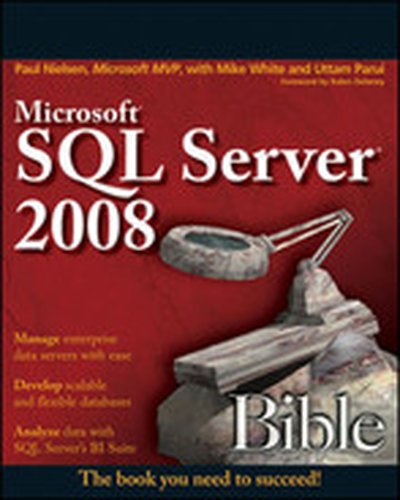
Microsoft® SQL Server® 2008 Bible

Harness the power of SQL Server, Microsoft’s high-performance database and data analysis software package, by accesing everything you need to know in Microsoft SQL Server 2008 Bible. Learn the best practices, tips, and tricks from this comprehensive tutorial and reference, which includes specific examples and sample code, with nearly every task demonstrated in both a graphical and SQL code method. Understand how to develop SQL Server databases and data connections, how to administer the SQL Server and keep databases performing optimally, and how to navigate all the new features of the 2008 release.

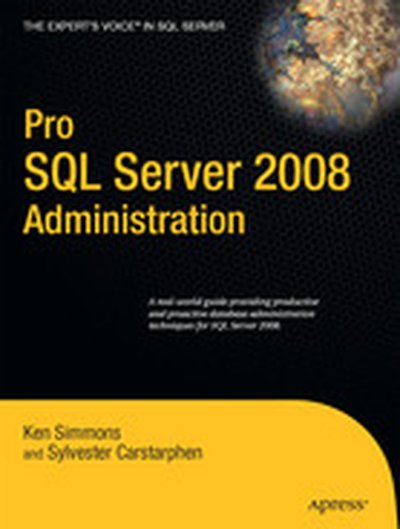
Pro SQL Server 2008 Administration

Pro SQL Server 2008 Administration is critical for database administrators seeking in-depth knowledge on administering SQL Server 2008. This book covers the impact of the new features available in SQL Server 2008 specifically targeted for database administrators, along with the tried-and-true advanced techniques required to support and maintain Microsoft SQL Server. Introduces new administration features of SQL Server 2008 Shows how to manage a SQL Server 2008 database at professional level Provides guidance on performance optimization

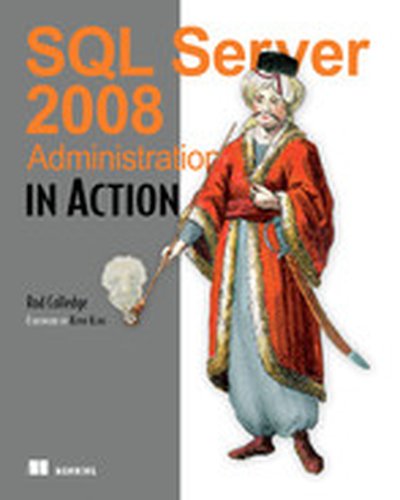
SQL Server 2008 Administration in Action

SQL Server 2008 Administration in Action offers over 100 DBA-tested, high-value, best practices that will help you tame the beast and keep it under control. Unlike the many comprehensive SQL Server reference tomes out there that attempt to cover the whole SQL Server feature set, this book drills down on the techniques, procedures, and practices that help you keep your database running like clockwork. About the Technology The integrity and security of your database is crucial to your business. SQL Server 2008 is a massive and mature product with a very large feature set. As a SQL Server administrator, you must be equipped to handle myriad day-to-day tasks to keep your database healthy, and you must also be prepared to act quickly when something unexpected happens. About the Book SQL Server 2008 Administration in Action focuses the production DBA, digging deep into the various tasks specific to that role. Expert author Rod Colledge — check him out at sqlCrunch.com — teaches you best practices that cover the lifecycle of a SQL Server system, including infrastructure design, installation, and operational maintenance. And while many of these techniques will work in any recent version of SQL Server, you'll find full coverage of emerging SQL Server 2008 best practices. Each technique is presented in a task-driven style, and in the order of the typical life cycle of a SQL Server system. This allows you to easily open the book at the appropriate page and focus on what you need to know for each specific situation. What's Inside Selecting and configuring server components Distributing I/O load over multiple controllers Selecting the appropriate stripe size Configuring storage cache Preparing for SQL Server clustering Configure the private network for cluster use only Configure the cluster network priority Prepare resources for a clustered SQL Server installation Index selection and maintenance Identify and drop unused indexes Identify and create missing indexes Select the appropriate clustered index Database mirroring Prepare the mirror server for failover Select the appropriate failover mode Consider disabling log stream compression for CPU bottlenecked systems Upgrading SQL Server Reduce downtime with T-Log backup/restore and the side-by-side upgrade method Prior to an upgrade, run DBCC checks and take full backups with verification Ensure read only is not enabled prior to the upgrade About the Reader This book is a DBA's best friend. It covers the most important and often overlooked areas that you need to maintain to keep your databases secure, in-tune, and well-protected in the event of disaster. About the Author Rod Colledge is an independent SQL Server consultant based in Brisbane, Australia. Since 1996, Rod has specialized in the development and administration of SQL Server database systems. His recent work has included the design and implementation of custom transactional replication and log shipping solutions, performance tuning large, high-volume databases, and developing procedures for operational maintenance of large database systems. In September 2007, Rod founded sqlCrunch.com, a website specializing in summarizing and categorizing links to SQL Server white papers and best practices. Quotes Simply loaded with excellent and immediately useful information. - Kevin Kline, Quest Software I thought I knew SQL Server until I read this book. - Tariq Ahmed, Coauthor of Flex 4 in Action A refreshing database administration book. - Michael Redman, Microsoft Required for any MS DBA. - Andrew Siemer, OTX Research It delivered way beyond my expectations...Packed with useful enterprise-level knowledge. - Darren Neimke, Author of ASP.NET 2.0 Web Parts in Action