talk-data.com talk-data.com

Event

O'Reilly Data Science Books

2013-08-09 – 2026-02-25 Oreilly Visit website ↗

Activities tracked

186

Collection of O'Reilly books on Data Science.

Filtering by: Microsoft ×

Sessions & talks

Showing 151–175 of 186 · Newest first

Search within this event →
Statistics for Economics

Statistics is the branch of mathematics that deals with real-life problems. As such, it is an essential tool for economists. Unfortunately, the way you and many other economists learn the concept of statistics is not compatible with the way economists think and learn. The problem is worsened by the use of mathematical jargon and complex derivations. Here’s a book that proves none of this is necessary. All the examples and exercises in this book are constructed within the field of economics, thus eliminating the difficulty of learning statistics with examples from fields that have no relation to business, politics, or policy. Statistics is, in fact, not more difficult than economics. Anyone who can comprehend economics can understand and use statistics successfully within this field, including you! This book utilizes Microsoft Excel to obtain statistical results, as well as to perform additional necessary computations. Microsoft Excel is not the software of choice for performing sophisticated statistical analysis. However, it is widely available, and almost everyone has some degree of familiarity with it. Using Excel will eliminate the need for students and readers to buy and learn new software, the need that itself would prove to be another impediment to learning and using statistics.

Regression for Economics

Regression analysis is the most commonly used statistical method in the world. Although few would characterize this technique as simple, regression is in fact both simple and elegant. The complexity that many attribute to regression analysis is often a reflection of their lack of familiarity with the language of mathematics. But regression analysis can be understood even without a mastery of sophisticated mathematical concepts. This book provides the foundation and will help demystify regression analysis using examples from economics and with real data to show the applications of the method. The concepts related to regression analysis are explained in a way that is comprehensible to those whose mathematical skills are not matching that of the expert level, and uses Microsoft Excel to obtain regression results. What hinders peoples’ comprehension of regression analysis is the difficulty many have in understanding mathematical symbols and derivations. By removing this obstacle, this book enables the logical reader to learn regression without possessing superior mathematical skills.

Regression Analysis

The technique of regression analysis is used so often in business and economics today that an understanding of its use is necessary for almost everyone engaged in the field. This book will teach you the essential elements of building and understanding regression models in a business/economic context in an intuitive manner. The authors take a non-theoretical treatment that is accessible even if you have a limited statistical background. It is specifically designed to teach the correct use of regression, while advising you of its limitations and teaching about common pitfalls. This book describes exactly how regression models are developed and evaluated —where real data is used, instead of contrived textbook-like problems. Completing this book will allow you to understand and build basic business/economic models using regression analysis. You will be able to interpret the output of those models and you will be able to evaluate the models for accuracy and shortcomings. Even if you never build a model yourself, at some point in your career it is likely that you will find it necessary to interpret one; this book will make that possible. Included are instructions for using Microsoft Excel to build business/economic models using regression analysis with an appendix using screen shots and step-by-step instructions.

Fundamentals of Predictive Analytics with JMP

Fundamentals of Predictive Analytics with JMP bridges the gap between courses on basic statistics, which focus on univariate and bivariate analysis, and courses on data mining/predictive analytics. This book provides the technical knowledge and problem-solving skills needed to perform real data multivariate analysis. Utilizing JMP 10 and JMP Pro, this book offers new and enhanced resources, including an add-in to Microsoft Excel, Graph Builder, and data mining capabilities.

Written for students in undergraduate and graduate statistics courses, this book first teaches students to recognize when it is appropriate to use the tool, to understand what variables and data are required, and to know what the results might be. Second, it teaches them how to interpret the results, followed by step-by-step instructions on how and where to perform and evaluate the analysis in JMP.

With the new emphasis on business intelligence, business analytics and predictive analytics, this book is invaluable to everyone who needs to expand their knowledge of statistics and apply real problem-solving analysis.

This book is part of the SAS Press program.

JMP 10 Scripting Guide

The JMP 10 Scripting Guide provides extensive instructions for using the powerful JMP Scripting Language (JSL). This book begins with an introduction to JSL terminology, examples of how to write your own scripts, and details on script development tools such as the debugger and editor. A description of the language elements follows along with examples of writing JSL scripts to manipulate data tables, platforms, display objects, three-dimensional graphs, and matrices. Learn how to integrate JMP with SAS, R, and Microsoft Excel. Design applications in a drag-and-drop interface called Application Builder, and create add-ins to extend JMP functionality with Add-In Builder. Other topics include examples of scripts for common tasks and a syntax reference, which defines the functions, operators, and messages used in JSL.

Data-Driven Business Decisions

This title includes additional digital media when purchased in print format. For this digital book edition, media content may NOT be included. Contact the publisher's customer service directly for assistance. A hands-on guide to the use of quantitative methods and software for making successful business decisions The appropriate use of quantitative methods lies at the core of successful decisions made by managers, researchers, and students in the field of business. Providing a framework for the development of sound judgment and the ability to utilize quantitative and qualitative approaches, Data Driven Business Decisions introduces readers to the important role that data plays in understanding business outcomes, addressing four general areas that managers need to know about: data handling and Microsoft Excel, uncertainty, the relationship between inputs and outputs, and complex decisions with trade-offs and uncertainty. Grounded in the author's own classroom approach to business statistics, the book reveals how to use data to understand the drivers of business outcomes, which in turn allows for data-driven business decisions. A basic, non-mathematical foundation in statistics is provided, outlining for readers the tools needed to link data with business decisions; account for uncertainty in the actions of others and in patterns revealed by data; handle data in Excel; translate their analysis into simple business terms; and present results in simple tables and charts. The author discusses key data analytic frameworks, such as decision trees and multiple regression, and also explores additional topics, including:

Use of the Excel functions Solver and Goal Seek Partial correlation and auto-correlation Interactions and proportional variation in regression models Seasonal adjustment and what it reveals Basic portfolio theory as an introduction to correlations

Chapters are introduced with case studies that integrate simple ideas into the larger business context, and are followed by further details, raw data, and motivating insights. Algebraic notation is used only when necessary, and throughout the book, the author utilizes real-world examples from diverse areas such as market surveys, finance, economics, and business ethics. Excel add-ins StatproGo and TreePlan are showcased to demonstrate execution of the techniques, and a related website features extensive programming instructions as well as insights, data sets, and solutions to problems included in the material. The enclosed CD contains the complete book in electronic format, including all presented data, supplemental material on the discussed case files, and links to exercises and solutions. Data Driven Business Decisions is an excellent book for MBA quantitative analysis courses or undergraduate general statistics courses. It also serves as a valuable reference for practicing MBAs and practitioners in the fields of statistics, business, and finance.

Statistics and Probability with Applications for Engineers and Scientists, Preliminary Edition

All statistical concepts are supported by a large number of examples using data encountered in real life situations; and the text illustrates how the statistical packages MINITAB®, Microsoft Excel ®, and JMP® may be used to aid in the analysis of various data sets. The text also covers an appropriate and understandable level of the design of experiments. This includes randomized block designs, one and two-way designs, Latin square designs, factorial designs, response surface designs, and others. This text is suitable for a one- or two-semester calculus-based undergraduate statistics course for engineers and scientists, and the presentation of material gives instructors flexibility to pick and choose topics for their particular courses.

Using Microsoft® Visio® 2010

Using Microsoft Visio 2010 is a customized, media-rich learning experience designed to help new users master Microsoft Visio 2010 quickly, and get the most out of it, fast! It starts with a concise, friendly, straight-to-the-point guide to Microsoft Visio 2010. This exceptional book is fully integrated with an unprecedented collection of online learning resources: online video, screencasts, podcasts, and additional web content, all designed to reinforce key concepts and help users achieve real mastery. The book and online content work together to teach everything mainstream Microsoft Visio 2010 users need to know. This practical, approachable coverage guides readers through all facets of working with Visio 2010, and adds coverage on new features and capabilities including: Visio's brand-new Ribbon interface, Live Preview, Auto size, align and adjust, Containers, status bar navigation tools, and data graphics legends. The 2010 edition also includes coverage on Visio services, processes management tools, new diagram types, and much more. Practical, approachable coverage that completely flattens the Microsoft Visio 2010 learning curve Tightly integrated with online video, screencast tutorials, podcasts, and more: the total learning experience for new Microsoft Visio 2010 users Companion website offers supplemental media including video, screencast tutorials, podcasts, and much more

Statistical Analysis: Microsoft® Excel 2010, Video Enhanced Edition

Statistical Analysis: Microsoft Excel 2010 “Excel has become the standard platform for quantitative analysis. Carlberg has become a world-class guide for Excel users wanting to do quantitative analysis. The combination makes Statistical Analysis: Microsoft Excel 2010 a must-have addition to the library of those who want to get the job done and done right.” —Gene V Glass, Regents’ Professor Emeritus, Arizona State University Use Excel 2010’s statistical tools to transform your data into knowledge Use Excel 2010’s powerful statistical tools to gain a deeper understanding of your data, Top Excel guru Conrad Carlberg shows how to use Excel 2010 to perform the core statistical tasks every business professional, student, and researcher should master. Using real-world examples, Carlberg helps you choose the right technique for each problem and get the most out of Excel’s statistical features, including its new consistency functions. Along the way, you discover the most effective ways to use correlation and regression and analysis of variance and covariance. You see how to use Excel to test statistical hypotheses using the normal, binomial, t and F distributions. Becoming an expert with Excel statistics has never been easier! You’ll find crystal-clear instructions, insider insights, and complete step-by-step projects—all complemented by an extensive set of web-based resources. • Master Excel’s most useful descriptive and inferential statistical tools • Tell the truth with statistics, and recognize when others don’t • Accurately summarize sets of values • View how values cluster and disperse • Infer a population’s characteristics from a sample’s frequency distribution • Explore correlation and regression to learn how variables move in tandem • Understand Excel’s new consistency functions • Test differences between two means using z tests, t tests, and Excel’s • Use ANOVA and ANCOVA to test differences between more than two means • Explore statistical power by manipulating mean differences, standard errors, directionality, and alpha

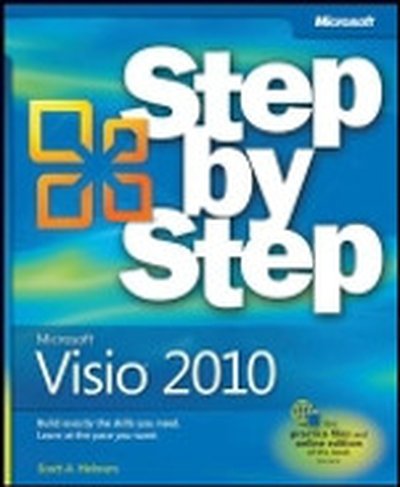
Microsoft® Visio® 2010: Step by Step

Experience learning made easy—and quickly teach yourself how to create professional-looking business and technical diagrams with Visio 2010. With Step by Step, you set the pace—building and practicing the skills you need, just when you need them! Build a variety of charts and diagrams with Visio templates Draw organization charts, floor plans, flowcharts, and more Apply color, text, and themes to your Visio diagrams Use Visio shapes to link to, store, and visualize data Collaborate on diagrams with Microsoft SharePoint 2010 Create custom diagrams with your own shapes and templates Your Step by Step digital content includes: All the book's practice files—ready to download and put to work. Fully searchable online edition of this book—with unlimited access on the Web. Free online account required.

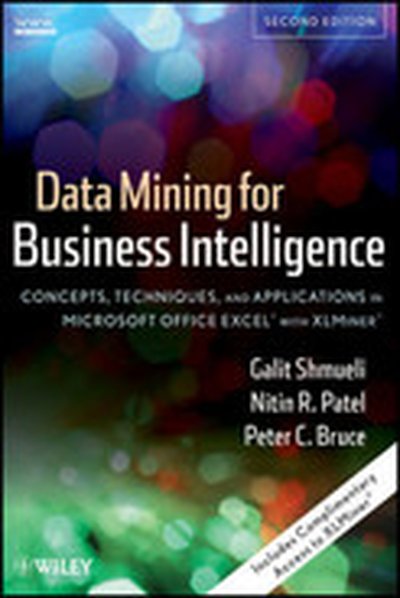
Data Mining For Business Intelligence: Concepts, Techniques, and Applications in Microsoft Office Excel® with XLMiner®, Second Edition

Data Mining for Business Intelligence, Second Edition uses real data and actual cases to illustrate the applicability of data mining (DM) intelligence in the development of successful business models. Featuring complimentary access to XLMiner®, the Microsoft Office Excel® add-in, this book allows readers to follow along and implement algorithms at their own speed, with a minimal learning curve. In addition, students and practitioners of DM techniques are presented with hands-on, business-oriented applications. An abundant amount of exercises and examples, now doubled in number in the second edition, are provided to motivate learning and understanding. This book helps readers understand the beneficial relationship that can be established between DM and smart business practices, and is an excellent learning tool for creating valuable strategies and making wiser business decisions. New topics include detailed coverage of visualization (enhanced by Spotfire subroutines) and time series forecasting, among a host of other subject matter.

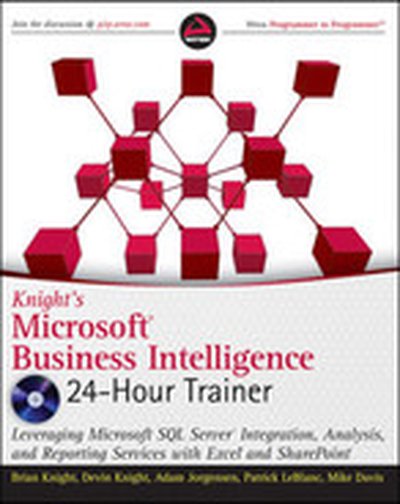
Knight's Microsoft® Business Intelligence 24-Hour Trainer: Leveraging Microsoft SQL Server® Integration, Analysis, and Reporting Services with Excel® and SharePoint®

A book-and-video introduction to Microsoft's Business Intelligence tools If you are just starting to get a handle on Microsoft Business Intelligence (BI) tools, this book and accompanying video provides you with the just the right amount of information to perform basic business analysis and reporting. You'll explore the components and related tools that comprise the Microsoft BI toolset as well as the new BI features of Office 2010. After a basic primer on BI and data modeling, the expert team of authors provides you with step-by-step lessons in the book and videos on the accompanying Video on how to use SQL Server Integration Services, SQL Server Analysis Services, SQL Server Reporting Services, Excel BI (including PowerPivot), and SharePoint. Integrates instructional videos with each of the lessons found in the book to enhance your learning experience Explores the Microsoft Business Intelligence (BI) toolset as well as the new BI features of Office 2010 Encourages you to practice what you've learned in "Try It Out" sections Contains video demonstrations that walk you through how to tackle each lesson featured in the book With Knight's Microsoft Business Intelligence 24-Hour Trainer, veteran authors present you with an ideal introductory book-and-video package so that you can get started working with the BI toolset immediately!

Microsoft Visio 2010 Business Process Diagramming and Validation

In the book 'Microsoft Visio 2010 Business Process Diagramming and Validation', you'll master the specialized features of Microsoft Visio 2010 Premium. This guide focuses on creating structured diagrams and validation rules, helping you enhance the accuracy and clarity of your business data visualization. What this Book will help me do Gain expertise in leveraging Visio's structured diagram tools for business process mapping. Learn how to build, customize, and apply Validation Rules for ensuring diagram accuracy. Develop skills in using the Visio Object Model and ShapeSheet to create advanced diagramming solutions. Understand and implement enhanced diagramming templates and rules, including BPMN and custom workflows. Acquire techniques for creating add-ins and publishing templates to establish company-wide diagramming standards. Author(s) David Parker, the author of this insightful book, is a seasoned professional with extensive experience in Microsoft Visio. His expertise includes creating complex diagramming solutions and training professionals in maximizing Visio's features. David's hands-on approach and understanding of business process needs make this a practical and enriching guide. Who is it for? This book is for users and developers of Microsoft Visio 2010 Premium Edition who want to master diagram validation and structured diagrams. Beginners with basic Visio knowledge and experienced users aiming to develop advanced applications will both benefit from this resource. It is especially useful for professionals seeking to enforce accuracy and compliance in their diagrams.

Professional Microsoft® PowerPivot for Excel® and SharePoint®

With PowerPivot, Microsoft brings the power of Microsoft's business intelligence tools to Excel and SharePoint users. Self-service business intelligence today augments traditional BI methods, allowing faster response time and greater flexibility. If you're a business decision-maker who uses Microsoft Office or an IT professional responsible for deploying and managing your organization's business intelligence systems, this guide will help you make the most of PowerPivot. Professional Microsoft PowerPivot for Excel and SharePoint describes all aspects of PowerPivot and shows you how to use each of its major features. By the time you are finished with this book, you will be well on your way to becoming a PowerPivot expert. This book is for people who want to learn about PowerPivot from end to end. You should have some rudimentary knowledge of databases and data analysis. Familiarity with Microsoft Excel and Microsoft SharePoint is helpful, since PowerPivot builds on those two products. This book covers the first version of PowerPivot, which ships with SQL Server 2008 R2 and enhances Microsoft Office 2010. It provides an overview of PowerPivot and a detailed look its two components: PowerPivot for Excel and PowerPivot for SharePoint. It explains the technologies that make up these two components, and gives some insight into why these components were implemented the way they were. Through an extended example, it shows how to build a PowerPivot application from end to end. The companion Web site includes all the sample applications and reports discussed. What This Book Covers After discussing self-service BI and the motivation for creating PowerPivot, the book presents a quick, end-to-end tutorial showing how to create and publish a simple PowerPivot application. It then drilsl into the features of PowerPivot for Excel in detail and, in the process, builds a more complex PowerPivot application based on a real-world case study. Finally, it discusses the server side of PowerPivot (PowerPivot for SharePoint) and provides detailed information about its installation and maintenance. Chapter 1, "Self-Service Business Intelligence and Microsoft PowerPivot," begins Part I of the book. This chapter describes self-service BI and introduces PowerPivot, Microsoft's first self-service BI tool. It provides a high-level look at the two components that make up PowerPivot - PowerPivot for Excel and PowerPivot for SharePoint. Chapter 2, "A First Look at PowerPivot," walks you through a simple example of creating a PowerPivot application from end to end. In the process, it shows how to set up the two components of PowerPivot, and describes the normal workflow of creating a simple PowerPivot application. Chapter 3, "Assembling Data," starts off Part II of the book, and explains how to bring data into PowerPivot from various external data sources. It also introduces the extended example that you will build in this and subsequent chapters. Chapter 4, "Enriching Data," shows how to enhance the data you brought into your application by creating relationships and using PowerPivot's expression language, Data Analysis Expressions (DAX). Chapter 5, "Self-Service Analysis," describes how to use your PowerPivot data with various Excel features, such as PivotTables, PivotCharts, and slicers to do analysis. Chapter 5 also delves further into DAX, showing how to create and use DAX measures. Chapter 6, "Self-Service Reporting," shows how to publish your PowerPivot workbook to the server side of PowerPivot (PowerPivot for SharePoint), and make use of its features to view and update PowerPivot reports. It also shows how to use the data in a PowerPivot workbook as a data source for reports created in other tools such as Report Builder 3.0 and Excel. Chapter 7, "Preparing for SharePoint 2010," is the first chapter in Part III of the book. It describes the components of SharePoint 2010 that are relevant for PowerPivot, and looks at how PowerPivot for SharePoint interacts with those components. Chapter 8, "PowerPivot for SharePoint Setup and Configuration," provides instructions on how to set up and configure a multi-machine SharePoint farm that contains PowerPivot for SharePoint. Chapter 9, "Troubleshooting, Monitoring, and Securing PowerPivot Services," gives tips on how to troubleshoot PowerPivot for SharePoint issues. It also shows how to monitor the health of your PowerPivot for SharePoint environment, and discusses relevant security issues. Chapter 10, "Diving into the PowerPivot Architecture," describes at a deeper level the architecture of PowerPivot, both client and server. It also explains the Windows Identity Foundation and discusses the use of Kerberos in the context of PowerPivot for SharePoint. Chapter 11, "Enterprise Considerations," talks about common PowerPivot for SharePoint enterprise considerations: capacity planning, optimizing the environment, upgrade considerations, and uploading performance. Appendix A provides instructions for setting up the data sources that are used to build the SDR Healthcare extended example in Chapters 3 through 6. Additionally, two "bonus" elements are available online at this book's companion Web site: Appendix B is a comprehensive DAX reference that describes all the DAX functions and provides code snippets that show how to use them. A special chapter describes real-world scenarios in which PowerPivot is used to solve common problems.

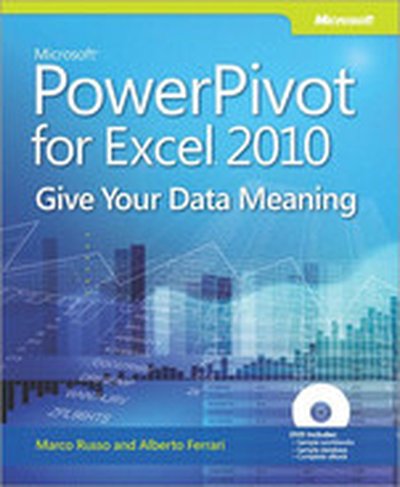
PowerPivot for the Data Analyst: Microsoft® Excel 2010

ANALYZE HUGE AMOUNTS OF BUSINESS DATA FASTER, MORE EASILY, AND MORE ACCURATELY! Use Microsoft’s free PowerPivot add-in for Excel 2010 to analyze immense amounts of data from any source, perform state-of-the-art business analysis far more easily, and make better decisions in less time! Simple, step-by-step instructions walk you through installing PowerPivot, importing data, using PivotTables with PowerPivot, using super-powerful DAX functions and measures, reporting to print or SharePoint, and a whole lot more. Whatever your Excel data analysis experience, this book will help you use PowerPivot to get the right answers, right now—without IT’s help! • Import and integrate data from spreadsheets, SQL Server, Access, Oracle, text files, Atom data feeds, and other sources • Analyze multiple tables together, without complicated VLOOKUPs • Format, sort, and filter data in the PowerPivot window • Add calculated columns using new DAX functions • Create powerful reports from PowerPivot data–and format them so executives instantly get your point • Discover PivotTable tricks that work even better in PowerPivot • Control multiple PivotTable elements on one worksheet, with one set of Excel 2010 Slicers • Use DAX Measures to quickly perform tasks that were difficult or impossible with Calculated Fields • Compare today’s sales to yesterday’s–or to sales from the parallel period last fiscal year. • Use Named Sets to prepare asymmetric reports, show actuals for past months and plan for future months. About MrExcel Library: Every book in the MrExcel Library pinpoints a specific set of crucial Excel tasks and presents focused skills and examples for performing them rapidly and effectively. Selected by Bill Jelen, Microsoft Excel MVP and mastermind behind the leading Excel solutions website MrExcel.com, these books will • Dramatically increase your productivity–saving you 50 hours a year, or more • Present proven, creative strategies for solving real-world problems • Show you how to get great results, no matter how much data you have • Help you avoid critical mistakes that even experienced users make

Statistics for Business

Statistical analysis is essential to business decision-making and management, but the underlying theory of data collection, organization and analysis is one of the most challenging topics for business students and practitioners. This user-friendly text and CD-ROM package will help you to develop strong skills in presenting and interpreting statistical information in a business or management environment. Based entirely on using Microsoft Excel rather than more complicated applications, it includes a clear guide to using Excel with the key functions employed in the book, a glossary of terms and equations, plus a section specifically for those readers who feel rusty in basic maths. Each chapter has worked examples and explanations to illustrate the use of statistics in real life scenarios, with databases for the worked examples, cases and answers on the accompanying CD-ROM.

Statistics for Health Care Professionals: Working With Excel, 2nd Edition

Statistics for Health Care Professionals: Working with Excel (second edition) is written in a clear, easily followed style keyed to the powerful statistical tool, Microsoft Excel 2007. It introduces the use of statistics applicable to health administration, health policy, public health, health information management, and other professions, emphasizing the logic of probability and statistical analysis in all areas. Coverage includes data acquisition, data display, basics of probability, data distributions, confidence limits and hypothesis testing, statistical tests for categorical data, tests for related and unrelated data, analysis of variance, simple linear regression, multiple regression, and analysis with a dichotomous categorical dependent variable. A glossary and section-by-section review questions round out this uniquely comprehensive and accessible text.

Building Dashboards for Windows SharePoint Services 3.0 Using SharePoint Designer 2007

In this Wrox Blox, you'll learn how to create powerful Dashboards for Windows SharePoint Services 3.0. First, we introduce Web Part Pages and some of the out-of-the box Web Parts available in WSS. We then look at how to use Web Part Connections to add interactivity to our Dashboards. Later we create advanced Dashboard Views using the Data Form Web Part available with SharePoint Designer 2007. While the author focuses on Windows SharePoint Services, all of the topics discussed also apply to Microsoft Office SharePoint Server 2007 as it is a superset of WSS. This Wrox Blox will be valuable for anyone wishing to share data on their SharePoint site.

Smart Business Intelligence Solutions with Microsoft® SQL Server® 2008

Get the end-to-end instruction you need to design, develop, and deploy more effective data integration, reporting, and analysis solutions using SQL Server 2008—whether you’re new to business intelligence (BI) programming or a seasoned pro. With real-world examples and insights from an expert team, you’ll master the concepts, tools, and techniques for building solutions that deliver intelligence—and business value—exactly where users want it. Discover how to: Manage the development life cycle and build a BI team Dig into SQL Server Analysis Services, Integration Services, and Reporting Services Navigate the Business Intelligence Development Studio (BIDS) Write queries that rank, sort, and drill down on sales data Develop extract, transform, and load (ETL) solutions Add a source code control system Help secure packages for deployment via encryption and credentials Use MDX and DMX Query Designers to build reports based on OLAP cubes and data mining models Create and implement custom objects using .NET code View reports in Microsoft Office Excel and Office SharePoint Serverook

The Manga Guide to Statistics

Think you can't have fun learning statistics? Think again. The Manga Guide to Statistics will teach you everything you need to know about this essential discipline, while entertaining you at the same time. With its unique combination of Japanese-style comics called manga and serious educational content, the EduManga format is already a hit in Japan. In The Manga Guide to Statistics, our heroine Rui is determined to learn about statistics to impress the dreamy Mr. Igarashi and begs her father for a tutor. Soon she's spending her Saturdays with geeky, bespectacled Mr. Yamamoto, who patiently teaches her all about the fundamentals of statistics: topics like data categorization, averages, graphing, and standard deviation. After all her studying, Rui is confident in her knowledge of statistics, including complex concepts like probability, coefficients of correlation, hypothesis tests, and tests of independence. But is it enough to impress her dream guy? Or maybe there's someone better, right in front of her? Reluctant statistics students of all ages will enjoy learning along with Rui in this charming, easy-to-read guide, which uses real-world examples like teen magazine quizzes, bowling games, test scores, and ramen noodle prices. Examples, exercises, and answer keys help you follow along and check your work. An appendix showing how to perform statistics calculations in Microsoft Excel makes it easy to put Rui's lessons into practice. This EduManga book is a translation from a bestselling series in Japan, co-published with Ohmsha, Ltd. of Tokyo, Japan.

Excel 2007 PivotTables Recipes: A Problem-Solution Approach

Debra Dalgleish, Microsoft Office Excel "Most Valuable Professional" since 2001, and an expert and trainer in Excel, brings together a one-stop resource for anyone curious about representing, analyzing, and using their data with PivotTables and PivotCharts. You'll find this book inimitable when facing any new or difficult problem in PivotTables, covering the entire breadth of situations you could ever encounter, from planning and creating, to formatting and extracting data, to maximizing performance and troubleshooting. The author presents tips and techniques in this collection of recipes that can't be found in Excel's Help section, while carefully explaining the most confusing features of PivotTables to help you realize their powerful potential. The chapters in this book have been organized into a collection of recipes to take you step by step from the problem you are experiencing to the solution you are aiming for. Without fuss, you'll find clear and precise information to help you assess your situation, whether common or unique, and solve your problem. Working examples of complex PivotTables and numerous PivotTable programming examples will help you solve problems quickly, without the need to digest heavy content.

Special Edition Using Microsoft® Office Visio® 2007

THE ONLY VISIO 2007 BOOK YOU NEED “This book makes Visio as much fun as a video game.” Bob and Joy Schwabach, “On Computers,” Universal Press Syndicate We crafted this book to grow with you, providing the reference material you need as you move toward Visio® 2007 proficiency and the use of more advanced features. If you buy only one book on Visio® 2007, Special Edition Using Microsoft Office Visio® 2007 is the only book you need. • Working with shapes, stencils, and themes • Using the Data Graphics feature for extra customization • Importing content from Microsoft Excel and Microsoft Project • Displaying data as text, data bars, icons, and color-coding using Data Graphics • Creating custom stencils, icons, and templates • Storing and displaying employee information in organization charts • Customizing the layout of organization charts • Creating database models, flowcharts, and Gantt charts • Connecting shapes in network drawings • Using digital ink and animation • Creating macros • Handling guides and rulers • Working with layers • Getting the most from ShapeSheets

Beginning Pivot Tables in Excel 2007

Beginning PivotTables in Excel 2007 explains what PivotTables are, how you can benefit from using them, how to create them and modify them, and how to use their enhanced features. Using a Pivot Table in Microsoft Office Excel 2007 is a quick and exciting way to slice and dice a large amount of data. Carefully explains the benefits of using Pivot Tables for fast data analysis Provides a step-by-step approach to those new to Pivot Tables Offers tips and tricks that cannot be found elsewhere