talk-data.com talk-data.com

Topic

data-visualization

48

tagged

Activity Trend

1 peak/qtr
2020-Q1 2026-Q1

Activities

Showing filtered results

Filtering by: O'Reilly Data Visualization Books ×
Everyday Data Visualization

Radically improve the quality of your data visualizations by employing core principles of color, typography, chart types, data storytelling, and more. Everyday Data Visualization is a field guide for design techniques that will improve the charts, reports, and data dashboards you build every day. Everything you learn is tool-agnostic, with universal principles you can apply to any data stack. In Everyday Data Visualization you’ll learn important design principles for the most common data visualizations: Harness the power of perception to guide a user’s attention Bring data to life with color and typography Choose the best chart types for your data story Design for interactive visualizations Keep the user’s needs first throughout your projects This book gives you the tools you need to bring your data to life with clarity, precision, and flair. You’ll learn how human brains perceive and process information, wield modern accessibility standards, get the basics of color theory and typography, and more. About the Technology Even mundane presentations like charts, dashboards, and infographics can become engaging and inspiring data stories! This book shows you how to upgrade the visualizations you create every day by improving the layout, typography, color, and accessibility. You’ll discover timeless principles of design that help you highlight important features, compensate for missing information, and interact with live data flows. About the Book Everyday Data Visualization guides you through basic graphic design for the most common types of data visualization. You’ll learn how to enhance charts with color, encourage users to interact and explore data and create visualizations accessible to everyone. Along the way, you’ll practice each new skill as you take a dashboard project from research to publication. What's Inside Bring data to life with color and typography Choose the best chart types for your data story Design interactive visualizations About the Reader For readers experienced with data analysis tools. About the Author Desireé Abbott has over a decade of experience in product analytics, business intelligence, science, design, and software engineering. The technical editor on this book was Michael Petrey. Quotes A delightful blend of data viz principles, guidance, and design tips. The treasure trove of insights I wish I had years ago! - Alli Torban, Author of Chart Spark With vibrant enthusiasm and engaging conversational style, this book shines. - RJ Andrews, data storyteller Elegantly simplifies complex concepts, making them accessible even to beginners. An enlightening journey. - Renato Sinohara, Westwing Group SE Desiree’s approachable writing style makes it easy to dive straight into this book, and you’re in deep before you even know it. I guarantee you’ll learn plenty. - Neil Richards, 5xTableau Visionary, Author of Questions in Dataviz
Data Analytics & Visualization All-in-One For Dummies

Install data analytics into your brain with this comprehensive introduction Data Analytics & Visualization All-in-One For Dummies collects the essential information on mining, organizing, and communicating data, all in one place. Clocking in at around 850 pages, this tome of a reference delivers eight books in one, so you can build a solid foundation of knowledge in data wrangling. Data analytics professionals are highly sought after these days, and this book will put you on the path to becoming one. You’ll learn all about sources of data like data lakes, and you’ll discover how to extract data using tools like Microsoft Power BI, organize the data in Microsoft Excel, and visually present the data in a way that makes sense using a Tableau. You’ll even get an intro to the Python, R, and SQL coding needed to take your data skills to a new level. With this Dummies guide, you’ll be well on your way to becoming a priceless data jockey. Mine data from data sources Organize and analyze data Use data to tell a story with Tableau Expand your know-how with Python and R New and novice data analysts will love this All-in-One reference on how to make sense of data. Get ready to watch as your career in data takes off.

Visual Data Insights Using SAS ODS Graphics: A Guide to Communication-Effective Data Visualization

SAS ODS graphics users will learn in this book how to visually understand and communicate the significance of data to deliver images for quick and easy insight, with precise numbers. Many charts or plots require the viewer to run the eye from a bar end or plot point to some point on an axis, and then to interpolate between tick marks to estimate the value. Some design choices can lead to wrong conclusions or mistaken impressions. Graphic software relies on defaults to deliver something if you make a minimal effort, but that something is not likely to be exactly what you want. Visual Data Insights Using SAS ODS Graphics provides examples using experience-based design principles. It presents examples of bar charts, pie charts, and trend lines or time series plots, the graph types commonly used in business, other organizations, and the media for visual insight into data. Newer graphs are also included: dot plots, needle plots, waterfall charts, butterflycharts, heat maps, bubble plots, step plots, high-low plots, and donut charts. In addition, there are basic tools of statistics: scatter plots, box plots, histograms, fit and confidence plots, and distributions. Author LeRoy Bessler introduces unique creations, including sparsely annotated time series, maximally informative bar charts, better box plots, histograms based on interesting atypical rationales, and much more. The examples use SAS sample data sets as input. Any SAS user can experiment with the code presented to see what else is possible, or adapt it to repurpose the design and apply it with a customized version of that code. What You’ll Learn Create graphs that are easily and quickly interpreted, and without ambiguity Supply precise data values that are correct on the graph and correctly associated with the graphic visual elements Take advantage of widely applicable (but not necessarily available elsewhere) design examples Avoid bad practices that are encouraged by poor examples elsewhere Get past sub-optimal designs and results that are built into software defaults Take advantage of less familiar capabilities available in the software Who This Book Is For SAS software users who want to understand their data and/or visually deliver their results

Data Visualization with Python and JavaScript, 2nd Edition

How do you turn raw, unprocessed, or malformed data into dynamic, interactive web visualizations? In this practical book, author Kyran Dale shows data scientists and analysts--as well as Python and JavaScript developers--how to create the ideal toolchain for the job. By providing engaging examples and stressing hard-earned best practices, this guide teaches you how to leverage the power of best-of-breed Python and JavaScript libraries. Python provides accessible, powerful, and mature libraries for scraping, cleaning, and processing data. And while JavaScript is the best language when it comes to programming web visualizations, its data processing abilities can't compare with Python's. Together, these two languages are a perfect complement for creating a modern web-visualization toolchain. This book gets you started. You'll learn how to: Obtain data you need programmatically, using scraping tools or web APIs: Requests, Scrapy, Beautiful Soup Clean and process data using Python's heavyweight data processing libraries within the NumPy ecosystem: Jupyter notebooks with pandas+Matplotlib+Seaborn Deliver the data to a browser with static files or by using Flask, the lightweight Python server, and a RESTful API Pick up enough web development skills (HTML, CSS, JS) to get your visualized data on the web Use the data you've mined and refined to create web charts and visualizations with Plotly, D3, Leaflet, and other libraries

Functional Aesthetics for Data Visualization

What happens when a researcher and a practitioner spend hours crammed in a Fiat discussing data visualization? Beyond creating beautiful charts, they found greater richness in the craft as an integrated whole. Drawing from their unconventional backgrounds, these two women take readers through a journey around perception, semantics, and intent as the triad that influences visualization. This visually engaging book blends ideas from theory, academia, and practice to craft beautiful, yet meaningful visualizations and dashboards. How do you take your visualization skills to the next level? The book is perfect for analysts, research and data scientists, journalists, and business professionals. Functional Aesthetics for Data Visualization is also an indispensable resource for just about anyone curious about seeing and understanding data. Think of it as a coffee book for the data geek in you. https://www.functionalaestheticsbook.com

The Big Picture: How to Use Data Visualization to Make Better Decisions—Faster

Not a data expert? Here’s an engaging and entertaining guide to interpreting and drawing insights from any chart, graph, or other data visualization you’ll encounter. You’re a business professional, not a data scientist. How do you make heads or tails of the data visualizations that come across your desk—let alone make critical business decisions based on the information they’re designed to convey? In The Big Picture, top data visualization consultant Steve Wexler provides the tools for developing the graphical literacy you need to understand the data visualizations that are flooding your inbox—and put that data to use. Packed with the best four-color examples created in Excel, Tableau, Power BI, and Qlik, among others, this one-stop resource empowers you to extract the most important information from data visualizations quickly and accurately, act on key insights, solve problems, and make the right decisions for your organization every time.

Hands-On Data Visualization

Tell your story and show it with data, using free and easy-to-learn tools on the web. This introductory book teaches you how to design interactive charts and customized maps for your website, beginning with simple drag-and-drop tools such as Google Sheets, Datawrapper, and Tableau Public. You'll also gradually learn how to edit open source code templates like Chart.js, Highcharts, and Leaflet on GitHub. Hands-On Data Visualization takes you step-by-step through tutorials, real-world examples, and online resources. This practical guide is ideal for students, nonprofit organizations, small business owners, local governments, journalists, academics, and anyone who wants to take data out of spreadsheets and turn it into lively interactive stories. No coding experience is required. Build interactive charts and maps and embed them in your website Understand the principles for designing effective charts and maps Learn key data visualization concepts to help you choose the right tools Convert and transform tabular and spatial data to tell your data story Edit and host Chart.js, Highcharts, and Leaflet map code templates on GitHub Learn how to detect bias in charts and maps produced by others

Visualizing Data in R 4: Graphics Using the base, graphics, stats, and ggplot2 Packages

Master the syntax for working with R’s plotting functions in graphics and stats in this easy reference to formatting plots. The approach in Visualizing Data in R 4 toward the application of formatting in ggplot() will follow the structure of the formatting used by the plotting functions in graphics and stats. This book will take advantage of the new features added to R 4 where appropriate including a refreshed color palette for charts, Cairo graphics with more fonts/symbols, and improved performance from grid graphics including ggplot 2 rendering speed. Visualizing Data in R 4 starts with an introduction and then is split into two parts and six appendices. Part I covers the function plot() and the ancillary functions you can use with plot(). You’ll also see the functions par() and layout(), providing for multiple plots on a page. Part II goes over the basics of using the functions qplot() and ggplot() in the package ggplot2. The default plots generated by the functions qplot() and ggplot() give more sophisticated-looking plots than the default plots done by plot() and are easier to use, but the function plot() is more flexible. Both plot() and ggplot() allow for many layers to a plot. The six appendices will cover plots for contingency tables, plots for continuous variables, plots for data with a limited number of values, functions that generate multiple plots, plots for time series analysis, and some miscellaneous plots. Some of the functions that will be in the appendices include functions that generate histograms, bar charts, pie charts, box plots, and heatmaps. What You Will Learn Use R to create informative graphics Master plot(), qplot(), and ggplot() Discover the canned graphics functions in stats and graphics Format plots generated by plot() and ggplot() Who This Book Is For Those in data science who use R. Some prior experience with R or data science is recommended.

The Data Visualization Workshop

In "The Data Visualization Workshop," you will explore the fascinating world of data visualization and learn how to turn raw data into compelling visualizations that clearly communicate your insights. This book provides practical guidance and hands-on exercises to familiarize you with essential topics such as plotting techniques and interactive visualizations using Python. What this Book will help me do Prepare and clean raw data for visualization using NumPy and pandas. Create effective and visually appealing charts using libraries like Matplotlib and Seaborn. Generate geospatial visualizations utilizing tools like geoplotlib. Develop interactive visualizations for web integration with the Bokeh library. Apply visualization techniques to real-world data analysis scenarios, including stock data and Airbnb datasets. Author(s) Mario Döbler and Tim Großmann are experienced authors and professionals in the field of Python programming and data science. They bring a wealth of knowledge and practical insights to data visualization. Through their collaborative efforts, they aim to empower readers with the skills to create compelling data visualizations and uncover meaningful data narratives. Who is it for? This book is ideal for beginners new to data visualization, as well as developers and data scientists seeking to enhance their practical skills. It is approachable for readers without prior visualization experience but assumes familiarity with Python programming and basic mathematics. If you're eager to bring your data to life in insightful and engaging ways, this book is for you.

Interactive Data Visualization with Python - Second Edition

With Interactive Data Visualization with Python, you will learn to turn raw data into compelling, interactive visual stories. This book guides you through the practical uses of Python libraries such as Bokeh and Plotly, teaching you skills to create visualizations that captivate and inform. What this Book will help me do Understand and apply different principles and techniques of interactive data visualization to bring your data to life. Master the use of libraries like Matplotlib, Seaborn, Altair, and Bokeh for creating a variety of data visualizations. Learn how to customize data visualizations effectively to meet the needs of different audiences and use cases. Gain proficiency in using advanced tools like Plotly for creating dynamic and engaging visual presentations. Acquire the ability to identify common pitfalls in visualization and learn strategies to avoid them, ensuring clarity and impact. Author(s) Abha Belorkar, Sharath Chandra Guntuku, Shubhangi Hora, and Anshu Kumar are experts in Python programming and data visualization with years of experience in data science and software development. They have collaborated to blend their knowledge into this book-a clear and practical guide to mastering interactive visualization with Python. Who is it for? This book is perfect for Python developers, data analysts, and data scientists who want to enhance their skills in data presentation. If you are ready to transform complex data into digestible and interactive visuals, this book is for you. A basic familiarity with Python programming and libraries like pandas is recommended. By the end of the book, you'll feel confident in creating professional-grade data visualizations.

Fundamentals of Data Visualization

Effective visualization is the best way to communicate information from the increasingly large and complex datasets in the natural and social sciences. But with the increasing power of visualization software today, scientists, engineers, and business analysts often have to navigate a bewildering array of visualization choices and options. This practical book takes you through many commonly encountered visualization problems, and it provides guidelines on how to turn large datasets into clear and compelling figures. What visualization type is best for the story you want to tell? How do you make informative figures that are visually pleasing? Author Claus O. Wilke teaches you the elements most critical to successful data visualization. Explore the basic concepts of color as a tool to highlight, distinguish, or represent a value Understand the importance of redundant coding to ensure you provide key information in multiple ways Use the book’s visualizations directory, a graphical guide to commonly used types of data visualizations Get extensive examples of good and bad figures Learn how to use figures in a document or report and how employ them effectively to tell a compelling story

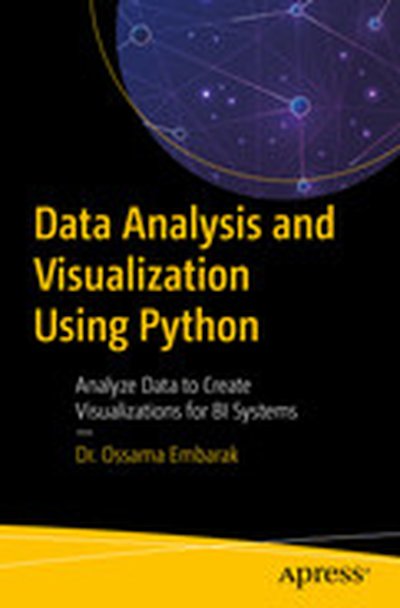
Data Analysis and Visualization Using Python: Analyze Data to Create Visualizations for BI Systems

Look at Python from a data science point of view and learn proven techniques for data visualization as used in making critical business decisions. Starting with an introduction to data science with Python, you will take a closer look at the Python environment and get acquainted with editors such as Jupyter Notebook and Spyder. After going through a primer on Python programming, you will grasp fundamental Python programming techniques used in data science. Moving on to data visualization, you will see how it caters to modern business needs and forms a key factor in decision-making. You will also take a look at some popular data visualization libraries in Python. Shifting focus to data structures, you will learn the various aspects of data structures from a data science perspective. You will then work with file I/O and regular expressions in Python, followed by gathering and cleaning data. Moving on to exploring and analyzing data, you will look at advanced data structures in Python. Then, you will take a deep dive into data visualization techniques, going through a number of plotting systems in Python. In conclusion, you will complete a detailed case study, where you’ll get a chance to revisit the concepts you’ve covered so far. What You Will Learn Use Python programming techniques for data science Master data collections in Python Create engaging visualizations for BI systems Deploy effective strategies for gathering and cleaning data Integrate the Seaborn and Matplotlib plotting systems Who This Book Is For Developers with basic Python programming knowledge looking to adopt key strategies for data analysis and visualizations using Python.

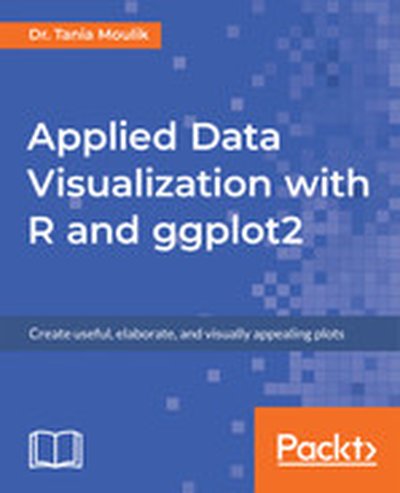
Applied Data Visualization with R and ggplot2

Applied Data Visualization with R and ggplot2 introduces the crucial concepts of creating compelling data visualizations using R's powerful ggplot2 library in a straightforward and efficient manner. Through engaging explanations and practical exercises, you'll learn to set up your R environment, understand the components of the grammar of graphics, and design visualizations that bring your data to life. What this Book will help me do Master the setup of RStudio and the application of ggplot2's core structure. Harness the grammar of graphics to create meaningful data visualizations. Design visually appealing and informative custom plots with various ggplot2 features. Understand and apply advanced visualization techniques such as density plots and facet plotting. Develop the ability to communicate insights effectively through data visualizations. Author(s) Dr. Tania Moulik is a respected data visualization practitioner and educator, with years of experience using R and ggplot2. She channels her passion for teaching to enable data professionals to enhance their practice through improved visualizations. Dr. Moulik's clear and systematic approach ensures that learners at any level can unlock the potential of their data with ease. Who is it for? This book is ideal for data professionals looking to enhance their visualization skills with R and ggplot2. If you're a student aiming to delve deeper into data analysis using advanced plotting techniques, this book was written for you. It assumes a foundational knowledge of R programming, but is accessible whether you're building your skills or honing your craft. This book aligns perfectly with anyone driven to transform data into actionable insights and compelling visual narratives.

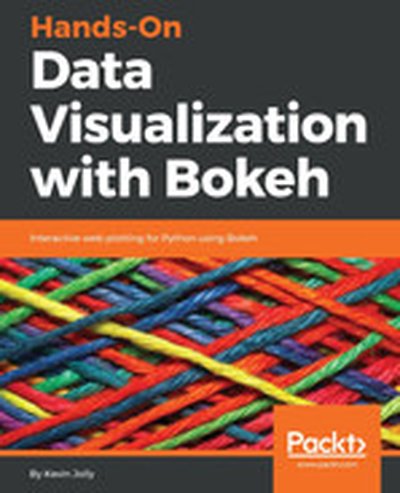
Hands-On Data Visualization with Bokeh

Dive into the world of interactive data visualization with the Python library Bokeh. In this book, you will learn to create dynamic, engaging visualizations that communicate your data insights effectively. Starting with the basics of installation and setup, you will be guided through progressively advanced techniques to build visually appealing and interactive plots, concluding with hosting your Bokeh applications. What this Book will help me do Install and configure the Bokeh Python library for interactive data visualization projects. Create visually appealing and informative plots using Bokeh's glyph model. Leverage data structures like Pandas and NumPy to efficiently visualize data. Enhance the interactivity and functionality of plots using widgets and layouts in Bokeh. Build and deploy professional-grade data visualization applications using the Bokeh Server. Author(s) None Jolly is an experienced data visualization expert and Python programmer specializing in creating interactive and insightful visualizations. With a passion for teaching and a knack for simplifying complex concepts, they bring a practical and hands-on approach to technical education. Their work empowers professionals to effectively communicate complex data through visually intuitive designs. Who is it for? This book is intended for data professionals like analysts and scientists who seek to add interactivity to their visualizations using Python. Ideal readers will have basic Python knowledge but are new to Bokeh. It's also for anyone curious about building data visualization web applications, moving beyond static charts to impactful interactive tools, and extending their data storytelling skills.

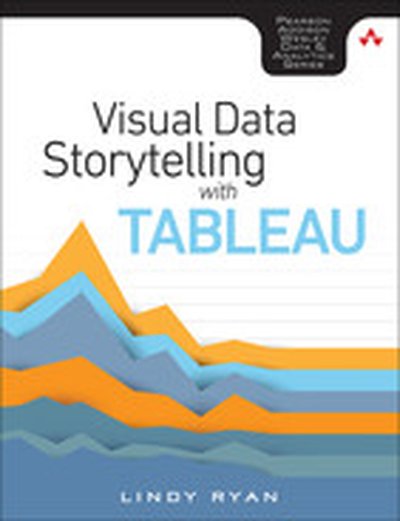
Visual Data Storytelling with Tableau, First edition

Tell Insightful, Actionable Business Stories with Tableau, the World’s Leading Data Visualization Tool! Visual Data Storytelling with Tableau brings together knowledge, context, and hands-on skills for telling powerful, actionable data stories with Tableau. This full-color guide shows how to organize data and structure analysis with storytelling in mind, embrace exploration and visual discovery, and articulate findings with rich data, carefully curated visualizations, and skillfully crafted narrative. You don’t need any visualization experience. Each chapter illuminates key aspects of design practice and data visualization, and guides you step-by-step through applying them in Tableau. Through realistic examples and classroom-tested exercises, Professor Lindy Ryan helps you use Tableau to analyze data, visualize it, and help people connect more intuitively and emotionally with it. Whether you’re an analyst, executive, student, instructor, or journalist, you won’t just master the tools: you’ll learn to craft data stories that make an immediate impact--and inspire action. Learn how to: Craft more powerful stories by blending data science, genre, and visual design Ask the right questions upfront to plan data collection and analysis Build storyboards and choose charts based on your message and audience Direct audience attention to the points that matter most Showcase your data stories in high-impact presentations Integrate Tableau storytelling throughout your business communication Explore case studies that show what to do--and what not to do Discover visualization best practices, tricks, and hacks you can use with any tool Includes coverage up through Tableau 10

Making Data Visual

You have a mound of data front of you and a suite of computation tools at your disposal. Which parts of the data actually matter? Where is the insight hiding? If you’re a data scientist trying to navigate the murky space between data and insight, this practical book shows you how to make sense of your data through high-level questions, well-defined data analysis tasks, and visualizations to clarify understanding and gain insights along the way. When incorporated into the process early and often, iterative visualization can help you refine the questions you ask of your data. Authors Danyel Fisher and Miriah Meyer provide detailed case studies that demonstrate how this process can evolve in the real world. You’ll learn: The data counseling process for moving from general to more precise questions about your data, and arriving at a working visualization The role that visual representations play in data discovery Common visualization types by the tasks they fulfill and the data they use Visualization techniques that use multiple views and interaction to support analysis of large, complex data sets

Interactive Data Visualization for the Web, 2nd Edition

Create and publish your own interactive data visualization projects on the webâ??even if you have little or no experience with data visualization or web development. Itâ??s inspiring and fun with this friendly, accessible, and practical hands-on introduction. This fully updated and expanded second edition takes you through the fundamental concepts and methods of D3, the most powerful JavaScript library for expressing data visually in a web browser. Ideal for designers with no coding experience, reporters exploring data journalism, and anyone who wants to visualize and share data, this step-by-step guide will also help you expand your web programming skills by teaching you the basics of HTML, CSS, JavaScript, and SVG. Learn D3 4.xâ??the latest D3 versionâ??with downloadable code and over 140 examples Create bar charts, scatter plots, pie charts, stacked bar charts, and force-directed graphs Use smooth, animated transitions to show changes in your data Introduce interactivity to help users explore your data Create custom geographic maps with panning, zooming, labels, and tooltips Walk through the creation of a complete visualization project, from start to finish Explore inspiring case studies with nine accomplished designers talking about their D3-based projects

D3.js 4.x Data Visualization - Third Edition

Learn to build beautiful and interactive data visualizations with D3.js 4.x in this approachable and practical guide. From setting up the basics to mastering advanced techniques, this book empowers you to create engaging, sophisticated graphics and charts to communicate information effectively. What this Book will help me do Effectively map data sets to visual representations using D3.js scales. Generate dynamic and interactive SVG elements with D3's shape generators. Develop reusable D3 components for extensible and testing-friendly charts. Leverage advanced D3 layout patterns for large-scale data visualization. Write modern, efficient JavaScript for web-based data visualization systems. Author(s) Aendrew Rininsland, an experienced data visualization developer, and co-author bring a wealth of expertise to this book, drawing from years of implementing interactive solutions in professional contexts. Their engaging way of explaining concepts and demonstrating techniques with practical examples makes learning straightforward and impactful. Who is it for? This book is ideal for web developers, data analysts, and designers who are interested in enhancing their web-based data visualization skills with D3.js. Some familiarity with JavaScript is beneficial but not strictly required, as the book provides clear guidance to bring readers up to speed. If you aspire to effectively present data through captivating visuals and improve your technical proficiency, this book is a great fit for you.

D3.js: Cutting-edge Data Visualization

Turn your raw data into real knowledge by creating and deploying complex data visualizations with D3.js About This Book Understand how to best represent your data by developing the right kind of visualization Explore the concepts of D3.js through examples that enable you to quickly create visualizations including charts, network diagrams, and maps Get practical examples of visualizations using real-world data sets that show you how to use D3.js to visualize and interact with information to glean its underlying meaning Who This Book Is For Whether you are new to data and data visualization, a seasoned data scientist, or a computer graphics specialist, this Learning Path will provide you with the skills you need to create web-based and interactive data visualizations. Some basic JavaScript knowledge is expected, but no prior experience with data visualization or D3 is required What You Will Learn Gain a solid understanding of the common D3 development idioms Find out how to write basic D3 code for servers using Node.js Install and use D3.js to create HTML elements within a document Create and style graphical elements such as circles, ellipses, rectangles, lines, paths, and text using SVG Turn your data into bar and scatter charts, and add margins, axes, labels, and legends Use D3.js generators to perform the magic of creating complex visualizations from data Add interactivity to your visualizations, including tool-tips, sorting, hover-to-highlight, and grouping and dragging of visuals Write, test, and distribute a D3-based charting package Make a real-time application with Node and D3 In Detail D3 has emerged as one of the leading platforms to develop beautiful, interactive visualizations over the web. We begin the course by setting up a strong foundation, then build on this foundation as we take you through the entire world of reimagining data using interactive, animated visualizations created in D3.js. In the first module, we cover the various features of D3.js to build a wide range of visualizations. We also focus on the entire process of representing data through visualizations. By the end of this module, you will be ready to use D3 to transform any data into a more engaging and sophisticated visualization. In the next module, you will learn to master the creation of graphical elements from data. Using practical examples provided, you will quickly get to grips with the features of D3.js and use this learning to create your own spectacular data visualizations with D3.js. Over the last leg of this course, you will get acquainted with how to integrate D3 with mapping libraries to provide reverse geocoding and interactive maps among many other advanced features of D3. This module culminates by showing you how to create enterprise-level dashboards to display real-time data. This Learning Path combines some of the best that Packt has to offer in one complete, curated package. It includes content from the following Packt products: Learning D3.js Data Visualization, Second Edition by Andrew H. Rininsland D3.js By Example by Michael Heydt Mastering D3.js by Pablo Navarro Castillo Style and approach This course provides a comprehensive explanation of how to leverage the power of D3.js to create powerful and creative visualizations through step-by-step instructions in the form of modules. Each module help you skill up a level in creating meaningful visualizations. Downloading the example code for this book. You can download the example code files for all Packt books you have purchased from your account at http://www.PacktPub.com. If you purchased this book elsewhere, you can visit http://www.PacktPub.com/support and register to have the code file.

Data Visualization, Volume II

This book discusses data and information visualization techniques-the decision-making tools with applications in health care, finance, manufacturing engineering, process improvement, product design, and others. These tools are an excellent means of viewing the current state of the process and improving them. The initial chapters discuss data analysis, the current trends in visualization, the concepts of systems and processes from which data are collected. The second part is devoted to quality tools-a set of graphical and information visualization tools in data analysis, decision-making, and Lean Six-Sigma quality. The eight basic tools of quality discussed are the Process Maps, Check Sheets, Histograms, Scatter Diagrams, Run Charts, Control Charts, Cause-and-Effect Diagrams, and Pareto Charts. The new quality tools presented are the Affinity, Tree, and Matrix Diagrams, Interrelationship Digraph, Prioritizing Matrices, Process Decision Program Chart, and Activity Network Diagram along with Quality Function Deployment (QFD) and Multivari Charts.