talk-data.com talk-data.com

Topic

DAX

Data Analysis Expressions (DAX)

power_bi excel data_modeling

71

tagged

Activity Trend

10 peak/qtr
2020-Q1 2026-Q1

Activities

71 activities · Newest first

Expert Data Modeling with Power BI

Expert Data Modeling with Power BI provides a comprehensive guide to creating effective and optimized data models using Microsoft Power BI. This book will teach you everything you need to know, from connecting to data sources to setting up complex models that enable insightful reporting and business analytics. What this Book will help me do Gain expertise in implementing virtual tables and time intelligence functionalities in Power BI's DAX language. Identify and correctly set up Dimension and Fact tables using the Power Query Editor interface. Master advanced data preparation techniques to build efficient Star Schemas for modeling. Apply best practices for preparing and modeling data for real-world business cases. Become proficient in advanced features like aggregations, incremental refresh, and row-level security. Author(s) Soheil Bakhshi is a seasoned Power BI expert and author with years of experience in business intelligence and analytics. His practical knowledge of data modeling and approachable writing style make complex concepts understandable. Soheil's passion for empowering users to harness the full potential of Power BI is evident through his clear guidance and real-world examples. Who is it for? This book is perfect for business intelligence developers, data analysts, and advanced users of Power BI who aim to deepen their understanding of data modeling. It assumes a familiarity with Power BI's basic functions and core concepts like Star Schema. If you're looking to refine your modeling practices and create versatile, dynamic solutions, this resource is for you.
Exam Ref DA-100 Analyzing Data with Microsoft Power BI

Prepare for Microsoft Exam DA-100 and help demonstrate your real-world mastery of Power BI data analysis and visualization. Designed for experienced data analytics professionals ready to advance their status, Exam Ref focuses on the critical thinking and decision-making acumen needed for success at the Microsoft Certified Associate level. Focus on the expertise measured by these objectives: Prepare the data Model the data Visualize the data Analyze the data Deploy and maintain deliverables This Microsoft Exam Ref: Organizes its coverage by exam objectives Features strategic, what-if scenarios to challenge you Assumes you are an experienced business intelligence professional or data analyst, or have a similar role Analyzing Data with Microsoft Power BI About the Exam Exam DA-100 focuses on skills and knowledge needed to acquire, profile, clean, transform, and load data; design and develop data models; create measures with DAX; optimize model performance; create reports and dashboards; enrich reports for usability; enhance reports to expose insights; perform advanced analysis; manage datasets, and create and manage workspaces. About Microsoft Certification Passing this exam earns your Microsoft Certified: Data Analyst Associate certification, demonstrating your ability to help businesses maximize the value of data assets by using Microsoft Power BI. As subject matter experts, Data Analysts design and build scalable data models, clean and transform data, and enable advanced analytic capabilities that provide meaningful business value through easy-to-comprehend data visualizations. See full details at: microsoft.com/learn

Microsoft Power BI Quick Start Guide - Second Edition

"Microsoft Power BI Quick Start Guide" is your essential companion to mastering data visualization and analysis using Microsoft Power BI. This book offers step-by-step guidance on exploring data sources, creating effective dashboards, and leveraging advanced features like dataflows and AI insights to derive actionable intelligence quickly and effectively. What this Book will help me do Connect and import data from various sources using Power BI tools. Transform and cleanse data using the Power BI Query Editor and other techniques. Design optimized data models with relationships and DAX calculations. Create dynamic and visually compelling reports and dashboards. Implement row-level security and manage Power BI deployments within an organization. Author(s) Devin Knight, Erin Ostrowsky, and Mitchell Pearson are seasoned Power BI experts with extensive experience in business intelligence and data analytics. They bring a hands-on approach to teaching, focusing on practical skills and real-world applications. Their joint experience ensures a thorough and clear learning experience. Who is it for? This book is tailored for aspiring business intelligence professionals who wish to harness the power of Microsoft Power BI. If you have foundational knowledge of business intelligence concepts and are eager to apply them practically, this guide is for you. It's also ideal for individuals looking to upgrade their BI skill set and adopt modern data analysis tools. Whether a beginner or looking to enhance your current skills, you'll find tremendous value here.

Hands-On SQL Server 2019 Analysis Services

"Hands-On SQL Server 2019 Analysis Services" is a comprehensive guide to mastering data analysis using SQL Server Analysis Services (SSAS). This book provides you with step-by-step directions on creating and deploying tabular and multi-dimensional models, as well as using tools like MDX and DAX to query and analyze data. By the end, you'll be confident in designing effective data models for business analytics. What this Book will help me do Understand how to create and optimize both tabular and multi-dimensional models with SQL Server Analysis Services. Learn to use MDX and DAX to query and manipulate your data for enhanced insights. Integrate SSAS models with visualization tools like Excel and Power BI for effective decision-making. Implement robust security measures to safeguard data within your SSAS deployments. Master scaling and optimizing best practices to ensure high-performance analytical models. Author(s) Steven Hughes is a data analytics expert with extensive experience in business intelligence and SQL Server technologies. With years of practical experience in using SSAS and teaching data professionals, Steven has a knack for breaking down complex concepts into actionable knowledge. His approach to writing involves combining clear explanations with real-world examples. Who is it for? This book is intended for BI professionals, data analysts, and database developers who want to gain hands-on expertise with SQL Server 2019 Analysis Services. Ideal readers should have familiarity with database querying and a basic understanding of business intelligence tools like Power BI and Excel. It's perfect for those aiming to refine their skills in modeling and deploying robust analytics solutions.

Self-Service AI with Power BI Desktop: Machine Learning Insights for Business

This book explains how you can enrich the data you have loaded into Power BI Desktop by accessing a suite of Artificial Intelligence (AI) features. These AI features are built into Power BI Desktop and help you to gain new insights from existing data. Some of the features are automated and are available to you at the click of a button or through writing Data Analysis Expressions (DAX). Other features are available through writing code in either the R, Python, or M languages. This book opens up the entire suite of AI features to you with clear examples showing when they are best applied and how to invoke them on your own datasets. No matter if you are a business user, analyst, or data scientist – Power BI has AI capabilities tailored to you. This book helps you learn what types of insights Power BI is capable of delivering automatically. You will learn how to integrate and leverage the use of the R and Python languages for statistics, how to integrate with Cognitive Services andAzure Machine Learning Services when loading data, how to explore your data by asking questions in plain English ... and more! There are AI features for discovering your data, characterizing unexplored datasets, and building what-if scenarios. There’s much to like and learn from this book whether you are a newcomer to Power BI or a seasoned user. Power BI Desktop is a freely available tool for visualization and analysis. This book helps you to get the most from that tool by exploiting some of its latest and most advanced features. What You Will Learn Ask questions in natural language and get answers from your data Let Power BI explain why a certain data point differs from the rest Have Power BI show key influencers over categories of data Access artificial intelligence features available in the Azure cloud Walk the same drill down path in different parts of your hierarchy Load visualizations to add smartness to your reports Simulate changes in data and immediately see the consequences Know your data, even before you build your first report Create new columns by giving examples of the data that you need Transform and visualize your data with the help of R and Python scripts Who This Book Is For For the enthusiastic Power BI user who wants to apply state-of-the-art artificial intelligence (AI) features to gain new insights from existing data. For end-users and IT professionals who are not shy of jumping into a new world of machine learning and are ready to make that step and take a deeper look into their data. For those wanting to step up their game from doing simple reporting and visualizations by making the move into diagnostic and predictive analysis.

DAX Cookbook

"DAX Cookbook: Over 120 recipes to enhance your business with analytics, reporting, and business intelligence" is the ultimate guidebook for mastering DAX (Data Analysis Expressions) in business intelligence, Power BI, and SQL Server Analysis Services. With hands-on examples and extensive recipes, it enables professionals to solve real-world data challenges effectively. What this Book will help me do Understand how to create tailored calculations for dates, time, and duration to enhance data insights. Develop key performance indicators (KPIs) and advanced business metrics for strategic decision-making. Master text and numerical data transformations to construct dynamic dashboards and reports. Optimize data models and DAX queries for improved performance and analytics accuracy. Learn to handle and debug calculations, and implement complex statistical and mathematical measures. Author(s) Greg Deckler is a seasoned business intelligence professional with extensive experience in using DAX and Power BI to provide actionable insights. As a recognized expert in the field, Greg brings practical knowledge of developing scalable BI solutions. His teaching approach is rooted in clarity and real-world application, making complex topics accessible to learners of all levels. Who is it for? This book is perfect for business professionals, BI developers, and data analysts with basic knowledge of the DAX language and associated tools. If you are looking to enhance your DAX skills and solve tough analytical challenges, this book is tailored for you. It's highly relevant for those aiming to optimize business intelligence workflows and improve data-driven decisions.

Beginning Microsoft Power BI: A Practical Guide to Self-Service Data Analytics

Analyze company data quickly and easily using Microsoft’s powerful data tools. Learn to build scalable and robust data models, clean and combine different data sources effectively, and create compelling and professional visuals. Beginning Power BI is a hands-on, activity-based guide that takes you through the process of analyzing your data using the tools that that encompass the core of Microsoft’s self-service BI offering. Starting with Power Query, you will learn how to get data from a variety of sources, and see just how easy it is to clean and shape the data prior to importing it into a data model. Using Power BI tabular and the Data Analysis Expressions (DAX), you will learn to create robust scalable data models which will serve as the foundation of your data analysis. From there you will enter the world of compelling interactive visualizations to analyze and gain insight into your data. You will wrap up your Power BI journey by learning how to package and share your reports and dashboards with your colleagues. Author Dan Clark takes you through each topic using step-by-step activities and plenty of screen shots to help familiarize you with the tools. This third edition covers the new and evolving features in the Power BI platform and new chapters on data flows and composite models. This book is your hands-on guide to quick, reliable, and valuable data insight. What You Will Learn Simplify data discovery, association, and cleansing Build solid analytical data models Create robust interactive data presentations Combine analytical and geographic data in map-based visualizations Publish and share dashboards and reports Who This Book Is For Business analysts, database administrators, developers, and other professionals looking to better understand and communicate with data

Hands-On Business Intelligence with DAX

Hands-On Business Intelligence with DAX is your comprehensive guide to mastering DAX (Data Analysis Expressions) within the context of Power BI, Excel Power Pivot, and more. You will learn how to craft powerful DAX queries, build efficient data models, and gain actionable insights from your data. What this Book will help me do Gain a comprehensive understanding of DAX query language and its applications. Learn the skills to create and optimize data models using real-world examples. Master the techniques needed to write advanced DAX expressions with confidence. Understand key DAX functions for complex data aggregation and calculations. Develop expertise in using DAX to derive deeper insights from diverse datasets. Author(s) None Horne is an experienced data professional passionate about teaching DAX and data modeling concepts in easy and approachable ways. With years of experience in business intelligence and a knack for breaking down complex topics, None Horne equips you with knowledge you can apply immediately. Who is it for? This book is ideal for business intelligence analysts, data professionals, and Power BI users who wish to enhance their DAX expertise. It is well-suited for readers with a basic understanding of BI concepts looking to expand their skills. Pragmatic learners looking to apply DAX to solve data problems will find this book highly practical. If you are keen to develop more efficient workflows and deeper data insights, this book fits your needs.

Data Analysis with Microsoft Power BI

Publisher's Note: Products purchased from Third Party sellers are not guaranteed by the publisher for quality, authenticity, or access to any online entitlements included with the product. Explore, create, and manage highly interactive data visualizations using Microsoft Power BI Extract meaningful business insights from your disparate enterprise data using the detailed information contained in this practical guide. Written by a recognized BI expert and bestselling author, Data Analysis with Microsoft Power BI teaches you the skills you need to interact with, author, and maintain robust visualizations and custom data models. Hands-on exercises based on real-life business scenarios clearly demonstrate each technique. Publishing your results to the Power BI Service (PowerBI.com) and Power BI Report Server are also fully covered. Inside, you will discover how to: •Understand Business Intelligence and self-service analytics •Explore the tools and features of Microsoft Power BI •Create and format effective data visualizations •Incorporate advanced interactivity and custom graphics •Build and populate accurate data models •Transform data using the Power BI Query Editor •Work with measures, calculated columns, and tabular models •Write powerful DAX language scripts •Share content on the PowerBI Service (PowerBI.com) •Store your visualizations on the Power BI Report Server

Pro DAX with Power BI: Business Intelligence with PowerPivot and SQL Server Analysis Services Tabular

Learn the intricate workings of DAX and the mechanics that are necessary to solve advanced Power BI challenges. This book is all about DAX (Data Analysis Expressions), the formula language used in Power BI—Microsoft’s leading self-service business intelligence application—and covers other products such as PowerPivot and SQL Server Analysis Services Tabular. You will learn how to leverage the advanced applications of DAX to solve complex tasks. Often a task seems complex due to a lack of understanding, or a misunderstanding of core principles, and how certain components interact with each other. The authors of this book use solutions and examples to teach you how to solve complex problems. They explain the intricate workings of important concepts such as Filter Context and Context Transition. You will learn how Power BI, through combining DAX building blocks (such as measures, table filtering, and data lineage), can yield extraordinary analytical power. Throughout Pro Dax with Power BI these building blocks are used to create and compose solutions for advanced DAX problems, so you can independently build solutions to your own complex problems, and gain valuable insight from your data. What You Will Learn Understand the intricate workings of DAX to solve advanced problems Deconstruct problems into manageable parts in order to create your own recipes Apply predefined solutions for addressing problems, and link back step-by-step to the mechanics of DAX, to know the foundation of this powerful query language Get fully on board with DAX, a new and evolving language, by learning best practices Who This Book Is For Anyone who wants to use Power BI to build advanced and complex models. Some experience writing DAX is helpful, but not essential if you have experience with other data query languages such as MDX or SQL.

Learn Power BI

Master the art of business intelligence with "Learn Power BI". This beginner-friendly guide introduces you to building interactive business reports and dashboards using Microsoft Power BI. By covering data modeling, visualization, and analysis techniques, you will be equipped with the tools to derive actionable insights and decision-making support from your organization's data. What this Book will help me do Create interactive dashboards using Power BI features to enhance business reporting. Import and transform raw data using Power BI's Query Editor for cleaner analysis. Perform dynamic and complex calculations with DAX to enrich your data insights. Develop storytelling reports that convey impactful business insights effectively. Publish and securely share Power BI reports, enabling collaboration across teams. Author(s) Greg Deckler is an expert in business intelligence and data analysis, with years of experience leveraging Power BI to solve real-world challenges. As a seasoned author, Greg combines technical depth with an approachable teaching style, making intricate concepts accessible. Through his writing, he focuses on empowering readers to unlock the full potential of Power BI for solving business challenges. Who is it for? This book is ideal for IT managers, data analysts, or professionals looking to adopt Power BI for their business intelligence needs. It's accessible to beginners with no prior Power BI experience. Additionally, if you're transitioning from other BI tools and aim to learn how to build interactive dashboards and reports in Power BI, this is the guide for you. Advance your skills and meet your business goals with confidence.

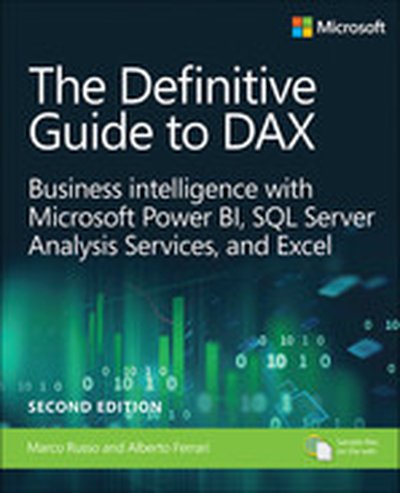
Definitive Guide to DAX, The: Business intelligence for Microsoft Power BI, SQL Server Analysis Services, and Excel, 2nd Edition

Now expanded and updated with modern best practices, this is the most complete guide to Microsoft's DAX language for business intelligence, data modeling, and analytics. Expert Microsoft BI consultants Marco Russo and Alberto Ferrari help you master everything from table functions through advanced code and model optimization. You'll learn exactly what happens under the hood when you run a DAX expression, and use this knowledge to write fast, robust code. This edition focuses on examples you can build and run with the free Power BI Desktop, and helps you make the most of the powerful syntax of variables (VAR) in Power BI, Excel, or Analysis Services. Want to leverage all of DAX's remarkable capabilities? This no-compromise "deep dive" is exactly what you need. Related Content Video: Introduction to Microsoft Power BI (Video), Data Analysis Fundamentals with Excel (Video) Perform powerful data analysis with DAX for Power BI, SQL Server, and Excel · Master core DAX concepts, including calculated columns, measures, and calculation groups · Work efficiently with basic and advanced table functions · Understand evaluation contexts and the CALCULATE and CALCULATETABLE functions · Perform time-based calculations · Use calculation groups and calculation items · Use syntax of variables (VAR) to write more readable, maintainable code · Express diverse and unusual relationships with DAX, including many-to-many relationships and bidirectional filters · Master advanced optimization techniques, and improve performance in aggregations · Optimize data models to achieve better compression · Measure DAX query performance with DAX Studio and learn how to optimize your DAX

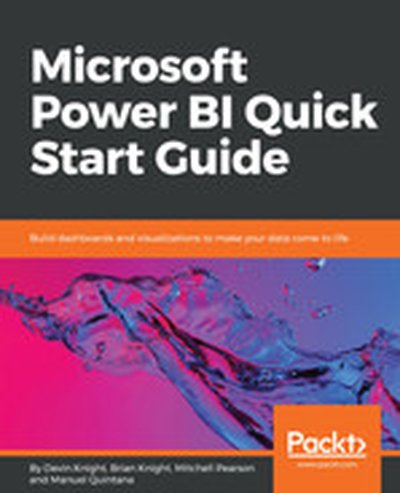
Microsoft Power BI Quick Start Guide

Uncover the power of Microsoft Power BI with this accessible and practical guide. This book introduces you to the concepts of data modeling, transformation, and visualization, ensuring that you can build effective dashboards and gain valuable insights. You'll be empowered to productively utilize Power BI in your organization to achieve your analytics goals. What this Book will help me do Connect to various data sources and harness the capabilities of the Query Editor. Transform and clean data for analysis, learning to use languages like M and R. Build robust data models with relationships and powerful DAX expressions. Create impactful reports with efficient and custom visualizations in Power BI. Deploy and administer Power BI solutions both in the cloud and on-premise. Author(s) The authors, Devin Knight, Mitchell Pearson, and Manuel Quintana, are seasoned experts in Business Intelligence and Power BI. They bring years of experience simplifying complex data challenges. Their writing is approachable and hands-on, equipping readers with the skills to solve real-world problems. Who is it for? This book is perfectly suited for professionals in Business Intelligence roles, data analysts, or those aiming to adopt Power BI solutions. Whether you're new to Power BI or have basic BI knowledge, this guide will take you from fundamentals to advanced implementations. Ideal for anyone aiming to unlock actionable insights from their data.

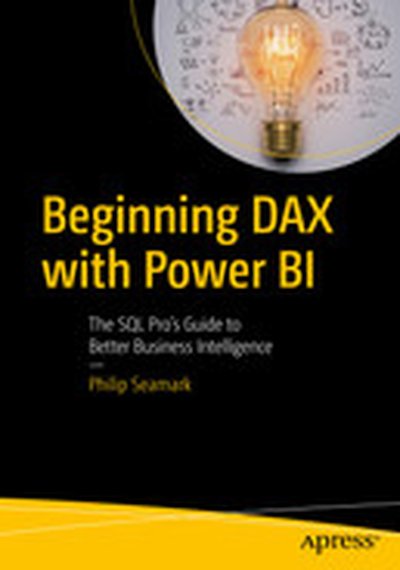
Beginning DAX with Power BI: The SQL Pro’s Guide to Better Business Intelligence

Attention all SQL Pros, DAX is not just for writing Excel-based formulas! Get hands-on learning and expert advice on how to use the vast capabilities of the DAX language to solve common data modeling challenges. Beginning DAX with Power BI teaches key concepts such as mapping techniques from SQL to DAX, filtering, grouping, joining, pivoting, and using temporary tables, all aimed at the SQL professional. Join author Philip Seamark as he guides you on a journey through typical business data transformation scenarios and challenges, and teaches you, step-by-step, how to resolve challenges using DAX. Tips, tricks, and shortcuts are included and explained, along with examples of the SQL equivalent, in order to accelerate learning. Examples in the book range from beginner to advanced, with plenty of detailed explanation when walking through each scenario. What You’ll Learn Turbocharge your Power BI model by adding advanced DAX programming techniques Know when to use calculated measures versus calculated columns Generate new tables on the fly from existing data Optimize, monitor, and tune Power BI to improve performance of your models Discover new ideas, tricks, and time-saving techniques for better models Who This Book Is For Business intelligence developers, business analysts, or any SQL user who wants to use Power BI as a reporting tool. A solid understanding of SQL is recommended, as examples throughout the book include the DAX equivalents to SQL problem/solution scenarios.

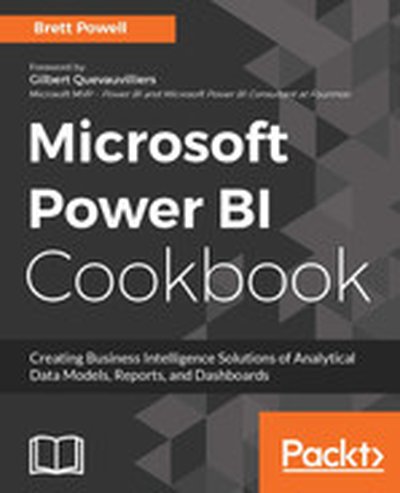
Microsoft Power BI Cookbook

This comprehensive guide dives deep into the Power BI platform, teaching you how to create insightful data models, reports, and dashboards that drive business decisions. With hands-on recipes and real-world examples, this book is a practical resource for mastering the full range of Power BI's capabilities. What this Book will help me do Understand and apply data cleansing and transformation using Power BI tools. Create and utilize intuitive data models for business intelligence reporting. Leverage DAX and M languages for advanced data analysis and custom solutions. Build dynamic, user-specific dashboards and visualizations for impactful insights. Integrate Power BI with Microsoft Excel, SQL Server, and cloud services for extended functionality. Author(s) None Powell is an experienced data analyst and Microsoft BI solution architect with extensive expertise in Power BI. He has worked on numerous BI projects, providing practical solutions using Microsoft's data platform technologies. Through detailed, scenario-based writing, he shares his knowledge to help readers excel in their BI endeavors. Who is it for? This book is perfect for business intelligence professionals and analysts seeking to expand their skills in Power BI. Ideal readers may have foundational Power BI knowledge and look to master advanced techniques. If you aim to build impactful BI solutions and are motivated to handle complex data integrations, this book will be instrumental.

Exam Ref 70-768 Developing SQL Data Models, First Edition

Prepare for Microsoft Exam 70-768–and help demonstrate your real-world mastery of Business Intelligence (BI) solutions development with SQL Server 2016 Analysis Services (SSAS), including modeling and queries. Designed for experienced IT professionals ready to advance their status, Exam Ref focuses on the critical thinking and decision-making acumen needed for success at the MCSA level. Focus on the expertise measured by these objectives: • Design a multidimensional BI semantic model • Design a tabular BI semantic model • Develop queries using Multidimensional Expressions (MDX) and Data Analysis Expressions (DAX) • Configure and maintain SSAS This Microsoft Exam Ref: • Organizes its coverage by exam objectives • Features strategic, what-if scenarios to challenge you • Assumes you are a database or BI professional with experience creating models, writing MDX or DAX queries, and using SSAS

Analyzing Data with Power BI and Power Pivot for Excel, First Edition

Renowned DAX experts Alberto Ferrari and Marco Russo teach you how to design data models for maximum efficiency and effectiveness. How can you use Excel and Power BI to gain real insights into your information? As you examine your data, how do you write a formula that provides the numbers you need? The answers to both of these questions lie with the data model. This book introduces the basic techniques for shaping data models in Excel and Power BI. It’s meant for readers who are new to data modeling as well as for experienced data modelers looking for tips from the experts. If you want to use Power BI or Excel to analyze data, the many real-world examples in this book will help you look at your reports in a different way—like experienced data modelers do. As you’ll soon see, with the right data model, the correct answer is always a simple one! By reading this book, you will: • Gain an understanding of the basics of data modeling, including tables, relationships, and keys • Familiarize yourself with star schemas, snowflakes, and common modeling techniques • Learn the importance of granularity • Discover how to use multiple fact tables, like sales and purchases, in a complex data model • Manage calendar-related calculations by using date tables • Track historical attributes, like previous addresses of customers or manager assignments • Use snapshots to compute quantity on hand • Work with multiple currencies in the most efficient way • Analyze events that have durations, including overlapping durations • Learn what data model you need to answer your specific business questions About This Book • For Excel and Power BI users who want to exploit the full power of their favorite tools • For BI professionals seeking new ideas for modeling data

Tabular Modeling with SQL Server 2016 Analysis Services Cookbook

With "Tabular Modeling with SQL Server 2016 Analysis Services Cookbook," you'll discover how to harness the full potential of the latest Tabular models in SQL Server Analysis Services (SSAS). This practical guide equips data professionals with the tools, techniques, and knowledge to optimize data analytics and deliver fast, reliable, and impactful business insights. What this Book will help me do Understand the fundamentals of Tabular modeling and its advantages over traditional methods. Use SQL Server 2016 SSAS features to build and deploy Tabular models tailored to business needs. Master DAX for creating powerful calculated fields and optimized measures. Administer and secure your models effectively, ensuring robust BI solutions. Optimize performance and explore advanced features in Tabular solutions for maximum efficiency. Author(s) None Wilson is an experienced SQL BI professional with a strong background in database modeling and analytics. With years of hands-on experience in developing BI solutions, Wilson takes a practical and straightforward teaching approach. Their guidance in this book makes the complex topics of Tabular modeling and SSAS accessible to both seasoned professionals and newcomers to the field. Who is it for? This book is tailored for SQL BI professionals, database architects, and data analysts aiming to leverage Tabular models in SQL Server Analysis Services. It caters to those familiar with database management and basic BI concepts who are eager to improve their analysis solutions. It's a valuable resource if you aim to gain expertise in using tabular modeling for business intelligence.

Delivering Business Intelligence with Microsoft SQL Server 2016, Fourth Edition, 4th Edition

Distribute Actionable, Timely BI with Microsoft® SQL Server® 2016 and Power BI Drive better, faster, more informed decision making across your organization using the expert tips and best practices featured in this hands-on guide. Delivering Business Intelligence with Microsoft SQL Server 2016, Fourth Edition, shows, step-by-step, how to distribute high-performance, custom analytics to users enterprise-wide. Discover how to build BI Semantic Models, create data marts and OLAP cubes, write MDX and DAX scripts, and share insights using Microsoft client tools. The book includes coverage of self-service business intelligence with Power BI. • Understand the goals and components of successful BI • Build data marts, OLAP cubes, and Tabular models • Load and cleanse data with SQL Server Integration Services • Manipulate and analyze data using MDX and DAX scripts and queries • Work with SQL Server Analysis Services and the BI Semantic Model • Author interactive reports using SQL Server Data Tools • Create KPIs and digital dashboards • Implement time-based analytics • Embed data model content in custom applications using ADOMD.NET • Use Power BI to gather, model, and visualize data in a self-service environment

The Definitive Guide to DAX: Business intelligence with Microsoft Excel, SQL Server Analysis Services, and Power BI

This comprehensive and authoritative guide will teach you the DAX language for business intelligence, data modeling, and analytics. Leading Microsoft BI consultants Marco Russo and Alberto Ferrari help you master everything from table functions through advanced code and model optimization. You’ll learn exactly what happens under the hood when you run a DAX expression, how DAX behaves differently from other languages, and how to use this knowledge to write fast, robust code. If you want to leverage all of DAX’s remarkable power and flexibility, this no-compromise “deep dive” is exactly what you need. Perform powerful data analysis with DAX for Microsoft SQL Server Analysis Services, Excel, and Power BI Master core DAX concepts, including calculated columns, measures, and error handling Understand evaluation contexts and the CALCULATE and CALCULATETABLE functions Perform time-based calculations: YTD, MTD, previous year, working days, and more Work with expanded tables, complex functions, and elaborate DAX expressions Perform calculations over hierarchies, including parent/child hierarchies Use DAX to express diverse and unusual relationships Measure DAX query performance with SQL Server Profiler and DAX Studio