talk-data.com talk-data.com

Topic

HTML

HyperText Markup Language (HTML)

web_development markup_language front_end

44

tagged

Activity Trend

15 peak/qtr
2020-Q1 2026-Q1

Activities

Showing filtered results

Filtering by: O'Reilly Data Science Books ×
Learn D3.js - Second Edition

Master data visualization with D3.js v7 using modern web standards and real-world projects to build interactive charts, maps, and visual narratives Key Features Build dynamic, data-driven visualizations using D3.js v7 and ES2015+ Create bar, scatter, and network charts, geographic maps, and more Learn through step-by-step tutorials backed by hundreds of downloadable examples Purchase of the print or Kindle book includes a free PDF eBook Book Description Learn D3.js, Second Edition, is a fully updated guide to building interactive, standards-compliant web visualizations using D3.js v7 and modern JavaScript. Whether you're a developer, designer, data journalist, or analyst, this book will help you master the core techniques for transforming data into compelling, meaningful visuals. Starting with fundamentals like selections, data binding, and SVG, the book progressively covers scales, axes, animations, hierarchical data, and geographical maps. Each chapter includes short examples and a full hands-on project with downloadable code you can run, modify, and use in your own work. This new edition introduces improved chapter structure, updated code samples using ES2015 standards, and better formatting for readability. There’s also a dedicated chapter that focuses on integrating D3 with modern frameworks like React and Vue, along with performance, accessibility, and deployment strategies. For those migrating from older versions of D3, a detailed appendix is included at the end. With thoughtful pedagogy and a practical approach, this book remains one of the most thorough and respected resources for learning D3.js and help you truly leverage data visualisation. What you will learn Bind data to DOM elements and apply transitions and styles Build bar, line, pie, scatter, tree, and network charts Create animated, interactive behaviours with zoom, drag, and tooltips Visualize hierarchical data, flows, and maps using D3 layouts and projections Use D3 with HTML5 Canvas for high-performance rendering Develop accessible and responsive D3 apps for all screen sizes Integrate D3 with frameworks like React and Vue Migrate older D3 codebases to version 7 Who this book is for This book is for web developers, data journalists, designers, analysts, and anyone who wants to create interactive, web-based data visualizations. A basic understanding of HTML, CSS, and JavaScript is recommended. No prior knowledge of SVG or D3 is required.

D3.js in Action, Third Edition

Create stunning web-based data visualizations with D3.js. This totally-revised new edition of D3.js in Action guides you from simple charts to powerful interactive graphics. Chapter-by-chapter you’ll assemble an impressive portfolio of visualizations—including intricate networks, maps, and even a complete customized visualization layout. Plus, you'll learn best practices for building interactive graphics, animations, and integrating your work into frontend development frameworks like React and Svelte. In D3.js in Action, Third Edition you will learn how to: Set up a local development environment for D3 Include D3 in web development projects, including Node-based web apps Select and append DOM elements Size and position elements on screen Assemble components and layouts into creative data visualizations D3.js in Action, Third Edition has been extensively revised for D3.js version 7, and modern best practices for web visualizations. Its brand new chapters dive into interactive visualizations, cover responsiveness for dataviz, and show you how you can improve accessibility. About the Technology With D3.js, you can create sophisticated infographics, charts, and interactive data visualizations using standard frontend tools like JavaScript, HTML, and CSS. Granting D3 its VIS Test of Time award, the IEEE credited this powerful library for bringing data visualization to the mainstream. You’ll be blown away by how beautiful your results can be! About the Book D3.js in Action, Third Edition is a roadmap for creating brilliant and beautiful visualizations with D3.js. Like a gentle mentor, it guides you from basic charts all the way to advanced interactive visualizations like networks and maps. You’ll learn to build graphics, create animations, and set up mobile-friendly responsiveness. Each chapter contains a complete data visualization project to put your new skills into action. What's Inside Fully revised for D3.js v7 Includes 12 complete projects Create data visualizations with SVG and canvas Combine D3 with React, Svelte, and Angular About the Reader For web developers with HTML, CSS, and JavaScript skills. About the Authors Elijah Meeks was a data visualization pioneer at Stanford and the first Senior Data Visualization Engineer at Netflix. Anne-Marie Dufour is a Data Visualization Engineer. The technical editor on this book was Jon Borgman. Quotes Guides readers through the intricate world of D3 with clarity and practical insight. Whether you’re a seasoned expert or just starting, this book will be invaluable. - Connor Rothschild, Data Visualization Engineer, Moksha Data Studio Amazing job of explaining the core concepts of D3 while providing all you need to learn other fundamental concepts. - Lindsey Poulter, Visualization Engineer, New York Mets A navigation tool to explore all possible paths in the world of D3. Clear schematics and nicely selected examples guide the readers through D3’s possibilities. - Matthias Stahl, Head Data & Visualizations, Der SPIEGEL

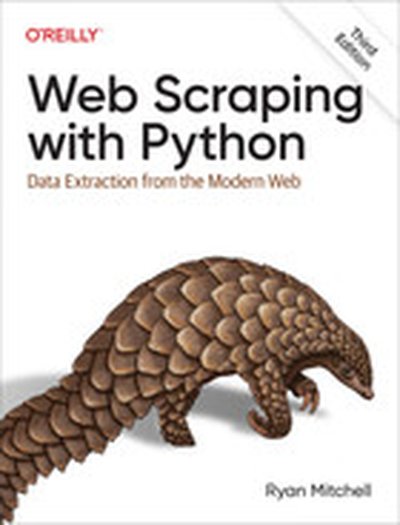
Web Scraping with Python, 3rd Edition

If programming is magic, then web scraping is surely a form of wizardry. By writing a simple automated program, you can query web servers, request data, and parse it to extract the information you need. This thoroughly updated third edition not only introduces you to web scraping but also serves as a comprehensive guide to scraping almost every type of data from the modern web. Part I focuses on web scraping mechanics: using Python to request information from a web server, performing basic handling of the server's response, and interacting with sites in an automated fashion. Part II explores a variety of more specific tools and applications to fit any web scraping scenario you're likely to encounter. Parse complicated HTML pages Develop crawlers with the Scrapy framework Learn methods to store the data you scrape Read and extract data from documents Clean and normalize badly formatted data Read and write natural languages Crawl through forms and logins Scrape JavaScript and crawl through APIs Use and write image-to-text software Avoid scraping traps and bot blockers Use scrapers to test your website

Analyzing Websites

From a cluster of interconnected HTML pages to online service platforms, websites are constantly changing in form and function. These transformations have led, on the one hand, to human and social sciences renewing or inventing analytical methodologies; and on the other hand, to a reconsideration of the practices of non-specialists and digital professionals. The Web factory is equally included on the agenda of communication training, according to an alternative approach that is complementary to the one that has been implemented for computer scientists. From these two perspectives and drawing upon several case studies, Analyzing Websites presents epistemological and methodological contributions from researchers in Information and Communication Sciences exploring websites as sociotechnical, semi-discursive and communicational devices. This study covers website design as well as their integration into the digital strategies of organizations in the public, associative and private sectors.

Creating Business Applications with Microsoft 365: Techniques in Power Apps, Power BI, SharePoint, and Power Automate

Learn how to automate processes, visualize your data, and improve productivity using Power Apps, Power Automate, Power BI, SharePoint, Forms, Teams, and more. This book will help you build complete solutions that often involve storing data in SharePoint, creating a front-end application in Power Apps or Forms, adding additional functionality with Power Automate, and effective reports and dashboards in Power BI. This new edition greatly expands the focus on Power Apps, Power BI, Power Automate, and Teams, along with SharePoint and Microsoft Forms. It starts with the basics of programming and shows how to build a simple email application in .NET, HTML/JavaScript, Power Apps on its own, and Power Apps and Power Automate in combination. It then covers how to connect Power Apps to SharePoint, create an approval process in Power Automate, visualize surveys in Power BI, and create your own survey solution with the combination of a number of Microsoft 365 tools. You’ll work with anextended example that shows how to use Power Apps and SharePoint together to create your own help ticketing system. This book offers a deep dive into Power BI, including working with JSON, XML, and Yes/No data, as well as visualizing learning data and using it to detect inconsistencies between Excel files. You’ll also see how to connect to Remedy and to the help system you will have created. Under author Jeffrey Rhodes’s guidance, you’ll delve into the Power Apps collection to learn how to avoid dreaded "delegation" issues with larger data sets. Back on applications, you will create a training class sign-up solution to only allow users to choose classes with available seats. Digging deeper into Teams, you’ll learn how to send chats, posts, and "adaptive cards" from Power Automate. Rounding things out, you’ll save Forms attachments to SharePoint with Power Automate, create your own "Employee Recognition" app with all of the Power Platform and Teams, add or edit weekly status reports, and learn how to create reservation and scoring applications. After reading the book, you will be able to build powerful applications using Power Apps, Power Automate, Power BI, SharePoint, Forms, and Teams. What You Will Learn Create productivity-enhancing applications with Power Apps, Power Automate, SharePoint, Forms, and/or Teams Transform and visualize data with Power BI to include custom columns, measures, and pivots Avoid delegation issues and tackle complicated Power Apps issues like complex columns, filtering, and ForAll loops Build scheduled or triggered Power Automate flows to schedule Teams Meetings, send emails, launch approvals, and much more Who This Book Is For Business and application developers.

Data Science at the Command Line, 2nd Edition

This thoroughly revised guide demonstrates how the flexibility of the command line can help you become a more efficient and productive data scientist. You'll learn how to combine small yet powerful command-line tools to quickly obtain, scrub, explore, and model your data. To get you started, author Jeroen Janssens provides a Docker image packed with over 100 Unix power tools--useful whether you work with Windows, macOS, or Linux. You'll quickly discover why the command line is an agile, scalable, and extensible technology. Even if you're comfortable processing data with Python or R, you'll learn how to greatly improve your data science workflow by leveraging the command line's power. This book is ideal for data scientists, analysts, engineers, system administrators, and researchers. Obtain data from websites, APIs, databases, and spreadsheets Perform scrub operations on text, CSV, HTML, XML, and JSON files Explore data, compute descriptive statistics, and create visualizations Manage your data science workflow Create your own tools from one-liners and existing Python or R code Parallelize and distribute data-intensive pipelines Model data with dimensionality reduction, regression, and classification algorithms Leverage the command line from Python, Jupyter, R, RStudio, and Apache Spark

Interactive Dashboards and Data Apps with Plotly and Dash

This book, "Interactive Dashboards and Data Apps with Plotly and Dash", is a practical guide to building dynamic dashboards and applications using the Dash Python framework. It covers creating visualizations, integrating interactive controls, and deploying the apps, all without requiring JavaScript expertise. What this Book will help me do Master creating interactive data dashboards using Dash and Plotly. Understand how to integrate controls such as sliders and dropdowns into apps. Learn to use Plotly Express for visually representing data with ease. Develop capabilities to deploy a fully functional web app for data interaction. Understand how to use multi-page configurations and URLs for advanced apps. Author(s) None Dabbas is a seasoned Python developer with extensive expertise in data visualization and full-stack development. Drawing from real-world experience, None brings a practical approach to teaching, ensuring that learners understand not only how to build applications but why the approach works. Who is it for? This book is ideal for data analysts, engineers, and developers looking to enhance their visualization capabilities. If you are familiar with Python and have basic HTML skills, you will find this book accessible and rewarding. Beginners looking to explore advanced dashboard creation without JavaScript will also appreciate the clear approach.

Mastering Shiny

Master the Shiny web framework—and take your R skills to a whole new level. By letting you move beyond static reports, Shiny helps you create fully interactive web apps for data analyses. Users will be able to jump between datasets, explore different subsets or facets of the data, run models with parameter values of their choosing, customize visualizations, and much more. Hadley Wickham from RStudio shows data scientists, data analysts, statisticians, and scientific researchers with no knowledge of HTML, CSS, or JavaScript how to create rich web apps from R. This in-depth guide provides a learning path that you can follow with confidence, as you go from a Shiny beginner to an expert developer who can write large, complex apps that are maintainable and performant. Get started: Discover how the major pieces of a Shiny app fit together Put Shiny in action: Explore Shiny functionality with a focus on code samples, example apps, and useful techniques Master reactivity: Go deep into the theory and practice of reactive programming and examine reactive graph components Apply best practices: Examine useful techniques for making your Shiny apps work well in production

Practical R 4: Applying R to Data Manipulation, Processing and Integration

Get started with an accelerated introduction to the R ecosystem, programming language, and tools including R script and RStudio. Utilizing many examples and projects, this book teaches you how to get data into R and how to work with that data using R. Once grounded in the fundamentals, the rest of Practical R 4 dives into specific projects and examples starting with running and analyzing a survey using R and LimeSurvey. Next, you'll carry out advanced statistical analysis using R and MouselabWeb. Then, you’ll see how R can work for you without statistics, including how R can be used to automate data formatting, manipulation, reporting, and custom functions. The final part of this book discusses using R on a server; you’ll build a script with R that can run an RStudio Server and monitor a report source for changes to alert the user when something has changed. This project includes both regular email alerting and push notification. And, finally, you’ll use R to create a customized daily rundown report of a person's most important information such as a weather report, daily calendar, to-do's and more. This demonstrates how to automate such a process so that every morning, the user navigates to the same web page and gets the updated report. What You Will Learn Set up and run an R script, including installation on a new machine and downloading and configuring R Turn any machine into a powerful data analytics platform accessible from anywhere with RStudio Server Write basic R scripts and modify existing scripts to suit your own needs Create basic HTML reports in R, inserting information as needed Build a basic R package and distribute it Who This Book Is For Some prior exposure to statistics, programming, and maybe SAS is recommended but not required.

SAS Stored Processes: A Practical Guide to Developing Web Applications

Customize the SAS Stored Process web application to create amazing tools for end users. This book shows you how to use stored processes—SAS programs stored on a server and executed as required by requesting applications. Never before have there been so many ways to turn data into information and build applications with SAS. This book teaches you how to use the web technologies that you frequently see used on impressive websites. By using SAS Stored Processes, you will be able to build applications that exploit CSS, JavaScript, and HTML libraries and enable you to build powerful and impressive web applications using SAS as the backend.While this approach is not common with SAS users, some have had amazing results. People who have SAS skills usually do not have web development skills, and those with web development skills usually do not have SAS skills. Some people have both skills but are unaware of how to connect them with the SAS Stored Process web application. This book shows you how to leverage your skills for success. What You Will Learn Know the benefits of stored processes Write your own tools in SAS Make a stored process generate its own HTML menu Pass data between stored processes Use stored processes to generate pure JavaScript Utilize data generated by SAS Convert a SAS program into a stored process Who This Book Is For SAS programmers looking to improve their existing programming skills to develop web applications, and programming managers who want to make better use of the SAS software they already license

Practical Highcharts with Angular: Your Essential Guide to Creating Real-time Dashboards

Learn to create stunning animated and interactive charts using Highcharts and Angular. Use and build on your existing knowledge of HTML, CSS, and JavaScript to develop impressive dashboards that will work in all modern browsers. You will learn how to use Highcharts, call backend services for data, and easily construct real-time data dashboards. You'll also learn how you can club your code with jQuery and Angular. This book provides the best solutions for real-time challenges and covers a wide range of charts including line, area, maps, plot, different types of pie chart, Gauge, heat map, Histogram, stacked bar, scatter plot and 3d charts. After reading this book, you'll be able to export your charts in different formats for project-based learning. Highcharts is one the most useful products worldwide for develop charting on the web, and Angular is well known for speed. Using Highcharts with Angular, developers can build fast, interactive dashboards. Get up to speed using this book today. What You’ll Learn How to develop interactive, animated dashboards How you can implement Highcharts using Angular How to develop a real-time application with the use of WebAPI, Angular, and Highcharts How to create interactive styling themes and colors for a dashboard Who This Book Is For This book is aimed at developers, dev leads, software architects, students or enthusiasts who are already familiar with HTML, CSS, and JavaScript.

Mining Social Media

Did fake Twitter accounts help sway a presidential election? What can Facebook and Reddit archives tell us about human behavior? In Mining Social Media, senior BuzzFeed reporter Lam Thuy Vo shows you how to use Python and key data analysis tools to find the stories buried in social media. Whether you’re a professional journalist, an academic researcher, or a citizen investigator, you’ll learn how to use technical tools to collect and analyze data from social media sources to build compelling, data-driven stories. Learn how to: •Write Python scripts and use APIs to gather data from the social web •Download data archives and dig through them for insights •Inspect HTML downloaded from websites for useful content •Format, aggregate, sort, and filter your collected data using Google Sheets •Create data visualizations to illustrate your discoveries •Perform advanced data analysis using Python, Jupyter Notebooks, and the pandas library •Apply what you’ve learned to research topics on your own Social media is filled with thousands of hidden stories just waiting to be told. Learn to use the data-sleuthing tools that professionals use to write your own data-driven stories.

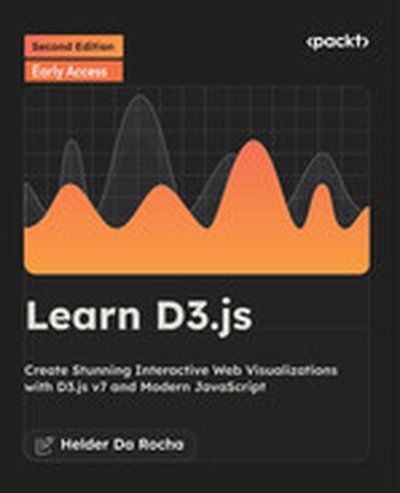
Learn D3.js

Dive into the world of data visualization with 'Learn D3.js'. This comprehensive guide introduces D3.js-the leading JavaScript library for creating interactive, data-driven visualizations on the web. By following practical examples, you'll understand core concepts of D3.js, learn to implement various types of visualizations, and develop skills to bring dynamic, responsive graphics to your projects. What this Book will help me do Master the fundamentals of D3.js and use it to produce stunning web-based data visualizations. Bind data to the DOM using D3.js and configure interactive transitions and animations. Gain experience generating a multitude of chart types such as bar, pie, scatter charts, and more. Incorporate user interactivity into your visualizations using D3.js effectively. Work with map-based data visualizations using GIS data and various geographical projections. Author(s) Helder da Rocha is an experienced developer and educator with a passion for data visualization. With a solid background in JavaScript and web technologies, he has crafted this book to make the complexities of D3.js accessible and engaging. His approach emphasizes practical, hands-on learning, nurturing both new and seasoned developers alike. Who is it for? Are you a web developer, designer, or data scientist aiming to create interactive data visualizations for the web? If you have foundational knowledge of HTML, CSS, and JavaScript, this book is your perfect guide. Whether you're dipping your toes into web-based charts or seeking to craft advanced interactive graphics, 'Learn D3.js' is tailored to empower your journey.

Learn Chart.js

This book, 'Learn Chart.js', serves as a comprehensive guide to mastering Chart.js for creating stunning web-based data visualizations. By combining JavaScript, HTML5 Canvas, and Chart.js, you will understand how to turn raw data into interactive visual stories. What this Book will help me do Develop skills to create interactive and engaging data visualizations using the Chart.js library. Learn to efficiently load, parse, and handle data from external formats like CSV and JSON. Understand different chart types offered by Chart.js and learn when to best use each one. Gain the ability to customize Chart.js charts, such as adjusting properties for styling or animations. Acquire hands-on experience with practical examples, equipping you to apply what you learn in real-world scenarios. Author(s) Helder da Rocha brings his extensive experience in programming and software development to this book, offering readers a clear and practical approach to mastering Chart.js. With a deep understanding of data visualization and web technologies, he conveys complex concepts in a straightforward way. Who is it for? This book is ideal for web developers, data analysts, and designers who have basic proficiency in HTML, CSS, and JavaScript. It is particularly suited for professionals looking to create impactful web-based data visualizations using open-source tools. Additionally, the book assumes no prior knowledge of the Canvas element, making it accessible for Chart.js beginners.

Hands-On Dashboard Development with Shiny

"Hands-On Dashboard Development with Shiny" provides a focused and practical guide for developing polished and professional dashboards using R and the Shiny framework. Through applied examples, you'll explore techniques in HTML, CSS, and Bootstrap to elevate your Shiny apps' interface and functionality. The book ensures a comprehensive learning experience by focusing on creating custom interfaces and layouts. What this Book will help me do Create Shiny interfaces using pure HTML to achieve full customization Enhance your R Shiny dashboards with powerful layout functions for professional designs Utilize Bootstrap themes in Shiny for consistent and aesthetically pleasing interfaces Generate interactive dashboards complete with icons and notification elements Develop and distribute R Markdown reports directly from Shiny applications Author(s) Chris Beeley is an experienced data scientist and a frequent R Shiny practitioner. With years of experience building Shiny applications and working on data visualization in professional settings, Chris brings practical and precise teaching to this book. He is passionate about making knowledge accessible and guiding learners through hands-on and engaging content. Who is it for? This book is ideally suited for developers and data analysts who have prior experience with Shiny and wish to delve deeper into customizing their applications' design. If you want to extend your Shiny apps using HTML, CSS, and layouts via Bootstrap, this book is perfect for you. It equips you with the skills to build advanced dashboards efficiently. Whether you're looking to create more visually appealing apps or enhance your UI skills, this resource caters to your needs.

Practical Web Scraping for Data Science: Best Practices and Examples with Python

This book provides a complete and modern guide to web scraping, using Python as the programming language, without glossing over important details or best practices. Written with a data science audience in mind, the book explores both scraping and the larger context of web technologies in which it operates, to ensure full understanding. The authors recommend web scraping as a powerful tool for any data scientist’s arsenal, as many data science projects start by obtaining an appropriate data set. Starting with a brief overview on scraping and real-life use cases, the authors explore the core concepts of HTTP, HTML, and CSS to provide a solid foundation. Along with a quick Python primer, they cover Selenium for JavaScript-heavy sites, and web crawling in detail. The book finishes with a recap of best practices and a collection of examples that bring together everything you've learned and illustrate various data science use cases. What You'll Learn Leverage well-established best practices and commonly-used Python packages Handle today's web, including JavaScript, cookies, and common web scraping mitigation techniques Understand the managerial and legal concerns regarding web scraping Who This Book is For A data science oriented audience that is probably already familiar with Python or another programming language or analytical toolkit (R, SAS, SPSS, etc). Students or instructors in university courses may also benefit. Readers unfamiliar with Python will appreciate a quick Python primer in chapter 1 to catch up with the basics and provide pointers to other guides as well.

Web Scraping with Python, 2nd Edition

If programming is magic then web scraping is surely a form of wizardry. By writing a simple automated program, you can query web servers, request data, and parse it to extract the information you need. The expanded edition of this practical book not only introduces you web scraping, but also serves as a comprehensive guide to scraping almost every type of data from the modern web. Part I focuses on web scraping mechanics: using Python to request information from a web server, performing basic handling of the server's response, and interacting with sites in an automated fashion. Part II explores a variety of more specific tools and applications to fit any web scraping scenario you're likely to encounter. Parse complicated HTML pages Develop crawlers with the Scrapy framework Learn methods to store data you scrape Read and extract data from documents Clean and normalize badly formatted data Read and write natural languages Crawl through forms and logins Scrape JavaScript and crawl through APIs Use and write image-to-text software Avoid scraping traps and bot blockers Use scrapers to test your website

D3.js in Action, Second Edition

D3.js in Action, Second Edition is completely revised and updated for D3 v4 and ES6. It's a practical tutorial for creating interactive graphics and data-driven applications using D3. About the Technology Visualizing complex data is hard. Visualizing complex data on the web is darn near impossible without D3.js. D3 is a JavaScript library that provides a simple but powerful data visualization API over HTML, CSS, and SVG. Start with a structure, dataset, or algorithm; mix in D3; and you can programmatically generate static, animated, or interactive images that scale to any screen or browser. It's easy, and after a little practice, you'll be blown away by how beautiful your results can be! About the Book D3.js in Action, Second Edition is a completely updated revision of Manning's bestselling guide to data visualization with D3. You'll explore dozens of real-world examples in full-color, including force and network diagrams, workflow illustrations, geospatial constructions, and more! Along the way, you'll pick up best practices for building interactive graphics, animations, and live data representations. You'll also step through a fully interactive application created with D3 and React. What's Inside Rich full-color diagrams and illustrations Updated for D3 v4 and ES6 Reusable layouts and components Geospatial data visualizations Mixed-mode rendering About the Reader Suitable for web developers with HTML, CSS, and JavaScript skills. No specialized data science skills required. About the Author Elijah Meeks is a senior data visualization engineer at Netflix. Quotes From basic to complex, this book gives you the tools to create beautiful data visualizations. - Claudio Rodriguez, Cox Media Group The best reference for one of the most useful DataViz tools. - Jonathan Rioux, TD Insurance From toy examples to techniques for real projects. Shows how all the pieces fit together. - Scott McKissock, USAID A clever way to immerse yourself in the D3.js world. - Felipe Vildoso Castillo, University of Chile

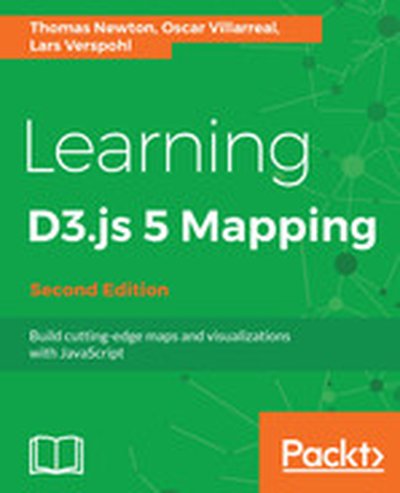
Learning D3.js 5 Mapping - Second Edition

This book, "Learning D3.js 5 Mapping", guides developers through the process of creating dynamic and interactive data visualizations. With a focus on D3.js, you'll learn to harness the power of JavaScript to create maps and graphical objects that inform and engage. What this Book will help me do Gain expertise in working with SVG geometric shapes to design compelling graphics. Learn techniques to manage, process, and use geographic data effectively. Master adding interactivity to visual maps to provide an immersive user experience. Understand how to optimize and manipulate geoJSON files using topoJSON. Learn to create varied map types, such as hexbins and globes, using D3.js and Canvas. Author(s) None Newton and Oscar Villarreal, among others, collaborated to author this guide. They are experienced in front-end development and data visualization, bringing a practical and hands-on approach to learning through this book. Their backgrounds ensure the book addresses common challenges faced during implementation, offering thoughtful solutions. Who is it for? "Learning D3.js 5 Mapping" is perfect for web developers familiar with HTML, CSS, and JavaScript who want to expand their expertise in data visualization and mapping. If you're looking to incorporate interactive charts or maps into your web applications, this book will provide practical guidance and solid fundamentals. No prior experience with D3.js is necessary.

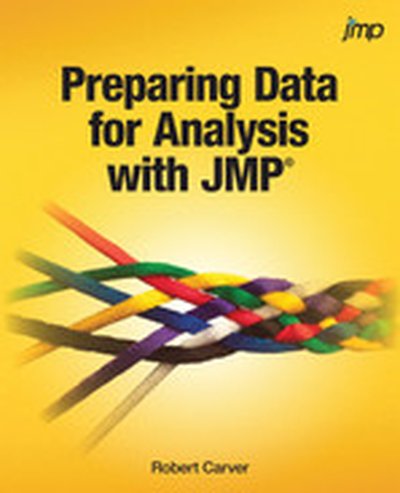
Preparing Data for Analysis with JMP

Access and clean up data easily using JMP®! Data acquisition and preparation commonly consume approximately 75% of the effort and time of total data analysis. JMP provides many visual, intuitive, and even innovative data-preparation capabilities that enable you to make the most of your organization's data. Preparing Data for Analysis with JMP® is organized within a framework of statistical investigations and model-building and illustrates the new data-handling features in JMP, such as the Query Builder. Useful to students and programmers with little or no JMP experience, or those looking to learn the new data-management features and techniques, it uses a practical approach to getting started with plenty of examples. Using step-by-step demonstrations and screenshots, this book walks you through the most commonly used data-management techniques that also include lots of tips on how to avoid common problems. With this book, you will learn how to: Manage database operations using the JMP Query Builder Get data into JMP from other formats, such as Excel, csv, SAS, HTML, JSON, and the web Identify and avoid problems with the help of JMP’s visual and automated data-exploration tools Consolidate data from multiple sources with Query Builder for tables Deal with common issues and repairs that include the following tasks: reshaping tables (stack/unstack) managing missing data with techniques such as imputation and Principal Components Analysis cleaning and correcting dirty data computing new variables transforming variables for modelling reconciling time and date Subset and filter your data Save data tables for exchange with other platforms