talk-data.com talk-data.com

Topic

Microsoft

technology software cloud

1606

tagged

Activity Trend

556 peak/qtr
2020-Q1 2026-Q1

Activities

1606 activities · Newest first

Microsoft SQL Server 2012 Reporting Services

Use your SQL Server skills to create and manage key data reports Deliver interactive business intelligence reports using SQL Server 2012 Reporting Services, and help facilitate real-time decision making throughout the enterprise. SQL Server expert Stacia Misner shows you in detail how to design, manage, and access custom reports that capture data from multiple sources. This book is ideal for experienced SQL Server developers, whether you’re new to Reporting Services or upgrading from an earlier version. Discover how to: Use the latest features, including the Power View ad hoc reporting tool Design reports by understanding how your audience accesses and uses data Add interactive features to help end users sort and filter data Create rich data visualization with charts, gauges, indictors, and data maps Configure your report server, provide security, and monitor report contents Use SharePoint or Report Manager to search and access reports online Create a library of report parts that clients can use for ad hoc reporting Build and manage reports using Reporting Services as a development platform
Access 2013 For Dummies

The easy guide to Microsoft Access returns with updates on the latest version! Microsoft Access allows you to store, organize, view, analyze, and share data; the new Access 2013 release enables you to build even more powerful, custom database solutions that integrate with the web and enterprise data sources. Access 2013 For Dummies covers all the new features of the latest version of Accessand serves as an ideal reference, combining the latest Access features with the basics of building usable databases. You'll learn how to create an app from the Welcome screen, get support for your desktop databases, and much more. Includes coverage of all the new features of Access 2013, including the updated interface Shows you how to create and share reports Features special videos and materials created by the authors to help reinforce the lessons included in the book Helps you build data analysis and interface tools for your specific needs Offers plenty of techniques and tips for solving common problems Access 2013 For Dummies provides you with access to the latest version of this database tool.

Hidden Visual Studio LightSwitch: Secrets from the Real World for Creating Great Apps

This eBook offers practical tips and tricks as well as useful guidance on how to implement common features in LightSwitch, such as those for working with documents, business analysis, screen customization, optimal server configuration, usage with databases other than SQL Server, and so on. What you can expect to find is solutions for everyday problems, with suggestions on how to implement requirements that are very common in any business application, especially for running across distributed networks in the enterprise. In summary, what you’ll find in this eBook is how to solve problems you will face in the real world. This eBook is intended for developers who have at least basic knowledge of Microsoft Visual Studio LightSwitch, as well as some experience in creating, configuring, and publishing applications.

Microsoft Excel 2013: Building Data Models with PowerPivot

Your guide to quickly turn data into results. Transform your skills, data, and business—and create your own BI solutions using software you already know and love: Microsoft Excel. Two business intelligence (BI) experts take you inside PowerPivot functionality for Excel® 2013, with a focus on real world scenarios, problem-solving, and data modeling. You'll learn how to quickly turn mass quantities of data into meaningful information and on-the-job results—no programming required! Understand the differences between PowerPivot for Self Service BI and SQL Server Analysis Services for Corporate BI Extend your existing data-analysis skills to create your own BI solutions Quickly manipulate large data sets, often in millions of rows Perform simple-to-sophisticated calculations and what-if analysis Create complex reporting systems with data modeling and Data Analysis Expressions Share your results effortlessly across your organization using Microsoft SharePoint®

IBM XIV Storage System: Host Attachment and Interoperability

This IBM® Redbooks® publication provides information for attaching the IBM XIV® Storage System to various host operating system platforms, including IBM i. The book provides information and references for combining the XIV Storage System with other storage platforms, host servers, or gateways, including IBM N Series, and IBM ProtecTIER®. It is intended for administrators and architects of enterprise storage systems. The book also addresses using the XIV storage with databases and other storage-oriented application software that include: IBM DB2® VMware ESX Microsoft HyperV SAP The goal is to give an overview of the versatility and compatibility of the XIV Storage System with various platforms and environments. The information that is presented here is not meant as a replacement or substitute for the Host Attachment kit publications. It is meant as a complement and to provide readers with usage guidance and practical illustrations.

Developing Cloud Applications with Windows Azure™ Storage

Get the focused, pragmatic guidance you need to build professional cloud applications using Windows Azure Storage. This is one of the few books centered around Storage capabilities, and the author provides essential, expert coverage of the four key services - BLOB, tables, queues, and drives. Developers will gain hands-on insights, including detailed sections on business use cases and guidance for choosing the right storage option for the job. Provides architectural and programming guidance to professional developers and architects proficient with Microsoft Visual Studio, C#, and LINQ Illuminates when and how to use BLOB storage, table storage, queues, and Windows Azure Drive to build, host, and scale applications in Microsoft-managed datacenters Presents business-case context for choosing the right service for your scenario, e.g. readers will compare relational tables to Windows Azure tables to understand benefits and tradeoffs

Microsoft Access 2013 Plain & Simple

Learn the simplest ways to get things done with Microsoft Access 2013 Get the full-color, visual guide that makes learning Microsoft Access 2013 plain and simple! Follow the book’s easy steps and screenshots and clear, concise language to learn the simplest ways to build a database and sort information. Here’s WHAT you’ll learn: Build and manage your own database Apply professional designs across your databases Create presentations and publish reports online Secure your database with passwords and encryption Exchange data with other databases and documents Interact with your data easier using macros Here’s HOW you’ll learn it: Jump in wherever you need answers Follow easy STEPS and SCREENSHOTS to see exactly what to do Get handy TIPS for new techniques and shortcuts Use TRY THIS! Exercises to apply what you learn right away

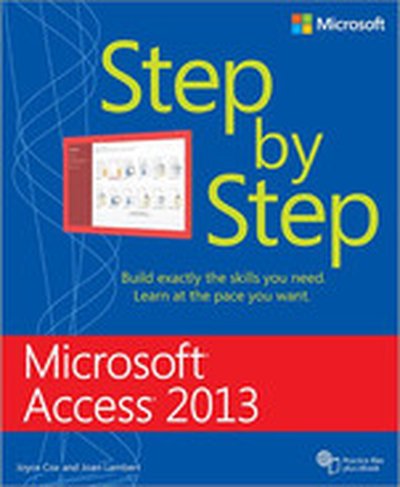
Microsoft® Access® 2013 Step by Step

Experience learning made easy—and quickly teach yourself how to build your own database with Access 2013. With Step by Step, you set the pace—building and practicing the skills you need, just when you them! Includes downloadable practice files and a companion eBook. Build a database from scratch or ready templates Create easy-to-use data-entry forms Write queries to extract and manipulate data Design reports to summarize data in effective ways Import data from other databases and documents

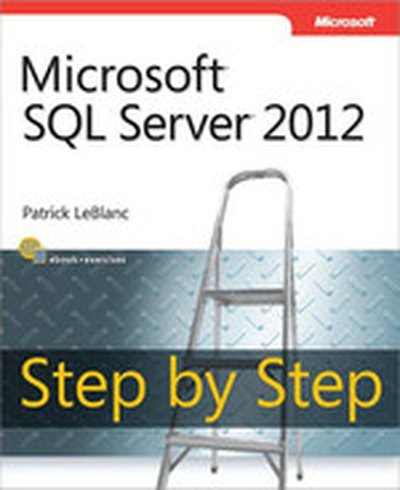
Microsoft® SQL Server® 2012 Step by Step

Your hands-on, step-by-step guide to building applications with Microsoft SQL Server 2012 Teach yourself the programming fundamentals of SQL Server 2012—one step at a time. Ideal for beginning SQL Server database administrators and developers, this tutorial provides clear guidance and practical, learn-by-doing exercises for building database solutions that solve real-world business problems. Discover how to: Install and work with core components and tools Create tables and index structures Manipulate and retrieve data Secure, manage, back up, and recover databases Apply techniques for building high-performing applications Use clustering, database mirroring, and log shipping

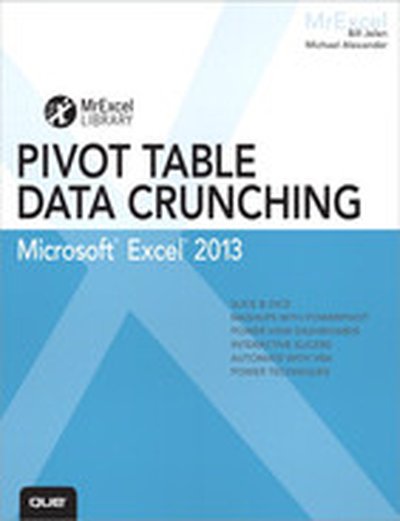
Excel 2013 Pivot Table Data Crunching

CRUNCH ANY DATA, FROM ANY SOURCE, QUICKLY AND EASILY, WITH EXCEL 2013 PIVOT TABLES! Use Excel 2013 pivot tables and pivot charts to produce powerful, dynamic reports in minutes instead of hours… understand exactly what’s going on in your business… take control, and stay in control! Even if you’ve never created a pivot table before, this book will help you leverage all their amazing flexibility and analytical power. In just the first seven chapters, you learn how to generate complex pivot reports complete with drill-down capabilities and accompanying charts. Then, you go even further, discovering how to build a comprehensive, dynamic pivot table reporting system for any business task or function. Learning advanced pivot table and pivot chart techniques for Excel 2013 or the newest Office 365 has never been easier. You’ll find simple, step-by-step instructions, real-world case studies, even complete, easy recipes for solving your most common business analysis problems. • Create, customize, and change your pivot tables and pivot charts • Transform gigantic data sets into crystal-clear summary reports • Summarize and analyze data even faster with new Excel 2013 recommended pivot tables • Instantly highlight your most (and least) profitable customers, products, or regions • Quickly filter pivot tables using slicers • Use dynamic dashboards using Power View to see exactly where your business stands right now • Revamp analyses on the fly by simply dragging and dropping fields • Build dynamic self-service reporting systems your entire team can use • Use PowerPivot or the Data Model to create pivot tables from multiple data sources and worksheets • Work with and analyze OLAP data, and much more About MrExcel Library: Every book in the MrExcel Library pinpoints a specific set of crucial Excel tasks and presents focused skills and examples for performing them rapidly and effectively. Selected by Bill Jelen, Microsoft Excel MVP and mastermind behind the leading Excel solutions website MrExcel.com, these • Dramatically increase your productivity—saving you 50 hours a year or more • Present proven, creative strategies for solving real-world problems • Show you how to get great results, no matter how much data you have • Help you avoid critical mistakes that even experienced users make CATEGORY: Spreadsheets COVERS: Microsoft Office Excel 2013

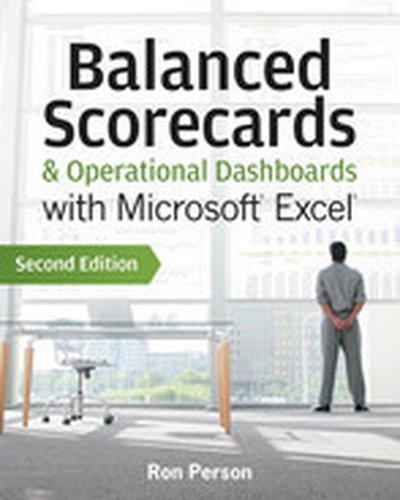
Balanced Scorecards and Operational Dashboards with Microsoft Excel, 2nd Edition

Learn to maintain and update scorecards and dashboards with Excel Balanced Scorecards and operational dashboards measure organizational performance and Microsoft Excel is the tool used worldwide to create these scorecards and dashboards. This book covers time-proven step-by-step processes on how to guide executive teams and managers in creating scorecards and dashboards. It then shows Excel developers how to create those scorecards and dashboards. This is the only book that converts theory into practice. The author addresses the people and processes you need to identify strategy and operational metrics and then implement them in dashboards in three versions of Excel. You'll learn how balanced scorecards help organizations translate strategy into action and the ways that performance dashboards enable managers monitor operations. Covers Excel 2010 back to Excel 2003 Shows how to develop consensus on strategy and operational plans with the executive teams Details steps in creating tactical action plans Gives step-by-step guidance in creating the most powerful management dashboards Puts over ten years of experience in one book Balanced Scorecards & Operational Dashboards with Microsoft Excel, Second Edition is the ultimate resource for enhancing your strategic and operational performance.

IBM System Storage DS5000 Series Implementation and Best Practices Guide

This IBM® Redbooks® publication represents a compilation of best practices for deploying and configuring the IBM System Storage® DS5000 Series family of products. This book is intended for IBM technical professionals, Business Partners, and customers responsible for the planning, deployment, and maintenance of the IBM System Storage DS5000 Series family of products. We realize that setting up DS5000 Storage Servers can be a complex task. There is no single configuration that will be satisfactory for every application or situation. First, we provide a conceptual framework for understanding the hardware in a Storage Area Network. Then, we offer our guidelines, hints, and tips for the physical installation, cabling, and zoning, using the Storage Manager setup tasks. Next, we provide a quick guide to help you install and configure the DS5000 using best practices. After that, we turn our attention to the performance and tuning of various components and features, including numerous guidelines. We look at performance implications for various application products such as IBM DB2®, Oracle, IBM Tivoli® Storage Manager, Microsoft SQL server, and in particular, Microsoft Exchange server. Then we review the various tools available to simulate workloads and to measure, collect, and analyze performance data. We also consider the IBM AIX® environment, including IBM High Availability Cluster Multiprocessing (HACMP™) and IBM General Parallel File System (GPFS™). This edition of the book also includes guidelines for managing and using the DS5000 with the IBM System Storage SAN Volume Controller (SVC) and IBM Storwize® V7000.

Custom Tasks for SAS Enterprise Guide Using Microsoft .NET
Have you ever used SAS Enterprise Guide and found yourself wishing that it had that one specific feature, something that you know would make it the perfect tool for your work or industry? You don't have to settle for just the "out of the box" features; you can add your own capabilities with SAS custom tasks!

Chris Hemedinger's new book takes you step-by-step through the process of creating custom tasks for use in SAS Enterprise Guide and SAS Add-In for Microsoft Office. Using standard off-the-shelf development tools for Microsoft .NET, you'll learn how you can hook in your custom processes and make them available to a wide range of SAS users. In the first part of the book, you'll learn how to use the development environment and the programming interfaces provided by SAS to create, test, and deploy new custom tasks. You'll learn about the services that the SAS Enterprise Guide framework offers, including data access, the ability to run SAS programs, and integration of your custom results into a SAS Enterprise Guide project.

In the second part of the book, Hemedinger provides a variety of useful, field-tested and ready-to-run examples—complete with C# and Visual Basic .NET source code. Each example highlights different programming techniques that you can apply immediately within your own custom tasks. The book also addresses important aspects of .NET programming, such as debugging, exception handling, threading models, and user interface design.

This book is part of the SAS Press program.

Training Kit (Exam 70-461): Querying Microsoft® SQL Server® 2012

Ace your preparation for Microsoft Certification Exam 70-461 with this 2-in-1 Training Kit from Microsoft Press. Work at your own pace through a series of lessons and practical exercises, and then assess your skills with practice tests on CD–featuring multiple, customizable testing options. Maximize your performance on the exam by learning how to: Create database objects Work with data Modify data Troubleshoot and optimize queries For customers who purchase an ebook version of this title, instructions for downloading the CD files can be found in the ebook.

Training Kit (Exam 70-463): Implementing a Data Warehouse with Microsoft SQL Server 2012

Ace your preparation for Microsoft® Certification Exam 70-463 with this 2-in-1 Training Kit from Microsoft Press®. Work at your own pace through a series of lessons and practical exercises, and then assess your skills with online practice tests—featuring multiple, customizable testing options. Maximize your performance on the exam by learning how to: Design and implement a data warehouse Develop and enhance SQL Server Integration Services packages Manage and maintain SQL Server Integration Services packages Build data quality solutions Implement custom code in SQL Server Integration Services packages

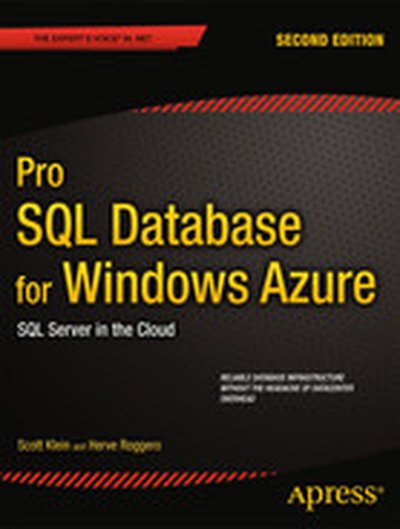
Pro SQL Database for Windows Azure: SQL Server in the Cloud, Second Edition

Pro SQL Database for Windows Azure, 2nd Edition shows how to create enterprise-level database deployments without the usual investment in datacenter and other infrastructure. Take advantage instead of Microsoft's worldwide backbone for cloud computing that delivers all the power of SQL Server in the form of the cloud-based SQL Database for Windows Azure. You can create and deploy a database in mere minutes that is accessible worldwide and takes advantage of SQL Database's high-availability features to protect your data while ensuring 99.9% uptime. SQL Azure is ideally suited for startups, who can benefit from instant access to a robust and secure web-accessible database platform for use in rapidly deploying new products to market. SQL Azure is also ideal for small and mid-sized businesses, giving them the same ability to deploy SQL Server as any large enterprise, but without the management overhead. Even large enterprises find SQL Azure useful in creating failover environments, development environments, extra capacity to handle surges in demand, and more. Pro SQL Database for Windows Azure covers the very latest in Microsoft's fast-moving, cloud platform, showing how to program and administer it in a variety of cloud computing scenarios. You'll learn to program SQL Azure from ASP.NET, from WinForms, and from SQL Reporting Services. You'll learn to manage the platform by planning for scalability, troubleshooting performance issues, and implementing strong security. You'll learn the unique aspects of SQL Azure such as sharding and federation support that combine to place SQL Azure a step above and ahead of the competiton. Shows how to use SQL Azure from classic Windows applications, ASP.NET and Windows Communication Foundation Covers management, performance, scalability, and troubleshooting Addresses the all-important issue of securing your data Helps you properly design for high-performance in a cloud environment Helps you adopt the new Federations feature in SQL Azure What you'll learn Create and manage SQL Database for Windows Azure databases Access SQL Azure from WinForms, ASP.NET, Reporting Services, and more Optimize database design for Azure's distributed cloud platform Share data between databases using SQL Database's Data Synch Service Secure data from intrusion and unauthorized access Learn strategies for data migration and backup Who this book is for Pro SQL Database for Windows Azure, 2nd Edition is aimed at developers and database administrators desiring instant access to a fully-capable SQL Server database environment without the pain of sorting out and managing the physical infrastructure.

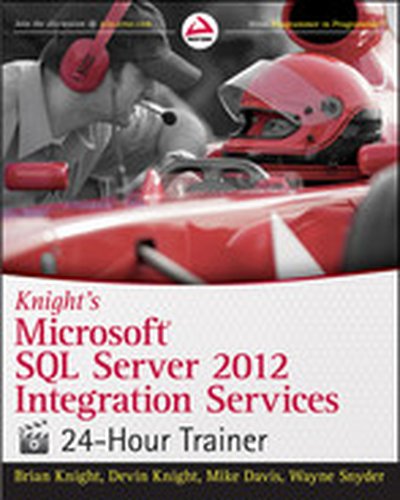
Knight's Microsoft SQL Server 2012 Integration Services 24-Hour Trainer

Book-and-video package gets novices up to speed on Microsoft SQL Server 2012 If you need a practical, hands-on introduction, especially to SQL Server Integration Services (SSIS), this book-and-video package from authority Brian Knight is the perfect solution. Each lesson includes three major components: a description of how each SSIS feature or process works, a tutorial that walks you through the process or technique, and an accompanying video lesson. It's a complete learning package that will give you the confidence you need to start your first SSIS project. Guides novice database administrators and developers who are learning Microsoft SQL Server 2012 and SQL Server Integration Services (SSIS) Provides expert instruction from leading SQL Server authority and author, Brian Knight Includes a book and a video, complete instruction that includes lessons, hands-on tutorials, and video demonstrations by the author Covers the very latest changes and updates in the SQL Server 2012 release Microsoft SQL Server 2012 Integration Services 24-Hour Trainer makes SQL Server 2012 and SSIS much less intimidating. Note: CD-ROM/DVD and other supplementary materials are not included as part of the e-book file, but are available for download after purchase.

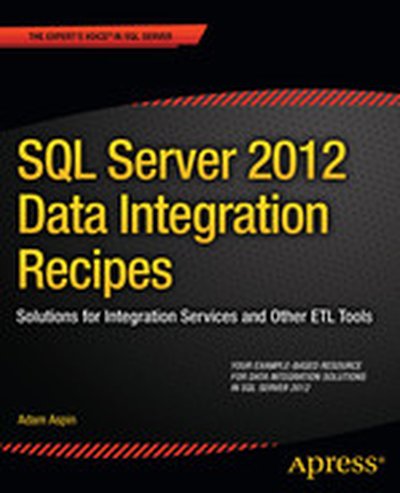
SQL Server 2012 Data Integration Recipes: Solutions for Integration Services and Other ETL Tools

SQL Server 2012 Data Integration Recipes provides focused and practical solutions to real world problems of data integration. Need to import data into SQL Server from an outside source? Need to export data and send it to another system? SQL Server 2012 Data Integration Recipes has your back. You'll find solutions for importing from Microsoft Office data stores such as Excel and Access, from text files such as CSV files, from XML, from other database brands such as Oracle and MySQL, and even from other SQL Server databases. You'll learn techniques for managing metadata, transforming data to meet the needs of the target system, handling exceptions and errors, and much more. What DBA or developer isn't faced with the need to move data back and forth? Author Adam Aspin brings 10 years of extensive ETL experience involving SQL Server, and especially satellite products such as Data Transformation Services and SQL Server Integration Services. Extensive coverage is given to Integration Services, Microsoft's flagship tool for data integration in SQL Server environments. Coverage is also given to the broader range of tools such as OPENDATASOURCE, linked servers, OPENROWSET, Migration Assistant for Access, BCP Import, and BULK INSERT just to name a few. If you're looking for a resource to cover data integration and ETL across the gamut of Microsoft's SQL Server toolset, SQL Server 2012 Data Integration Recipes is the one book that will meet your needs. Provides practical and proven solutions towards creating resilient ETL environments Clearly answers the tough questions which professionals ask Goes beyond the tools to a thorough discussion of the underlying techniques Covers the gamut of data integration, beyond just SSIS Includes example databases and files to allow readers to test the recipes What you'll learn Import and export to and from CSV files, XML files, and other text-based sources. Move data between SQL databases, including SQL Server and others such as Oracle Database and MySQL. Discover and manage metadata held in various database systems. Remove duplicates and consolidate from multiple sources. Transform data to meet the needs of target systems. Profile source data as part of the discovery process. Log and manage errors and exceptions during an ETL process. Improve efficiency by detecting and processing only changed data. Who this book is for SQL Server 2012 Data Integration Recipes is written for developers wishing to find fast and reliable solutions for importing and exporting to and from SQL Server. The book appeals to DBAs as well, who are often tasked with implementing ETL processes. Developers and DBAs moving to SQL Server from other platforms will find the succinct, example-based approach ideal for quickly applying their general ETL knowledge to the specific tools provided as part of a SQL Server environment.

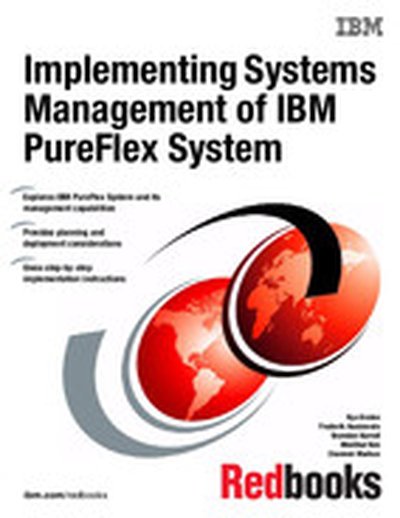
Implementing Systems Management of IBM PureFlex System

To meet today's complex and ever-changing business demands, you need a solid foundation of compute, storage, networking, and software resources. This system must be simple to deploy, and be able to quickly and automatically adapt to changing conditions. You also need to be able to take advantage of broad expertise and proven guidelines in systems management, applications, industry solutions, and more. IBM® PureFlex™ System combines no-compromise system designs along with built-in expertise, and integrates them into complete, optimized scalable solutions. With IBM Flex System™ Manager, multiple solution components that include compute nodes, network and storage infrastructures, storage systems, and heterogeneous virtualization environments can be managed from a single panel. This IBM Redbooks® publication introduces IBM PureFlex System and its management devices and appliances. It provides implementation guidelines for managing Linux KVM, IBM PowerVM®, VMware vSphere and Microsoft Hyper-V virtualization environments. This book is intended for the IT community of clients, Business Partners, and IBM employees who are interested in planning and implementing systems management of the IBM PureFlex System.

Statistics for Economics

Statistics is the branch of mathematics that deals with real-life problems. As such, it is an essential tool for economists. Unfortunately, the way you and many other economists learn the concept of statistics is not compatible with the way economists think and learn. The problem is worsened by the use of mathematical jargon and complex derivations. Here’s a book that proves none of this is necessary. All the examples and exercises in this book are constructed within the field of economics, thus eliminating the difficulty of learning statistics with examples from fields that have no relation to business, politics, or policy. Statistics is, in fact, not more difficult than economics. Anyone who can comprehend economics can understand and use statistics successfully within this field, including you! This book utilizes Microsoft Excel to obtain statistical results, as well as to perform additional necessary computations. Microsoft Excel is not the software of choice for performing sophisticated statistical analysis. However, it is widely available, and almost everyone has some degree of familiarity with it. Using Excel will eliminate the need for students and readers to buy and learn new software, the need that itself would prove to be another impediment to learning and using statistics.