talk-data.com talk-data.com

Topic

Azure

Microsoft Azure

cloud cloud_provider microsoft infrastructure

723

tagged

Activity Trend

278 peak/qtr
2020-Q1 2026-Q1

Activities

723 activities · Newest first

Microsoft Mapping: Geospatial Development in Windows 10 with Bing Maps and C#, Second Edition

This revised edition of Microsoft Mapping includes the latest details about SQL Server 2014 and the new 3D and Streetside-capable map control for Windows 10 applications. It contains updated chapters on Microsoft Azure and Power Map for Excel plus a new chapter on Bing Maps for Universal Windows. The book tells a story, from beginning to end, of planning and deploying a single geospatial application built using Microsoft technologies from end-to-end. Readers are expected to have basic familiarity with the fundamentals of developing for Microsoft platforms (some understanding of basic SQL, C#, .NET, and WCF); as readers work through the book they will build on their existing skills so that they will be able to deploy geospatial applications for social networking, data collection, enterprise management, or other purposes.

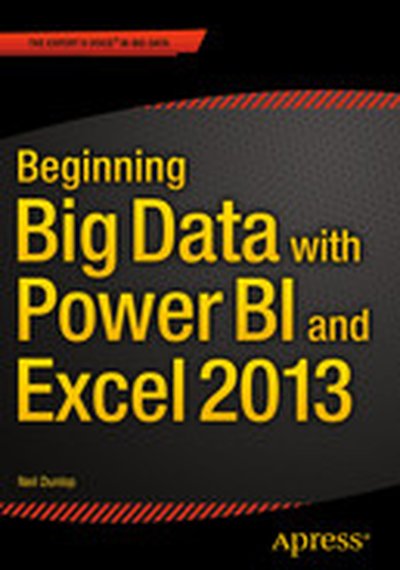
Beginning Big Data with Power BI and Excel 2013

In Beginning Big Data with Power BI and Excel 2013, you will learn to solve business problems by tapping the power of Microsoft’s Excel and Power BI to import data from NoSQL and SQL databases and other sources, create relational data models, and analyze business problems through sophisticated dashboards and data-driven maps. While Beginning Big Data with Power BI and Excel 2013 covers prominent tools such as Hadoop and the NoSQL databases, it recognizes that most small and medium-sized businesses don’t have the Big Data processing needs of a Netflix, Target, or Facebook. Instead, it shows how to import data and use the self-service analytics available in Excel with Power BI. As you’ll see through the book’s numerous case examples, these tools—which you already know how to use—can perform many of the same functions as the higher-end Apache tools many people believe are required to carry out in Big Data projects. Through instruction, insight, advice, and case studies, Beginning Big Data with Power BI and Excel 2013 will show you how to: Import and mash up data from web pages, SQL and NoSQL databases, the Azure Marketplace and other sources. Tap into the analytical power of PivotTables and PivotCharts and develop relational data models to track trends and make predictions based on a wide range of data. Understand basic statistics and use Excel with PowerBI to do sophisticated statistical analysis—including identifying trends and correlations. Use SQL within Excel to do sophisticated queries across multiple tables, including NoSQL databases. Create complex formulas to solve real-world business problems using Data Analysis Expressions (DAX).

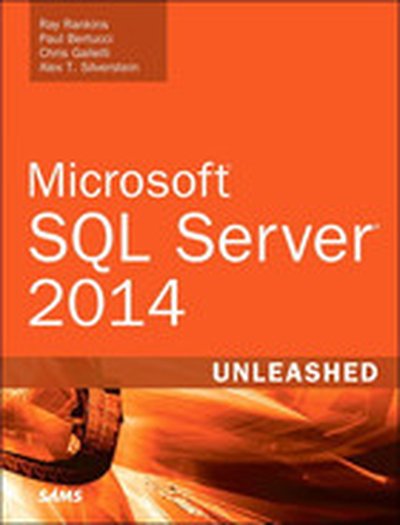
Microsoft SQL Server 2014 Unleashed

The industry’s most complete, useful, and up-to-date guide to SQL Server 2014. You’ll find start-to-finish coverage of SQL Server’s core database server and management capabilities: all the real-world information, tips, guidelines, and examples you’ll need to install, monitor, maintain, and optimize the most complex database environments. The provided examples and sample code provide plenty of hands-on opportunities to learn more about SQL Server and create your own viable solutions. Four leading SQL Server experts present deep practical insights for administering SQL Server, analyzing and optimizing queries, implementing data warehouses, ensuring high availability, tuning performance, and much more. You will benefit from their behind-the-scenes look into SQL Server, showing what goes on behind the various wizards and GUI-based tools. You’ll learn how to use the underlying SQL commands to fully unlock the power and capabilities of SQL Server. Writing for all intermediate-to-advanced-level SQL Server professionals, the authors draw on immense production experience with SQL Server. Throughout, they focus on successfully applying SQL Server 2014’s most powerful capabilities and its newest tools and features. Detailed information on how to… Understand SQL Server 2014’s new features and each edition’s capabilities and licensing Install, upgrade to, and configure SQL Server 2014 for better performance and easier management Streamline and automate key administration tasks with Smart Admin Leverage powerful new backup/restore options: flexible backup to URL, Managed Backup to Windows Azure, and encrypted backups Strengthen security with new features for enforcing “least privilege” Improve performance with updateable columnstore indexes, Delayed Durability, and other enhancements Execute queries and business logic more efficiently with memoryoptimized tables, buffer pool extension, and natively-compiled stored procedures Control workloads and Disk I/O with the Resource Governor Deploy AlwaysOn Availability Groups and Failover Cluster Instances to achieve enterprise-class availability and disaster recovery Apply new Business Intelligence improvements in Master Data Services, data quality, and Parallel Data Warehouse

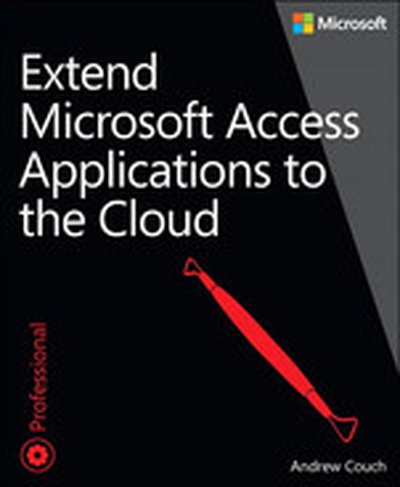
Extend Microsoft Access Applications to the Cloud

Learn how to create an Access web app, and move your database into the cloud. This practical book shows you how to design an Access web app for Microsoft Office 365, and convert existing Access desktop databases to a web app as well. You’ll quickly learn your way around the web app design environment, including how to capitalize on its strengths and avoid the pitfalls. You don’t need any special web skills to get started. Discover how to: Make your desktop database compatible with web app table structures Create tables, views, and queries Customize the table selector and work with popup views to provide a navigation interface Implement business rules using the Macro Programming Tools Develop using Office 365 and SharePoint 2013 Use SQL Azure to investigate how your web app is structured Design, test, and troubleshoot Data Macros Understand how security links between a web app and Office 365 Deploy a public facing web app on your Office 365 public website

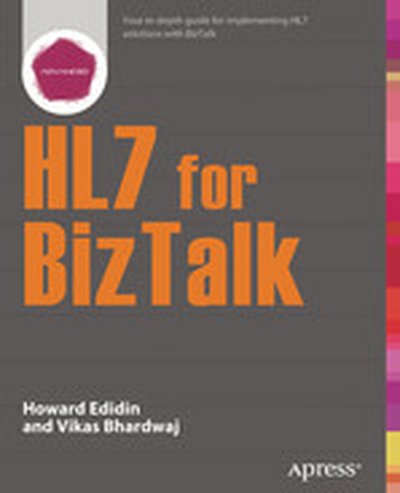
HL7 for BizTalk

Vikas Bhardwaj is a Technical Architect at Syntel Inc. Vikas has 14 years of IT experience with Microsoft Technologies like BizTalk Server, .NET, C#, SQL Server. Vikas has implemented various integration solution using BizTalk Server including one of the largest implementation of BizTalk and HL7. Vikas presently lives in Nashville, Tennessee with his wife Poonam and two kids Shivam & Ayaan. You can check out Vikas' blog at http://vikasbhardwaj15.blogspot.com/ and Vikas can be contacted directly at [email protected]. HL7 for BizTalk provides a detailed guide to the planning and delivery of a HL7-compliant system using the dedicated Microsoft BizTalk for HL7 Accelerator. The HL7 Primary Standard, its various versions, and the use of the HL7 Accelerator for BizTalk are broken out and fully explained. HL7 for BizTalk provides clear guidance on the specific healthcare scenarios that HL7 is designed to overcome and provides working case study models of how HL7 solutions can be implemented in BizTalk, deployed in practice and monitored during operation. Special emphasis is given in this book to the BizTalk reporting functionality and its use to provide HL7 oversight within organizations. HL7 for BizTalk is suitable for use with BizTalk versions from 2006 R2 to 2013 R2 to suit the reader organization. All three versions of the HL7 standard and their differences, are explained. Howard S. Edidin is an integrations architect specializing in enterprise application integration. Howard runs his own consulting firm, Edidin Group, Inc, which is a Gold Member of the HL7 International Organization. Howard's firm specializes in delivering HL7 and HIPAA Healthcare solutions and providing guidance in the use of HL7 with BizTalk. Howard is active in several HL7 Working Groups and is involved with the development of a new HL7 Standard. In addition to BizTalk, Howard works with Azure, SQL Server, and SharePoint. Howard and his wife Sharon, live in a northern suburb of Chicago. Howard maintains several blogs, biztalkin-howard.blogspot.com and fhir-biztalk.com. Howard can be contacted directly at [email protected].

Beginning T-SQL

" " Beginning T-SQLis a performance-oriented introduction to the T-SQL language underlying the Microsoft SQL Server database engine. T-SQL is essential in writing SQL statements to get data into and out of a database. T-SQL is the foundation for business logic embedded in the database in the form of stored procedures and functions. Beginning T-SQLstarts you on the path to mastering T-SQL,with an emphasis on best-practices and sound coding techniques leading to excellent performance. This new edition is updated to cover the essential features of T-SQL found in SQL Server 2014, 2012, and 2008.Beginning T-SQL begins with an introduction to databases, normalization, and to SQL Server Management Studio. Attention is given to Azure SQL Database and how to connect to remote databases in the cloud. Each subsequent chapter teaches an aspect of T-SQL, building on the skills learned in previous chapters. Exercises in most chapters provide an opportunity for the hands-on practice that leads to true learning and distinguishes the competent professional. Important techniques such as windowing functions are covered to help write fast executing queries that solve real business problems.A stand-out feature in this book is that most chapters end with a ""Thinking About Performance"" section. These sections cover aspects of query performance relative to the content just presented. They'll help you avoid beginner mistakes by knowing about and thinking about performance from Day 1.

Microsoft® Azure™ SQL Database Step by Step

Your hands-on guide to Azure SQL Database fundamentals Expand your expertise—and teach yourself the fundamentals of Microsoft Azure SQL Database. If you have previous programming experience but are new to Azure, this tutorial delivers the step-by-step guidance and coding exercises you need to master core topics and techniques. Discover how to: Perform Azure setup and configuration Explore design and security considerations Use programming and reporting services Migrate data Backup and sync data Work with scalability and high performance Understand the differences between SQL Server and Microsoft Azure SQL Database

Pro Microsoft HDInsight: Hadoop on Windows

Pro Microsoft HDInsight is a complete guide to deploying and using Apache Hadoop on the Microsoft Windows Azure Platforms. The information in this book enables you to process enormous volumes of structured as well as non-structured data easily using HDInsight, which is Microsoft's own distribution of Apache Hadoop. Furthermore, the blend of Infrastructure as a Service (IaaS) and Platform as a Service (PaaS) offerings available through Windows Azure lets you take advantage of Hadoop's processing power without the worry of creating, configuring, maintaining, or managing your own cluster. With the data explosion that is soon to happen, the open source Apache Hadoop Framework is gaining traction, and it benefits from a huge ecosystem that has risen around the core functionalities of the Hadoop distributed file system (HDFS™) and Hadoop Map Reduce. Pro Microsoft HDInsight equips you with the knowledge, confidence, and technique to configure and manage this ecosystem on Windows Azure. The book is an excellent choice for anyone aspiring to be a data scientist or data engineer, putting you a step ahead in the data mining field. Guides you through installation and configuration of an HDInsight cluster on Windows Azure Provides clear examples of configuring and executing Map Reduce jobs Helps you consume data and diagnose errors from the Windows Azure HDInsight Service What you'll learn Create and Manage HDInsight clusters on Windows Azure Understand the different HDInsight services and configuration files Develop and run Map Reduce jobs using .NET and PowerShell Consume data from client applications like Microsoft Excel and Power View Monitor job executions and logs Troubleshoot common problems Who this book is for Pro Microsoft HDInsight: Hadoop on Windows is an excellent choice for developers in the field of business intelligence and predictive analysis who want that extra edge in technology on Microsoft Windows and Windows Azure platforms. The book is for people who love to slice and dice data, and identify trends and patterns through analysis of data to help in creative and intelligent decision making.

BizTalk 2013 Recipes: A Problem-Solution Approach, Second Edition

BizTalk 2013 Recipes provides ready-made solutions to BizTalk Server 2013 developers. The recipes in the book save you the effort of developing your own solutions to common problems that have been solved many times over. The solutions demonstrate sound practice, the result of hard-earned wisdom by those who have gone before. Presented in a step-by-step format with clear code examples and explanations, the solutions in BizTalk 2013 Recipes help you take advantage of new features and deeper capabilities in BizTalk Server 2013. You'll learn to integrate your solutions with the cloud, configure BizTalk on Azure, work with electronic data interchange (EDI), and deploy the growing range of adapters for integrating with the different systems and technologies that you will encounter. You'll find recipes covering all the core areas: schemas, maps, orchestrations, messaging and more. BizTalk Server 2013 is Microsoft's market-leading platform for orchestrating process flow across disparate applications. BizTalk 2013 Recipes is your key to unlocking the full power of that platform. What you'll learn Automate business processes across different systems in your enterprise. Build, test, and deploy complex maps and schemas. Implement the business rules engine (BRE). Develop business activity monitoring (BAM) solutions. Manage electronic data interchange (EDI) with trading partners. Monitor and troubleshoot automated processes. Deploy BizTalk to Azure and build cloud based solutions. Who this book is for BizTalk 2013 Recipes is aimed at developers working in Microsoft BizTalk Server 2013. Experienced BizTalk developers will find great value in the information around new functionality in the 2013 release such as that for cloud based integrations. Those brand new to BizTalk will appreciate the clear examples of core functionality that help them understand how best to design and deploy BizTalk Server solutions.

Microsoft Mapping: Geospatial Development with Bing Maps and C#

Geospatial mapping applications have become hugely popular in recent years. With smart-phone and tablet numbers snow-balling this trend looks set to continue well into the future. Indeed, it is true to say that in today's mobile world location-aware apps are becoming the norm rather than the exception. In Microsoft Mapping author Ray Rischpater showcases Microsoft's Bing Maps API and demonstrates how its integration features make it by far the strongest mapping candidate for business that are already using Windows 8 or the .NET Framework. Whether you want to build a new app from scratch of add a few modest geospatial features to your existing website Ray's carefully chosen examples will provide you with both the inspiration and the code you need to achieve your goals. What you'll learn Fully working code samples that show the concepts in use with ASP.NET 4.5, Windows 8 and Windows Phone. Complete solutions to the common problems of geospatial development: visualisation, hosting and localization of services are all explained. Demonstrates how the Bing Maps API can be connected to the Azure Cloud in order to provide a stand-alone mapping bolt-on with little additional up-front cost and great reliability. Unique coverage of how the Bing Maps API can be implanted within Windows Phone and iOS apps to provide a robust service tailored to the capabilities of each device. Who this book is for This book is for experienced Microsoft developers with a grounding in C# and .NET together with a basic understanding of WCF.

The Definitive Guide to MongoDB: A complete guide to dealing with Big Data using MongoDB, Second Edition

The Definitive Guide to MongoDB, Second Edition, is updated for the latest version and includes all of the latest MongoDB features, including the aggregation framework introduced in version 2.2 and hashed indexes in version 2.4. MongoDB is the most popular of the "Big Data" NoSQL database technologies, and it's still growing. David Hows from 10gen, along with experienced MongoDB authors Peter Membrey and Eelco Plugge, provide their expertise and experience in teaching you everything you need to know to become a MongoDB pro. The Definitive Guide to MongoDB, Second Edition, starts with the basics, including how to install on Windows, Linux, and OS X, and how MongoDB handles your data. Then you'll learn how to develop with MongoDB with both PHP and Python, including an example application using a PHP driver to create a blog application. Finally, you'll dig into more advanced but extremely important MongoDB features, including optimization, replication, and sharding -- load-balancing that makes MongoDB ideal for dealing with Big Data. If you're dealing with data, MongoDB should be on your must-learn list. The Definitive Guide to MongoDB, Second Edition, is just the book you need. What you'll learn Set up MongoDB on all major server platforms, including Windows, Linux, OS X, and cloud platforms like Rackspace, Azure, and Amazon EC2 Work with GridFS and the new aggregation framework Work with your data using non-SQL commands Write applications using either PHP or Python Optimize MongoDB Master MongoDB administration, including replication, replication tagging, and tag-aware sharding Who this book is for Database admins and developers who need to get up to speed on MongoDB and its Big Data, NoSQL approach to dealing with data management.

Developing Cloud Applications with Windows Azure™ Storage

Get the focused, pragmatic guidance you need to build professional cloud applications using Windows Azure Storage. This is one of the few books centered around Storage capabilities, and the author provides essential, expert coverage of the four key services - BLOB, tables, queues, and drives. Developers will gain hands-on insights, including detailed sections on business use cases and guidance for choosing the right storage option for the job. Provides architectural and programming guidance to professional developers and architects proficient with Microsoft Visual Studio, C#, and LINQ Illuminates when and how to use BLOB storage, table storage, queues, and Windows Azure Drive to build, host, and scale applications in Microsoft-managed datacenters Presents business-case context for choosing the right service for your scenario, e.g. readers will compare relational tables to Windows Azure tables to understand benefits and tradeoffs

Pro SQL Database for Windows Azure: SQL Server in the Cloud, Second Edition

Pro SQL Database for Windows Azure, 2nd Edition shows how to create enterprise-level database deployments without the usual investment in datacenter and other infrastructure. Take advantage instead of Microsoft's worldwide backbone for cloud computing that delivers all the power of SQL Server in the form of the cloud-based SQL Database for Windows Azure. You can create and deploy a database in mere minutes that is accessible worldwide and takes advantage of SQL Database's high-availability features to protect your data while ensuring 99.9% uptime. SQL Azure is ideally suited for startups, who can benefit from instant access to a robust and secure web-accessible database platform for use in rapidly deploying new products to market. SQL Azure is also ideal for small and mid-sized businesses, giving them the same ability to deploy SQL Server as any large enterprise, but without the management overhead. Even large enterprises find SQL Azure useful in creating failover environments, development environments, extra capacity to handle surges in demand, and more. Pro SQL Database for Windows Azure covers the very latest in Microsoft's fast-moving, cloud platform, showing how to program and administer it in a variety of cloud computing scenarios. You'll learn to program SQL Azure from ASP.NET, from WinForms, and from SQL Reporting Services. You'll learn to manage the platform by planning for scalability, troubleshooting performance issues, and implementing strong security. You'll learn the unique aspects of SQL Azure such as sharding and federation support that combine to place SQL Azure a step above and ahead of the competiton. Shows how to use SQL Azure from classic Windows applications, ASP.NET and Windows Communication Foundation Covers management, performance, scalability, and troubleshooting Addresses the all-important issue of securing your data Helps you properly design for high-performance in a cloud environment Helps you adopt the new Federations feature in SQL Azure What you'll learn Create and manage SQL Database for Windows Azure databases Access SQL Azure from WinForms, ASP.NET, Reporting Services, and more Optimize database design for Azure's distributed cloud platform Share data between databases using SQL Database's Data Synch Service Secure data from intrusion and unauthorized access Learn strategies for data migration and backup Who this book is for Pro SQL Database for Windows Azure, 2nd Edition is aimed at developers and database administrators desiring instant access to a fully-capable SQL Server database environment without the pain of sorting out and managing the physical infrastructure.

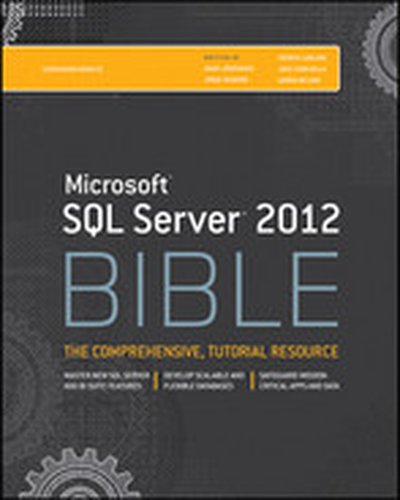
Microsoft SQL Server 2012 Bible

Harness the powerful new SQL Server 2012 Microsoft SQL Server 2012 is the most significant update to this product since 2005, and it may change how database administrators and developers perform many aspects of their jobs. If you're a database administrator or developer, Microsoft SQL Server 2012 Bible teaches you everything you need to take full advantage of this major release. This detailed guide not only covers all the new features of SQL Server 2012, it also shows you step by step how to develop top-notch SQL Server databases and new data connections and keep your databases performing at peak. The book is crammed with specific examples, sample code, and a host of tips, workarounds, and best practices. In addition, downloadable code is available from the book's companion web site, which you can use to jumpstart your own projects. Serves as an authoritative guide to Microsoft's SQL Server 2012 for database administrators and developers Covers all the software's new features and capabilities, including SQL Azure for cloud computing, enhancements to client connectivity, and new functionality that ensures high-availability of mission-critical applications Explains major new changes to the SQL Server Business Intelligence tools, such as Integration, Reporting, and Analysis Services Demonstrates tasks both graphically and in SQL code to enhance your learning Provides source code from the companion web site, which you can use as a basis for your own projects Explores tips, smart workarounds, and best practices to help you on the job Get thoroughly up to speed on SQL Server 2012 with Microsoft SQL Server 2012 Bible.

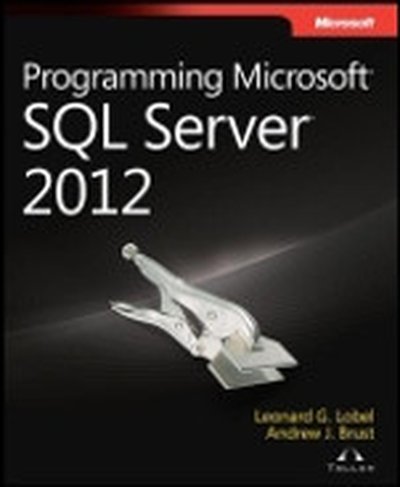
Programming Microsoft® SQL Server® 2012

Your essential guide to key programming features in Microsoft SQL Server 2012 Take your database programming skills to a new level—and build customized applications using the developer tools introduced with SQL Server 2012. This hands-on reference shows you how to design, test, and deploy SQL Server databases through tutorials, practical examples, and code samples. If you’re an experienced SQL Server developer, this book is a must-read for learning how to design and build effective SQL Server 2012 applications. Discover how to: Build and deploy databases using the SQL Server Data Tools IDE Query and manipulate complex data with powerful Transact-SQL enhancements Integrate non-relational features, including native file streaming and geospatial data types Consume data with Microsoft ADO.NET, LINQ, and Entity Framework Deliver data using Windows Communication Foundation (WCF) Data Services and WCF RIA Services Move your database to the cloud with Windows Azure SQL Database Develop Windows Phone cloud applications using SQL Data Sync Use SQL Server BI components, including xVelocity in-memory technologies

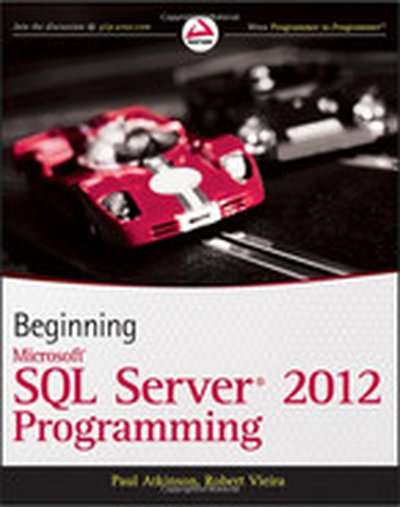
Beginning Microsoft® SQL Server® 2012 Programming

Get up to speed on the extensive changes to the newest release of Microsoft SQL Server The 2012 release of Microsoft SQL Server changes how you develop applications for SQL Server. With this comprehensive resource, SQL Server authority Robert Vieira presents the fundamentals of database design and SQL concepts, and then shows you how to apply these concepts using the updated SQL Server. Publishing time and date with the 2012 release, Beginning Microsoft SQL Server 2012 Programming begins with a quick overview of database design basics and the SQL query language and then quickly proceeds to show you how to implement the fundamental concepts of Microsoft SQL Server 2012. You'll explore the key additions and changes to this newest version, including conditional action constructs, enhanced controls for results paging, application integration with SharePoint and Excel, and development of BI applications. Covers new features such as SQL Azure for cloud computing, client-connectivity enhancements, security and compliance, data replication, and data warehouse performance improvements Addresses essential topics including managing keys, writing scripts, and working with store procedures Shares helpful techniques for creating and changing tables, programming with XML, and using SQL Server Reporting and Integration Services Beginning Microsoft SQL Server 2012 Programming demystifies even the most difficult challenges you may face with the new version of Microsoft SQL Server.

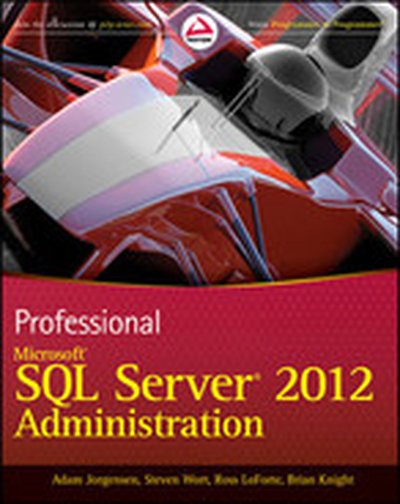
Professional Microsoft SQL Server 2012 Administration

An essential how-to guide for experienced DBAs on the most significant product release since 2005! Microsoft SQL Server 2012 will have major changes throughout the SQL Server and will impact how DBAs administer the database. With this book, a team of well-known SQL Server experts introduces the many new features of the most recent version of SQL Server and deciphers how these changes will affect the methods that administrators have been using for years. Loaded with unique tips, tricks, and workarounds for handling the most difficult SQL Server admin issues, this how-to guide deciphers topics such as performance tuning, backup and recovery, scaling and replication, clustering, and security. Serves as a must-have how-to guide on the new features of the 2012 release of Microsoft SQL Server Walks you through ways to manage and monitor SQL Server and automate administration Guides you through SQL Azure for cloud computing, data replication, and data warehouse performance improvements Addresses client-connectivity enhancements, new features that ensure high availability of mission-critical applications, and tighter integration with Excel and SharePoint for data analysis and reporting Highlights major changes to the suite of SQL Server BI tools, including integration, reporting, and analysis services Includes real-world case examples and best practices from Microsoft insiders If you're a database administrator eager to get started with the newest version of SQL Server, then this book is essential reading.

Microsoft® Access® 2010 VBA Programming Inside Out

You're beyond the basics, so dive right in and customize, automate, and extend Access—using Visual Basic for Applications (VBA). This supremely organized reference is packed with hundreds of time-saving solutions, troubleshooting tips, and workarounds. It's all muscle and no fluff. Discover how the experts use VBA to exploit the power of Access—and challenge yourself to new levels of mastery! Enhance your application with VBA built-in functions and SQL code Use the Access Object Model to work with data in forms and reports Manipulate data using SQL, queries, and recordsets with Data Access Objects (DAO) Create classes for handling form and control events Connect your Access database to different sources of data Effectively plan how to upsize an existing Access database to Microsoft SQL Server Dynamically update Microsoft Excel spreadsheets from the database Migrate your Access database directly to the cloud using SQL Azure

Pro SQL Azure

SQL Azure represents Microsoft's cloud-based delivery of its enterprise-caliber, SQL Server database management system (formerly under the code name "Oslo"). Pro SQL Azure introduces you to this new platform, showing you how to program and administer it in a variety of cloud computing scenarios. You'll learn to program SQL Azure from Silverlight, ASP.NET, WinForms, and from SQL Reporting Services. You'll also understand how to manage the platform by planning for scalability, troubleshooting performance issues, and implementing strong security. Shows how to use SQL Azure from Silverlight, ASP.NET, and more Covers management, scalability, and troubleshooting Addresses the all-important issue of securing your data

Accelerate Distributed AI across Clouds

The future of AI depends on seamless connectivity across clouds and regions. Learn how Equinix and Microsoft enable distributed AI with hybrid multicloud interconnection. Learn how enterprises are optimizing infrastructure to support real-time inferencing, ensuring low-latency access to Azure AI services, and futureproofing innovation with secure, global connectivity.