talk-data.com talk-data.com

Topic

Dashboard

data_visualization reporting bi

306

tagged

Activity Trend

23 peak/qtr
2020-Q1 2026-Q1

Activities

306 activities · Newest first

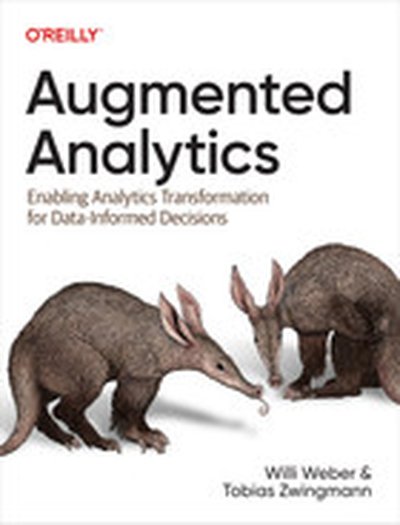
Augmented Analytics

Augmented Analytics isn't just another book on data and analytics; it's a holistic resource for reimagining the way your entire organization interacts with information to become insight-driven. Moving beyond traditional, limited ways of making sense of data, Augmented Analytics provides a dynamic, actionable strategy for improving your organization's analytical capabilities. With this book, you can infuse your workflows with intelligent automation and modern artificial intelligence, empowering more team members to make better decisions. You'll find more in these pages than just how to add another forecast to your dashboard; you'll discover a complete approach to achieving analytical excellence in your organization. You'll explore: Key elements and building blocks of augmented analytics, including its benefits, potential challenges, and relevance in today's business landscape Best practices for preparing and implementing augmented analytics in your organization, including analytics roles, workflows, mindsets, tool sets, and skill sets Best practices for data enablement, liberalization, trust, and accessibility How to apply a use-case approach to drive business value and use augmented analytics as an enabler, with selected case studies This book provide a clear, actionable path to accelerate your journey to analytical excellence.

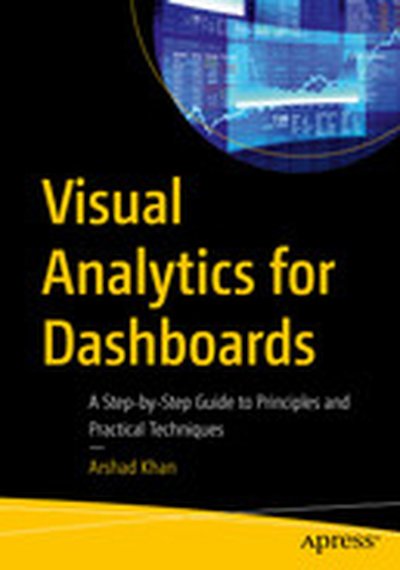
Visual Analytics for Dashboards: A Step-by-Step Guide to Principles and Practical Techniques

This book covers the key principles, best practices, and practical techniques for designing and implementing visually compelling dashboards. It explores the various stages of the dashboard development process, from understanding user needs and defining goals, to selecting appropriate visual encodings, designing effective layouts, and employing interactive elements. It also addresses the critical aspect of data storytelling, examining how narratives and context can be woven into dashboards to deliver impactful insights and engage audiences. Visual Analytics for Dashboards is designed to cater to a wide range of readers, from beginners looking to grasp the fundamentals of visual analytics, to seasoned professionals seeking to enhance their dashboard design skills. For different types of readers, such as a data analyst, BI professional, data scientist, or simply someone interested in data visualization, this book aims to equip them with the knowledge and tools necessary to create impactful dashboards. What you’ll learn The principles of data visualization How to create effective dashboards Meet all the requirements for visual analytics/data visualization/dashboard courses Deepen understanding of data presentation and analysis How to use different kinds of tools for data analysis, such as scorecards and key performance indicators Who This Book Is For Business analysts, data analysts, BI professionals, end-users, executives, developers, as well as students in dashboards, data visualizations, and visual analytics courses.

Today, we’re joined by Mike Palmer, Chief Executive Officer at Sigma, the only cloud analytics solution with a spreadsheet-like interface enabling anyone to explore data at cloud scale and speed. We talk about:  Creating a product for the average person to useIf the dashboard will be replaced by an AI promptDisruption of SaaS in the march toward cloud adoptionDo we have too many SaaS products in the market today?How technology always starts with an expert and ends democratized

Welcome back! In today's solo episode, I share the top five struggles that enterprise SAAS leaders have in the analytics/insight/decision support space that most frequently leads them to think they have a UI/UX design problem that has to be addressed. A lot of today's episode will talk about "slow creep," unaddressed design problems that gradually build up over time and begin to impact both UX and your revenue negatively. I will also share 20 UI and UX design problems I often see (even if clients do not!) that, when left unaddressed, may create sales friction, adoption problems, churn, or unhappy end users. If you work at a software company or are directly monetizing an ML or analytical data product, this episode is for you! 

Highlights/ Skip to 

I discuss how specific UI/UX design problems can significantly impact business performance (02:51) I discuss five common reasons why enterprise software leaders typically reach out for help (04:39) The 20 common symptoms I've observed in client engagements that indicate the need for professional UI/UX intervention or training (13:22) The dangers of adding too many features or customization and how it can overwhelm users (16:00) The issues of integrating  AI into user interfaces and UXs without proper design thinking  (30:08) I encourage listeners to apply the insights shared to improve their data products (48:02)

Quotes from Today’s Episode “One of the problems with bad design is that some of it we can see and some of it we can't — unless you know what you're looking for." - Brian O’Neill (02:23) “Design is usually not top of mind for an enterprise software product, especially one in the machine learning and analytics space. However, if you have human users, even enterprise ones, their tolerance for bad software is much lower today than in the past.” Brian O’Neill - (13:04) “Early on when you're trying to get product market fit, you can't be everything for everyone. You need to be an A+ experience for the person you're trying to satisfy.” -Brian O’Neill (15:39) “Often when I see customization, it is mostly used as a crutch for not making real product strategy and design decisions.”  - Brian O’Neill (16:04)  "Customization of data and dashboard products may be more of a tax than a benefit. In the marketing copy, customization sounds like a benefit...until you actually go in and try to do it. It puts the mental effort to design a good solution on the user." - Brian O’Neill (16:26) “We need to think strategically when implementing Gen AI or just AI in general into the product UX because it won’t automatically help drive sales or increase business value.” - Brian O’Neill (20:50)  “A lot of times our analytics and machine learning tools… are insight decision support products. They're supposed to be rooted in facts and data, but when it comes to designing these products, there's not a whole lot of data and facts that are actually informing the product design choices.” Brian O’Neill - (30:37) “If your IP is that special, but also complex, it needs the proper UI/UX design treatment so that the value can be surfaced in such a way someone is willing to pay for it if not also find it indispensable and delightful.” - Brian O’Neill (45:02)

Links The (5) big reasons AI/ML and analytics product leaders invest in UI/UX design help: https://designingforanalytics.com/resources/the-5-big-reasons-ai-ml-and-analytics-product-leaders-invest-in-ui-ux-design-help/  Subscribe for free insights on designing useful, high-value enterprise ML and analytical data products: https://designingforanalytics.com/list  Access my free frameworks, guides, and additional reading for SAAS leaders on designing high-value ML and analytical data products: https://designingforanalytics.com/resources Need help getting your product’s design/UX on track—so you can see more sales, less churn, and higher user adoption? Schedule a free 60-minute Discovery Call with me and I’ll give you my read on your situation and my recommendations to get ahead:https://designingforanalytics.com/services/

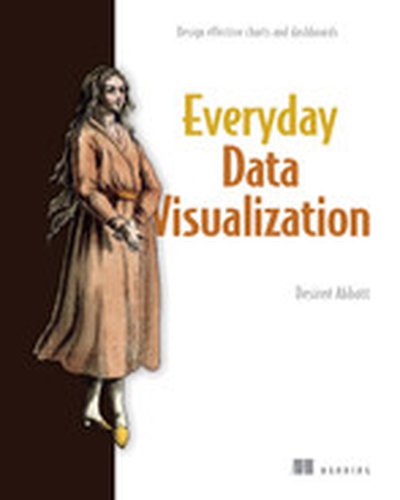
Everyday Data Visualization

Radically improve the quality of your data visualizations by employing core principles of color, typography, chart types, data storytelling, and more. Everyday Data Visualization is a field guide for design techniques that will improve the charts, reports, and data dashboards you build every day. Everything you learn is tool-agnostic, with universal principles you can apply to any data stack. In Everyday Data Visualization you’ll learn important design principles for the most common data visualizations: Harness the power of perception to guide a user’s attention Bring data to life with color and typography Choose the best chart types for your data story Design for interactive visualizations Keep the user’s needs first throughout your projects This book gives you the tools you need to bring your data to life with clarity, precision, and flair. You’ll learn how human brains perceive and process information, wield modern accessibility standards, get the basics of color theory and typography, and more. About the Technology Even mundane presentations like charts, dashboards, and infographics can become engaging and inspiring data stories! This book shows you how to upgrade the visualizations you create every day by improving the layout, typography, color, and accessibility. You’ll discover timeless principles of design that help you highlight important features, compensate for missing information, and interact with live data flows. About the Book Everyday Data Visualization guides you through basic graphic design for the most common types of data visualization. You’ll learn how to enhance charts with color, encourage users to interact and explore data and create visualizations accessible to everyone. Along the way, you’ll practice each new skill as you take a dashboard project from research to publication. What's Inside Bring data to life with color and typography Choose the best chart types for your data story Design interactive visualizations About the Reader For readers experienced with data analysis tools. About the Author Desireé Abbott has over a decade of experience in product analytics, business intelligence, science, design, and software engineering. The technical editor on this book was Michael Petrey. Quotes A delightful blend of data viz principles, guidance, and design tips. The treasure trove of insights I wish I had years ago! - Alli Torban, Author of Chart Spark With vibrant enthusiasm and engaging conversational style, this book shines. - RJ Andrews, data storyteller Elegantly simplifies complex concepts, making them accessible even to beginners. An enlightening journey. - Renato Sinohara, Westwing Group SE Desiree’s approachable writing style makes it easy to dive straight into this book, and you’re in deep before you even know it. I guarantee you’ll learn plenty. - Neil Richards, 5xTableau Visionary, Author of Questions in Dataviz

Iron Viz 2024

Three data viz whizzes race the clock and battle dashboard-to-dashboard to create mind-blowing visualizations in Iron Viz—the world's ultimate data visualization competition. The Iron Viz finalists' visualizations are judged on design, analysis, and storytelling. Stream the data visualization showdown live from Tableau Conference 2024.

Welcome to a special edition of Experiencing Data. This episode is the audio capture from a live Crowdcast video webinar I gave on April 26th, 2024 where I conducted a mini UI/UX design audit of a new podcast analytics service that Chris Hill, CEO of Humblepod, is working on to help podcast hosts grow their show. Humblepod is also the team-behind-the-scenes of Experiencing Data, and Chris had asked me to take a look at his new “Listener Lifecycle” tool to see if we could find ways to improve the UX and visualizations in the tool, how we might productize this MVP in the future, and how improving the tool’s design might help Chris help his prospective podcast clients learn how their listener data could help them grow their listenership and “true fans.”

On a personal note, it was fun to talk to Chris on the show given we speak every week:  Humblepod has been my trusted resource for audio mixing, transcription, and show note summarizing for probably over 100 of the most recent episodes of Experiencing Data. It was also fun to do a “live recording” with an audience—and we did answer questions in the full video version. (If you missed the invite, join my Insights mailing list to get notified of future free webinars).

To watch the full audio and video recording on Crowdcast, free, head over to: https://www.crowdcast.io/c/podcast-analytics-ui-ux-design

Highlights/ Skip to: Chris talks about using data to improve podcasts and his approach to podcast numbers  (03:06) Chris introduces the Listener Lifecycle model which informed the dashboard design (08:17) Chris and I discuss the importance of labeling and terminology in analytics UIs (11:00) We discuss designing for practical use of analytics dashboards to provide actionable insights (17:05) We discuss the challenges podcast hosts face in understanding and utilizing data effectively and how design might help (21:44) I discuss how my CED UX framework for advanced analytics applications helps to facilitate actionable insights (24:37) I highlight the importance of presenting data effectively and in a way that centers to user needs (28:50) I express challenges users may have with podcast rankings and the reliability of data sources (34:24)  Chris and I discuss tailoring data reports to meet the specific needs of clients (37:14)

Quotes from Today’s Episode “The irony for me as someone who has a podcast about machine learning and analytics and design is that I basically never look at my analytics.” - Brian O’Neill (01:14) “The problem that I have found in podcasting is that the number that everybody uses to gauge whether a podcast is good or not is the download number…But there’s a lot of other factors in a podcast that can tell you how successful it’s going to be…where you can pull levers to…grow your show, or engage more with an audience.” - Chris Hill (03:20) “I have a framework for user experience design for analytics called CED, which stands for Conclusions, Evidence, Data… The basic idea is really simple: lead your analytic service with conclusions.”- Brian O’Neill (24:37) “Where the eyes glaze over is when tools are mostly about evidence generators, and we just give everybody the evidence, but there’s no actual analysis about how [this is] helping me improve my life or my business. It’s just evidence. I need someone to put that together.” - Brian O’Neill (25:23) “Sometimes the data doesn’t provide enough of a conclusion about what to do…This is where your opinion starts to matter” - Brian O’Neill (26:07) “It sounds like a benefit, but drilling down for most people into analytics stuff is usually a tax unless you’re an analyst.” - Brian O’Neill (27:39) “Where’s the source of this data, and who decided what these numbers are? Because so much of this stuff…is not shared. As someone who’s in this space, it’s not even that it’s confusing. It’s more like, you got to distill this down for me.” - Brian O’Neill (34:57) “Your clients are probably going to glaze over at this level of data because it’s not helping them make any decision about what to change.”- Brian O’Neill (37:53)

Links Watch the original Crowdcast video recording of this episode Brian’s CED UX Framework for Advanced Analytics Solutions Join Brian’s Insights mailing list

In this game you will learn to build a BI dashboard with Looker Studio as the front end, powered by BigQuery on the back end, learn to use BigQuery to find data, build a time series model to forecast demand of multiple products using BigQuery ML, and create a basic report in Google Data Studio.

Click the blue “Learn more” button above to tap into special offers designed to help you implement what you are learning at Google Cloud Next 25.

In this game you will learn to build a BI dashboard with Looker Studio as the front end, powered by BigQuery on the back end, learn to use BigQuery to find data, build a time series model to forecast demand of multiple products using BigQuery ML, and create a basic report in Google Data Studio.

Click the blue “Learn more” button above to tap into special offers designed to help you implement what you are learning at Google Cloud Next 25.

We all have a role to play in fighting against global warming. You’ll discover the fundamental concepts of different infrastructure design, from legacy to modern serverless hosting. We’ll cover different ways to deploy the same application on these different infrastructures and the key impacts they have on different metrics: duration, cost and CO2. You’ll learn the core concept of serverless services and their advantages. But also how to know the carbon footprint impact of your projects thanks to the carbon footprint dashboard.

Click the blue “Learn more” button above to tap into special offers designed to help you implement what you are learning at Google Cloud Next 25.

We will introduce some core Bigtable data concepts, write some data and explore it in the Cloud Console. Then we'll jump into using techniques to analyze the data in other tools, primarily BigQuery and Looker. We will set up the "Bigtable change streams to BigQuery" Dataflow pipeline, ingest data, query the change log in BigQuery and use Looker to create a visual dashboard. Throughout, we'll compare and contrast different ways to work with your big data in Bigtable to build a foundational understanding of best practices.

Click the blue “Learn more” button above to tap into special offers designed to help you implement what you are learning at Google Cloud Next 25.

Worried about compliance for your platform and containers? Google Kubernetes Engine (GKE) has you covered. This session unlocks the power of GKE Compliance Posture, your real-time dashboard for proactive risk detection and continuous compliance. You’ll be able to see your entire GKE compliance landscape at a glance; stay ahead of risks with constant monitoring against industry standards; and get clear guidance to fix gaps and boost security. Plus, learn from SADA customers.

Click the blue “Learn more” button above to tap into special offers designed to help you implement what you are learning at Google Cloud Next 25.

This week on Experiencing Data, I chat with a new kindred spirit! Recently, I connected with Thabata Romanowski—better known as "T from Data Rocks NZ"—to discuss her experience applying UX design principles to modern analytical data products and dashboards. T walks us through her experience working as a data analyst in the mining sector, sharing the journey of how these experiences laid the foundation for her transition to data visualization. Now, she specializes in transforming complex, industry-specific data sets into intuitive, user-friendly visual representations, and addresses the challenges faced by the analytics teams she supports through her design business. T and I tackle common misconceptions about design in the analytics field, discuss how we communicate and educate non-designers on applying UX design principles to their dashboard and application design work, and address the problem with "pretty charts." We also explore some of the core ideas in T's Design Manifesto, including principles like being purposeful, context-sensitive, collaborative, and humanistic—all aimed at increasing user adoption and business value by improving UX.

Highlights/ Skip to:

I welcome T from Data Rocks NZ onto the show (00:00) T's transition from mining to leading an information design and data visualization consultancy. (01:43) T discusses the critical role of clear communication in data design solutions. (03:39) We address the misconceptions around the role of design in data analytics. (06:54)  T explains the importance of journey mapping in understanding users' needs. (15:25) We discuss the challenges of accurately capturing end-user needs. (19:00)  T and I discuss the importance of talking directly to end-users when developing data products. (25:56)  T shares her 'I like, I wish, I wonder' method for eliciting genuine user feedback. (33:03) T discusses her Data Design Manifesto for creating purposeful, context-aware, collaborative, and human-centered design principles in data. (36:37) We wrap up the conversation and share ways to connect with T. (40:49)

Quotes from Today’s Episode "It's not so much that people…don't know what design is, it's more that they understand it differently from what it can actually do..." - T from Data Rocks NZ (06:59) "I think [misconception about design in technology] is rooted mainly in the fact that data has been very tied to IT teams, to technology teams, and they’re not always up to what design actually does.” - T from Data Rocks NZ (07:42)  “If you strip design of function, it becomes art. So, it’s not art… it’s about being functional and being useful in helping people.” - T from Data Rocks NZ (09:06)

"It’s not that people don’t know, really, that the word design exists, or that design applies to analytics and whatnot; it’s more that they have this misunderstanding that it’s about making things look a certain way, when in fact... It’s about function. It’s about helping people do stuff better." - T from Data Rocks NZ (09:19) “Journey Mapping means that you have to talk to people...  Data is an inherently human thing. It is something that we create ourselves. So, it’s biased from the start. You can’t fully remove the human from the data" - T from Data Rocks NZ (15:36)  “The biggest part of your data product success…happens outside of your technology and outside of your actual analysis. It’s defining who your audience is, what the context of this audience is, and to which purpose do they need that product. - T from Data Rocks NZ (19:08) “[In UX research], a tight, empowered product team needs regular exposure to end customers; there’s nothing that can replace that." - Brian O'Neill (25:58)

“You have two sides [end-users and data team]  that are frustrated with the same thing. The side who asked wasn’t really sure what to ask. And then the data team gets frustrated because the users don’t know what they want…Nobody really understood what the problem is. There’s a lot of assumptions happening there. And this is one of the hardest things to let go.” - T from Data Rocks NZ (29:38) “No piece of data product exists in isolation, so understanding what people do with it… is really important.” - T from Data Rocks NZ (38:51)

Links Design Matters Newsletter: https://buttondown.email/datarocksnz  Website: https://www.datarocks.co.nz/ LinkedIn: https://www.linkedin.com/company/datarocksnz/ BlueSky: https://bsky.app/profile/datarocksnz.bsky.social Mastodon: https://me.dm/@datarocksnz

Building Interactive Dashboards in Microsoft 365 Excel

Microsoft 365 Excel introduces enhanced features that transform how business dashboards are built and maintained. This book guides you through creating dynamic, interactive dashboards that leverage these modern capabilities. From understanding the essential principles of effective dashboard design to mastering the latest tools like Power Query and dynamic array functions, you'll make the most of Excel's full potential. What this Book will help me do Understand the purpose and advantages of effective dashboards in business analytics. Use advanced Excel functions and tools such as Power Query and dynamic arrays to handle complex data workflows. Design visually engaging dashboards using charts and data visualizations that communicate key insights. Optimize dashboards for automation and real-time data updates, saving time and effort. Apply best practices and techniques for creating professional-grade Excel dashboards. Author(s) Michael Olafusi is a skilled data analyst and expert in Microsoft Excel, with years of experience leveraging Excel for business intelligence and analytics solutions. He enjoys teaching Excel users how to elevate their skills to create functional and visually impactful tools. Michael's approach combines clarity and practical advice, helping readers build proficiency and confidence. Who is it for? This book is perfect for Excel users who want to create professional dashboards for business decision support. It's especially useful for data analysts, financial analysts, business analysts, and those in similar roles. It requires a basic familiarity with Excel's interface and is ideal for those seeking to enhance their data presentation skills and automate repetitive reporting tasks.

podcast_episode
by Val Kroll , Julie Hoyer , Tim Wilson (Analytics Power Hour - Columbus (OH) , Moe Kiss (Canva) , Michael Helbling (Search Discovery)

The data has problems. It ALWAYS has problems. Sometimes they're longstanding and well-documented issues that the analyst deeply understands but that regularly trip up business partners. Sometimes they're unexpected interruptions in the data flowing through a complex tech stack. Sometimes they're a dashboard that needs to have its logic tweaked when the calendar rolls into a new year. The analyst often finds herself on point with any and all data problems—identifying an issue when conducting an analysis, receiving an alert about a broken data feed, or simply getting sent a screen capture by a business partner calling out that something looks off in a chart. It takes situational skill and well-tuned judgment calls to figure out what to communicate and when and to whom when any of these happen. And if you don't find some really useful perspectives from Julie, Michael, and Moe on this episode, then we might just have a problem with YOU! (Not really.) For complete show notes, including links to items mentioned in this episode and a transcript of the show, visit the show page.

With GA4 putting web and behavioural data in a data warehouse into the hands of more analysts than ever before, you may be wondering how to get the best from your data in BigQuery (or any data warehouse), keep costs manageable, and how to give your users the best performance possible. This talk will cover different approaches to data modelling, the trade-offs associated with each approach, and how the dashboard/BI tool you’re using (whether it be Looker or Looker Studio, Tableau, Power BI etc) impacts your data modelling.

Send us a text 🎙️ Episode Special: Insights from RootsConf – The Data Dialogue Series Welcome to a special episode of our podcast, direct from the halls of the fifth annual RootsConf, brought to you by Dataroots. This year's conference is buzzing with innovative ideas and cutting-edge tech discussions. We're excited to share with you three thought-provoking interviews with some of the most insightful presenters at the event. 🗣️ Exploring the Future with Sophie & Senne: Voice Cloning: Join us as we delve into the fascinating world of voice cloning. Sophie and Senne offer an in-depth look at how this technology is developed and the ethical considerations it brings to the table. It's a blend of technology and responsibility.💻 Navigating Data Integration Challenges with Nick: We switch gears to data integration challenges with Nick, who also shares his triggering perspective on the role of JavaScript in data solutions. But on a more serious note, it's a practical take on the complexities of integrating cutting-edge tech into existing systems.📊 Increasing Dashboard Adoption: Insights from Sophie & Ben: Rounding out our interviews, Sophie and Ben discuss strategies to boost the adoption and effectiveness of data dashboards. They emphasize the importance of making these tools accessible and engaging for a broader audience.Join us for this special episode where we balance deep tech insights with accessible discussions. Perfect for enthusiasts and professionals alike who are keen to stay ahead in the world of data and technology. Intro music courtesy of fesliyanstudios.com 🎵