talk-data.com talk-data.com

Topic

HTML

HyperText Markup Language (HTML)

web_development markup_language front_end

44

tagged

Activity Trend

15 peak/qtr
2020-Q1 2026-Q1

Activities

Showing filtered results

Filtering by: O'Reilly Data Science Books ×
Exploratory Factor Analysis with SAS

Explore the mysteries of Exploratory Factor Analysis (EFA) with SAS with an applied and user-friendly approach.

Exploratory Factor Analysis with SAS focuses solely on EFA, presenting a thorough and modern treatise on the different options, in accessible language targeted to the practicing statistician or researcher. This book provides real-world examples using real data, guidance for implementing best practices in the context of SAS, interpretation of results for end users, and it provides resources on the book's author page. Faculty teaching with this book can utilize these resources for their classes, and individual users can learn at their own pace, reinforcing their comprehension as they go.

Exploratory Factor Analysis with SAS reviews each of the major steps in EFA: data cleaning, extraction, rotation, interpretation, and replication. The last step, replication, is discussed less frequently in the context of EFA but, as we show, the results are of considerable use. Finally, two other practices that are commonly applied in EFA, estimation of factor scores and higher-order factors, are reviewed. Best practices are highlighted throughout the chapters.

A rudimentary working knowledge of SAS is required but no familiarity with EFA or with the SAS routines that are related to EFA is assumed.

Using SAS University Edition? You can use the code and data sets provided with this book. This helpful link will get you started: http://support.sas.com/publishing/import_ue.data.html

Web Application Development with R Using Shiny Second Edition - Second Edition

This book dives into the practical application of R's power combined with Shiny's simplicity to build web-based analytics and interactive data summary tools. By following this step-by-step guide, you'll go from the basics of building with R and Shiny to creating sophisticated custom dashboards and interactive web apps. What this Book will help me do Create interactive web apps and dashboards using Shiny with impressive user interfaces. Integrate Shiny applications into custom HTML and CSS-based web pages for enhanced flexibility. Produce user-friendly Shiny applications extended with JavaScript and jQuery for added functionality. Develop web solutions that include interactive graphics, maps, and data analysis summaries. Deliver and deploy web apps securely using cloud solutions or self-hosted servers. Author(s) Chris Beeley, an experienced R developer and teacher, has a robust background in statistical programming and data analysis. Chris is passionate about sharing knowledge through practical examples and hands-on exercises. As the author of this book, Chris ensures that readers receive a clear and approachable entry into web application development using Shiny. Who is it for? This book is ideal for data enthusiasts, analysts, and developers looking to transition their analytic skills to the web. It caters to readers with basic programming knowledge but does not require prior experience with R or Shiny. It is perfect for professionals and learners wanting to create interactive analytics tools, dashboards, or data-driven web applications.

D3.js in Action

D3.js in Action is a practical tutorial for creating interactive graphics and data-driven applications using D3.js. You'll start with in-depth explanations of D3's out-of-the-box layouts, along with dozens of practical use cases that align with different types of visualizations. Then, you'll explore practical techniques for content creation, animation, and representing dynamic data—including interactive graphics and data streamed live over the web. The final chapters show you how to use D3's rich interaction model as the foundation for a complete web application. In the end, you'll be ready to integrate D3.js into your web development process and transform any site into a more engaging and sophisticated user experience. About the Technology D3.js is a JavaScript library that allows data to be represented graphically on a web page. Because it uses the broadly supported SVG standard, D3 allows you to create scalable graphs for any modern browser. You start with a structure, dataset, or algorithm and programmatically generate static, interactive, or animated images that responsively scale to any screen. About the Book D3.js in Action introduces you to the most powerful web data visualization library available and shows you how to use it to build interactive graphics and data-driven applications. You'll start with dozens of practical use cases that align with different types of charts, networks, and maps using D3's out-of-the-box layouts. Then, you'll explore practical techniques for content design, animation, and representation of dynamic data—including interactive graphics and live streaming data. What's Inside Interacting with vector graphics Expressive data visualization Creating rich mapping applications Prepping your data Complete data-driven web apps in D3 About the Reader Readers need basic HTML, CSS, and JavaScript skills. No experience with D3 or SVG is required. About the Author Elijah Meeks is a senior data visualization engineer at Netflix. His D3.js portfolio includes work at Stanford University and with well-known companies worldwide. Quotes A mandatory introduction to a very complex and powerful library. - Stephen Wakely, Thomson Reuters Quickly gets you coding amazing visualizations. - Ntino Krampis, PhD, City University of New York A remarkable exploration of the world of dataviz possibilities with D3. - Arun Noronha, Directworks Inc. A must-have book. - Arif Shaikh, Sony Pictures Entertainment One of the most comprehensive books about data visualization I have ever read. - Andrea Mostosi, The Fool s.r.l.

Computer Science Illuminated, 6th Edition

Each new print copy includes Navigate 2 Advantage Access that unlocks a comprehensive and interactive eBook, student practice activities and assessments, a full suite of instructor resources, and learning analytics reporting tools.

Fully revised and updated, the Sixth Edition of the best-selling text Computer Science Illuminated retains the accessibility and in-depth coverage of previous editions, while incorporating all-new material on cutting-edge issues in computer science. Authored by the award-winning Nell Dale and John Lewis, Computer Science Illuminated’s unique and innovative layered approach moves through the levels of computing from an organized, language-neutral perspective.

Designed for the introductory computing and computer science course, this student-friendly Sixth Edition provides students with a solid foundation for further study, and offers non-majors a complete introduction to computing.

Key Features of the Sixth Edition include:

Access to Navigate 2 online learning materials including a comprehensive and interactive eBook, student practice activities and assessments, learning analytics reporting tools, and more
Completely revised sections on HTML and CSS
Updates regarding Top Level Domains, Social Networks, and Google Analytics
All-new section on Internet management, including ICANN control and net neutrality 
New design, including fully revised figures and tables
New and updated Did You Know callouts are included in the chapter margins
New and revised Ethical Issues and Biographies throughout emphasize the history and breadth of computing
Available in our customizable PUBLISH platform

A collection of programming language chapters are available as low-cost bundling options. Available chapters include: Java, C++, Python, Alice, SQL, VB.NET, RUBY, Perl, Pascal, and JavaScript.

With Navigate 2, technology and content combine to expand the reach of your classroom. Whether you teach an online, hybrid, or traditional classroom-based course, Navigate 2 delivers unbeatable value. Experience Navigate 2 today at www.jblnavigate.com/2

Automated Data Collection with R: A Practical Guide to Web Scraping and Text Mining

A hands on guide to web scraping and text mining for both beginners and experienced users of R Introduces fundamental concepts of the main architecture of the web and databases and covers HTTP, HTML, XML, JSON, SQL. Provides basic techniques to query web documents and data sets (XPath and regular expressions). An extensive set of exercises are presented to guide the reader through each technique. Explores both supervised and unsupervised techniques as well as advanced techniques such as data scraping and text management. Case studies are featured throughout along with examples for each technique presented. R code and solutions to exercises featured in the book are provided on a supporting website.

Create Web Charts with D3

Create Web Charts with D3 shows how to convert your data into eye-catching, innovative, animated, and highly interactive browser-based charts. This book is suitable for developers of all experience levels and needs: if you want power and control and need to create data visualization beyond traditional charts, then D3 is the JavaScript library for you. By the end of the book, you will have a good knowledge of all the elements needed to manage data from every possible source, from high-end scientific instruments to Arduino boards, from PHP SQL databases queries to simple HTML tables, and from Matlab calculations to reports in Excel. This book contains content previously published in Beginning JavaScript Charts. Create all kinds of charts using the latest technologies available on browsers Full of step-by-step examples, Create Web Charts with D3 introduces you gradually to all aspects of chart development, from the data source to the choice of which solution to apply. This book provides a number of tools that can be the starting point for any project requiring graphical representations of data, whether using commercial libraries or your own

Data Science at the Command Line

This hands-on guide demonstrates how the flexibility of the command line can help you become a more efficient and productive data scientist. You’ll learn how to combine small, yet powerful, command-line tools to quickly obtain, scrub, explore, and model your data. To get you started—whether you’re on Windows, OS X, or Linux—author Jeroen Janssens introduces the Data Science Toolbox, an easy-to-install virtual environment packed with over 80 command-line tools. Discover why the command line is an agile, scalable, and extensible technology. Even if you’re already comfortable processing data with, say, Python or R, you’ll greatly improve your data science workflow by also leveraging the power of the command line. Obtain data from websites, APIs, databases, and spreadsheets Perform scrub operations on plain text, CSV, HTML/XML, and JSON Explore data, compute descriptive statistics, and create visualizations Manage your data science workflow using Drake Create reusable tools from one-liners and existing Python or R code Parallelize and distribute data-intensive pipelines using GNU Parallel Model data with dimensionality reduction, clustering, regression, and classification algorithms

ODS Techniques

Enhance your SAS ODS output with this collection of basic to novel ideas.

SAS Output Delivery System (ODS) expert Kevin D. Smith has compiled a cookbook-style collection of his top ODS tips and techniques to teach you how to bring your reports to a new level and inspire you to see ODS in a new light.

This collection of code techniques showcases some of the most interesting and unusual methods you can use to enhance your reports within the SAS Output Delivery System. It includes general ODS tips, as well as techniques for styles, enhancing tabular output, ODS HTML, ODS PDF, ODS Microsoft Excel destinations, and ODS DOCUMENT.

Smith offers tips based on his own extensive knowledge of ODS, as well as those inspired by questions that frequently come up in his interactions with SAS users. There are simple techniques for beginners who have a minimal amount of ODS knowledge and advanced tips for the more adventurous SAS user. Together, these helpful methods provide a strong foundation for your ODS development and inspiration for building on and creating new, even more advanced techniques on your own.

This book is part of the SAS Press program.

Getting Started with Beautiful Soup

"Getting Started with Beautiful Soup" is your practical guide to website scraping using Python. It teaches you how to use Beautiful Soup and the urllib2 module to extract data from websites efficiently and effectively. Through hands-on examples and clear explanations, you'll gain the skills to navigate, search, and modify HTML content. What this Book will help me do Navigate and scrape web pages using the Beautiful Soup Python library. Understand and implement the urllib2 module to access web content programmatically. Search and analyze HTML structures efficiently to extract the needed data. Modify and format extracted HTML and XML content effectively. Handle encoding and manage output formats for diverse scraping requirements. Author(s) Vineeth G. Nair is an experienced Python developer with a strong focus on web technologies, data extraction, and automation. His expertise in Python's Beautiful Soup library has helped countless learners and professionals tackle the challenges of web scraping. Vineeth combines a methodical approach to teaching with practical examples, making complex concepts accessible and actionable. Who is it for? This book is ideal for Python enthusiasts, data analysts, and budding developers looking to explore web scraping. Whether you're a beginner or have some programming experience, this book will guide you through the fundamental concepts of extracting web data. If you're aiming to delve into practical, real-world implementations of web scraping, this is the book for you.

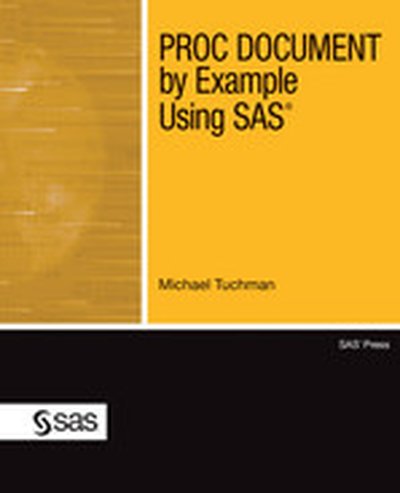
PROC DOCUMENT by Example Using SAS
PROC DOCUMENT by Example Using SAS demonstrates the practical uses of the DOCUMENT procedure, a part of the Output Delivery System, in SAS 9.3. Michael Tuchman explains how to work with PROC DOCUMENT, which is designed to store your SAS procedure output for replay at a later time without having to rerun your original SAS code. You’ll learn how to:

save a collection of procedure output, descriptive text, and supporting graphs that can be replayed as a single unit save output once and distribute that same output in a variety of ODS formats such as HTML, CSV, and PDF create custom reports by comparing output from the same procedure run at different points in time create a table of contents for your output modify the appearance of both textual and graphical ODS output even if the original data is no longer available or easily accessible manage your tabular and graphical output by using descriptive labels, titles, and footnotes rearrange the original order of output in a procedure to suit your needs

After using this book, you’ll be able to quickly and easily create libraries of professional-looking output that are accessible at any time.

This book is part of the SAS Press program.

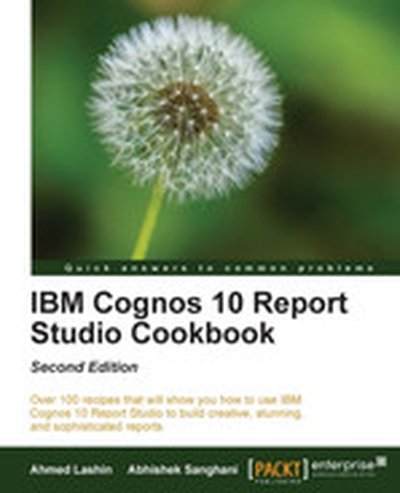
IBM Cognos 10 Report Studio Cookbook - Second Edition

This cookbook is a comprehensive guide to mastering IBM Cognos 10 Report Studio, enabling users to become proficient in developing professional-grade reports. Through practical recipes, you will learn how to harness the full potential of Report Studio, mastering both fundamental and advanced features for real-world application. What this Book will help me do Efficiently organize and process data using advanced sorting and filtering techniques. Create visually engaging and functional reports, including dynamic drill-through links and enhanced formatting options. Master the use of conditional formatting, cascaded prompts, and master-detailed queries in your reports. Enhance reports with Active Reports, direct XML editing, and by integrating JavaScript and HTML elements. Adopt industry best practices for report development, including version control and regression testing. Author(s) The author of this cookbook is an experienced IBM Cognos consultant with years of experience in developing business intelligence solutions and creating comprehensive reports. They focus on combining technical expertise with practical examples, presenting information in an approachable and user-friendly manner. Who is it for? This book is ideal for Business Intelligence Developers with a working knowledge of IBM Cognos 10 who seek to enhance their report-building skills. It also serves Business Analysts or Power Users familiar with basic report authoring who aim to explore advanced features. Prior knowledge of IBM Cognos 10 architecture and basic Report Studio functionalities is assumed.

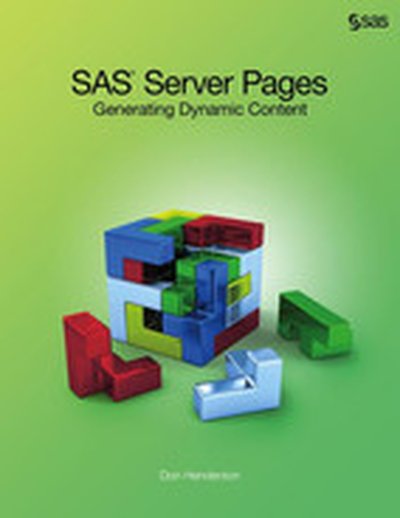
SAS Server Pages

SAS Server Pages have been used by SAS developers as a way of creating custom user interfaces for Web-based applications. This enhanced book offers information on how to create SAS Server Pages using the SAS 9.3 experimental procedure PROC STREAM, providing users with a foundation technology that greatly expands the capabilities of SAS for dynamic and rich content generation. By combining PROC STREAM and the Macro facility, SAS can now more easily generate any type of markup or text-based content such as HTML, XML, and CSV.

Exclusively available in electronic format, this book provides more extensive and flexible ways to develop applications using video examples of a wide range of PROC STREAM and SAS Server Pages techniques, including both Web applications and Base SAS implementations. Users can see results immediately and can access additional content and information online through embedded links. It also offers basic how-to documentation on PROC STREAM and an overview of a Portal Reporting Framework that illustrates creating custom user interfaces for stored processes within the SAS Portal.

Ideal for SAS programmers who have some knowledge of the Macro facility as well as BI users, SAS Server Pages: Generating Dynamic Content removes the difficulties associated with HTML-based content creation while providing a resource on using PROC STREAM in a dynamic, enhanced format.

Data Mashups in R

How do you use R to import, manage, visualize, and analyze real-world data? With this short, hands-on tutorial, you learn how to collect online data, massage it into a reasonable form, and work with it using R facilities to interact with web servers, parse HTML and XML, and more. Rather than use canned sample data, you'll plot and analyze current home foreclosure auctions in Philadelphia. This practical mashup exercise shows you how to access spatial data in several formats locally and over the Web to produce a map of home foreclosures. It's an excellent way to explore how the R environment works with R packages and performs statistical analysis. Parse messy data from public foreclosure auction postings Plot the data using R's PBSmapping package Import US Census data to add context to foreclosure data Use R's lattice and latticeExtra packages for data visualization Create multidimensional correlation graphs with the pairs() scatterplot matrix package

Applied SAP BI 7.0 Web Reports: Using BEx Web Analyzer and Web Application Designer

Deliver SAP BI 7.0 Web Reports Distribute integrated, accurate, and timely data across your enterprise using the Web-based reporting components in SAP BI. Written by an SAP insider, Applied SAP BI 7.0 Web Reports: Using BEx Web Analyzer and Web Application Designer shows you how to construct effective queries, create HTML-based reports, and combine key analytics into a dashboard-style interface. Learn how to import data from multiple providers, configure custom templates, track Key Performance Indicators (KPIs), and incorporate JavaScript and XHTML. Security, troubleshooting, and third-party tools are also discussed in this comprehensive guide. Essential BI skills for business professionals: Define queries and export them as links with BEx Web Analyzer Create BI-specific HTML pages using Web Application Designer and Report Designer Construct reusable templates, shortcuts, and Web items Design high-impact BI dashboards, cockpits, and billboards Integrate toolbars,drilldown capabilities, and drag-and-drop features Publish reporting objects with the Broadcaster and Broadcast Wizard Migrate existing systems and reports to the SAP BI 7.0 platform Add BusinessObjects, Crystal Reports, and JavaScript components Peter Jones, MBA, is a principal/platinum business applications consultant with SAP Professional Services Consulting. He has more than 11 years of consulting and educational experience in a variety of strategic and leadership roles. Jones is the author of SAP Business Information Warehouse Reporting.

Output Delivery System: The Basics and Beyond

Incorporating broad coverage of the best ODS features in one book, Output Delivery System: The Basics and Beyond goes beyond Lauren Haworth's original ODS text to demonstrate the many new and enhanced features of ODS and SAS 9.2. With SAS 9.2, ODS provides a myriad of choices for reporting and displaying analytical results with a greater variety of formatting selections and output destinations. As experienced SAS users, Lauren E. Haworth, Cynthia L. Zender, and Michele M. Burlew know how important it is to be able to produce customized output in different formats to meet the needs of clients.Geared toward all levels of SAS users, Output Delivery System: The Basics and Beyond is an example-driven book that presents each of the wide array of ODS techniques in an easy-to-use, two-page layout, with the text and code on one page and the resulting output on the facing page. The book begins with basic syntax and progresses to more complex techniques and custom styles. You will learn to take basic SAS output and transform it into an HTML page, a word-processor-friendly RTF file, or printer-friendly PDF output. You'll learn how to generate a table of contents page for RTF and PDF files, generate bookmarks for PDF files, and generate custom page numbering for those destinations. You will also learn the basic concepts of changing style templates, using table templates with the DATA step, and using tagset templates to generate custom markup language tags and output. Other new features of ODS are also discussed, such as the ODS Graphics Framework and the new ODS Statistical Graphics procedures.

Data Mashups in R

This article demonstrates how the realworld data is imported, managed, visualized, and analyzed within the R statistical framework. Presented as a spatial mashup, this tutorial introduces the user to R packages, R syntax, and data structures. The user will learn how the R environment works with R packages as well as its own capabilities in statistical analysis. We will be accessing spatial data in several formats-html, xml, shapefiles, and text-locally and over the web to produce a map of home foreclosure auctions and perform statistical analysis on these events.

Introduction to Data Technologies

Written by a member of the R Development Core Team, this resource provides important information on how to work with research data. It contains a collection of diverse, computer-related topics, connecting them through numerous, real-world case studies. The author describes open source technologies and open standards and devotes separate chapters to each computer language, including HTML, XML, SQL, and R. Explanatory diagrams aid in understanding important concepts, helping readers perform research tasks with ease. In addition, the author's website includes a suite of exercises as well as the code and data sets used in the case studies.