
talk-data.com talk-data.com

Topic

Power BI

Microsoft Power BI

bi data_visualization microsoft

3

tagged

Activity Trend

16 peak/qtr
2020-Q1 2026-Q1

Activities

Showing filtered results

Filtering by: O'Reilly SQL Books ×
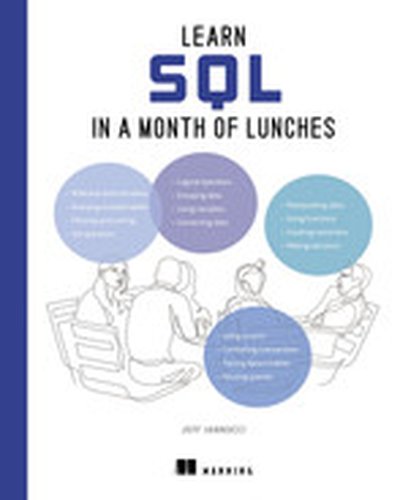
Learn SQL in a Month of Lunches

Use SQL to get the data you need in no time at all! Learn to read and write basic queries, troubleshoot common problems, and control your own business data in just 24 short lessons–no programming experience required! SQL has been designed to be as close to English as possible—anyone can learn it! Learn SQL in a Month of Lunches helps you add this lucrative and highly sought-after skill to your resume in just 24 fun and friendly lessons. The book emphasizes practical uses for the language in the real-world, so you’ll just learn the most useful skills for business data analysis. Inside Learn SQL in a Month of Lunches you’ll discover how to: Set up your first database with MySQL Write your own SQL queries See only the data you need from large datasets Connect different sets of data Analyze data with functions and aggregations Master basic data manipulation techniques Save queries in stored procedures and views Create tables to store data efficiently Read and improve SQL written by others If you use Excel, Tableau, or PowerBI to crunch business data, you’ve probably seen a lot of SQL already. And guess what? It’s easy to master the most useful parts of SQL! In just a few quick lessons, Learn SQL in a Month of Lunches will get you writing your own queries, modifying existing SQL statements, and working with data like a pro. 25-year SQL veteran Jeff Iannucci makes SQL a snap through hands-on lab exercises, relevant code examples, and easy-to-understand language. About the Technology SQL, Structured Query Language, is the standard way to query, create, and manage relational databases like SQL Server, PostgreSQL, and Oracle. It’s also a superpower for data analysts who need to go beyond spreadsheets and BI dashboarding tools. SQL is easy to read and understand, and with this book (and a little practice) you’ll be pulling data, tweaking tables, and cranking out amazing reports and presentations in no time at all! About the Book Learn SQL in a Month of Lunches introduces SQL to data analysts and other aspiring data pros with no prior experience using relational databases. In it, you’ll complete 24 short lessons, each of which teaches an essential SQL skill for retrieving, filtering, and analyzing data. You’ll practice each new technique with a friendly hands-on lab designed to take about 15 minutes, as you learn to write queries that deliver the exact data you need. Along the way, you’ll build a valuable intuition for how databases operate in real business scenarios. What's Inside Get the data you need from any relational database Filter, sort, and group data Combine data from multiple tables Create, update, and delete data About the Reader For students, aspiring data analysts, software developers, and anyone else who wants to work with relational databases. About the Author Jeff Iannucci is a Senior Consultant with Straight Path Solutions. For over 20 years, he has worked extensively with SQL in sectors such as healthcare, finance, retail sales, and government. Quotes An essential guide. Jeff has carefully developed each chapter to ensure clarity and comprehensiveness, making complex concepts accessible and practical. - Buck Woody, Microsoft The fastest and the most effective way to learn SQL, regardless of your background or technical knowledge level. - Kevin Kline, author of SQL in a Nutshell Explains concepts straightforwardly to help the reader grow their skills over a month of sessions. - Steve Jones, SQL Server Central Great selection of bite-sized, digestible courses to complement your lunch arrangement. It leaves you smarter every day. - Simon Tschöke, Databricks
Introducing Microsoft SQL Server 2019

Introducing Microsoft SQL Server 2019 is the must-have guide for database professionals eager to leverage the latest advancements in SQL Server 2019. This book covers the features and capabilities that make SQL Server 2019 a powerful tool for managing and analyzing data both on-premises and in the cloud. What this Book will help me do Understand the new features introduced in SQL Server 2019 and their practical applications. Confidently manage and analyze relational, NoSQL, and big data within SQL Server 2019. Implement containerization for SQL Server using Docker and Kubernetes. Migrate and integrate your databases effectively to use Power BI Report Server. Query data from Hadoop Distributed File System with Azure Data Studio. Author(s) The authors of 'Introducing Microsoft SQL Server 2019' are subject matter experts including Kellyn Gorman, Allan Hirt, and others. With years of professional experience in database management and SQL Server, they bring a wealth of practical insight and knowledge to the book. Their experience spans roles as administrators, architects, and educators in the field. Who is it for? This book is aimed at database professionals such as DBAs, architects, and big data engineers who are currently using earlier versions of SQL Server or other database platforms. It is particularly well-suited for professionals aiming to understand and implement SQL Server 2019's new features. Readers should have basic familiarity with SQL Server and RDBMS concepts. If you're looking to explore SQL Server 2019 to improve data management and analytics in your organization, this book is for you.

Definitive Guide to DAX, The: Business intelligence for Microsoft Power BI, SQL Server Analysis Services, and Excel, 2nd Edition

Now expanded and updated with modern best practices, this is the most complete guide to Microsoft's DAX language for business intelligence, data modeling, and analytics. Expert Microsoft BI consultants Marco Russo and Alberto Ferrari help you master everything from table functions through advanced code and model optimization. You'll learn exactly what happens under the hood when you run a DAX expression, and use this knowledge to write fast, robust code. This edition focuses on examples you can build and run with the free Power BI Desktop, and helps you make the most of the powerful syntax of variables (VAR) in Power BI, Excel, or Analysis Services. Want to leverage all of DAX's remarkable capabilities? This no-compromise "deep dive" is exactly what you need. Related Content Video: Introduction to Microsoft Power BI (Video), Data Analysis Fundamentals with Excel (Video) Perform powerful data analysis with DAX for Power BI, SQL Server, and Excel · Master core DAX concepts, including calculated columns, measures, and calculation groups · Work efficiently with basic and advanced table functions · Understand evaluation contexts and the CALCULATE and CALCULATETABLE functions · Perform time-based calculations · Use calculation groups and calculation items · Use syntax of variables (VAR) to write more readable, maintainable code · Express diverse and unusual relationships with DAX, including many-to-many relationships and bidirectional filters · Master advanced optimization techniques, and improve performance in aggregations · Optimize data models to achieve better compression · Measure DAX query performance with DAX Studio and learn how to optimize your DAX