talk-data.com talk-data.com

Topic

SQL

Structured Query Language (SQL)

database_language data_manipulation data_definition programming_language

82

tagged

Activity Trend

107 peak/qtr
2020-Q1 2026-Q1

Activities

Showing filtered results

Filtering by: O'Reilly Data Science Books ×
Knight's Microsoft® Business Intelligence 24-Hour Trainer: Leveraging Microsoft SQL Server® Integration, Analysis, and Reporting Services with Excel® and SharePoint®

A book-and-video introduction to Microsoft's Business Intelligence tools If you are just starting to get a handle on Microsoft Business Intelligence (BI) tools, this book and accompanying video provides you with the just the right amount of information to perform basic business analysis and reporting. You'll explore the components and related tools that comprise the Microsoft BI toolset as well as the new BI features of Office 2010. After a basic primer on BI and data modeling, the expert team of authors provides you with step-by-step lessons in the book and videos on the accompanying Video on how to use SQL Server Integration Services, SQL Server Analysis Services, SQL Server Reporting Services, Excel BI (including PowerPivot), and SharePoint. Integrates instructional videos with each of the lessons found in the book to enhance your learning experience Explores the Microsoft Business Intelligence (BI) toolset as well as the new BI features of Office 2010 Encourages you to practice what you've learned in "Try It Out" sections Contains video demonstrations that walk you through how to tackle each lesson featured in the book With Knight's Microsoft Business Intelligence 24-Hour Trainer, veteran authors present you with an ideal introductory book-and-video package so that you can get started working with the BI toolset immediately!

SAS Programming for Enterprise Guide Users, Second Edition

New and updated for SAS Enterprise Guide 4.2!

In this pragmatic, example-driven book, author Neil Constable demonstrates how you can use SAS code to enhance the capabilities of SAS Enterprise Guide. Designed to help you gain extra value from the products you already have, SAS Programming for Enterprise Guide Users contains tips and techniques that show you a variety of features that cannot be accessed directly through the task interfaces. In all cases, techniques are shown with examples that you can try and test, plus additional exercises are included to give you more practice. The end result is more efficient and resilient use of SAS Enterprise Guide in a wider variety of business areas.

Included is a discussion of the following subject areas: the Output Delivery System, advanced formatting, macro variables and macros, advanced reporting using PROC REPORT, highlighting in reports, hyperlinking between reports and graphs, data manipulation using SQL, data manipulation using the DATA step, extended graphics.

By adding small amounts of code in key areas, SAS Enterprise Guide users can get more out of the product than the tasks reveal. Users should be familiar with the SAS Enterprise Guide user interface and tasks. No programming experience is necessary.

This book is part of the SAS Press program.

Practical PowerPivot & DAX Formulas for Excel 2010

250 + ready-to-use, powerful DAX formulas Develop effective business intelligence (BI) solutions and drive faster, better decision making across your enterprise with help from an experienced database consultant and trainer. Through clear explanations, screenshots, and examples, Practical PowerPivot & DAX Formulas for Excel 2010 shows you how to extract actionable insights from vast amounts of corporate data. More than 250 downloadable DAX formulas plus valuable appendixes covering SQL, MDX, and DMX query design are included in this hands-on guide. Build pivot tables and charts with PowerPivot for Excel Import information from Access, Excel, data feeds, SQL Server, and other sources Organize and format BI reports using the PowerPivot Field List Write DAX formulas that filter, sort, average, and denormalize data Construct complex DAX formulas from statistical, math, and date functions Compare current and past performance using date and time intelligence Handle non-additive numbers, non-numeric values, and running totals Develop complete self-service and sharable BI solutions in a few minutes Download the source code from www.mhprofessional.com/computingdownload

Professional Microsoft® PowerPivot for Excel® and SharePoint®

With PowerPivot, Microsoft brings the power of Microsoft's business intelligence tools to Excel and SharePoint users. Self-service business intelligence today augments traditional BI methods, allowing faster response time and greater flexibility. If you're a business decision-maker who uses Microsoft Office or an IT professional responsible for deploying and managing your organization's business intelligence systems, this guide will help you make the most of PowerPivot. Professional Microsoft PowerPivot for Excel and SharePoint describes all aspects of PowerPivot and shows you how to use each of its major features. By the time you are finished with this book, you will be well on your way to becoming a PowerPivot expert. This book is for people who want to learn about PowerPivot from end to end. You should have some rudimentary knowledge of databases and data analysis. Familiarity with Microsoft Excel and Microsoft SharePoint is helpful, since PowerPivot builds on those two products. This book covers the first version of PowerPivot, which ships with SQL Server 2008 R2 and enhances Microsoft Office 2010. It provides an overview of PowerPivot and a detailed look its two components: PowerPivot for Excel and PowerPivot for SharePoint. It explains the technologies that make up these two components, and gives some insight into why these components were implemented the way they were. Through an extended example, it shows how to build a PowerPivot application from end to end. The companion Web site includes all the sample applications and reports discussed. What This Book Covers After discussing self-service BI and the motivation for creating PowerPivot, the book presents a quick, end-to-end tutorial showing how to create and publish a simple PowerPivot application. It then drilsl into the features of PowerPivot for Excel in detail and, in the process, builds a more complex PowerPivot application based on a real-world case study. Finally, it discusses the server side of PowerPivot (PowerPivot for SharePoint) and provides detailed information about its installation and maintenance. Chapter 1, "Self-Service Business Intelligence and Microsoft PowerPivot," begins Part I of the book. This chapter describes self-service BI and introduces PowerPivot, Microsoft's first self-service BI tool. It provides a high-level look at the two components that make up PowerPivot - PowerPivot for Excel and PowerPivot for SharePoint. Chapter 2, "A First Look at PowerPivot," walks you through a simple example of creating a PowerPivot application from end to end. In the process, it shows how to set up the two components of PowerPivot, and describes the normal workflow of creating a simple PowerPivot application. Chapter 3, "Assembling Data," starts off Part II of the book, and explains how to bring data into PowerPivot from various external data sources. It also introduces the extended example that you will build in this and subsequent chapters. Chapter 4, "Enriching Data," shows how to enhance the data you brought into your application by creating relationships and using PowerPivot's expression language, Data Analysis Expressions (DAX). Chapter 5, "Self-Service Analysis," describes how to use your PowerPivot data with various Excel features, such as PivotTables, PivotCharts, and slicers to do analysis. Chapter 5 also delves further into DAX, showing how to create and use DAX measures. Chapter 6, "Self-Service Reporting," shows how to publish your PowerPivot workbook to the server side of PowerPivot (PowerPivot for SharePoint), and make use of its features to view and update PowerPivot reports. It also shows how to use the data in a PowerPivot workbook as a data source for reports created in other tools such as Report Builder 3.0 and Excel. Chapter 7, "Preparing for SharePoint 2010," is the first chapter in Part III of the book. It describes the components of SharePoint 2010 that are relevant for PowerPivot, and looks at how PowerPivot for SharePoint interacts with those components. Chapter 8, "PowerPivot for SharePoint Setup and Configuration," provides instructions on how to set up and configure a multi-machine SharePoint farm that contains PowerPivot for SharePoint. Chapter 9, "Troubleshooting, Monitoring, and Securing PowerPivot Services," gives tips on how to troubleshoot PowerPivot for SharePoint issues. It also shows how to monitor the health of your PowerPivot for SharePoint environment, and discusses relevant security issues. Chapter 10, "Diving into the PowerPivot Architecture," describes at a deeper level the architecture of PowerPivot, both client and server. It also explains the Windows Identity Foundation and discusses the use of Kerberos in the context of PowerPivot for SharePoint. Chapter 11, "Enterprise Considerations," talks about common PowerPivot for SharePoint enterprise considerations: capacity planning, optimizing the environment, upgrade considerations, and uploading performance. Appendix A provides instructions for setting up the data sources that are used to build the SDR Healthcare extended example in Chapters 3 through 6. Additionally, two "bonus" elements are available online at this book's companion Web site: Appendix B is a comprehensive DAX reference that describes all the DAX functions and provides code snippets that show how to use them. A special chapter describes real-world scenarios in which PowerPivot is used to solve common problems.

PowerPivot for the Data Analyst: Microsoft® Excel 2010

ANALYZE HUGE AMOUNTS OF BUSINESS DATA FASTER, MORE EASILY, AND MORE ACCURATELY! Use Microsoft’s free PowerPivot add-in for Excel 2010 to analyze immense amounts of data from any source, perform state-of-the-art business analysis far more easily, and make better decisions in less time! Simple, step-by-step instructions walk you through installing PowerPivot, importing data, using PivotTables with PowerPivot, using super-powerful DAX functions and measures, reporting to print or SharePoint, and a whole lot more. Whatever your Excel data analysis experience, this book will help you use PowerPivot to get the right answers, right now—without IT’s help! • Import and integrate data from spreadsheets, SQL Server, Access, Oracle, text files, Atom data feeds, and other sources • Analyze multiple tables together, without complicated VLOOKUPs • Format, sort, and filter data in the PowerPivot window • Add calculated columns using new DAX functions • Create powerful reports from PowerPivot data–and format them so executives instantly get your point • Discover PivotTable tricks that work even better in PowerPivot • Control multiple PivotTable elements on one worksheet, with one set of Excel 2010 Slicers • Use DAX Measures to quickly perform tasks that were difficult or impossible with Calculated Fields • Compare today’s sales to yesterday’s–or to sales from the parallel period last fiscal year. • Use Named Sets to prepare asymmetric reports, show actuals for past months and plan for future months. About MrExcel Library: Every book in the MrExcel Library pinpoints a specific set of crucial Excel tasks and presents focused skills and examples for performing them rapidly and effectively. Selected by Bill Jelen, Microsoft Excel MVP and mastermind behind the leading Excel solutions website MrExcel.com, these books will • Dramatically increase your productivity–saving you 50 hours a year, or more • Present proven, creative strategies for solving real-world problems • Show you how to get great results, no matter how much data you have • Help you avoid critical mistakes that even experienced users make

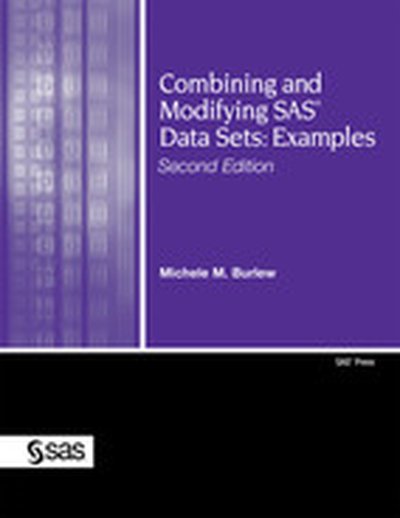
Combining and Modifying SAS® Data Sets: Examples Second Edition

Building on the popularity of the first edition, Michele Burlew has revised this popular examples book to include expanded content and new features of SAS software. Completely updated for SAS 9.2, Combining and Modifying SAS Data Sets: Examples, Second Edition, presents examples that show solutions to common programming tasks that involve combining, modifying, and reshaping data sets. Expanded examples demonstrate how to combine data sets vertically and horizontally; retrieve data from lookup tables; modify and update data sets; combine summary and detail data sets; reshape and transpose observations in a data set; and manipulate data in a data set with utilities and functions. The tools used to combine and modify data sets include the SET, MERGE, MODIFY, and UPDATE statements in the DATA step; joins and set operators in PROC SQL; BY-group processing; indexes; hash objects in the DATA step; the use of PROC FORMAT and hash tables as table lookups; and generation data sets. Unique features of this book include the following: Examples are grouped by task, not by code, so you can easily find a solution to a particular task; alternative solutions are presented in addition to the main examples; most examples that combine and modify data sets include both a DATA step and a PROC SQL solution; many examples include a "Closer Look" section that describes in-depth how the example helps you complete the task; and each example stands on its own so you do not need to read the book from beginning to end. Designed for SAS programmers at all levels, this examples book will help simplify the challenging task of combining and modifying data sets.

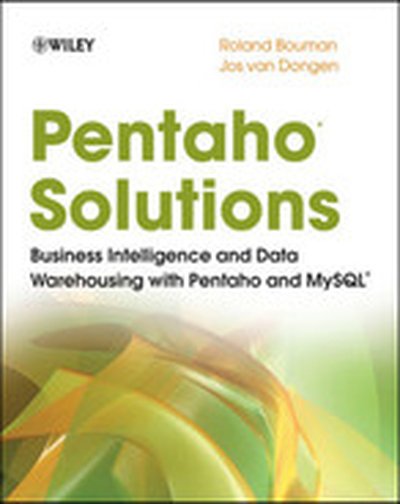
Pentaho® Solutions: Business Intelligence and Data Warehousing with Pentaho and MySQL®

Your all-in-one resource for using Pentaho with MySQL for Business Intelligence and Data Warehousing Open-source Pentaho provides business intelligence (BI) and data warehousing solutions at a fraction of the cost of proprietary solutions. Now you can take advantage of Pentaho for your business needs with this practical guide written by two major participants in the Pentaho community. The book covers all components of the Pentaho BI Suite. You'll learn to install, use, and maintain Pentaho-and find plenty of background discussion that will bring you thoroughly up to speed on BI and Pentaho concepts. Of all available open source BI products, Pentaho offers the most comprehensive toolset and is the fastest growing open source product suite Explains how to build and load a data warehouse with Pentaho Kettle for data integration/ETL, manually create JFree (pentaho reporting services) reports using direct SQL queries, and create Mondrian (Pentaho analysis services) cubes and attach them to a JPivot cube browser Review deploying reports, cubes and metadata to the Pentaho platform in order to distribute BI solutions to end-users Shows how to set up scheduling, subscription and automatic distribution The companion Web site provides complete source code examples, sample data, and links to related resources.

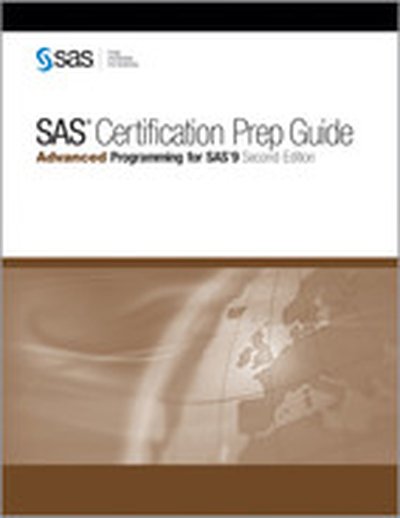
SAS® Certification Prep Guide: Advanced Programming for SAS®9 Second Edition

The SAS Certification Prep Guide: Advanced Programming for SAS 9, Second Edition, prepares you to take the Advanced Programming for SAS 9 exam. Major topics include SQL processing with SAS, the SAS macro language, advanced SAS programming techniques, and optimizing SAS programs. You will also become familiar with the enhancements and new functionality that are available in SAS 9. Experienced SAS users who want to prepare for this exam will find this guide to be an invaluable, convenient, and comprehensive resource that covers all of the objectives tested on the exam. The text contains quizzes that enable you to test your understanding of material in each chapter. Additionally, solutions to all quizzes are included at the back of the book. Candidates must earn the SAS Certified Base Programmer Credential for SAS 9 before taking the SAS Advanced Programming for SAS 9 exam.

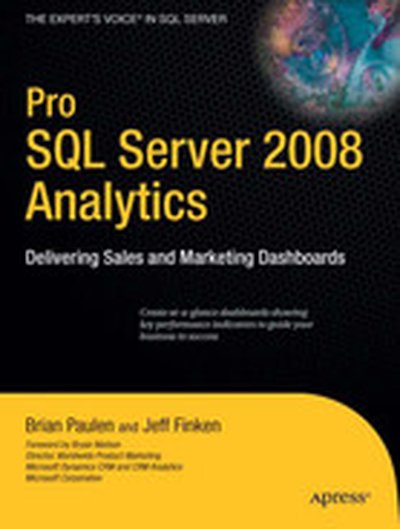
Pro SQL Server 2008 Analytics: Delivering Sales and Marketing Dashboards

Pro SQL Server 2008 Analytics provides everything you need to know to develop sophisticated and visually appealing sales and marketing dashboards using SQL Server 2008 and to integrate those dashboards with SharePoint, PerformancePoint, and other key Microsoft technologies.

Introduction to Data Technologies

Written by a member of the R Development Core Team, this resource provides important information on how to work with research data. It contains a collection of diverse, computer-related topics, connecting them through numerous, real-world case studies. The author describes open source technologies and open standards and devotes separate chapters to each computer language, including HTML, XML, SQL, and R. Explanatory diagrams aid in understanding important concepts, helping readers perform research tasks with ease. In addition, the author's website includes a suite of exercises as well as the code and data sets used in the case studies.

Smart Business Intelligence Solutions with Microsoft® SQL Server® 2008

Get the end-to-end instruction you need to design, develop, and deploy more effective data integration, reporting, and analysis solutions using SQL Server 2008—whether you’re new to business intelligence (BI) programming or a seasoned pro. With real-world examples and insights from an expert team, you’ll master the concepts, tools, and techniques for building solutions that deliver intelligence—and business value—exactly where users want it. Discover how to: Manage the development life cycle and build a BI team Dig into SQL Server Analysis Services, Integration Services, and Reporting Services Navigate the Business Intelligence Development Studio (BIDS) Write queries that rank, sort, and drill down on sales data Develop extract, transform, and load (ETL) solutions Add a source code control system Help secure packages for deployment via encryption and credentials Use MDX and DMX Query Designers to build reports based on OLAP cubes and data mining models Create and implement custom objects using .NET code View reports in Microsoft Office Excel and Office SharePoint Serverook

Crystal Reports 2008: The Complete Reference

Your One-Stop Guide to Enterprise Reporting with Crystal Reports 2008 Transform disconnected corporate data into compelling, interactive business intelligence using all of the powerful tools available in Crystal Reports 2008. Through detailed explanations, real-world examples, and expert advice, this comprehensive guide shows you how to create, maintain, and distribute dynamic, visually appealing enterprise database reports. Crystal Reports 2008: The Complete Reference explains how to select and gather pertinent business data, organize it into manageable groups, and assemble it into user-friendly business reports. You will learn how to improve report interactivity with sort controls and the parameter panel; solve complex reporting problems with cross-tabs and subreports; integrate Crystal Xcelsius dashboards; reduce development time; and publish your results to Web and Windows applications. Integrate pictures, multimedia files, graphs, and charts Allow user-controlled report sorting with new sort controls Develop sophisticated formulas and custom functions with the Formula Workshop Embed Flash files, including Xcelsius 2008 interactive dashboards Create complex cross-tab reports with new derived rows and columns Export reports into Word, Excel, Acrobat, and updated XML formats Enhance Web interactivity with the new parameter panel and optional parameter fields Work with SQL databases, OLAP cubes, and proprietary systems Centralize design elements and auto-update reports using the repository Schedule and distribute reports with the latest BusinessObjects Enterprise XI 3.0 Embed reports in Web and Windows applications using Visual Studio 2008

Tapping into Unstructured Data: Integrating Unstructured Data and Textual Analytics into Business Intelligence

“The authors, the best minds on the topic, are breaking new ground. They show how every organization can realize the benefits of a system that can search and present complex ideas or data from what has been a mostly untapped source of raw data.” --Randy Chalfant, CTO, Sun Microsystems The Definitive Guide to Unstructured Data Management and Analysis--From the World’s Leading Information Management Expert A wealth of invaluable information exists in unstructured textual form, but organizations have found it difficult or impossible to access and utilize it. This is changing rapidly: new approaches finally make it possible to glean useful knowledge from virtually any collection of unstructured data. William H. Inmon--the father of data warehousing--and Anthony Nesavich introduce the next data revolution: unstructured data management. Inmon and Nesavich cover all you need to know to make unstructured data work for your organization. You’ll learn how to bring it into your existing structured data environment, leverage existing analytical infrastructure, and implement textual analytic processing technologies to solve new problems and uncover new opportunities. Inmon and Nesavich introduce breakthrough techniques covered in no other book--including the powerful role of textual integration, new ways to integrate textual data into data warehouses, and new SQL techniques for reading and analyzing text. They also present five chapter-length, real-world case studies--demonstrating unstructured data at work in medical research, insurance, chemical manufacturing, contracting, and beyond. This book will be indispensable to every business and technical professional trying to make sense of a large body of unstructured text: managers, database designers, data modelers, DBAs, researchers, and end users alike. Coverage includes What unstructured data is, and how it differs from structured data First generation technology for handling unstructured data, from search engines to ECM--and its limitations Integrating text so it can be analyzed with a common, colloquial vocabulary: integration engines, ontologies, glossaries, and taxonomies Processing semistructured data: uncovering patterns, words, identifiers, and conflicts Novel processing opportunities that arise when text is freed from context Architecture and unstructured data: Data Warehousing 2.0 Building unstructured relational databases and linking them to structured data Visualizations and Self-Organizing Maps (SOMs), including Compudigm and Raptor solutions Capturing knowledge from spreadsheet data and email Implementing and managing metadata: data models, data quality, and more William H. Inmon is founder, president, and CTO of Inmon Data Systems. He is the father of the data warehouse concept, the corporate information factory, and the government information factory. Inmon has written 47 books on data warehouse, database, and information technology management; as well as more than 750 articles for trade journals such as Data Management Review, Byte, Datamation, and ComputerWorld. His b-eye-network.com newsletter currently reaches 55,000 people. Anthony Nesavich worked at Inmon Data Systems, where he developed multiple reports that successfully query unstructured data. Preface xvii 1 Unstructured Textual Data in the Organization 1 2 The Environments of Structured Data and Unstructured Data 15 3 First Generation Textual Analytics 33 4 Integrating Unstructured Text into the Structured Environment 47 5 Semistructured Data 73 6 Architecture and Textual Analytics 83 7 The Unstructured Database 95 8 Analyzing a Combination of Unstructured Data and Structured Data 113 9 Analyzing Text Through Visualization 127 10 Spreadsheets and Email 135 11 Metadata in Unstructured Data 147 12 A Methodology for Textual Analytics 163 13 Merging Unstructured Databases into the Data Warehouse 175 14 Using SQL to Analyze Text 185 15 Case Study--Textual Analytics in Medical Research 195 16 Case Study--A Database for Harmful Chemicals 203 17 Case Study--Managing Contracts Through an Unstructured Database 209 18 Case Study--Creating a Corporate Taxonomy (Glossary) 215 19 Case Study--Insurance Claims 219 Glossary 227 Index 233

Excel® 2007 PivotTables and PivotCharts

Though many consumers know the basics of using Excel, few users understand the powerful capabilities of the PivotTable and PivotChart features. These tools can help turn long lists of unreadable data into dynamically generated, easy-to-read tables and charts that highlight useful and pertinent business information. Companies rely on this type of data from marketing, accounting, and finance to help make better decisions about products, sales and even human resources. Charts are interactive, allowing the consumer to tweak results with the click of a mouse and PivotTables allow you to fuse data from several sources into one document. This book shows users how to work with PivotTables and PivotCharts to make sense of their data. It covers features such as: understanding PivotTable benefits and uses; creating and customizing PivotTables; using PivotTables to analyze business data; building custom calculations; linking to external data sources, including Access databases, Word tables, Web pages, XML data, SQL Server databases, and OLAP cubes; publishing PivotTables to the Web; multiple consolidation of data, for example, summarizing annual fiscal data by quarters; preparing financial reporting, budgeting, and data analysis across departments; and using VBA to create macros that automate frequently used PivotTable tasks.

Data Analysis Using SQL and Excel

One of the leading experts on business data mining shows managers how to leverage SQL and Excel to perform sophisticated types of business analysis without the expense of data mining tools and consultants Explains how to use the relatively simple tools of SQL and Excel to extract useful business information from relational databases Each chapter discusses why and when to perform a particular type of business analysis to obtain a useful business result, how to design and perform the analysis using SQL and Excel, and what the results look like in SQL and Excel Presents hints, warnings, and technical asides about Excel, SQL, and data analysis/mining

SAS® Programming for Enterprise Guide® Users

In this pragmatic, example-driven book, author Neil Constable demonstrates how you can use SAS code to enhance the capabilities of SAS Enterprise Guide. Designed to help you gain extra value from the products you already have, SAS Programming for Enterprise Guide Users contains tips and techniques that show you a variety of features that cannot be accessed directly through the task interfaces. In all cases, techniques are shown with examples that you can try and test, plus additional exercises are included to give you more practice. The end result is more efficient and resilient use of SAS Enterprise Guide in a wider variety of business areas. Included is a discussion of the following subject areas: the Output Delivery System advanced formatting macro variables and macros advanced reporting using PROC REPORT highlighting in reports hyperlinking between reports and graphs data manipulation using SQL data manipulation using the DATA step extended graphics By adding small amounts of code in key areas, SAS Enterprise Guide users can get more out of the product than the tasks reveal. Users should be familiar with the SAS Enterprise Guide user interface and tasks. No programming experience is necessary.

Learning SAS by Example
Learn to program SAS by example!

If you like learning by example, then Learning SAS by Example: A Programmer's Guide makes it easy to learn SAS programming. In an instructive and conversational tone, author Ron Cody clearly explains each programming technique and then illustrates it with one or more real-life examples, followed by a detailed description of how the program works. The text is divided into four major sections: Getting Started; DATA Step Processing; Presenting and Summarizing Your Data; and Advanced Topics. Subjects addressed include: Reading data from external sources Learning details of DATA step programming Subsetting and combining SAS data sets Understanding SAS functions and working with arrays Creating reports with PROC REPORT and PROC TABULATE Learning to use the SAS Output Delivery System Getting started with the SAS macro language Introducing PROC SQL

You can test your knowledge and hone your skills by solving the problems at the end of each chapter. (Solutions to odd-numbered problems are located at the back of this book. Solutions to all problems are available to instructors by visiting Ron Cody's author page for details.) This book is intended for beginners and intermediate users. Readers should know how to enter and submit a SAS program from their operating system.

This book is part of the SAS Press program.

In the Know...SAS(R) Tips and Techniques From Around the Globe, Second Edition

You'll gain a world of knowledge through Phil Mason's inventive tips and techniques. Updated and expanded to cover the breadth of functionality offered in SAS 8 and SAS 9, In the Know...SAS Tips and Techniques From Around the Globe, Second Edition, is packed with timeless classics and plenty of new material addressing such popular topics as the DATA step, SQL, macros, functions, ODS, and much more. Each tip is presented in a self-contained format that is both informative and easy to use. Every chapter contains a collection of related tips with frequent use of code and log examples to help improve productivity. Users of all levels will discover how to save time and effort by incorporating the wisdom found in these practical tips.

SAS® Programming in the Pharmaceutical Industry

At last! A real-world reference guide for clinical trial SAS programming, packed with solutions that programmers can apply to their day-to-day problems. Discover key techniques and tools available within Base SAS (including the macro language and PROC SQL), SAS/GRAPH, and SAS/STAT that can be used to resolve many common issues in working with clinical trial data. Organized to reflect the statistical programmer's work flow, this user-friendly text begins with an introduction to the working environment, then presents chapters on importing and massaging data into analysis data sets, producing clinical trial output, and exporting data. Valuable plug-and-play programming examples are provided throughout. Whether you're a novice seeking an introduction to SAS programming for the pharmaceutical industry or a junior-level programmer exploring new approaches to problem solving, you'll find a wealth of practical suggestions to help you sharpen your skills.

Fuzzy Modeling and Genetic Algorithms for Data Mining and Exploration

Fuzzy Modeling and Genetic Algorithms for Data Mining and Exploration is a handbook for analysts, engineers, and managers involved in developing data mining models in business and government. As you’ll discover, fuzzy systems are extraordinarily valuable tools for representing and manipulating all kinds of data, and genetic algorithms and evolutionary programming techniques drawn from biology provide the most effective means for designing and tuning these systems. You don’t need a background in fuzzy modeling or genetic algorithms to benefit, for this book provides it, along with detailed instruction in methods that you can immediately put to work in your own projects. The author provides many diverse examples and also an extended example in which evolutionary strategies are used to create a complex scheduling system. Written to provide analysts, engineers, and managers with the background and specific instruction needed to develop and implement more effective data mining systems Helps you to understand the trade-offs implicit in various models and model architectures Provides extensive coverage of fuzzy SQL querying, fuzzy clustering, and fuzzy rule induction Lays out a roadmap for exploring data, selecting model system measures, organizing adaptive feedback loops, selecting a model configuration, implementing a working model, and validating the final model In an extended example, applies evolutionary programming techniques to solve a complicated scheduling problem Presents examples in C, C++, Java, and easy-to-understand pseudo-code Extensive online component, including sample code and a complete data mining workbench