This book introduces PowerPivot in Excel 2010 to power users and data analysts who want to use Excel as a business intelligence tool.
 talk-data.com
Topic
402
tagged
This book introduces PowerPivot in Excel 2010 to power users and data analysts who want to use Excel as a business intelligence tool.
A complete guide to Pentaho Kettle, the Pentaho Data lntegration toolset for ETL This practical book is a complete guide to installing, configuring, and managing Pentaho Kettle. If you're a database administrator or developer, you'll first get up to speed on Kettle basics and how to apply Kettle to create ETL solutions—before progressing to specialized concepts such as clustering, extensibility, and data vault models. Learn how to design and build every phase of an ETL solution. Shows developers and database administrators how to use the open-source Pentaho Kettle for enterprise-level ETL processes (Extracting, Transforming, and Loading data) Assumes no prior knowledge of Kettle or ETL, and brings beginners thoroughly up to speed at their own pace Explains how to get Kettle solutions up and running, then follows the 34 ETL subsystems model, as created by the Kimball Group, to explore the entire ETL lifecycle, including all aspects of data warehousing with Kettle Goes beyond routine tasks to explore how to extend Kettle and scale Kettle solutions using a distributed "cloud" Get the most out of Pentaho Kettle and your data warehousing with this detailed guide—from simple single table data migration to complex multisystem clustered data integration tasks.
New and updated for SAS Enterprise Guide 4.2!
In this pragmatic, example-driven book, author Neil Constable demonstrates how you can use SAS code to enhance the capabilities of SAS Enterprise Guide. Designed to help you gain extra value from the products you already have, SAS Programming for Enterprise Guide Users contains tips and techniques that show you a variety of features that cannot be accessed directly through the task interfaces. In all cases, techniques are shown with examples that you can try and test, plus additional exercises are included to give you more practice. The end result is more efficient and resilient use of SAS Enterprise Guide in a wider variety of business areas.
Included is a discussion of the following subject areas: the Output Delivery System, advanced formatting, macro variables and macros, advanced reporting using PROC REPORT, highlighting in reports, hyperlinking between reports and graphs, data manipulation using SQL, data manipulation using the DATA step, extended graphics.
By adding small amounts of code in key areas, SAS Enterprise Guide users can get more out of the product than the tasks reveal. Users should be familiar with the SAS Enterprise Guide user interface and tasks. No programming experience is necessary.
This book is part of the SAS Press program.
250 + ready-to-use, powerful DAX formulas Develop effective business intelligence (BI) solutions and drive faster, better decision making across your enterprise with help from an experienced database consultant and trainer. Through clear explanations, screenshots, and examples, Practical PowerPivot & DAX Formulas for Excel 2010 shows you how to extract actionable insights from vast amounts of corporate data. More than 250 downloadable DAX formulas plus valuable appendixes covering SQL, MDX, and DMX query design are included in this hands-on guide. Build pivot tables and charts with PowerPivot for Excel Import information from Access, Excel, data feeds, SQL Server, and other sources Organize and format BI reports using the PowerPivot Field List Write DAX formulas that filter, sort, average, and denormalize data Construct complex DAX formulas from statistical, math, and date functions Compare current and past performance using date and time intelligence Handle non-additive numbers, non-numeric values, and running totals Develop complete self-service and sharable BI solutions in a few minutes Download the source code from www.mhprofessional.com/computingdownload
The Complete Guide to Building Cloud Computing Solutions with Amazon SimpleDB Using SimpleDB, any organization can leverage Amazon Web Services (AWS), Amazon’s powerful cloud-based computing platform–and dramatically reduce the cost and resources associated with application infrastructure. Now, for the first time, there’s a complete developer’s guide to building production solutions with Amazon SimpleDB. Pioneering SimpleDB developer Mocky Habeeb brings together all the hard-to-find information you need to succeed. Mocky tours the SimpleDB platform and APIs, explains their essential characteristics and tradeoffs, and helps you determine whether your applications are appropriate for SimpleDB. Next, he walks you through all aspects of writing, deploying, querying, optimizing, and securing Amazon SimpleDB applications–from the basics through advanced techniques. Throughout, Mocky draws on his unsurpassed experience supporting developers on SimpleDB’s official Web forums. He offers practical tips and answers that can’t be found anywhere else, and presents extensive working sample code–from snippets to complete applications. With A Developer’s Guide to Amazon SimpleDB you will be able to Evaluate whether a project is suited for Amazon SimpleDB Write SimpleDB applications that take full advantage of SimpleDB’s availability, scalability, and flexibility Effectively manage the entire SimpleDB application lifecycle Deploy cloud computing applications faster and more easily Work with SELECT and bulk data operations Fine tune queries to optimize performance Integrate SimpleDB security into existing organizational security plans Write and enhance runtime SimpleDB clients Build complete applications using AJAX and SimpleDB Understand low-level issues involved in writing clients and frameworks Solve common SimpleDB usage problems and avoid hidden pitfalls This book will be an indispensable resource for every IT professional evaluating or using SimpleDB to build cloud-computing applications, clients, or frameworks.
Uses the powerful interactive and visual approach of JMP to introduce readers to the logic and methods of statistical thinking and data analysis. It includes a myriad of examples and problems that rely on real sets of data, often starting with an important or interesting research question that an investigator has pursued.
Time is a scarce commodity in today's business environment. Curt Hinrichs and Chuck Boiler's JMP Essentials: An Illustrated Step-by-Step Guide for New Users is designed for the new or occasional JMP user who needs to generate meaningful graphs or results quickly. The authors, drawing on their own extensive experience working with customers with little or no background in JMP, provide a good survey and just what new users typically need. The format of the book is unique. It adopts a show-and-tell design with essential steps on the left-hand side and extensive illustrations on the right, which is very similar to the software's own philosophy of producing graphs alongside results. In most cases, each page or two-page spread completes a JMP task, which maximizes the book's utility as a reference. In addition, each chapter contains a family of features that are carefully crafted to first introduce basic features and progress to more advanced ones. For new users, JMP Essentials is the most accessible and fastest reference available.
JMP Means Business: Statistical Models for Management, by Josef Schmee and Jane Oppenlander, covers basic methods and models of classical statistics. Designed for business and MBA students, as well as industry professionals who need to use and interpret statistics, JMP Means Business covers data collection, descriptive statistics, distributions, confidence intervals and hypothesis tests, analysis of variance, contingency tables, simple and multiple regression, and exponential smoothing of time series. The easy-to-use format includes verbal and graphical explanations and promotes standard problem-solving techniques, with a limited use of formulas. Examples from business and industry serve to introduce each topic. Each example starts with a problem definition and data requirements, followed by a step-by-step analysis with JMP. Relevant output from this analysis is used to explain each method and to provide the basis for interpretation. Each chapter ends with a summary and a collection of problems for further study.
With PowerPivot, Microsoft brings the power of Microsoft's business intelligence tools to Excel and SharePoint users. Self-service business intelligence today augments traditional BI methods, allowing faster response time and greater flexibility. If you're a business decision-maker who uses Microsoft Office or an IT professional responsible for deploying and managing your organization's business intelligence systems, this guide will help you make the most of PowerPivot. Professional Microsoft PowerPivot for Excel and SharePoint describes all aspects of PowerPivot and shows you how to use each of its major features. By the time you are finished with this book, you will be well on your way to becoming a PowerPivot expert. This book is for people who want to learn about PowerPivot from end to end. You should have some rudimentary knowledge of databases and data analysis. Familiarity with Microsoft Excel and Microsoft SharePoint is helpful, since PowerPivot builds on those two products. This book covers the first version of PowerPivot, which ships with SQL Server 2008 R2 and enhances Microsoft Office 2010. It provides an overview of PowerPivot and a detailed look its two components: PowerPivot for Excel and PowerPivot for SharePoint. It explains the technologies that make up these two components, and gives some insight into why these components were implemented the way they were. Through an extended example, it shows how to build a PowerPivot application from end to end. The companion Web site includes all the sample applications and reports discussed. What This Book Covers After discussing self-service BI and the motivation for creating PowerPivot, the book presents a quick, end-to-end tutorial showing how to create and publish a simple PowerPivot application. It then drilsl into the features of PowerPivot for Excel in detail and, in the process, builds a more complex PowerPivot application based on a real-world case study. Finally, it discusses the server side of PowerPivot (PowerPivot for SharePoint) and provides detailed information about its installation and maintenance. Chapter 1, "Self-Service Business Intelligence and Microsoft PowerPivot," begins Part I of the book. This chapter describes self-service BI and introduces PowerPivot, Microsoft's first self-service BI tool. It provides a high-level look at the two components that make up PowerPivot - PowerPivot for Excel and PowerPivot for SharePoint. Chapter 2, "A First Look at PowerPivot," walks you through a simple example of creating a PowerPivot application from end to end. In the process, it shows how to set up the two components of PowerPivot, and describes the normal workflow of creating a simple PowerPivot application. Chapter 3, "Assembling Data," starts off Part II of the book, and explains how to bring data into PowerPivot from various external data sources. It also introduces the extended example that you will build in this and subsequent chapters. Chapter 4, "Enriching Data," shows how to enhance the data you brought into your application by creating relationships and using PowerPivot's expression language, Data Analysis Expressions (DAX). Chapter 5, "Self-Service Analysis," describes how to use your PowerPivot data with various Excel features, such as PivotTables, PivotCharts, and slicers to do analysis. Chapter 5 also delves further into DAX, showing how to create and use DAX measures. Chapter 6, "Self-Service Reporting," shows how to publish your PowerPivot workbook to the server side of PowerPivot (PowerPivot for SharePoint), and make use of its features to view and update PowerPivot reports. It also shows how to use the data in a PowerPivot workbook as a data source for reports created in other tools such as Report Builder 3.0 and Excel. Chapter 7, "Preparing for SharePoint 2010," is the first chapter in Part III of the book. It describes the components of SharePoint 2010 that are relevant for PowerPivot, and looks at how PowerPivot for SharePoint interacts with those components. Chapter 8, "PowerPivot for SharePoint Setup and Configuration," provides instructions on how to set up and configure a multi-machine SharePoint farm that contains PowerPivot for SharePoint. Chapter 9, "Troubleshooting, Monitoring, and Securing PowerPivot Services," gives tips on how to troubleshoot PowerPivot for SharePoint issues. It also shows how to monitor the health of your PowerPivot for SharePoint environment, and discusses relevant security issues. Chapter 10, "Diving into the PowerPivot Architecture," describes at a deeper level the architecture of PowerPivot, both client and server. It also explains the Windows Identity Foundation and discusses the use of Kerberos in the context of PowerPivot for SharePoint. Chapter 11, "Enterprise Considerations," talks about common PowerPivot for SharePoint enterprise considerations: capacity planning, optimizing the environment, upgrade considerations, and uploading performance. Appendix A provides instructions for setting up the data sources that are used to build the SDR Healthcare extended example in Chapters 3 through 6. Additionally, two "bonus" elements are available online at this book's companion Web site: Appendix B is a comprehensive DAX reference that describes all the DAX functions and provides code snippets that show how to use them. A special chapter describes real-world scenarios in which PowerPivot is used to solve common problems.
ANALYZE HUGE AMOUNTS OF BUSINESS DATA FASTER, MORE EASILY, AND MORE ACCURATELY! Use Microsoft’s free PowerPivot add-in for Excel 2010 to analyze immense amounts of data from any source, perform state-of-the-art business analysis far more easily, and make better decisions in less time! Simple, step-by-step instructions walk you through installing PowerPivot, importing data, using PivotTables with PowerPivot, using super-powerful DAX functions and measures, reporting to print or SharePoint, and a whole lot more. Whatever your Excel data analysis experience, this book will help you use PowerPivot to get the right answers, right now—without IT’s help! • Import and integrate data from spreadsheets, SQL Server, Access, Oracle, text files, Atom data feeds, and other sources • Analyze multiple tables together, without complicated VLOOKUPs • Format, sort, and filter data in the PowerPivot window • Add calculated columns using new DAX functions • Create powerful reports from PowerPivot data–and format them so executives instantly get your point • Discover PivotTable tricks that work even better in PowerPivot • Control multiple PivotTable elements on one worksheet, with one set of Excel 2010 Slicers • Use DAX Measures to quickly perform tasks that were difficult or impossible with Calculated Fields • Compare today’s sales to yesterday’s–or to sales from the parallel period last fiscal year. • Use Named Sets to prepare asymmetric reports, show actuals for past months and plan for future months. About MrExcel Library: Every book in the MrExcel Library pinpoints a specific set of crucial Excel tasks and presents focused skills and examples for performing them rapidly and effectively. Selected by Bill Jelen, Microsoft Excel MVP and mastermind behind the leading Excel solutions website MrExcel.com, these books will • Dramatically increase your productivity–saving you 50 hours a year, or more • Present proven, creative strategies for solving real-world problems • Show you how to get great results, no matter how much data you have • Help you avoid critical mistakes that even experienced users make
The "IBM Cognos 8 Report Studio Cookbook" by Abhishek Sanghani provides over 80 hands-on recipes to enhance your proficiency in creating business reports using Cognos 8 Report Studio. From mastering basic techniques to leveraging advanced features, this book is your guide to developing reports that meet real-world business demands. What this Book will help me do Understand and utilize advanced techniques for sorting, filtering, and aggregating data in reports. Implement features like conditional formatting, cascaded prompts, and master-detail queries to enhance report functionality. Create dynamic, user-friendly business reports tailored to specific requirements. Make use of XML specifications to customize reports beyond the capabilities of the default tools. Adopt best practices in report development such as version control and regression testing. Author(s) Abhishek Sanghani is an experienced Business Intelligence professional specializing in IBM Cognos and data analytics. With practical knowledge from implementing solutions for various industries, he brings a wealth of insight into creating powerful business reports. Abhishek's approachable writing makes advanced Report Studio concepts accessible to readers. Who is it for? This book is ideally suited for Business Intelligence or MIS developers working with Cognos Report Studio, seeking advanced guidance for creating reports. Business analysts and power users wanting to extend beyond basic report authoring will also benefit greatly. The book assumes a functional understanding of Cognos Studio and familiarity with its ecosystem.
Explore, transform, validate, and integrate your data with ease Get started with Pentaho Data Integration from scratch. Enrich your data transformation operations by embedding Java and JavaScript code in PDI transformations. Create a simple but complete Datamart Project that will cover all key features of PDI. Part of Packt's Beginner's Guide series: Each task gradually develops from the previous task with an organized sequence of instructions accompanied with relevant explanation and a set of challenging tasks that the reader will be able to accomplish. In Detail Pentaho Data Integration (a.k.a. Kettle) is a full-featured open source ETL (Extract, Transform, and Load) solution. Although PDI is a feature-rich tool, effectively capturing, manipulating, cleansing, transferring, and loading data can get complicated. This book is full of practical examples that will help you to take advantage of Pentaho Data Integration's graphical, drag-and-drop design environment. You will quickly get started with Pentaho Data Integration by following the step-by-step guidance in this book. The useful tips in this book will encourage you to exploit powerful features of Pentaho Data Integration and perform ETL operations with ease. Starting with the installation of the PDI software, this book will teach you all the key PDI concepts. Each chapter introduces new features, allowing you to gradually get involved with the tool. First, you will learn to work with plain files, and to do all kinds of data manipulation. Then, the book gives you a primer on databases and teaches you how to work with databases inside PDI. Not only that, you'll be given an introduction to data warehouse concepts and you will learn to load data in a data warehouse. After that, you will learn to implement simple and complex processes. Once you've learned all the basics, you will build a simple datamart that will serve to reinforce all the concepts learned through the book. A practical, easy-to-read guide that gives you full understanding of the Pentaho Data Integration tool and shows you how to use it to your advantage to manipulate data
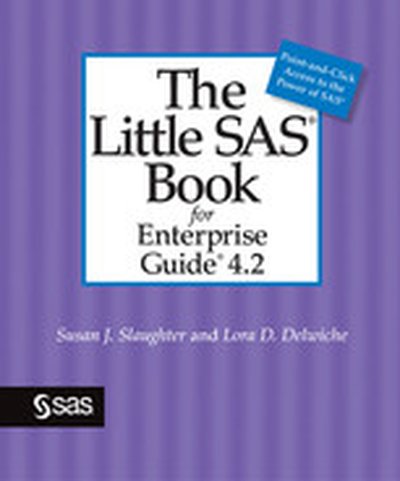
Whether you are using SAS Enterprise Guide for the first time or transitioning to the newest release, this is the book for you! With The Little SAS Book for Enterprise Guide 4.2, award-winning authors Susan Slaughter and Lora Delwiche help you quickly become productive in the SAS Enterprise Guide point-and-click environment. A series of carefully designed tutorials help you master the basics of the tasks you'll want to do most frequently. The reference section of the book expands on the tutorial topics, covering specific features in more depth. Completely rewritten and updated with new features for SAS Enterprise Guide 4.2, this edition supports SAS Enterprise Guide 4.2, SAS Enterprise Guide 4.3, and SAS Enterprise Guide 5.1.
This book is part of the SAS Press program.
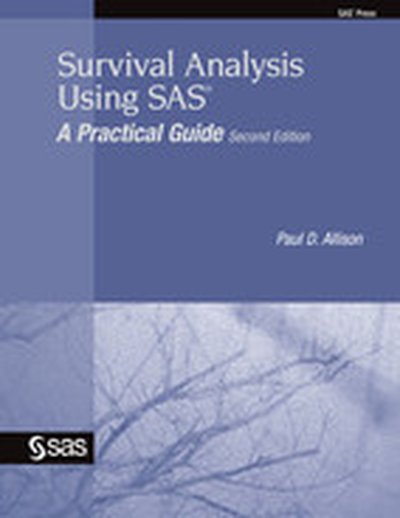
Easy to read and comprehensive, Survival Analysis Using SAS: A Practical Guide, Second Edition, by Paul D. Allison, is an accessible, data-based introduction to methods of survival analysis. Researchers who want to analyze survival data with SAS will find just what they need with this fully updated new edition that incorporates the many enhancements in SAS procedures for survival analysis in SAS 9. Although the book assumes only a minimal knowledge of SAS, more experienced users will learn new techniques of data input and manipulation. Numerous examples of SAS code and output make this an eminently practical book, ensuring that even the uninitiated become sophisticated users of survival analysis. The main topics presented include censoring, survival curves, Kaplan-Meier estimation, accelerated failure time models, Cox regression models, and discrete-time analysis. Also included are topics not usually covered in survival analysis books, such as time-dependent covariates, competing risks, and repeated events.
Survival Analysis Using SAS: A Practical Guide, Second Edition, has been thoroughly updated for SAS 9, and all figures are presented using ODS Graphics. This new edition also documents major enhancements to the STRATA statement in the LIFETEST procedure; includes a section on the PROBPLOT command, which offers graphical methods to evaluate the fit of each parametric regression model; introduces the new BAYES statement for both parametric and Cox models, which allows the user to do a Bayesian analysis using MCMC methods; demonstrates the use of the counting process syntax as an alternative method for handling time-dependent covariates; contains a section on cumulative incidence functions; and describes the use of the new GLIMMIX procedure to estimate random-effects models for discrete-time data.
This book is part of the SAS Press program.
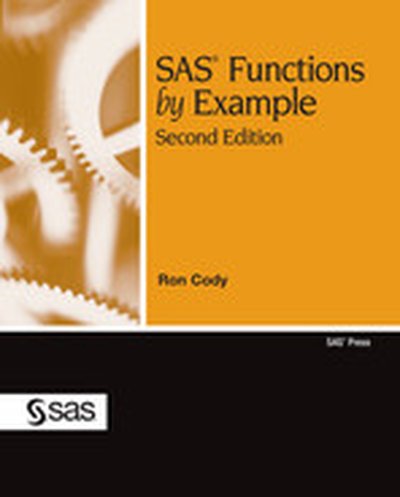
Fully updated for SAS 9.2, Ron Cody's SAS Functions by Example, Second Edition, is a must-have reference for anyone who programs in Base SAS. With the addition of functions new to SAS 9.2, this comprehensive reference manual now includes more than 200 functions, including new character, date and time, distance, probability, sort, and special functions. This new edition also contains more examples for existing functions and more details concerning optional arguments.
Like the first edition, the new edition also includes a list of SAS programs, an alphabetic list of all the functions in the book, and a comprehensive index of functions and tasks. Beginning and experienced SAS users will benefit from this useful reference guide to SAS functions.
This book is part of the SAS Press program.
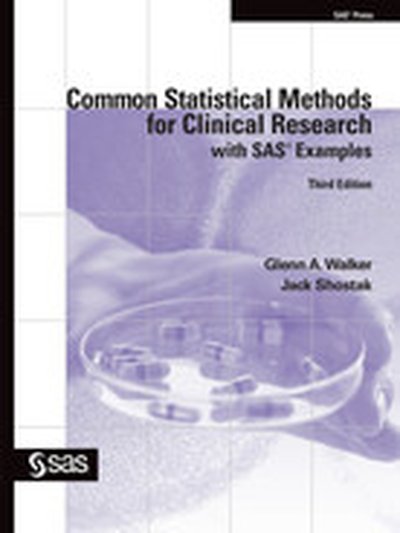
Glenn Walker and Jack Shostak's Common Statistical Methods for Clinical Research with SAS Examples, Third Edition, is a thoroughly updated edition of the popular introductory statistics book for clinical researchers. This new edition has been extensively updated to include the use of ODS graphics in numerous examples as well as a new emphasis on PROC MIXED. Straightforward and easy to use as either a text or a reference, the book is full of practical examples from clinical research to illustrate both statistical and SAS methodology. Each example is worked out completely, step by step, from the raw data.
Common Statistical Methods for Clinical Research with SAS Examples, Third Edition, is an applications book with minimal theory. Each section begins with an overview helpful to nonstatisticians and then drills down into details that will be valuable to statistical analysts and programmers. Further details, as well as bonus information and a guide to further reading, are presented in the extensive appendices. This text is a one-source guide for statisticians that documents the use of the tests used most often in clinical research, with assumptions, details, and some tricks--all in one place.
This book is part of the SAS Press program.
Most companies have massive amounts of data at their disposal, yet fail to utilize it in any meaningful way. But a powerful new business tool - analytics - is enabling many firms to aggressively leverage their data in key business decisions and processes, with impressive results. In their previous book, Competing on Analytics, Thomas Davenport and Jeanne Harris showed how pioneering firms were building their entire strategies around their analytical capabilities. Rather than "going with the gut" when pricing products, maintaining inventory, or hiring talent, managers in these firms use data, analysis, and systematic reasoning to make decisions that improve efficiency, risk-management, and profits. Now, in Analytics at Work, Davenport, Harris, and coauthor Robert Morison reveal how any manager can effectively deploy analytics in day-to-day operationsone business decision at a time. They show how many types of analytical tools, from statistical analysis to qualitative measures like systematic behavior coding, can improve decisions about everything from what new product offering might interest customers to whether marketing dollars are being most effectively deployed. Based on all-new research and illustrated with examples from companies including Humana, Best Buy, Progressive Insurance, and Hotels.com, this implementation-focused guide outlines the five-step DELTA model for deploying and succeeding with analytical initiatives. You'll learn how to: · Use data more effectively and glean valuable analytical insights · Manage and coordinate data, people, and technology at an enterprise level · Understand and support what analytical leaders do · Evaluate and choose realistic targets for analytical activity · Recruit, hire, and manage analysts Combining the science of quantitative analysis with the art of sound reasoning, Analytics at Work provides a road map and tools for unleashing the potential buried in your company's data.
Building on the popularity of the first edition, Michele Burlew has revised this popular examples book to include expanded content and new features of SAS software. Completely updated for SAS 9.2, Combining and Modifying SAS Data Sets: Examples, Second Edition, presents examples that show solutions to common programming tasks that involve combining, modifying, and reshaping data sets. Expanded examples demonstrate how to combine data sets vertically and horizontally; retrieve data from lookup tables; modify and update data sets; combine summary and detail data sets; reshape and transpose observations in a data set; and manipulate data in a data set with utilities and functions. The tools used to combine and modify data sets include the SET, MERGE, MODIFY, and UPDATE statements in the DATA step; joins and set operators in PROC SQL; BY-group processing; indexes; hash objects in the DATA step; the use of PROC FORMAT and hash tables as table lookups; and generation data sets. Unique features of this book include the following: Examples are grouped by task, not by code, so you can easily find a solution to a particular task; alternative solutions are presented in addition to the main examples; most examples that combine and modify data sets include both a DATA step and a PROC SQL solution; many examples include a "Closer Look" section that describes in-depth how the example helps you complete the task; and each example stands on its own so you do not need to read the book from beginning to end. Designed for SAS programmers at all levels, this examples book will help simplify the challenging task of combining and modifying data sets.
Incorporating broad coverage of the best ODS features in one book, Output Delivery System: The Basics and Beyond goes beyond Lauren Haworth's original ODS text to demonstrate the many new and enhanced features of ODS and SAS 9.2. With SAS 9.2, ODS provides a myriad of choices for reporting and displaying analytical results with a greater variety of formatting selections and output destinations. As experienced SAS users, Lauren E. Haworth, Cynthia L. Zender, and Michele M. Burlew know how important it is to be able to produce customized output in different formats to meet the needs of clients.Geared toward all levels of SAS users, Output Delivery System: The Basics and Beyond is an example-driven book that presents each of the wide array of ODS techniques in an easy-to-use, two-page layout, with the text and code on one page and the resulting output on the facing page. The book begins with basic syntax and progresses to more complex techniques and custom styles. You will learn to take basic SAS output and transform it into an HTML page, a word-processor-friendly RTF file, or printer-friendly PDF output. You'll learn how to generate a table of contents page for RTF and PDF files, generate bookmarks for PDF files, and generate custom page numbering for those destinations. You will also learn the basic concepts of changing style templates, using table templates with the DATA step, and using tagset templates to generate custom markup language tags and output. Other new features of ODS are also discussed, such as the ODS Graphics Framework and the new ODS Statistical Graphics procedures.
Your all-in-one resource for using Pentaho with MySQL for Business Intelligence and Data Warehousing Open-source Pentaho provides business intelligence (BI) and data warehousing solutions at a fraction of the cost of proprietary solutions. Now you can take advantage of Pentaho for your business needs with this practical guide written by two major participants in the Pentaho community. The book covers all components of the Pentaho BI Suite. You'll learn to install, use, and maintain Pentaho-and find plenty of background discussion that will bring you thoroughly up to speed on BI and Pentaho concepts. Of all available open source BI products, Pentaho offers the most comprehensive toolset and is the fastest growing open source product suite Explains how to build and load a data warehouse with Pentaho Kettle for data integration/ETL, manually create JFree (pentaho reporting services) reports using direct SQL queries, and create Mondrian (Pentaho analysis services) cubes and attach them to a JPivot cube browser Review deploying reports, cubes and metadata to the Pentaho platform in order to distribute BI solutions to end-users Shows how to set up scheduling, subscription and automatic distribution The companion Web site provides complete source code examples, sample data, and links to related resources.