talk-data.com talk-data.com

Topic

Azure DevOps

devops ci_cd

18

tagged

Activity Trend

3 peak/qtr
2020-Q1 2026-Q1

Activities

18 activities · Newest first

Data Engineering with Azure Databricks

Master end-to-end data engineering on Azure Databricks. From data ingestion and Delta Lake to CI/CD and real-time streaming, build secure, scalable, and performant data solutions with Spark, Unity Catalog, and ML tools. Key Features Build scalable data pipelines using Apache Spark and Delta Lake Automate workflows and manage data governance with Unity Catalog Learn real-time processing and structured streaming with practical use cases Implement CI/CD, DevOps, and security for production-ready data solutions Explore Databricks-native ML, AutoML, and Generative AI integration Book Description "Data Engineering with Azure Databricks" is your essential guide to building scalable, secure, and high-performing data pipelines using the powerful Databricks platform on Azure. Designed for data engineers, architects, and developers, this book demystifies the complexities of Spark-based workloads, Delta Lake, Unity Catalog, and real-time data processing. Beginning with the foundational role of Azure Databricks in modern data engineering, you’ll explore how to set up robust environments, manage data ingestion with Auto Loader, optimize Spark performance, and orchestrate complex workflows using tools like Azure Data Factory and Airflow. The book offers deep dives into structured streaming, Delta Live Tables, and Delta Lake’s ACID features for data reliability and schema evolution. You’ll also learn how to manage security, compliance, and access controls using Unity Catalog, and gain insights into managing CI/CD pipelines with Azure DevOps and Terraform. With a special focus on machine learning and generative AI, the final chapters guide you in automating model workflows, leveraging MLflow, and fine-tuning large language models on Databricks. Whether you're building a modern data lakehouse or operationalizing analytics at scale, this book provides the tools and insights you need. What you will learn Set up a full-featured Azure Databricks environment Implement batch and streaming ingestion using Auto Loader Optimize Spark jobs with partitioning and caching Build real-time pipelines with structured streaming and DLT Manage data governance using Unity Catalog Orchestrate production workflows with jobs and ADF Apply CI/CD best practices with Azure DevOps and Git Secure data with RBAC, encryption, and compliance standards Use MLflow and Feature Store for ML pipelines Build generative AI applications in Databricks Who this book is for This book is for data engineers, solution architects, cloud professionals, and software engineers seeking to build robust and scalable data pipelines using Azure Databricks. Whether you're migrating legacy systems, implementing a modern lakehouse architecture, or optimizing data workflows for performance, this guide will help you leverage the full power of Databricks on Azure. A basic understanding of Python, Spark, and cloud infrastructure is recommended.
As development velocity increases, testing and operations teams must innovate or fall behind. AI-powered agents are reshaping how software is designed, tested, and deployed. Discover how UiPath and Microsoft are enabling organizations to integrate autonomous AI agents into Azure DevOps and GitHub to deliver faster, smarter, and more resilient applications. This session explores how agentic automation drives adaptive SDLC, continuous delivery, and measurable efficiency in application testing.

Enterprises modernizing core systems on Azure face a familiar set of challenges: legacy mainframes, complex code refactors, and fragmented DevOps pipelines. Join Cognition to get a practical view of how autonomous AI agents like Devin help engineering teams accelerate large-scale modernization efforts. Witness how engineers used Devin to refactor COBOL applications, automate migration pipelines into Azure DevOps and GitHub, and validate migrated workloads for production.

AI-powered workflows with GitHub and Azure DevOps

Modernize your DevOps strategy with Agentic DevOps by migrating your Azure Repos to GitHub while continuing to leverage the investments you’ve made in Azure Boards and Azure Pipelines. We’ll walk through real-world patterns for hybrid adoption, show how to integrate GitHub, Azure Boards and Azure Pipelines, and share best practices for enabling agent-based workflows with the MCP Servers for Azure DevOps, Playwright and Azure.

Delivered in a silent stage breakout.

Ditch the hand-cranked Word specs and kill your documentation debt for good. In this 45-minute demo you’ll see the Power Platform Documentation Extension turn every pipeline run into living, version-controlled docs—complete with ER-diagrams, data dictionaries, security-role matrices, option-set tables and workflow summaries. We’ll wire the extension into Azure DevOps, commit Markdown/Branded Word Documents artefacts back to Git. By session-end you’ll have a reusable YAML snippet that can be added to any Power Platform CI/CD flow.

Git is the backbone of modern software development — but mastering real-world workflows goes far beyond basic commits and pulls. This session dives deep into how Visual Studio and Visual Studio Code streamline the Git experience while still giving you full control over advanced operations and branching strategies. We’ll start with the everyday developer workflow: staging, committing, branching, merging, and synchronizing repositories directly inside the IDE. From there, we’ll tackle the challenges that arise in real projects — merge conflicts, rebase vs. merge, squash commits, and rewriting history when sensitive data accidentally enters your repository. You’ll see how Visual Studio’s graphical interface, combined with Git Bash and posh-git, provides the flexibility of the command line without losing the visual context developers rely on. The session concludes with branching and release management practices in Azure DevOps, demonstrating how to align Git workflows with CI/CD pipelines for clean, auditable, and collaborative development. Attendees will leave with practical strategies for keeping Git repositories clean, secure, and consistent, and a clear understanding of how to manage even complex workflows efficiently using Visual Studio, VS Code, and Azure DevOps.

MLOps That Ships: Accelerating AI Deployment at Vizient

Deploying AI models efficiently and consistently is a challenge many organizations face. This session will explore how Vizient built a standardized MLOps stack using Databricks and Azure DevOps to streamline model development, deployment and monitoring. Attendees will gain insights into how Databricks Asset Bundles were leveraged to create reproducible, scalable pipelines and how Infrastructure-as-Code principles accelerated onboarding for new AI projects. The talk will cover: End-to-end MLOps stack setup, ensuring efficiency and governance CI/CD pipeline architecture, automating model versioning and deployment Standardizing AI model repositories, reducing development and deployment time Lessons learned, including challenges and best practices By the end of this session, participants will have a roadmap for implementing a scalable, reusable MLOps framework that enhances operational efficiency across AI initiatives.

Cross-Cloud Data Mesh with Delta Sharing and UniForm in Mercedes-Benz

In this presentation, we'll show how we achieved a unified development experience for teams working on Mercedes-Benz Data Platforms in AWS and Azure. We will demonstrate how we implemented Azure to AWS and AWS to Azure data product sharing (using Delta Sharing and Cloud Tokens), integration with AWS Glue Iceberg tables through UniForm and automation to drive everything using Azure DevOps Pipelines and DABs. We will also show how to monitor and track cloud egress costs and how we present a consolidated view of all the data products and relevant cost information. The end goal is to show how customers can offer the same user experience to their engineers and not have to worry about which cloud or region the Data Product lives in. Instead, they can enroll in the data product through self-service and have it available to them in minutes, regardless of where it originates.

Deploying Databricks Asset Bundles (DABs) at Scale

This session is repeated.Managing data and AI workloads in Databricks can be complex. Databricks Asset Bundles (DABs) simplify this by enabling declarative, Git-driven deployment workflows for notebooks, jobs, Lakeflow Declarative Pipelines, dashboards, ML models and more.Join the DABs Team for a Deep Dive and learn about:The Basics: Understanding Databricks asset bundlesDeclare, define and deploy assets, follow best practices, use templates and manage dependenciesCI/CD & Governance: Automate deployments with GitHub Actions/Azure DevOps, manage Dev vs. Prod differences, and ensure reproducibilityWhat’s new and what's coming up! AI/BI Dashboard support, Databricks Apps support, a Pythonic interface and workspace-based deploymentIf you're a data engineer, ML practitioner or platform architect, this talk will provide practical insights to improve reliability, efficiency and compliance in your Databricks workflows.

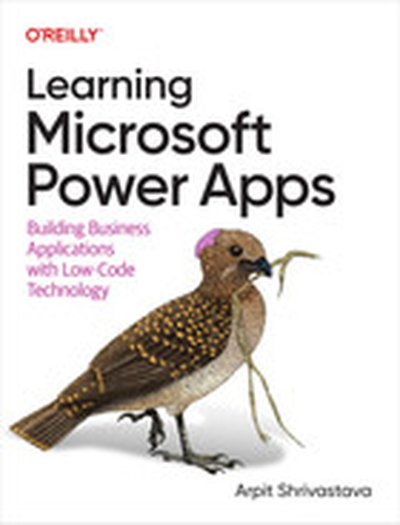
Learning Microsoft Power Apps

In today's fast-paced world, more and more organizations require rapid application development with reduced development costs and increased productivity. This practical guide shows application developers how to use PowerApps, Microsoft's no-code/low-code application framework that helps developers speed up development, modernize business processes, and solve tough challenges. Author Arpit Shrivastava provides a comprehensive overview of designing and building cost-effective applications with Microsoft Power Apps. You'll learn fundamental concepts behind low-code and no-code development, how to build applications using pre-built and blank templates, how to design an app using Copilot AI and drag and drop PowerPoint-like controls, use Excel-like expressions to write business logic for an app, and integrate apps with external data sources. With this book, you'll: Learn the importance of no-code/low-code application development Design mobile/tablet (canvas apps) applications using pre-built and blank templates Design web applications (model-driven apps) using low-code, no-code, and pro-code components Integrate PowerApps with external applications Learn basic coding concepts like JavaScript, Power Fx, and C# Apply best practices to customize Dynamics 365 CE applications Dive into Azure DevOps and ALM concepts to automate application deployment

Join Elli in an exploration of DevSecOps excellence with Microsoft's integrated solution, uniting Azure DevOps and GitHub. Delve into the seamless integration that propels your security practices, emphasizing a "Shift Security Left" approach. Learn how to increase developer velocity while embedding robust security measures throughout your code lifecycle. Uncover the comprehensive suite of tools, effortlessly migrate repositories, and fortify your DevOps journey with Microsoft's unified solution.

Embracing a modern data stack in the water industry - Coalesce 2023

Learn about Watercare's journey in implementing a modern data stack with a focus on self serving analytics in the water industry. The session covers the reasons behind Watercare's decision to implement a modern data stack, the problem of data conformity, and the tools they used to accelerate their data modeling process. Diego also discusses the benefits of using dbt, Snowflake, and Azure DevOps in data modeling. There is also a parallel drawn between analytics and Diego’s connection with jazz music.

Speaker: Diego Morales, Civil Industrial Engineer, Watercare

Register for Coalesce at https://coalesce.getdbt.com

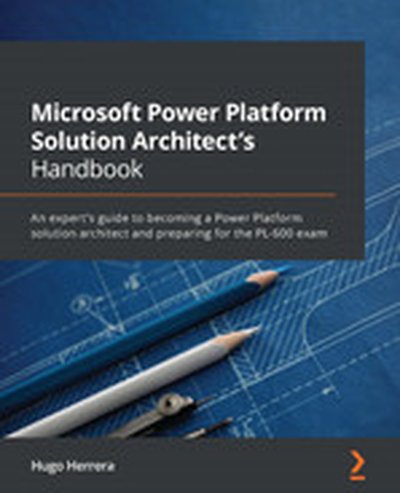
Microsoft Power Platform Solution Architect's Handbook

Microsoft Power Platform Solution Architect's Handbook is your definitive resource for mastering Enterprise-grade solution architecture using Microsoft Power Platform. By covering both practical examples and theoretical best practices, this book ensures you are well-prepared to tackle real-world challenges and excel in the PL-600 certification exam. What this Book will help me do Master the essential practices of solution architecture for optimal design. Develop secure integrations and data strategies for cutting-edge applications. Learn sophisticated lifecycle and compliance management using Azure DevOps. Build impactful, compliant, and flexible solutions using Power Platform. Prepare effectively for the PL-600 certification exam and excel in your field. Author(s) Hugo Herrera is a respected technology expert specializing in solution architecture and enterprise-grade IT solutions, particularly with Microsoft Power Platform. Drawing from years of experience, Hugo emphasizes practical, actionable strategies to elevate professionals. Through this book, Hugo shares his deep expertise and makes complex concepts accessible. Who is it for? This book is perfect for solution architects, enterprise architects, IT consultants, and analysts focused on Microsoft Power Platform and related technologies. It provides insight and tools for professionals looking to enhance their competencies, advance their careers, and prepare for the PL-600 exam. The reader should have a solid understanding of Power Platform fundamentals.

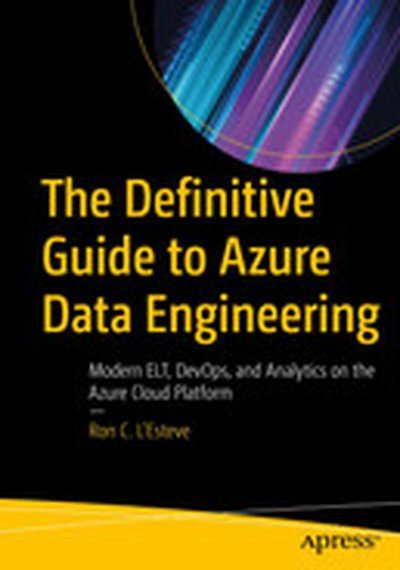
The Definitive Guide to Azure Data Engineering: Modern ELT, DevOps, and Analytics on the Azure Cloud Platform

Build efficient and scalable batch and real-time data ingestion pipelines, DevOps continuous integration and deployment pipelines, and advanced analytics solutions on the Azure Data Platform. This book teaches you to design and implement robust data engineering solutions using Data Factory, Databricks, Synapse Analytics, Snowflake, Azure SQL database, Stream Analytics, Cosmos database, and Data Lake Storage Gen2. You will learn how to engineer your use of these Azure Data Platform components for optimal performance and scalability. You will also learn to design self-service capabilities to maintain and drive the pipelines and your workloads. The approach in this book is to guide you through a hands-on, scenario-based learning process that will empower you to promote digital innovation best practices while you work through your organization’s projects, challenges, and needs. The clear examples enable you to use this book as a reference and guide for building data engineering solutions in Azure. After reading this book, you will have a far stronger skill set and confidence level in getting hands on with the Azure Data Platform. What You Will Learn Build dynamic, parameterized ELT data ingestion orchestration pipelines in Azure Data Factory Create data ingestion pipelines that integrate control tables for self-service ELT Implement a reusable logging framework that can be applied to multiple pipelines Integrate Azure Data Factory pipelines with a variety of Azure data sources and tools Transform data with Mapping Data Flows in Azure Data Factory Apply Azure DevOps continuous integration and deployment practices to your Azure Data Factory pipelines and development SQL databases Design and implement real-time streaming and advanced analytics solutions using Databricks, Stream Analytics, and Synapse Analytics Get started with a variety of Azure data services through hands-on examples Who This Book Is For Data engineers and data architects who are interested in learning architectural and engineering best practices around ELT and ETL on the Azure Data Platform, those who are creating complex Azure data engineering projects and are searching for patterns of success, and aspiring cloud and data professionals involved in data engineering, data governance, continuous integration and deployment of DevOps practices, and advanced analytics who want a full understanding of the many different tools and technologies that Azure Data Platform provides

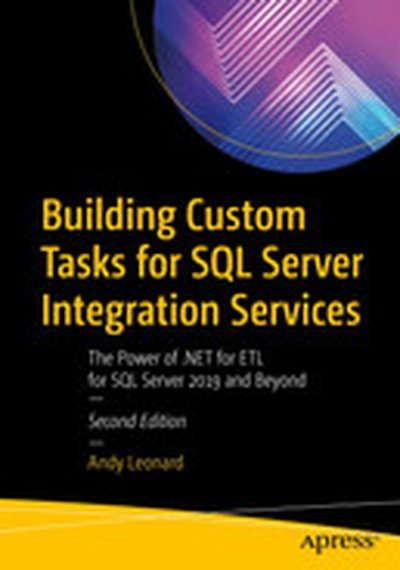
Building Custom Tasks for SQL Server Integration Services: The Power of .NET for ETL for SQL Server 2019 and Beyond

Build custom SQL Server Integration Services (SSIS) tasks using Visual Studio Community Edition and C#. Bring all the power of Microsoft .NET to bear on your data integration and ETL processes, and for no added cost over what you’ve already spent on licensing SQL Server. New in this edition is a demonstration deploying a custom SSIS task to the Azure Data Factory (ADF) Azure-SSIS Integration Runtime (IR). All examples in this new edition are implemented in C#. Custom task developers are shown how to implement custom tasks using the widely accepted and default language for .NET development. Why are custom components necessary? Because even though the SSIS catalog of built-in tasks and components is a marvel of engineering, gaps remain in the available functionality. One such gap is a constraint of the built-in SSIS Execute Package Task, which does not allow SSIS developers to select SSIS packages from other projects in the SSIS Catalog. Examples in this bookshow how to create a custom Execute Catalog Package task that allows SSIS developers to execute tasks from other projects in the SSIS Catalog. Building on the examples and patterns in this book, SSIS developers may create any task to which they aspire, custom tailored to their specific data integration and ETL needs. What You Will Learn Configure and execute Visual Studio in the way that best supports SSIS task development Create a class library as the basis for an SSIS task, and reference the needed SSIS assemblies Properly sign assemblies that you create in order to invoke them from your task Implement source code control via Azure DevOps, or your own favorite tool set Troubleshoot and execute custom tasks as part of your own projects Create deployment projects (MSIs) for distributing code-complete tasks Deploy custom tasks to Azure Data Factory Azure-SSIS IRs in the cloud Create advanced editors for custom task parameters Who This Book Is For For database administrators and developers who are involved in ETL projects built around SQL Server Integration Services (SSIS). Readers do not need a background in software development with C#. Most important is a desire to optimize ETL efforts by creating custom-tailored tasks for execution in SSIS packages, on-premises or in ADF Azure-SSIS IRs.

Create your blueprint for a successful AI transformation

Gartner predicts over 40% of agentic AI projects will fail by 2027, despite AI transformation being a top industry priority. The cause is a classic "last-mile problem": AI agents require step-by-step instructions, but key workflows are undocumented. This session demonstrates how to create a roadmap for your AI transformation by developing living blueprints of your processes or architecture with tools like the Lucid Suite, Microsoft Teams, and Azure DevOps.