talk-data.com talk-data.com

Topic

Microsoft

technology software cloud

186

tagged

Activity Trend

556 peak/qtr
2020-Q1 2026-Q1

Activities

Showing filtered results

Filtering by: O'Reilly Data Science Books ×
Pro Power BI Architecture: Sharing, Security, and Deployment Options for Microsoft Power BI Solutions

Architect and deploy a Power BI solution. This book will help you understand the many available options and choose the best combination for hosting, developing, sharing, and deploying a Power BI solution within your organization. Pro Power BI Architecture provides detailed examples and explains the different methods available for sharing and securing Power BI content so that only intended recipients can see it. Commonly encountered problems you will learn to handle include content unexpectedly changing while users are in the process of creating reports and building analysis, methods of sharing analyses that don’t cover all the requirements of your business or organization, and inconsistent security models. The knowledge provided in this book will allow you to choose an architecture and deployment model that suits the needs of your organization, ensuring that you do not spend your time maintaining your solution but onusing it for its intended purpose and gaining business value from mining and analyzing your organization’s data. What You'll Learn Architect and administer enterprise-level Power BI solutions Choose the right sharing method for your Power BI solution Create and manage environments for development, testing, and production Implement row level security in multiple ways to secure your data Save money by choosing the right licensing plan Select a suitable connection type—Live Connection, DirectQuery, or Scheduled Refresh—for your use case Set up a Power BI gateway to bridge between on-premises data sources and the Power BI cloud service Who This Book Is For Data analysts, developers, architects, and managers who want to leverage Power BI for their reporting solution
Microsoft Power BI Dashboards Step by Step, First Edition

Your hands-on guide to building effective Power BI dashboards Expand your expertise–and teach yourself how to create world-class Power BI business analysis dashboards that bring data to life for better decision-making. If you're an experienced business intelligence professional or manager, you'll get all the guidance, examples, and code you need to succeed–even if you've never used Power BI before. Successfully design, architect, and implement Power BI in your organization Take full advantage of any Microsoft Power BI platform, including Power BI Premium Make upfront decisions that position your Power BI project for success Build rich, live dashboards to monitor crucial data from across your organization Aggregate data and data elements from numerous internal and external data sources Develop dynamic visualizations, including charts, maps, and graphs Bring data to life with stunning interactive reports Ensure dashboard security and compliance Drive user adoption through effective training

Collect, Combine, and Transform Data Using Power Query in Excel and Power BI, First Edition

Using Power Query, you can import, reshape, and cleanse any data from a simple interface, so you can mine that data for all of its hidden insights. Power Query is embedded in Excel, Power BI, and other Microsoft products, and leading Power Query expert Gil Raviv will help you make the most of it. Discover how to eliminate time-consuming manual data preparation, solve common problems, avoid pitfalls, and more. Then, walk through several complete analytics challenges, and integrate all your skills in a realistic chapter-length final project. By the time you're finished, you'll be ready to wrangle any data–and transform it into actionable knowledge. Prepare and analyze your data the easy way, with Power Query · Quickly prepare data for analysis with Power Query in Excel (also known as Get & Transform) and in Power BI · Solve common data preparation problems with a few mouse clicks and simple formula edits · Combine data from multiple sources, multiple queries, and mismatched tables · Master basic and advanced techniques for unpivoting tables · Customize transformations and build flexible data mashups with the M formula language · Address collaboration challenges with Power Query · Gain crucial insights into text feeds · Streamline complex social network analytics so you can do it yourself For all information workers, analysts, and any Excel user who wants to solve their own business intelligence problems.

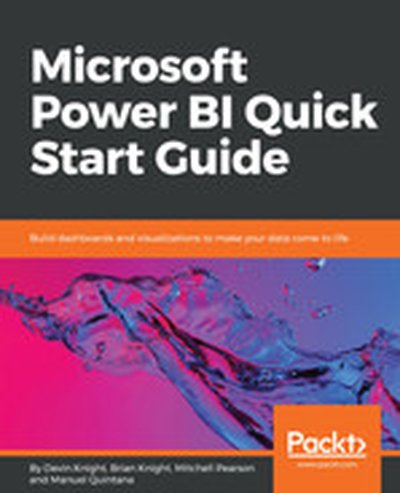
Microsoft Power BI Quick Start Guide

Uncover the power of Microsoft Power BI with this accessible and practical guide. This book introduces you to the concepts of data modeling, transformation, and visualization, ensuring that you can build effective dashboards and gain valuable insights. You'll be empowered to productively utilize Power BI in your organization to achieve your analytics goals. What this Book will help me do Connect to various data sources and harness the capabilities of the Query Editor. Transform and clean data for analysis, learning to use languages like M and R. Build robust data models with relationships and powerful DAX expressions. Create impactful reports with efficient and custom visualizations in Power BI. Deploy and administer Power BI solutions both in the cloud and on-premise. Author(s) The authors, Devin Knight, Mitchell Pearson, and Manuel Quintana, are seasoned experts in Business Intelligence and Power BI. They bring years of experience simplifying complex data challenges. Their writing is approachable and hands-on, equipping readers with the skills to solve real-world problems. Who is it for? This book is perfectly suited for professionals in Business Intelligence roles, data analysts, or those aiming to adopt Power BI solutions. Whether you're new to Power BI or have basic BI knowledge, this guide will take you from fundamentals to advanced implementations. Ideal for anyone aiming to unlock actionable insights from their data.

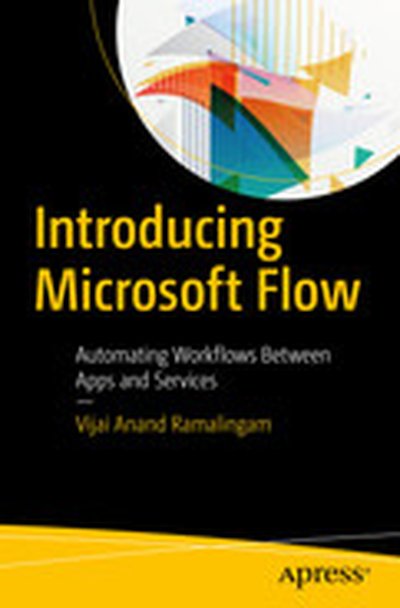
Introducing Microsoft Flow: Automating Workflows Between Apps and Services

Use Microsoft Flow in your business to improve productivity through automation with this step-by-step introductory text from a Microsoft Flow expert. You’ll see the prerequisites to get started with this cloud-based service, including how to create a flow and how to use different connectors. Introducing Microsoft Flow takes you through connecting with SharePoint, creating approval flows, and using mobile apps. This vital information gives you a head-start when planning your Microsoft Flow implementation. The second half of the book continues with managing connections and gateways, where you’ll cover the configuration, creation, and deletion of connectors and how to connect to a data gateway. The final topic is Flow administration and techniques to manage the environment. After reading this book, you will be able to create and manage Flow from desktop, laptop, or mobile devices and connect with multiple services such as SharePoint, Twitter, Facebook, and other networking sites. What You Will Learn Create flows from built-in and blank templates Manage flows, connections, and gateways Create approvals, connect with multiple services, and use mobile apps Who This Book Is For Administrators and those who are interested in creating automated workflows using templates and connecting with multiple services without writing a single line of code.

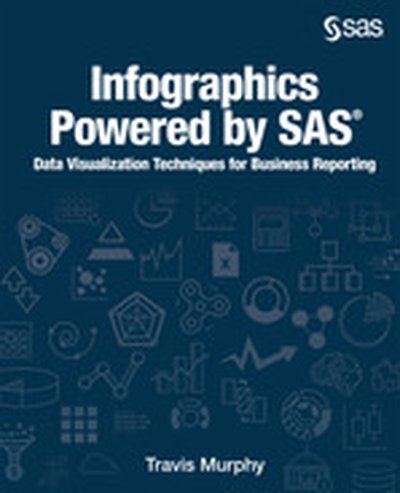
Infographics Powered by SAS

Create compelling business infographics with SAS and familiar office productivity tools. A picture is worth a thousand words, but what if there are a billion words? When analyzing big data, you need a picture that cuts through the noise. This is where infographics come in. Infographics are a representation of information in a graphic format designed to make the data easily understandable. With infographics, you don’t need deep knowledge of the data. The infographic combines story telling with data and provides the user with an approachable entry point into business data. Infographics Powered by SAS : Data Visualization Techniques for Business Reporting shows you how to create graphics to communicate information and insight from big data in the boardroom and on social media. Learn how to create business infographics for all occasions with SAS and learn how to build a workflow that lets you get the most from your SAS system without having to code anything, unless you want to! This book combines the perfect blend of creative freedom and data governance that comes from leveraging the power of SAS and the familiarity of Microsoft Office. Topics covered in this book include: SAS Visual Analytics SAS Office Analytics SAS/GRAPH software (SAS code examples) Data visualization with SAS Creating reports with SAS Using reports and graphs from SAS to create business presentations Using SAS within Microsoft Office

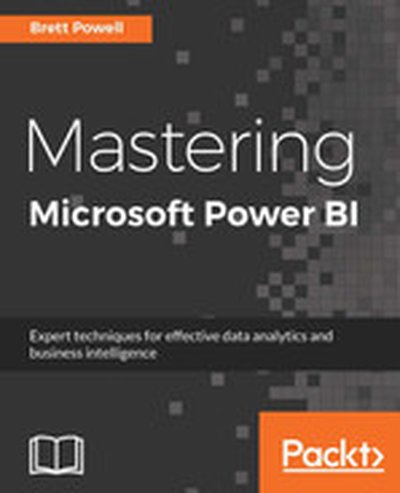
Mastering Microsoft Power BI

Dive right into the powerful world of Microsoft Power BI with this comprehensive guide. This book takes you through every step of mastering Power BI, from data modeling to creating actionable visualizations. You'll find clear explanations and practical steps to improve your data analytics and enhance business decision-making. What this Book will help me do Learn to connect and transform data using Power Query M Language to create clean, structured datasets. Understand how to design scalable and performance-optimized Power BI Data Models for effective analytics. Develop professional, visually appealing and interactive reports and dashboards to convey insights confidently. Implement best practices for managing Power BI solutions, including deployment, version control, and monitoring. Gain practical knowledge to administer Power BI across organizational structures, ensuring security and efficiency. Author(s) None Powell is a seasoned expert in business intelligence and a passionate educator in the field of data analytics. With extensive hands-on experience in Microsoft Power BI, None has supported many organizations in unlocking the potential of their data. The approachable writing style reflects a real-world yet proficient understanding of Power BI's capabilities. Who is it for? This book is ideal for business intelligence professionals looking to deepen their expertise in Microsoft Power BI. Readers already familiar with basic BI concepts and Power BI will gain significant technical depth. It suits professionals keen to enhance their data modeling, visualization, and analytics skills. If you're aiming to create impactful dashboards and benefit from advanced insights, this book is for you.

The SAS Programmer's PROC REPORT Handbook

Generate reports with style! The SAS Programmer's PROC REPORT Handbook: ODS Companion explains how to use style elements within a style template to customize reports generated by PROC REPORT, leading to more appealing and effective business reports. Many programmers are faced with generating reports that are easy to read and comprehend for a wide variety of audiences, which is where the ODS destinations and style changes come into play. This book teaches you how to use style elements in PROC REPORT, a versatile reporting procedure, to customize your output. Mastering style elements allows you to change visual aspects of reports, such as borders, column widths, fonts, backgrounds, and more. This companion to The SAS Programmer’s PROC REPORT Handbook: Basic to Advanced Reporting Techniques explores how the style elements within a style template affect the output generated by PROC REPORT. It provides examples of altering the style elements and the effect on the main ODS destinations, while also discussing common pitfalls that programmers can avoid while working with tables, Microsoft Excel, Microsoft Power Point, and PDF output.

Fundamentals of Predictive Analytics with JMP, Second Edition

Written for students in undergraduate and graduate statistics courses, as well as for the practitioner who wants to make better decisions from data and models, this updated and expanded second edition of Fundamentals of Predictive Analytics with JMP(R) bridges the gap between courses on basic statistics, which focus on univariate and bivariate analysis, and courses on data mining and predictive analytics. Going beyond the theoretical foundation, this book gives you the technical knowledge and problem-solving skills that you need to perform real-world multivariate data analysis. First, this book teaches you to recognize when it is appropriate to use a tool, what variables and data are required, and what the results might be. Second, it teaches you how to interpret the results and then, step-by-step, how and where to perform and evaluate the analysis in JMP . Using JMP 13 and JMP 13 Pro, this book offers the following new and enhanced features in an example-driven format: an add-in for Microsoft Excel Graph Builder dirty data visualization regression ANOVA logistic regression principal component analysis LASSO elastic net cluster analysis decision trees k-nearest neighbors neural networks bootstrap forests boosted trees text mining association rules model comparison With today’s emphasis on business intelligence, business analytics, and predictive analytics, this second edition is invaluable to anyone who needs to expand his or her knowledge of statistics and to apply real-world, problem-solving analysis. This book is part of the SAS Press program.

Pro Power BI Desktop

Deliver eye-catching Business Intelligence with Microsoft Power BI Desktop. This new edition has been updated to cover all the latest features, including combo charts, Cartesian charts, trend lines, use of gauges, and more. Also covered are Top-N features, the ability to bin data into groupings and chart the groupings, and new techniques for detecting and handling outlier data points. You can take data from virtually any source and use it to produce stunning dashboards and compelling reports that will seize your audience’s attention. Slice and dice the data with remarkable ease and then add metrics and KPIs to project the insights that create your competitive advantage. Make raw data into clear, accurate, and interactive information with Microsoft’s free self-service business intelligence tool. Pro Power BI Desktop shows you how to choose from a wide range of built-in and third-party visualization types so that your message is always enhanced. You’ll be able to deliver those results on the PC, tablets, and smartphones, as well as share results via the cloud. This book helps you save time by preparing the underlying data correctly without needing an IT department to prepare it for you. What You'll Learn Deliver attention-grabbing information, turning data into insight Mash up data from multiple sources into a cleansed and coherent data model Create dashboards that help in monitoring key performance indicators of your business Build interdependent charts, maps, and tables to deliver visually stunning information Share business intelligence in the cloud without involving IT Deliver visually stunning and interactive charts, maps, and tables Find new insights as you chop and tweak your data as never before Adapt delivery to mobile devices such as phones and tablets Who This Book Is For Everyone from CEOs and Business Intelligence developers to power users and IT managers

Microsoft Power BI Cookbook

This comprehensive guide dives deep into the Power BI platform, teaching you how to create insightful data models, reports, and dashboards that drive business decisions. With hands-on recipes and real-world examples, this book is a practical resource for mastering the full range of Power BI's capabilities. What this Book will help me do Understand and apply data cleansing and transformation using Power BI tools. Create and utilize intuitive data models for business intelligence reporting. Leverage DAX and M languages for advanced data analysis and custom solutions. Build dynamic, user-specific dashboards and visualizations for impactful insights. Integrate Power BI with Microsoft Excel, SQL Server, and cloud services for extended functionality. Author(s) None Powell is an experienced data analyst and Microsoft BI solution architect with extensive expertise in Power BI. He has worked on numerous BI projects, providing practical solutions using Microsoft's data platform technologies. Through detailed, scenario-based writing, he shares his knowledge to help readers excel in their BI endeavors. Who is it for? This book is perfect for business intelligence professionals and analysts seeking to expand their skills in Power BI. Ideal readers may have foundational Power BI knowledge and look to master advanced techniques. If you aim to build impactful BI solutions and are motivated to handle complex data integrations, this book will be instrumental.

Exchanging Data From SAS to Excel

Microsoft Excel remains the leading spreadsheet application on the market; nearly every SAS user will need to move their data and reports into Excel workbooks at some point during their career. Exchanging Data From SAS(R) to Excel: The ODS Excel Destination shows SAS users how to create Excel workbooks that are presentation ready, eliminating manual changes to the workbooks after creation.

While the original book Exchanging Data between SAS and Microsoft Excel: Tips and Techniques to Transfer and Manage Data More Efficiently touched upon many topics involved in moving data between SAS and Excel, this companion book delves into the options that are available with the ODS Excel destination. This book also has numerous examples that include syntax and graphical output.

With this book, you can learn how to:

Create native Excel files

Insert graphs and images into Excel files

Place multiple tables on multiple tabs within the file

Customize spreadsheets with workbook-level options, print features, column features, row features, and cell-level features

Exchanging Data from SAS® to Excel: The ODS Excel Destination will make sending your output and graphics to Excel a breeze, enhancing any presentation!

Illuminating Statistical Analysis Using Scenarios and Simulations

Features an integrated approach of statistical scenarios and simulations to aid readers in developing key intuitions needed to understand the wide ranging concepts and methods of statistics and inference Illuminating Statistical Analysis Using Scenarios and Simulations presents the basic concepts of statistics and statistical inference using the dual mechanisms of scenarios and simulations. This approach helps readers develop key intuitions and deep understandings of statistical analysis. Scenario-specific sampling simulations depict the results that would be obtained by a very large number of individuals investigating the same scenario, each with their own evidence, while graphical depictions of the simulation results present clear and direct pathways to intuitive methods for statistical inference. These intuitive methods can then be easily linked to traditional formulaic methods, and the author does not simply explain the linkages, but rather provides demonstrations throughout for a broad range of statistical phenomena. In addition, induction and deduction are repeatedly interwoven, which fosters a natural "need to know basis" for ordering the topic coverage. Examining computer simulation results is central to the discussion and provides an illustrative way to (re)discover the properties of sample statistics, the role of chance, and to (re)invent corresponding principles of statistical inference. In addition, the simulation results foreshadow the various mathematical formulas that underlie statistical analysis. In addition, this book: • Features both an intuitive and analytical perspective and includes a broad introduction to the use of Monte Carlo simulation and formulaic methods for statistical analysis • Presents straight-forward coverage of the essentials of basic statistics and ensures proper understanding of key concepts such as sampling distributions, the effects of sample size and variance on uncertainty, analysis of proportion, mean and rank differences, covariance, correlation, and regression • Introduces advanced topics such as Bayesian statistics, data mining, model cross-validation, robust regression, and resampling • Contains numerous example problems in each chapter with detailed solutions as well as an appendix that serves as a manual for constructing simulations quickly and easily using Microsoft® Office Excel® Illuminating Statistical Analysis Using Scenarios and Simulations is an ideal textbook for courses, seminars, and workshops in statistics and statistical inference and is appropriate for self-study as well. The book also serves as a thought-provoking treatise for researchers, scientists, managers, technicians, and others with a keen interest in statistical analysis. Jeffrey E. Kottemann, Ph.D., is Professor in the Perdue School at Salisbury University. Dr. Kottemann has published articles in a wide variety of academic research journals in the fields of business administration, computer science, decision sciences, economics, engineering, information systems, psychology, and public administration. He received his Ph.D. in Systems and Quantitative Methods from the University of Arizona.

Beginning Power BI: A Practical Guide to Self-Service Data Analytics with Excel 2016 and Power BI Desktop, Second Edition

Analyze your company's data quickly and easily using Microsoft's latest tools. You will learn to build scalable and robust data models to work from, clean and combine different data sources effectively, and create compelling visualizations and share them with your colleagues. Author Dan Clark takes you through each topic using step-by-step activities and plenty of screen shots to help familiarize you with the tools. This second edition includes new material on advanced uses of Power Query, along with the latest user guidance on the evolving Power BI platform. Beginning Power BI is your hands-on guide to quick, reliable, and valuable data insight. What You'll Learn Simplify data discovery, association, and cleansing Build solid analytical data models Create robust interactive data presentations Combine analytical and geographic data in map-based visualizations Publish and share dashboards and reports Who This Book Is For Business analysts, database administrators, developers, and other professionals looking to better understand and communicate with data

Pro Tableau: A Step-by-Step Guide

Leverage the power of visualization in business intelligence and data science to make quicker and better decisions. Use statistics and data mining to make compelling and interactive dashboards. This book will help those familiar with Tableau software chart their journey to being a visualization expert. Pro Tableau demonstrates the power of visual analytics and teaches you how to: Connect to various data sources such as spreadsheets, text files, relational databases (Microsoft SQL Server, MySQL, etc.), non-relational databases (NoSQL such as MongoDB, Cassandra), R data files, etc. Write your own custom SQL, etc. Perform statistical analysis in Tableau using R Use a multitude of charts (pie, bar, stacked bar, line, scatter plots, dual axis, histograms, heat maps, tree maps, highlight tables, box and whisker, etc.) What you'll learn Connect to various data sources such as relational databases (Microsoft SQL Server, MySQL), non-relational databases (NoSQL such as MongoDB, Cassandra), write your own custom SQL, join and blend data sources, etc. Leverage table calculations (moving average, year over year growth, LOD (Level of Detail), etc. Integrate Tableau with R Tell a compelling story with data by creating highly interactive dashboards Who this book is for All levels of IT professionals, from executives responsible for determining IT strategies to systems administrators, to data analysts, to decision makers responsible for driving strategic initiatives, etc. The book will help those familiar with Tableau software chart their journey to a visualization expert.

R for Microsoft® Excel Users: Making the Transition for Statistical Analysis

Microsoft Excel can perform many statistical analyses, but thousands of business users and analysts are now reaching its limits. R, in contrast, can perform virtually any imaginable analysis—if you can get over its learning curve. In R for Microsoft® Excel Users, Conrad Carlberg shows exactly how to get the most from both programs. Drawing on his immense experience helping organizations apply statistical methods, Carlberg reviews how to perform key tasks in Excel, and then guides you through reaching the same outcome in R—including which packages to install and how to access them. Carlberg offers expert advice on when and how to use Excel, when and how to use R instead, and the strengths and weaknesses of each tool. Writing in clear, understandable English, Carlberg combines essential statistical theory with hands-on examples reflecting real-world challenges. By the time you’ve finished, you’ll be comfortable using R to solve a wide spectrum of problems—including many you just couldn’t handle with Excel. • Smoothly transition to R and its radically different user interface • Leverage the R community’s immense library of packages • Efficiently move data between Excel and R • Use R’s DescTools for descriptive statistics, including bivariate analyses • Perform regression analysis and statistical inference in R and Excel • Analyze variance and covariance, including single-factor and factorial ANOVA • Use R’s mlogit package and glm function for Solver-style logistic regression • Analyze time series and principal components with R and Excel

Pro Power BI Desktop

This book shows how to deliver eye-catching Business Intelligence with Microsoft Power BI Desktop. You can now take data from virtually any source and use it to produce stunning dashboards and compelling reports that will seize your audience's attention. Slice and dice the data with remarkable ease then add metrics and KPIs to project the insights that create your competitive advantage. Make raw data into clear, accurate, and interactive information with Microsoft's free self-service business intelligence tool. will help you to push your BI delivery to the next level. You'll learn to create great-looking visualizations and let your audience have fun by interacting with the elegant and visually arresting output that you can now deliver. You can choose from a wide range of built-in and third-party visualization types so that your message is always enhanced. You'll be able to deliver those results on the PC, on tablets, on smartphones, as well as share results via the cloud. Finally, this book helps you save time by preparing the underlying data correctly without needing an IT department to prepare it for you. Power BI Desktop will let your analyses speak for themselves. Pro Power BI Desktop Simple techniques to make data into insight. Polished interactive dashboards to deliver attention-grabbing information. Visually arresting output on multiple devices grab the reader's attention. What You Will Learn Produce designer output to astound your bosses and peers. Share business intelligence in the cloud Deliver visually stunning charts, maps, and tables. Make them interactive too! Find new insights as you chop and tweak your data as never before. Adapt delivery to mobile devices such as phones and tablets. Audience is written for any user who is comfortable in Microsoft Office. Everyone from CEOs and Business Intelligence developers through to power users and IT managers can use this book to outshine the competition by producing 21st Century business intelligence visualizations and reporting on a variety of devices from a variety of data sources. All of this is possible through leveraging your existing skill set with the same, common Microsoft tools you already use in your daily work. Pro Power BI Desktop

Introducing Microsoft Power BI

Get started quickly with Microsoft Power BI! Experts Alberto Ferrari and Marco Russo will help you bring your data to life, transforming your company’s data into rich visuals for you to collect and organize, allowing you to focus on what matters most to you. Stay in the know, spot trends as they happen, and push your business to new limits. This free ebook introduces Microsoft Power BI basics through a practical, scenario-based guided tour of the tool, showing you how to build analytical solutions using Power BI. Read the ebook to get an overview of Power BI, or dig deeper and follow along on your PC using the book’s examples. Introducing Microsoft Power BI enables you to evaluate when and how to use Power BI. Get inspired to improve business processes in your company by leveraging the available analytical and collaborative features of this environment. Be sure to watch for the publication of Alberto Ferrari and Marco Russo’s upcoming retail book, Analyzing Data with Power BI and Power Pivot for Excel (ISBN 9781509302765). Go to the book’s page at the Microsoft Press Store here for more details: http://aka.ms/analyzingdata/details. Learn more about Power BI at https://powerbi.microsoft.com/. .

Cyber-Risk Informatics

This book provides a scientific modeling approach for conducting metrics-based quantitative risk assessments of cybersecurity vulnerabilities and threats. This book provides a scientific modeling approach for conducting metrics-based quantitative risk assessments of cybersecurity threats. The author builds from a common understanding based on previous class-tested works to introduce the reader to the current and newly innovative approaches to address the maliciously-by-human-created (rather than by-chance-occurring) vulnerability and threat, and related cost-effective management to mitigate such risk. This book is purely statistical data-oriented (not deterministic) and employs computationally intensive techniques, such as Monte Carlo and Discrete Event Simulation. The enriched JAVA ready-to-go applications and solutions to exercises provided by the author at the book’s specifically preserved website will enable readers to utilize the course related problems. • Enables the reader to use the book's website's applications to implement and see results, and use them making ‘budgetary’ sense • Utilizes a data analytical approach and provides clear entry points for readers of varying skill sets and backgrounds • Developed out of necessity from real in-class experience while teaching advanced undergraduate and graduate courses by the author Cyber-Risk Informatics is a resource for undergraduate students, graduate students, and practitioners in the field of Risk Assessment and Management regarding Security and Reliability Modeling. Mehmet Sahinoglu, a Professor (1990) Emeritus (2000), is the founder of the Informatics Institute (2009) and its SACS-accredited (2010) and NSA-certified (2013) flagship Cybersystems and Information Security (CSIS) graduate program (the first such full degree in-class program in Southeastern USA) at AUM, Auburn University’s metropolitan campus in Montgomery, Alabama. He is a fellow member of the SDPS Society, a senior member of the IEEE, and an elected member of ISI. Sahinoglu is the recipient of Microsoft's Trustworthy Computing Curriculum (TCC) award and the author of Trustworthy Computing (Wiley, 2007).

Regression Analysis Microsoft® Excel®

This is today’s most complete guide to regression analysis with Microsoft® Excel for any business analytics or research task. Drawing on 25 years of advanced statistical experience, Microsoft MVP Conrad Carlberg shows how to use Excel’s regression-related worksheet functions to perform a wide spectrum of practical analyses. Carlberg clearly explains all the theory you’ll need to avoid mistakes, understand what your regressions are really doing, and evaluate analyses performed by others. From simple correlations and t-tests through multiple analysis of covariance, Carlberg offers hands-on, step-by-step walkthroughs using meaningful examples. He discusses the consequences of using each option and argument, points out idiosyncrasies and controversies associated with Excel’s regression functions, and shows how to use them reliably in fields ranging from medical research to financial analysis to operations. You don’t need expensive software or a doctorate in statistics to work with regression analyses. Microsoft Excel has all the tools you need—and this book has all the knowledge! Understand what regression analysis can and can’t do, and why Master regression-based functions built into all recent versions of Excel Work with correlation and simple regression Make the most of Excel’s improved LINEST() function Plan and perform multiple regression Distinguish the assumptions that matter from the ones that don’t Extend your analysis options by using regression instead of traditional analysis of variance Add covariates to your analysis to reduce bias and increase statistical power