talk-data.com talk-data.com

Topic

Tableau

data_visualization bi analytics

162

tagged

Activity Trend

11 peak/qtr
2020-Q1 2026-Q1

Activities

162 activities · Newest first

Tableau Desktop Pocket Reference

In a crowded field of data visualization and analytics tools, Tableau Desktop has emerged as the clear leader. This is partly due to its ease of use, but once you dive into Tableau's extensive feature set, you'll understand just how powerful and flexible this software can be for your business or organization. With this handy pocket reference, author Ryan Sleeper (Innovative Tableau) shows you how to translate the vast amounts of data into useful information. Tableau has done an amazing job of making valuable insights accessible to analysts and executives who would otherwise need to rely on IT. This book quickly guides you through Tableau Desktop's learning curve. You'll learn: How to shape data for use with Tableau Desktop How to create the most effective chart types Core concepts including discrete versus continuous Must-know technical features including filters, parameters, and sets Key syntax for creating the most useful analyses How to bring it all together with dashboardsAnd more!

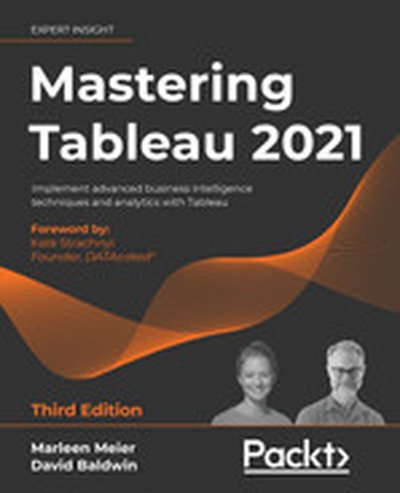
Mastering Tableau 2021 - Third Edition

Tableau 2021 brings a wide range of tools and techniques for mastering data visualization and business intelligence. In this book, you will delve into the advanced methodologies to fully utilize Tableau's capabilities. Whether you're dealing with geo-spatial, time-series analytics, or complex dashboards, this resource provides expertise through real-world data challenges. What this Book will help me do Draw connections between multiple databases and create insightful Tableau dashboards. Master advanced data visualization techniques that lead to impactful storytelling. Understand Tableau's integration with programming languages such as Python and R. Analyze datasets with time-series and geo-spatial methods to gain predictive insights. Leverage Tableau Prep Builder for efficient data cleaning and transformation processes. Author(s) Marleen Meier and David Baldwin are seasoned professionals in business intelligence and data analytics. They bring years of practical experience and have helped numerous organizations worldwide transform their data visualization strategies using Tableau. Their collaborative approach ensures a comprehensive, beginner to advanced learning experience. Who is it for? This book is perfect for business intelligence analysts, data analysts, and industry professionals who are already familiar with Tableau's basics and wish to expand their knowledge. It provides advanced techniques and implementations of Tableau for improving data storytelling and dashboard performance. Readers seeking to connect Tableau with external programming tools will also greatly benefit from this guide.

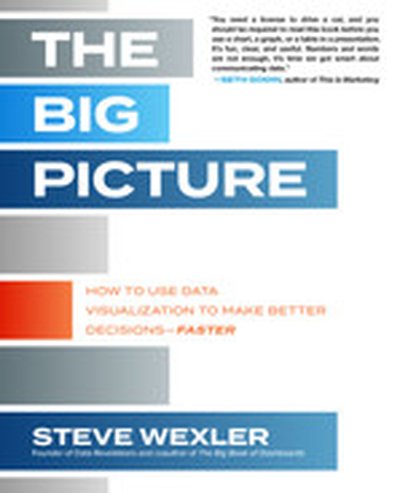
The Big Picture: How to Use Data Visualization to Make Better Decisions—Faster

Not a data expert? Here’s an engaging and entertaining guide to interpreting and drawing insights from any chart, graph, or other data visualization you’ll encounter. You’re a business professional, not a data scientist. How do you make heads or tails of the data visualizations that come across your desk—let alone make critical business decisions based on the information they’re designed to convey? In The Big Picture, top data visualization consultant Steve Wexler provides the tools for developing the graphical literacy you need to understand the data visualizations that are flooding your inbox—and put that data to use. Packed with the best four-color examples created in Excel, Tableau, Power BI, and Qlik, among others, this one-stop resource empowers you to extract the most important information from data visualizations quickly and accurately, act on key insights, solve problems, and make the right decisions for your organization every time.

How to Make Stunning Data Visualizations: An interview with Roshaan Khan, a Tableau Savant, my frijend, and one of Tableau’s featured artists of 2020. We talk about data visualization, Tableau vs Power BI, the power of personal projects, and how Roshaan got started with data.

Connect with Roshaan on LinkedIn: https://www.linkedin.com/in/roshaankhan/

Mentioned in this episode: Join the last cohort of 2025! The LAST cohort of The Data Analytics Accelerator for 2025 kicks off on Monday, December 8th and enrollment is officially open!

To celebrate the end of the year, we’re running a special End-of-Year Sale, where you’ll get: ✅ A discount on your enrollment 🎁 6 bonus gifts, including job listings, interview prep, AI tools + more

If your goal is to land a data job in 2026, this is your chance to get ahead of the competition and start strong.

👉 Join the December Cohort & Claim Your Bonuses: https://DataCareerJumpstart.com/daa https://www.datacareerjumpstart.com/daa

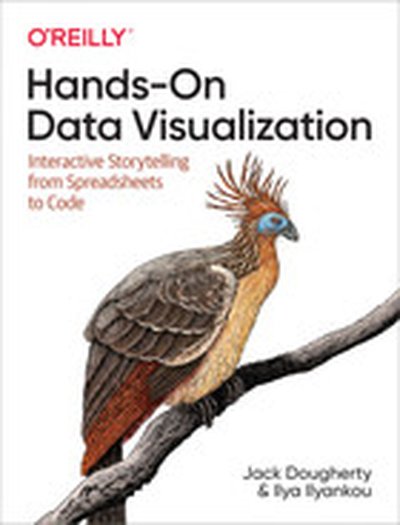
Hands-On Data Visualization

Tell your story and show it with data, using free and easy-to-learn tools on the web. This introductory book teaches you how to design interactive charts and customized maps for your website, beginning with simple drag-and-drop tools such as Google Sheets, Datawrapper, and Tableau Public. You'll also gradually learn how to edit open source code templates like Chart.js, Highcharts, and Leaflet on GitHub. Hands-On Data Visualization takes you step-by-step through tutorials, real-world examples, and online resources. This practical guide is ideal for students, nonprofit organizations, small business owners, local governments, journalists, academics, and anyone who wants to take data out of spreadsheets and turn it into lively interactive stories. No coding experience is required. Build interactive charts and maps and embed them in your website Understand the principles for designing effective charts and maps Learn key data visualization concepts to help you choose the right tools Convert and transform tabular and spatial data to tell your data story Edit and host Chart.js, Highcharts, and Leaflet map code templates on GitHub Learn how to detect bias in charts and maps produced by others

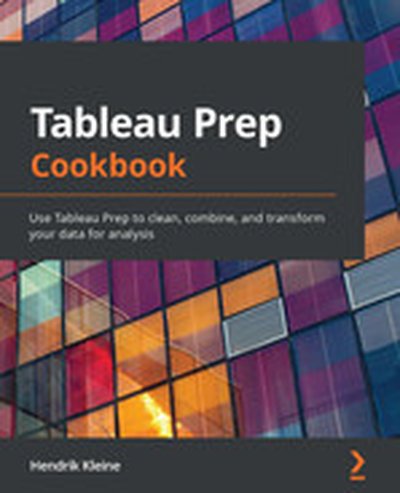
Tableau Prep Cookbook

Tableau Prep Cookbook is your practical guide to mastering Tableau Prep Builder for data preparation. Through real-world examples, you will learn techniques to clean, combine, and transform your data, enabling you to create robust pipelines for analytics and insights. Gain hands-on experience with concepts like data cleaning, advanced calculations, and preparing data for Business Intelligence tools. What this Book will help me do Master cleaning and combining data sources for analysis using Tableau Prep. Learn to create and deploy workflows for data preparation within your organization. Develop proficiency in building robust datasets for BI and analytics applications. Apply advanced techniques like scripting and custom calculations in Tableau Prep. Get hands-on experience by working through realistic, practical data scenarios. Author(s) None Kleine is an experienced data analytics professional with a passion for empowering organizations through robust data pipelines. Drawing from years of experience in BI tools and data preparation, None presents Tableau Prep Cookbook with a clear, actionable approach to learning. Their expertise ensures that readers gain practical skills to use Tableau Prep effectively. Who is it for? This book is perfect for data analysts, business intelligence professionals, and Tableau users looking to add Tableau Prep to their skills. If you're starting with beginner knowledge in data preparation or are looking to enhance your ability to manage data workflows, this book is designed for you. Gain the skills you need to prepare data effectively using Tableau Prep and elevate your analytics capabilities.

Introduction to Business Analytics, Second Edition

This book presents key concepts related to quantitative analysis in business. It is targeted at business students (both undergraduate and graduate) taking an introductory core course. Business analytics has grown to be a key topic in business curricula, and there is a need for stronger quantitative skills and understanding of fundamental concepts. This second edition adds material on Tableau, a very useful software for business analytics. This supplements the tools from Excel covered in the first edition, to include Data Analysis Toolpak and SOLVER.

Tableau Prep: Up & Running

For self-service data preparation, Tableau Prep is relatively easy to use—as long as you know how to clean and organize your datasets. Carl Allchin, from The Information Lab in London, gets you up to speed on Tableau Prep through a series of practical lessons that include methods for preparing, cleaning, automating, organizing, and outputting your datasets. Based on Allchin’s popular blog, Preppin’ Data, this practical guide takes you step-by-step through Tableau Prep’s fundamentals. Self-service data preparation reduces the time it takes to complete data projects and improves the quality of your analyses. Discover how Tableau Prep helps you access your data and turn it into valuable information. Know what to look for when you prepare data Learn which Tableau Prep functions to use when working with data fields Analyze the shape and profile of your dataset Output data for analysis and learn how Tableau Prep automates your workflow Learn how to clean your dataset using Tableau Prep functions Explore ways to use Tableau Prep techniques in real-world scenarios Make your data available to others by managing and documenting the output

Learning Tableau 2020 - Fourth Edition

"Learning Tableau 2020" is a comprehensive resource designed to strengthen your understanding of Tableau. It takes you from mastering the fundamentals to achieving proficiency in advanced visualization and data handling techniques. Through this book, you will gain the ability to create impactful data visualizations and interactive dashboards, effectively leveraging the capabilities of Tableau 2020. What this Book will help me do Effectively utilize Tableau 2020 features to develop data visualizations and dashboards. Apply advanced Tableau techniques, such as LOD and table calculations, to solve complex data analysis problems. Clean and structure data using Tableau Prep, enhancing data quality and reliability. Incorporate mapping and geospatial visualization for geographic data insights. Master storytelling with data by constructing engaging and interactive dashboards. Author(s) Joshua N. Milligan, the author of "Learning Tableau 2020," is an experienced Tableau training consultant and professional. With extensive years in the data visualization and analytics field, Joshua brings a practical perspective to the book. He excels at breaking down complex topics into accessible learning paths, making advanced Tableau concepts approachable for learners of all levels. Who is it for? This book is perfect for aspiring data analysts, IT professionals, and data enthusiasts who aim to understand and create compelling business intelligence reports. Beginners in Tableau will find the learning process straightforward due to its structured and incremental lessons. Advanced users can refine their skills with the wide range of complex examples covered. A basic familiarity with working with data is beneficial, though not required.

Forensic Analytics, 2nd Edition

Become the forensic analytics expert in your organization using effective and efficient data analysis tests to find anomalies, biases, and potential fraud—the updated new edition Forensic Analytics reviews the methods and techniques that forensic accountants can use to detect intentional and unintentional errors, fraud, and biases. This updated second edition shows accountants and auditors how analyzing their corporate or public sector data can highlight transactions, balances, or subsets of transactions or balances in need of attention. These tests are made up of a set of initial high-level overview tests followed by a series of more focused tests. These focused tests use a variety of quantitative methods including Benford’s Law, outlier detection, the detection of duplicates, a comparison to benchmarks, time-series methods, risk-scoring, and sometimes simply statistical logic. The tests in the new edition include the newly developed vector variation score that quantifies the change in an array of data from one period to the next. The goals of the tests are to either produce a small sample of suspicious transactions, a small set of transaction groups, or a risk score related to individual transactions or a group of items. The new edition includes over two hundred figures. Each chapter, where applicable, includes one or more cases showing how the tests under discussion could have detected the fraud or anomalies. The new edition also includes two chapters each describing multi-million-dollar fraud schemes and the insights that can be learned from those examples. These interesting real-world examples help to make the text accessible and understandable for accounting professionals and accounting students without rigorous backgrounds in mathematics and statistics. Emphasizing practical applications, the new edition shows how to use either Excel or Access to run these analytics tests. The book also has some coverage on using Minitab, IDEA, R, and Tableau to run forensic-focused tests. The use of SAS and Power BI rounds out the software coverage. The software screenshots use the latest versions of the software available at the time of writing. This authoritative book: Describes the use of statistically-based techniques including Benford’s Law, descriptive statistics, and the vector variation score to detect errors and anomalies Shows how to run most of the tests in Access and Excel, and other data analysis software packages for a small sample of the tests Applies the tests under review in each chapter to the same purchasing card data from a government entity Includes interesting cases studies throughout that are linked to the tests being reviewed. Includes two comprehensive case studies where data analytics could have detected the frauds before they reached multi-million-dollar levels Includes a continually-updated companion website with the data sets used in the chapters, the queries used in the chapters, extra coverage of some topics or cases, end of chapter questions, and end of chapter cases. Written by a prominent educator and researcher in forensic accounting and auditing, the new edition of Forensic Analytics: Methods and Techniques for Forensic Accounting Investigations is an essential resource for forensic accountants, auditors, comptrollers, fraud investigators, and graduate students.

Innovative Tableau

Level up with Tableau to build eye-catching, easy-to-interpret data visualizations. In this follow-up guide to Practical Tableau, author Ryan Sleeper takes you through a collection of unique tips and tutorials for using this popular software. Beginning to advanced Tableau users will learn how to go beyond Show Me to make better charts and learn dozens of tricks to improve both the author and user experience. Featuring many approaches he developed himself, Ryan shows you how to create charts that empower Tableau users to explore, understand, and derive value from their data. He also shares many of his favorite tricks that enabled him to become a Tableau Zen Master, Tableau Public Visualization of the Year author, and Tableau Global Iron Viz Champion. Learn what’s new in Tableau since Practical Tableau was released Examine unique new charts—timelines, custom gauges, and leapfrog charts—plus innovations to traditional charts such as highlight tables, scatter plots, and maps Get tips that can help make a Tableau developer’s life easier Understand what developers can do to make users’ lives easier

DATA VISUALIZATION, NEUROSCIENCE, AND WHY IT MATTERS TO THE ANALYST

Whether we use Data Studio, Excel, Google Sheets, Tableau, R, some other platform, or (most likely) some combination of platforms, at the end of the day, as analysts, a core mechanism we use for communicating with our stakeholders is data visualization. The difference between an excellent visualization and a mediocre one can easily be the difference between whether a stakeholder understands and acts upon the data or whether she, instead, struggles to internalize the information and actually put it to use. In this session, Tim will walk through some of the neuroscience and psychology that underpins best practices in data visualization, as well as provide platform-agnostic tactical tips that put these principles to effective use.

Tableau Desktop Certified Associate: Exam Guide

Tableau Desktop Certified Associate: Exam Guide is your companion for mastering Tableau and preparing for the certification exam with confidence. Through this book, you will gain a comprehensive understanding of Tableau Desktop's features and learn to implement them in practical scenarios to solve analytics challenges. What this Book will help me do Understand and apply Tableau best practices for analyzing and visualizing data effectively. Visualize geographic data using vector maps and gain insights into spatial distributions. Leverage advanced analytics techniques such as forecasting to predict key metrics. Build effective dashboards that convey information clearly and efficiently. Gain confidence in tackling Tableau Desktop Certified Associate exam questions with expert tips and mock exams. Author(s) The authors, Dmitry Anoshin, JC Gillet, Peri Biyani, and others, are experienced professionals in data analytics and business intelligence. With significant expertise in teaching and applying Tableau, they bring a wealth of knowledge to this guide, offering clear instructions and practical insights. Their dedication to empowering learners fosters a supportive and assured journey through this book. Who is it for? This book is ideal for business analysts, BI professionals, and data analysts aiming to become certified Tableau Desktop Associates. If you have a foundational understanding of Tableau Desktop and are looking to deepen your expertise while preparing for certification, this book is tailored to help you achieve that goal.

Jumpstart Snowflake: A Step-by-Step Guide to Modern Cloud Analytics

Explore the modern market of data analytics platforms and the benefits of using Snowflake computing, the data warehouse built for the cloud. With the rise of cloud technologies, organizations prefer to deploy their analytics using cloud providers such as Amazon Web Services (AWS), Microsoft Azure, or Google Cloud Platform. Cloud vendors are offering modern data platforms for building cloud analytics solutions to collect data and consolidate into single storage solutions that provide insights for business users. The core of any analytics framework is the data warehouse, and previously customers did not have many choices of platform to use. Snowflake was built specifically for the cloud and it is a true game changer for the analytics market. This book will help onboard you to Snowflake, present best practices to deploy, and use the Snowflake data warehouse. In addition, it covers modern analytics architecture and use cases. It provides use cases of integration with leading analytics software such as Matillion ETL, Tableau, and Databricks. Finally, it covers migration scenarios for on-premise legacy data warehouses. What You Will Learn Know the key functionalities of Snowflake Set up security and access with cluster Bulk load data into Snowflake using the COPY command Migrate from a legacy data warehouse to Snowflake integrate the Snowflake data platform with modern business intelligence (BI) and data integration tools Who This Book Is For Those working with data warehouse and business intelligence (BI) technologies, and existing and potential Snowflake users

Effective Data Storytelling

Master the art and science of data storytelling—with frameworks and techniques to help you craft compelling stories with data. The ability to effectively communicate with data is no longer a luxury in today’s economy; it is a necessity. Transforming data into visual communication is only one part of the picture. It is equally important to engage your audience with a narrative—to tell a story with the numbers. Effective Data Storytelling will teach you the essential skills necessary to communicate your insights through persuasive and memorable data stories. Narratives are more powerful than raw statistics, more enduring than pretty charts. When done correctly, data stories can influence decisions and drive change. Most other books focus only on data visualization while neglecting the powerful narrative and psychological aspects of telling stories with data. Author Brent Dykes shows you how to take the three central elements of data storytelling—data, narrative, and visuals—and combine them for maximum effectiveness. Taking a comprehensive look at all the elements of data storytelling, this unique book will enable you to: Transform your insights and data visualizations into appealing, impactful data stories Learn the fundamental elements of a data story and key audience drivers Understand the differences between how the brain processes facts and narrative Structure your findings as a data narrative, using a four-step storyboarding process Incorporate the seven essential principles of better visual storytelling into your work Avoid common data storytelling mistakes by learning from historical and modern examples Effective Data Storytelling: How to Drive Change with Data, Narrative and Visuals is a must-have resource for anyone who communicates regularly with data, including business professionals, analysts, marketers, salespeople, financial managers, and educators.

Prepare Your Data for Tableau: A Practical Guide to the Tableau Data Prep Tool

Focus on the most important and most often overlooked factor in a successful Tableau project—data. Without a reliable data source, you will not achieve the results you hope for in Tableau. This book does more than teach the mechanics of data preparation. It teaches you: how to look at data in a new way, to recognize the most common issues that hinder analytics, and how to mitigate those factors one by one. Tableau can change the course of business, but the old adage of "garbage in, garbage out" is the hard truth that hides behind every Tableau sales pitch. That amazing sales demo does not work as well with bad data. The unfortunate reality is that almost all data starts out in a less-than-perfect state. Data prep is hard. Traditionally, we were forced into the world of the database where complex ETL (Extract, Transform, Load) operations created by the data team did all the heavy lifting for us. Fortunately, we have moved past those days. With the introduction of the Tableau Data Prep tool you can now handle most of the common Data Prep and cleanup tasks on your own, at your desk, and without the help of the data team. This essential book will guide you through: The layout and important parts of the Tableau Data Prep tool Connecting to data Data quality and consistency The shape of the data. Is the data oriented in columns or rows? How to decide? Why does it matter? What is the level of detail in the source data? Why is that important? Combining source data to bring in more fields and rows Saving the data flow and the results of our data prep work Common cleanup and setup tasks in Tableau Desktop What You Will Learn Recognize data sources that are good candidates for analytics in Tableau Connect tolocal, server, and cloud-based data sources Profile data to better understand its content and structure Rename fields, adjust data types, group data points, and aggregate numeric data Pivot data Join data from local, server, and cloud-based sources for unified analytics Review the steps and results of each phase of the Data Prep process Output new data sources that can be reviewed in Tableau or any other analytics tool Who This Book Is For Tableau Desktop users who want to: connect to data, profile the data to identify common issues, clean up those issues, join to additional data sources, and save the newly cleaned, joined data so that it can be used more effectively in Tableau

Getting Started with Tableau 2019.2 - Second Edition

"Getting Started with Tableau 2019.2" is your primer to mastering the latest version of Tableau, a leading tool for data visualization and analysis. Whether you're new to Tableau or looking to upgrade your skills, this book will guide you through both foundational and advanced features, enabling you to create impactful dashboards and visual analytics. What this Book will help me do Understand and utilize the latest features introduced in Tableau 2019.2, including natural language queries in Ask Data. Learn how to connect to diverse data sources, transform data by pivoting fields, and split columns effectively. Gain skills to design intuitive data visualizations and dashboards using various Tableau mark types and properties. Develop interactive and storytelling-based dashboards to communicate insights visually and effectively. Discover methods to securely share your analyses through Tableau Server, enhancing collaboration. Author(s) Tristan Guillevin is an experienced data visualization consultant and an expert in Tableau. Having helped several organizations adopt Tableau for business intelligence, he brings a practical and results-oriented approach to teaching. Tristan's philosophy is to make data accessible and actionable for everyone, no matter their technical background. Who is it for? This book is ideal for Tableau users and data professionals looking to enhance their skills on Tableau 2019.2. If you're passionate about uncovering insights from data but need the right tools to communicate and collaborate effectively, this book is for you. It's suited for those with some prior experience in Tableau but also offers introductory content for newcomers. Whether you're a business analyst, data enthusiast, or BI professional, this guide will build solid foundations and sharpen your Tableau expertise.

Visual Analytics with Tableau

A four-color journey through a complete Tableau visualization Tableau is a popular data visualization tool that’s easy for individual desktop use as well as enterprise. Used by financial analysts, marketers, statisticians, business and sales leadership, and many other job roles to present data visually for easy understanding, it’s no surprise that Tableau is an essential tool in our data-driven economy. Visual Analytics with Tableau is a complete journey in Tableau visualization for a non-technical business user. You can start from zero, connect your first data, and get right into creating and publishing awesome visualizations and insightful dashboards. • Learn the different types of charts you can create • Use aggregation, calculated fields, and parameters • Create insightful maps • Share interactive dashboards Geared toward beginners looking to get their feet wet with Tableau, this book makes it easy and approachable to get started right away.

Learning Tableau 2019 - Third Edition

Discover how to harness the power of Tableau 2019 to transform raw data into insightful, actionable business intelligence. This book serves as a comprehensive guide to mastering Tableau's features-from creating stunning visualizations to managing complex datasets with Tableau Prep. By the end, you'll be well-equipped to use Tableau for informed decision-making. What this Book will help me do Master the essential features of Tableau 2019 to become proficient in data visualization. Learn to prepare and integrate data effectively using Tableau Prep. Develop advanced visual analytics skills, including calculations and table calculations. Understand how to craft compelling dashboards and data stories for impactful communication. Leverage new Tableau features like set actions and transparent views for enhanced analytics. Author(s) Joshua N. Milligan is a Tableau-certified professional and Tableau Zen Master with extensive industry experience in data analytics. Known for his clarity in teaching, Joshua takes a practical and comprehensive approach to help users navigate Tableau effectively. His passion for empowering data-driven decisions is evident in his writing. Who is it for? This book is ideal for data professionals, analysts, or anyone new to Tableau who seeks to gain proficiency in data visualization and analysis. It is suitable for beginners, as it walks the reader through foundational concepts before introducing complex topics. Readers looking to enhance their skills in advanced Tableau techniques will also find value here. Familiarity with databases is helpful but not mandatory.

Mastering Tableau 2019.1 - Second Edition

Mastering Tableau 2019.1 is your essential guide for becoming an expert in Tableau's advanced features and functionalities. This book will teach you how to use Tableau Prep for data preparation, create complex visualizations and dashboards, and leverage Tableau's integration with R, Python, and MATLAB. You'll be equipped with the skills to solve both common and advanced BI challenges. What this Book will help me do Gain expertise in preparing and blending data using Tableau Prep and other data handling tools. Create advanced data visualizations and designs that effectively communicate insights. Implement narrative storytelling in BI with advanced presentation designs in Tableau. Integrate Tableau with programming tools like R, Python, and MATLAB for extended functionalities. Optimize performance and improve dashboard interactivity for user-friendly analytics solutions. Author(s) Marleen Meier, with extensive experience in business intelligence and analytics, and None Baldwin, an expert in data visualization, collaboratively bring this advanced Tableau guide to life. Their passion for empowering users with practical BI solutions reflects in the hands-on approach employed throughout the book. Who is it for? This book is perfectly suited for business analysts, BI professionals, and data analysts who already have foundational knowledge of Tableau and seek to advance their skills for tackling more complex BI challenges. It's ideal for individuals aiming to master Tableau's premium features for impactful analytics solutions.