talk-data.com talk-data.com

Topic

Tableau

data_visualization bi analytics

162

tagged

Activity Trend

11 peak/qtr
2020-Q1 2026-Q1

Activities

162 activities · Newest first

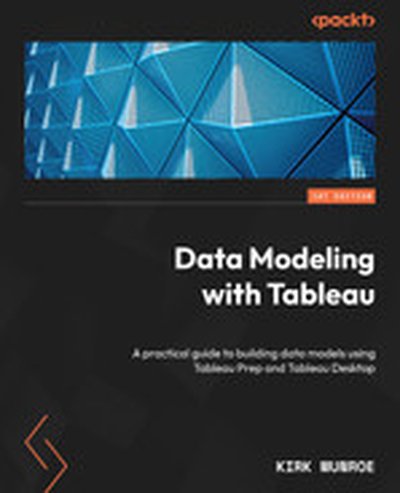
Data Modeling with Tableau

"Data Modeling with Tableau" provides a comprehensive guide to effectively utilizing Tableau Prep and Tableau Desktop for building elegant data models that drive organizational insights. You'll explore robust data modeling strategies and governance practices tailored to Tableau's diverse toolset, empowering you to make faster and more informed decisions based on data. What this Book will help me do Understand the fundamentals of data modeling in Tableau using Prep Builder and Desktop. Learn to optimize data sources for performance and better query capabilities. Implement secure and scalable governance strategies with Tableau Server and Cloud. Use advanced Tableau features like Ask Data and Explain Data to enable powerful analytics. Apply best practices for sharing and extending data models within your organization. Author(s) Kirk Munroe is an experienced data professional with a deep understanding of Tableau-driven analytics. With years of in-field expertise, Kirk now dedicates his career to helping businesses unlock their data's potential through effective Tableau solutions. His hands-on approach ensures this book is practical and approachable. Who is it for? This book is ideal for data analysts and business analysts aiming to enhance their skills in data modeling. It is also valuable for professionals such as data stewards, looking to implement secure and performant data strategies. If you seek to make enterprise data more accessible and actionable, this book is for you.

Make Analysts Love You: How Acorns simplifies their data pipelines with Rudderstack and dbt Labs

Understanding the user funnel and measuring conversion is critical to Acorns as a subscription business. The engineering team turned to Rudderstack to track customer interaction in near real-time across web, ios, and android. However, transforming that into actionable insights required carefully curated SQL spanning two datastores. Come learn how the data engineering team used dbt to build a centralized metrics interface and dynamic funnels in a data landscape spanning Rudderstack, Redshift, Databricks, and dbt with Tableau as our visualization tool.

Check the slides here: https://docs.google.com/presentation/d/1MTbqysGH_9oxUPKgQQO2MYM1f1XUhSVw_ERDvaZ8Qsg/edit?usp=sharing

Coalesce 2023 is coming! Register for free at https://coalesce.getdbt.com/.

From Excel to IDE and beyond: The origins and future of the data developer

Data teams aren't only working in Excel and Tableau anymore. We're working in GitHub, VSCode, BigQuery, and our command line. We have the modern data pipeline and we're developing a lot more like engineers...but our development workflows are anything but modern. Why don't we get developer previews? Or the ability to test our changes to anything downstream of dbt? Why do our tools not talk to each other? We believe that analytics engineers deserve better and we want to show you what "better data development" could look like in the modern data pipeline (we promise, it's really nice).

Check the slides here: https://docs.google.com/presentation/d/1NtAOknFDmJiIQD6cSTbhmfZ-6ZFhKKH3GKcEZ3AL5eg/edit?usp=sharing

Coalesce 2023 is coming! Register for free at https://coalesce.getdbt.com/.

Beyond the buzz: 20 real metadata use cases in 20 minutes with Atlan and dbt Labs

for a few use cases like static and passive data catalogs. However, active metadata can be the key to unlock a variety of use cases, acting as the glue that binds together our diverse modern data stacks (e.g. dbt, Snowflake, Fivetran, Databricks, Looker, and Tableau) and diverse teams (e.g. analytics engineers, data analysts, data engineers, and business users)! At Atlan, we’ve worked closely with modern data teams like WeWork, Plaid, PayU, SnapCommerce, and Bestow. In this session, we’ll lay out all our learnings about how real-life data teams are using metadata to drive powerful use cases like column-level lineage, programmatic governance, root cause analysis, proactive upstream alerts, dynamic pipeline optimization, cost optimization, data deprecation, automated quality control, metrics management, and more. P.S. We’ll also reveal how active metadata and the dbt Semantic Layer can work together to transform the way your team works with metrics!

Check the slides here: https://docs.google.com/presentation/d/1xrC9yhHOQ00qWt-gVlgbakRELg2FzEPt-RwMsUWzdZA/edit?usp=sharing

Coalesce 2023 is coming! Register for free at https://coalesce.getdbt.com/.

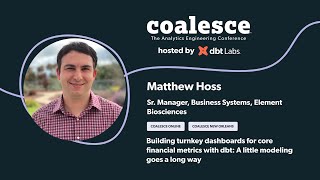
Building turnkey dashboards for core financial metrics with dbt: A Little Modeling Goes a Long Way

Let’s get down to business! Most business users don't want to be bogged down in the data modeling and complexities that us data folk work so hard to accomplish and overcome. Instead, business users and leadership members want the dashboards and numbers they care about. In this session, Matthew Hoss (Element Biosciences) shares his four-step approach to modeling and creating turnkey cost dashboards, all sitting on top of a Netsuite/Fivetran/Snowflake/dbt/Tableau data stack, that help business users get the answers they need, quickly.

Check the slides here: https://docs.google.com/presentation/d/1VVZwm2Kloy1aeewqbB--7WfxIifnpIZflx9V8Q2N-x0/edit?usp=sharing

Coalesce 2023 is coming! Register for free at https://coalesce.getdbt.com/.

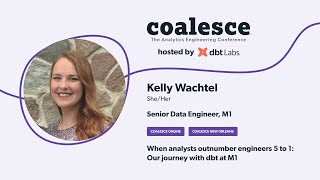
When analysts outnumber engineers 5 to 1: Our journey with dbt at M1

How do you train and enable 20 data analysts to use dbt Core in a short amount of time?

At M1, engineering and analytics are far apart on the org chart, but work hand-in-hand every day. M1 engineering has a culture that celebrates open source, where every data engineer is trained and empowered to work all the way down the infrastructure stack, using tools like Terraform and Kubernetes. The analytics team is comprised of strong SQL writers who use Tableau to create visualizations used company wide. When M1 knew they needed a tool like dbt for change management and data documentation generation, they had to figure out how to bridge the gap between engineering and analytics to enable analysts to contribute with minimal engineering intervention. Join Kelly Wachtel, a senior data engineer at M1, explain how they trained about 20 analysts to use git and dbt Core over the past year, and strengthened their collaboration between their data engineering and analytics teams.

Check the slides here: https://docs.google.com/presentation/d/1CWI97EMyLIz6tptLPKt4VuMjJzV_X3oO/edit?usp=sharing&ouid=110293204340061069659&rtpof=true&sd=true

Coalesce 2023 is coming! Register for free at https://coalesce.getdbt.com/.

Understanding and interpreting data visualizations are one of the most important aspects of data literacy. When done well, data visualization ensures that stakeholders can quickly take away critical insights from data. Moreover, data visualization is often the best place to start when increasing organizational data literacy, as it’s often titled the “gateway drug” to more advanced data skills. Andy Cotgreave, Senior Data Evangelist at Tableau Software and co-author of The Big Book of Dashboards, joins the show to break down data visualization and storytelling, drawing from his 15-year career in the data space. Andy has spoken for events like SXSW, Visualized, and Tableau’s conferences and has inspired thousands of people to develop their data skills.

In this episode, we discuss why data visualization skills are so essential, how data visualization increases organizational data literacy, the best practices for visual storytelling, and much more.

This episode of DataFramed is a part of DataCamp’s Data Literacy Month, where we raise awareness about Data Literacy throughout September through webinars, workshops, and resources featuring thought leaders and subject matter experts that can help you build your data literacy, as well as your organization’s. For more information, visit: https://www.datacamp.com/data-literacy-month/for-teams

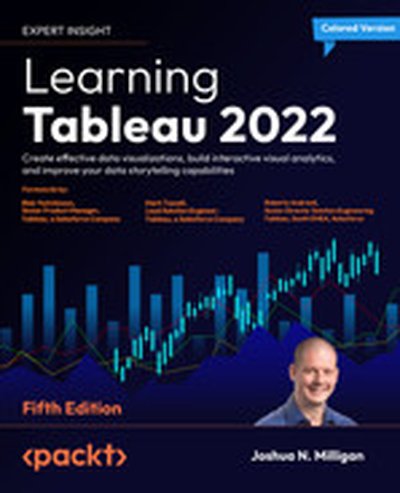
Learning Tableau 2022 - Fifth Edition

Learning Tableau 2022 is your comprehensive guide to mastering Tableau, one of the most popular tools for data visualization and analysis. Through this book, you will understand how to build impactful visualizations, create interactive dashboards, and tell compelling stories with data. With updated coverage of Tableau 2022's latest features, this book will take your data storytelling skills to the next level. What this Book will help me do Develop effective visualizations and dashboards to present complex data intuitively. Enhance data analysis with Tableau's advanced features like clustering, AI extensions, and Explain Data. Utilize calculations and parameters for tailoring and enriching analytics. Optimize workflows for data cleaning and preparation using Tableau Prep Builder. Confidently leverage Tableau for interlinking datasets and performing geospatial analysis. Author(s) Joshua N. Milligan, the author of Learning Tableau 2022, is a seasoned Tableau Zen Master. He has years of experience helping individuals and businesses transform their data into actionable insights through visualization and analysis. With a focus on clarity and practical applications, Joshua explains complex concepts in an approachable manner and equips readers with the skills to bring their ideas to life in Tableau. Who is it for? This book is ideal for business intelligence developers, data analysts, or any professional eager to improve their data visualization skills. Both beginners looking to understand Tableau from the ground up and intermediate users aiming to explore advanced Tableau techniques will find it valuable. A Tableau license and a thirst for learning are all you'll need to embark on this data visualization journey.

How To Use Databricks SQL for Analytics on Your Lakehouse

Most organizations run complex cloud data architectures that silo applications, users, and data. As a result, most analysis is performed with stale data and there isn’t a single source of truth of data for analytics.

Join this interactive follow-along deep dive demo to learn how Databricks SQL allows you to operate a multicloud lakehouse architecture that delivers data warehouse performance at data lake economics — with up to 12x better price/performance than traditional cloud data warehouses. Now data analysts and scientists can work with the freshest and most complete data and quickly derive new insights for accurate decision-making.

Here’s what we’ll cover: • Managing data access and permissions and monitoring how the data is being used and accessed in real time across your entire lakehouse infrastructure • Configuring and managing compute resources for fast performance, low latency, and high user concurrency to your data lake • Creating and working with queries, dashboards, query refresh, troubleshooting features and alerts • Creating connections to third-party BI and database tools (Power BI, Tableau, DbVisualizer, etc.) so that you can query your lakehouse without making changes to your analytical and dashboarding workflows

Connect with us: Website: https://databricks.com Facebook: https://www.facebook.com/databricksinc Twitter: https://twitter.com/databricks LinkedIn: https://www.linkedin.com/company/data... Instagram: https://www.instagram.com/databricksinc/

Databricks SQL Under the Hood: What's New with Live Demos

With serverless SQL compute and built-in governance, Databricks SQL lets every analyst and analytics engineer easily ingest, transform, and query the freshest data directly on your data lake, using their tools of choice like Fivetran, dbt, PowerBI or Tableau, and standard SQL. There is no need to move data to another system. All this takes place at virtually any scale, at a fraction of the cost of traditional cloud data warehouses. Join this session for a deep dive into how Databricks SQL works under the hood, and see a live end-to-end demo of the data and analytics on Databricks from data ingestion, transformation, and consumption, using the modern data stack along with Databricks SQL.

Connect with us: Website: https://databricks.com Facebook: https://www.facebook.com/databricksinc Twitter: https://twitter.com/databricks LinkedIn: https://www.linkedin.com/company/data... Instagram: https://www.instagram.com/databricksinc/

Data Warehousing on the Lakehouse

Most organizations routinely operate their business with complex cloud data architectures that silo applications, users and data. As a result, there is no single source of truth of data for analytics, and most analysis is performed with stale data. To solve these challenges, the lakehouse has emerged as the new standard for data architecture, with the promise to unify data, AI and analytic workloads in one place. In this session, we will cover why the data lakehouse is the next best data warehouse. You will hear from the experts success stories, use cases, and best practices learned from the field and discover how the data lakehouse ingests, stores and governs business-critical data at scale to build a curated data lake for data warehousing, SQL and BI workloads. You will also learn how Databricks SQL can help you lower costs and get started in seconds with instant, elastic SQL serverless compute, and how to empower every analytics engineers and analysts to quickly find and share new insights using their favorite BI and SQL tools, like Fivetran, dbt, Tableau or PowerBI.

Connect with us: Website: https://databricks.com Facebook: https://www.facebook.com/databricksinc Twitter: https://twitter.com/databricks LinkedIn: https://www.linkedin.com/company/data... Instagram: https://www.instagram.com/databricksinc/

Cloud Fetch: High-bandwidth Connectivity With BI Tools

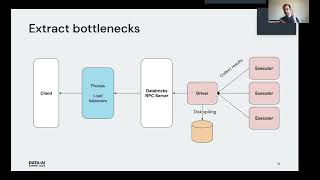
Business Intelligence (BI) tools such as Tableau and Microsoft Power BI are notoriously slow at extracting large query results from traditional data warehouses because they typically fetch the data in a single thread through a SQL endpoint that becomes a data transfer bottleneck. Data analysts can connect their BI tools to Databricks SQL endpoints to query data in tables through an ODBC/JDBC protocol integrated in our Simba drivers. With Cloud Fetch, which we released in Databricks Runtime 8.3 and Simba ODBC 2.6.17 driver, we introduce a new mechanism for fetching data in parallel via cloud storage such as AWS S3 and Azure Data Lake Storage to bring the data faster to BI tools. In our experiments using Cloud Fetch, we observed a 10x speed-up in extract performance due to parallelism.

Connect with us: Website: https://databricks.com Facebook: https://www.facebook.com/databricksinc Twitter: https://twitter.com/databricks LinkedIn: https://www.linkedin.com/company/data... Instagram: https://www.instagram.com/databricksinc/

Hjalmar Gislason is the Founder and CEO of GRID.is, a BI notebook company that has been making big waves in the field in the last few years. He tells us all about GRID.is and the rise of data notebooks. In this episode, you'll learn: [0:05:50] Hjalmar explains exactly what a data notebook is and how it compares to other tools.  [0:11:52] Reasons to consider using a data notebook along with a range of other tools. [0:27:30] The 'living' quality of the models that can be created on GRID.  [0:33:28] A special offer for AOF from Hjalmar and how to sign up immediately! For full show notes, and the links mentioned visit: https://bibrainz.com/podcast/85   Enjoyed the Show?  Please leave us a review on iTunes.

The Tableau Workshop

The Tableau Workshop offers a comprehensive, hands-on guide to mastering data visualization with Tableau. Through practical exercises and engaging examples, you will learn how to prepare, analyze, and visualize data to uncover valuable business insights. By completing this book, you will confidently understand the key concepts and tools needed to create impactful data-driven visual stories. What this Book will help me do Master the use of Tableau Desktop and Tableau Prep for data visualization tasks. Gain the ability to prepare and process data for effective analysis. Learn to choose and utilize the most appropriate chart types for different scenarios. Develop the skills to create interactive dashboards that engage stakeholders. Understand how to perform calculations to extract deeper insights from data. Author(s) Sumit Gupta, None Pinto, Shweta Savale, JC Gillet None, and None Cherven are experts in the field of data analytics and visualization. With diverse backgrounds in business intelligence and hands-on experience with industry tools like Tableau, they bring valuable insights to this book. Their collaborative effort offers practical, real-world knowledge tailored to help learners excel in Tableau and data visualization. With their passion for making technical concepts accessible, they guide readers step by step through their learning journey. Who is it for? This book is ideal for professionals, analysts, or students looking to delve into the world of data visualization with Tableau. Whether you're a complete beginner seeking foundational knowledge, or an intermediate user aiming to refine your skills, this book offers the practical insights you need. It's designed for those who want to master Tableau tools, explore meaningful data insights, and effectively communicate them through engaging dashboards and stories.

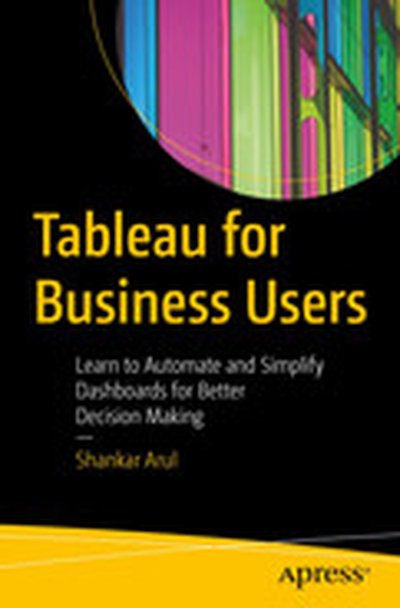
Tableau for Business Users: Learn to Automate and Simplify Dashboards for Better Decision Making

Learn Tableau by working through concrete examples and issues that you are likely to face in your day-to-day work. Author Shankar Arul starts by teaching you the fundamentals of data analytics before moving on to the core concepts of Tableau. You will learn how to create calculated fields, and about the currently available calculation functionalities in Tableau, including Basic Expressions, Level of Detail (LOD) Expressions, and Table Calculations. As the book progresses, you’ll be walked through comparisons and trend calculations using tables. A concluding chapter on dashboarding will show you how to build actionable dashboards to communicate analysis and visualizations. You’ll also see how Tableau can complement and communicate with Excel. After completing this book, you will be ready to tackle the challenges of data analytics using Tableau without getting bogged down by the technicalities of the tool. What Will You Learn Master the core concepts of Tableau Automate and simplify dashboards to help business users Understand the basics of data visualization techniques Leverage powerful features such as parameters, table calculations, level of detail expressions, and more Who is This book For Business analysts, data analysts, as well as financial analysts.

In this episode of DataFramed, we speak with Andy Cotgreave, Technical Evangelist at Tableau about the role of data storytelling when driving change with analytics, and the importance of the analyst role within a data-driven organization.

Throughout the episode, Andy discusses his background, the skills every analyst should know to equip organizations with better data-driven decision making, his best practices for data storytelling, how he thinks about data literacy and ways to spread it within the organization, the importance of community when creating a data-driven organization, and more.

Relevant links from the interview:

We’d love your feedback! Let us know which topics you’d like us to cover and what you think of DataFramed by answering this 30-second surveyCheck out our upcoming webinar with AndyCheck out Andy's bookBecome a Tableau expert

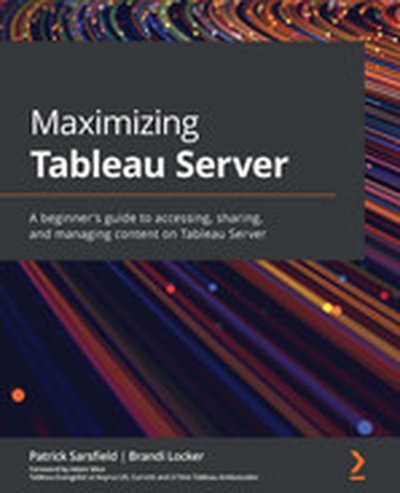
Maximizing Tableau Server

Maximizing Tableau Server guides you on how to make the most of your Tableau Server experience. You'll learn to organize, share, and interact with dashboards and data sources effectively. This book empowers you to enhance your productivity with Tableau Server and achieve seamless collaboration with your team. What this Book will help me do Navigate Tableau Server's interface to locate and customize content easily. Manage and organize Tableau Server content for efficient collaboration. Share, download, and interact with dashboards, enhancing user productivity. Automate tasks such as subscriptions and data refresh schedules. Apply best practices to optimize dashboard performance and usability. Author(s) None Sarsfield and None Locker are seasoned data professionals with extensive knowledge of Tableau. They have guided many organizations in utilizing Tableau Server to its full potential. Their practical insights and step-by-step approach demystify Tableau Server for readers of all backgrounds. Who is it for? This book is perfect for BI developers, data analysts, and professionals who are new to Tableau Server. If you're aiming to streamline the way you handle and share dashboards and want actionable advice on enhancing efficiency, this book is ideal for you. Basic familiarity with web navigation is all that is needed.

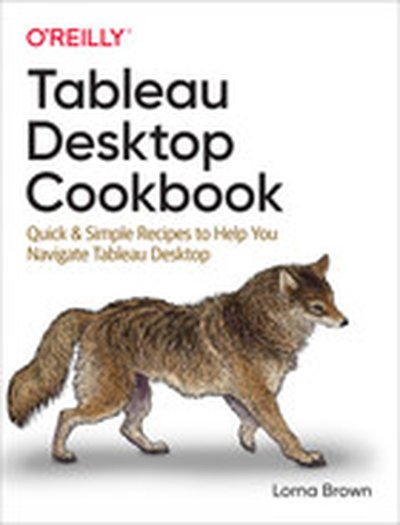
Tableau Desktop Cookbook

Whether you're a beginner just learning how to create data visualizations or a Jedi who's already used Tableau for years, this cookbook has a recipe for everyone. Author Lorna Brown provides more than 100 practical recipes to enhance the way you build Tableau dashboards--and helps you understand your data through the power of Tableau Desktop's interactive datavisualizations. With this cookbook, Tableau beginners will learn hands-on how this unique self-serve tool works, while experienced users will find this book to be an ideal reference guide on how to employ specific techniques. It also links you to online resources and community features, such as Tableau Tip Tuesday and Workout Wednesday. By the time you reach the end, you'll be a competent user of Tableau Desktop. You'll learn how to: Build both basic and complex data visualizations with Tableau Desktop Gain hands-on experience with Tableau's latest features, including set and parameter actions Create interactive dashboards to support business questions Improve your analytical skills to enhance the visualizations you've already created Learn data visualization skills and best practices to help you and your organization

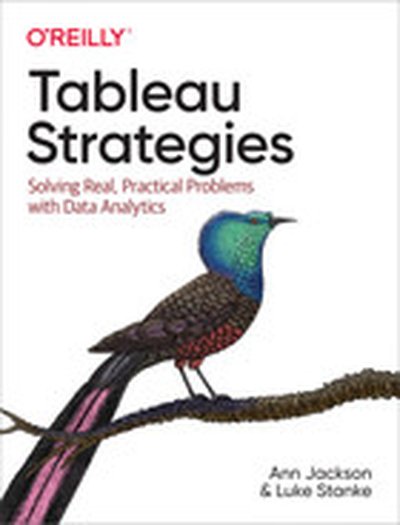
Tableau Strategies

If you want to increase Tableau's value to your organization, this practical book has your back. Authors Ann Jackson and Luke Stanke guide data analysts through strategies for solving real-world analytics problems using Tableau. Starting with the basics and building toward advanced topics such as multidimensional analysis and user experience, you'll explore pragmatic and creative examples that you can apply to your own data. Staying competitive today requires the ability to quickly analyze and visualize data and make data-driven decisions. With this guide, data practitioners and leaders alike will learn strategies for building compelling and purposeful visualizations, dashboards, and data products. Every chapter contains the why behind the solution and the technical knowledge you need to make it work. Use this book as a high-value on-the-job reference guide to Tableau Visualize different data types and tackle specific data challenges Create compelling data visualizations, dashboards, and data products Learn how to generate industry-specific analytics Explore categorical and quantitative analysis and comparisons Understand geospatial, dynamic, statistical, and multivariate analysis Communicate the value of the Tableau platform to your team and to stakeholders

Summary Every data project, whether it’s analytics, machine learning, or AI, starts with the work of data cleaning. This is a critical step and benefits from being accessible to the domain experts. Trifacta is a platform for managing your data engineering workflow to make curating, cleaning, and preparing your information more approachable for everyone in the business. In this episode CEO Adam Wilson shares the story behind the business, discusses the myriad ways that data wrangling is performed across the business, and how the platform is architected to adapt to the ever-changing landscape of data management tools. This is a great conversation about how deliberate user experience and platform design can make a drastic difference in the amount of value that a business can provide to their customers.

Announcements

Hello and welcome to the Data Engineering Podcast, the show about modern data management You listen to this show to learn about all of the latest tools, patterns, and practices that power data engineering projects across every domain. Now there’s a book that captures the foundational lessons and principles that underly everything that you hear about here. I’m happy to announce I collected wisdom from the community to help you in your journey as a data engineer and worked with O’Reilly to publish it as 97 Things Every Data Engineer Should Know. Go to dataengineeringpodcast.com/97things today to get your copy! When you’re ready to build your next pipeline, or want to test out the projects you hear about on the show, you’ll need somewhere to deploy it, so check out our friends at Linode. With their managed Kubernetes platform it’s now even easier to deploy and scale your workflows, or try out the latest Helm charts from tools like Pulsar and Pachyderm. With simple pricing, fast networking, object storage, and worldwide data centers, you’ve got everything you need to run a bulletproof data platform. Go to dataengineeringpodcast.com/linode today and get a $100 credit to try out a Kubernetes cluster of your own. And don’t forget to thank them for their continued support of this show! Are you bored with writing scripts to move data into SaaS tools like Salesforce, Marketo, or Facebook Ads? Hightouch is the easiest way to sync data into the platforms that your business teams rely on. The data you’re looking for is already in your data warehouse and BI tools. Connect your warehouse to Hightouch, paste a SQL query, and use their visual mapper to specify how data should appear in your SaaS systems. No more scripts, just SQL. Supercharge your business teams with customer data using Hightouch for Reverse ETL today. Get started for free at dataengineeringpodcast.com/hightouch. Atlan is a collaborative workspace for data-driven teams, like Github for engineering or Figma for design teams. By acting as a virtual hub for data assets ranging from tables and dashboards to SQL snippets & code, Atlan enables teams to create a single source of truth for all their data assets, and collaborate across the modern data stack through deep integrations with tools like Snowflake, Slack, Looker and more. Go to dataengineeringpodcast.com/atlan today and sign up for a free trial. If you’re a data engineering podcast listener, you get credits worth $3000 on an annual subscription Your host is Tobias Macey and today I’m interviewing Adam Wilson about Trifacta, a platform for modern data workers to assess quality, transform, and automate data pipelines

Interview

Introduction How did you get involved in the area of data management? Can you describe what Trifacta is and the story behind it? Across your site and material you focus on using the term "data wrangling". What is your personal definition of that term, and in what ways do you differentiate from ETL/ELT?

How does the deliberate use of that terminology influence the way that you think about the design and features of the Trifacta platform?

What is Trifacta’s role in the overall data platform/data lifecycle for an organization?

What are some examples of tools that Trifacta might replace? What tools or systems does Trifacta integrate with?

Who are the target end-users of the Trifacta platform and how do those personas direct the design and functionality? Can you describe how Trifacta is architected?

How have the goals and design of the system changed or evolved since you first began working on it?

Can you talk through the workflow and lifecycle of data as it traverses your platform, and the user interactions that drive it? How can data engineers share and encourage proper patterns for working with data assets with end-users across the organization? What are the limits of scale for volume and complexity of data assets that users are able to manage through Trifacta’s visual tools?

What are some strategies that you and your customers have found useful for pre-processing the information that enters your platform to increase the accessibility for end-users to self-serve?

What are the most interesting, innovative, or unexpected ways that you have seen Trifacta used? What are the most interesting, unexpected, or challenging lessons that you have learned while working on Trifacata? When is Trifacta the wrong choice? What do you have planned for the future of Trifacta?

Contact Info

LinkedIn @a_adam_wilson on Twitter

Parting Question

From your perspective, what is the biggest gap in the tooling or technology for data management today?

Closing Announcements

Thank you for listening! Don’t forget to check out our other show, Podcast.init to learn about the Python language, its community, and the innovative ways it is being used. Visit the site to subscribe to the show, sign up for the mailing list, and read the show notes. If you’ve learned something or tried out a project from the show then tell us about it! Email [email protected]) with your story. To help other people find the show please leave a review on iTunes and tell your friends and co-workers Join the community in the new Zulip chat workspace at dataengineeringpodcast.com/chat

Links

Trifacta Informatica UC Berkeley Stanford University Citadel

Podcast Episode

Stanford Data Wrangler DBT

Podcast Episode

Pig Databricks Sqoop Flume SPSS Tableau SDLC == Software Delivery Life-Cycle

The intro and outro music is from The Hug by The Freak Fandango Orchestra / CC BY-SA

Support Data Engineering Podcast