talk-data.com talk-data.com

Topic

Microsoft

technology software cloud

1606

tagged

Activity Trend

556 peak/qtr
2020-Q1 2026-Q1

Activities

1606 activities · Newest first

Pro DAX with Power BI: Business Intelligence with PowerPivot and SQL Server Analysis Services Tabular

Learn the intricate workings of DAX and the mechanics that are necessary to solve advanced Power BI challenges. This book is all about DAX (Data Analysis Expressions), the formula language used in Power BI—Microsoft’s leading self-service business intelligence application—and covers other products such as PowerPivot and SQL Server Analysis Services Tabular. You will learn how to leverage the advanced applications of DAX to solve complex tasks. Often a task seems complex due to a lack of understanding, or a misunderstanding of core principles, and how certain components interact with each other. The authors of this book use solutions and examples to teach you how to solve complex problems. They explain the intricate workings of important concepts such as Filter Context and Context Transition. You will learn how Power BI, through combining DAX building blocks (such as measures, table filtering, and data lineage), can yield extraordinary analytical power. Throughout Pro Dax with Power BI these building blocks are used to create and compose solutions for advanced DAX problems, so you can independently build solutions to your own complex problems, and gain valuable insight from your data. What You Will Learn Understand the intricate workings of DAX to solve advanced problems Deconstruct problems into manageable parts in order to create your own recipes Apply predefined solutions for addressing problems, and link back step-by-step to the mechanics of DAX, to know the foundation of this powerful query language Get fully on board with DAX, a new and evolving language, by learning best practices Who This Book Is For Anyone who wants to use Power BI to build advanced and complex models. Some experience writing DAX is helpful, but not essential if you have experience with other data query languages such as MDX or SQL.

Learn Microsoft PowerApps

Dive into 'Learn Microsoft PowerApps' to discover how to build practical business applications without writing any code. This book demonstrates how to simplify complex business workflows into efficient, customized applications using Microsoft's PowerApps platform. From setting up your first app to advanced integrations, you'll learn step by step how to realize your ideas. What this Book will help me do Grasp how to build and customize apps using a no-code approach with PowerApps. Harness Microsoft Power Automate for automating business processes effectively. Utilize PowerApps to integrate GPS and barcode functionality into business apps. Develop enterprise-grade applications leveraging Common Data Service within PowerApps. Share and deploy your applications securely through SharePoint and Teams. Author(s) Matthew Weston is a seasoned developer and consultant passionate about helping professionals adopt and thrive with Microsoft technologies. With years of experience working in enterprise solutions and conducting trainings, Matthew writes with a focus on making complex topics accessible and actionable for a wide range of audiences. Who is it for? This book is tailored for business analysts, IT professionals, and developers of any expertise who wish to create functional apps without the burden of coding. Beginners new to PowerApps will find clear, incremental guidance, while experienced users can explore advanced integrations and functionalities. If streamlining business workflows interests you, this book is for you.

podcast_episode
by Mico Yuk (Data Storytelling Academy) , Jen Underwood (Microsoft (former))

Do you know what skill sets you're going to need in the next three years to stay relevant in the BI (business intelligence) industry? Don't wait for the BI bubble to pop! When I met Jen Underwood, she was one of Microsoft's first Power BI product managers and an undeniable voice of reason in the BI industry through her blogs and other insightful posts online. I always admired her technical aptitude and was not surprised that she went on to work at cool startups like DataRobot and now Aible. In this exciting episode, Jen breaks down what you need to know and do to be viable and relevant in the BI market in 2020 and beyond! Let's just say, it's definitely not what you're doing today. Tune in, and level up!

In this episode, you'll learn: [02:58] Jen's CV: Marketing degree and love for data leads to 20+ years in BI industry. [05:17] Key Quote: I knew that I fell in love with programming and all that. But I didn't have the patience to extend my college years. - Jen Underwood [06:41] Fear of Failure: Jen's only option was to succeed during her homeless period. For full show notes, his book give away, and the links mentioned visit: https://bibrainz.com/podcast/38 Sponsor This exciting season of AOF is sponsored by our BI Data Storytelling Mastery Accelerator 3-Day Live workshop. Our second one is coming up on Jan 28-30 and registration is open! Join us and consider upgrading to be a VIP (we have tons of bonuses planned). Many BI teams are still struggling to deliver consistent, high-engaging analytics their users love. At the end of three days, you'll leave with the tools, techniques, and resources you need to engage your users. Register today!   Enjoyed the Show?  Please leave us a review on iTunes.

T-SQL Window Functions: For data analysis and beyond, 2nd Edition

Use window functions to write simpler, better, more efficient T-SQL queries Most T-SQL developers recognize the value of window functions for data analysis calculations. But they can do far more, and recent optimizations make them even more powerful. In T-SQL Window Functions, renowned T-SQL expert Itzik Ben-Gan introduces breakthrough techniques for using them to handle many common T-SQL querying tasks with unprecedented elegance and power. Using extensive code examples, he guides you through window aggregate, ranking, distribution, offset, and ordered set functions. You'll find a detailed section on optimization, plus an extensive collection of business solutions — including novel techniques available in no other book. Microsoft MVP Itzik Ben-Gan shows how to: • Use window functions to improve queries you previously built with predicates • Master essential SQL windowing concepts, and efficiently design window functions • Effectively utilize partitioning, ordering, and framing • Gain practical in-depth insight into window aggregate, ranking, offset, and statistical functions • Understand how the SQL standard supports ordered set functions, and find working solutions for functions not yet available in the language • Preview advanced Row Pattern Recognition (RPR) data analysis techniques • Optimize window functions in SQL Server and Azure SQL Database, making the most of indexing, parallelism, and more • Discover a full library of window function solutions for common business problems About This Book • For developers, DBAs, data analysts, data scientists, BI professionals, and power users familiar with T-SQL queries • Addresses any edition of the SQL Server 2019 database engine or later, as well as Azure SQL Database Get all code samples at: MicrosoftPressStore.com/TSQLWindowFunctions/downloads

Are you down with ITP? What about ETP? Are you pretty sure that the decline in returning visitors to your site that has everyone in a tizzy is largely due to increasingly restrictive cookie handling by browsers? Do you really, really, REALLY want Google, Apple, Mozilla, and even Microsoft to get on the same page when it comes to cookie handling and JavaScript subtleties? So many questions! Lucky for us (and you!), Measure Slack legend (and L.L. Bean Senior Programmer/Analyst) Cory Underwood has some answers. Or, at least, he will depress you in delightful ways. For complete show notes, including links to items mentioned in this episode, a transcript of the show, and an update on ITP 2.3 from Cory, visit the show page.

IBM FlashSystem A9000, IBM FlashSystem A9000R, and IBM XIV Storage System: Host Attachment and Interoperability

This IBM® Redbooks® publication provides information for attaching the IBM FlashSystem® A9000, IBM FlashSystem A9000R, and IBM XIV® Storage System to various host operating system platforms, such as IBM AIX® and Microsoft Windows. This publication was last updated in May 2019 to cover the VLAN tagging and port trunking support available with software version 12.3.2 (see in particular section 2.4, "VLAN tagging" on page 67. The goal is to give an overview of the versatility and compatibility of the IBM Spectrum™ Accelerate family of storage systems with various platforms and environments. The information that is presented here is not meant as a replacement or substitute for the IBM Storage Host Attachment Kit publications or other product publications. It is meant as a complement and to provide usage guidance and practical illustrations. This publication does not address attachments to a secondary system used for Remote Mirroring or data migration. These topics are covered in IBM FlashSystem A9000 and IBM FlashSystem A9000 and A9000R Business Continuity Solutions, REDP-5401.

Learn Power BI

Master the art of business intelligence with "Learn Power BI". This beginner-friendly guide introduces you to building interactive business reports and dashboards using Microsoft Power BI. By covering data modeling, visualization, and analysis techniques, you will be equipped with the tools to derive actionable insights and decision-making support from your organization's data. What this Book will help me do Create interactive dashboards using Power BI features to enhance business reporting. Import and transform raw data using Power BI's Query Editor for cleaner analysis. Perform dynamic and complex calculations with DAX to enrich your data insights. Develop storytelling reports that convey impactful business insights effectively. Publish and securely share Power BI reports, enabling collaboration across teams. Author(s) Greg Deckler is an expert in business intelligence and data analysis, with years of experience leveraging Power BI to solve real-world challenges. As a seasoned author, Greg combines technical depth with an approachable teaching style, making intricate concepts accessible. Through his writing, he focuses on empowering readers to unlock the full potential of Power BI for solving business challenges. Who is it for? This book is ideal for IT managers, data analysts, or professionals looking to adopt Power BI for their business intelligence needs. It's accessible to beginners with no prior Power BI experience. Additionally, if you're transitioning from other BI tools and aim to learn how to build interactive dashboards and reports in Power BI, this is the guide for you. Advance your skills and meet your business goals with confidence.

Analytic SQL in SQL Server 2014/2016

Business Intelligence (BI) has emerged as a field which seeks to support managers in decision-making. It encompasses the techniques, methods and tools for conducting analytically-based IT solutions, which are referred to as OLAP (OnLine Analytical Processing). Within this field, SQL has a role as a leader and is continuously evolving to cover both transactional and analytical data management. This book discusses the functions provided by Microsoft® SQL Server 2014/2016 in terms of business intelligence. The analytic functions are considered as an enrichment of the SQL language. They combine a series of practical functions to answer complex analysis requests with all the simplicity, elegance and acquired performance of the SQL language. Drawing on the wide experience of the author in teaching and research, as well as insights from contacts in the industry, this book focuses on the issues and difficulties faced by academics (students and teachers) and professionals engaged in data analysis with the SQL Server 2014/2016 database management system.

Mastering SQL Server 2017

Leverage the power of SQL Server 2017 Integration Services to build data integration solutions with ease Key Features Work with temporal tables to access information stored in a table at any time Get familiar with the latest features in SQL Server 2017 Integration Services Program and extend your packages to enhance their functionality Book Description Microsoft SQL Server 2017 uses the power of R and Python for machine learning and containerization-based deployment on Windows and Linux. By learning how to use the features of SQL Server 2017 effectively, you can build scalable apps and easily perform data integration and transformation. You'll start by brushing up on the features of SQL Server 2017. This Learning Path will then demonstrate how you can use Query Store, columnstore indexes, and In-Memory OLTP in your apps. You'll also learn to integrate Python code in SQL Server and graph database implementations for development and testing. Next, you'll get up to speed with designing and building SQL Server Integration Services (SSIS) data warehouse packages using SQL server data tools. Toward the concluding chapters, you'll discover how to develop SSIS packages designed to maintain a data warehouse using the data flow and other control flow tasks. By the end of this Learning Path, you'll be equipped with the skills you need to design efficient, high-performance database applications with confidence. This Learning Path includes content from the following Packt books: SQL Server 2017 Developer's Guide by Milos Radivojevic, Dejan Sarka, et. al SQL Server 2017 Integration Services Cookbook by Christian Cote, Dejan Sarka, et. al What you will learn Use columnstore indexes to make storage and performance improvements Extend database design solutions using temporal tables Exchange JSON data between applications and SQL Server Migrate historical data to Microsoft Azure by using Stretch Database Design the architecture of a modern Extract, Transform, and Load (ETL) solution Implement ETL solutions using Integration Services for both on-premise and Azure data Who this book is for This Learning Path is for database developers and solution architects looking to develop ETL solutions with SSIS, and explore the new features in SSIS 2017. Advanced analysis practitioners, business intelligence developers, and database consultants dealing with performance tuning will also find this book useful. Basic understanding of database concepts and T-SQL is required to get the best out of this Learning Path.

Definitive Guide to DAX, The: Business intelligence for Microsoft Power BI, SQL Server Analysis Services, and Excel, 2nd Edition

Now expanded and updated with modern best practices, this is the most complete guide to Microsoft's DAX language for business intelligence, data modeling, and analytics. Expert Microsoft BI consultants Marco Russo and Alberto Ferrari help you master everything from table functions through advanced code and model optimization. You'll learn exactly what happens under the hood when you run a DAX expression, and use this knowledge to write fast, robust code. This edition focuses on examples you can build and run with the free Power BI Desktop, and helps you make the most of the powerful syntax of variables (VAR) in Power BI, Excel, or Analysis Services. Want to leverage all of DAX's remarkable capabilities? This no-compromise "deep dive" is exactly what you need. Related Content Video: Introduction to Microsoft Power BI (Video), Data Analysis Fundamentals with Excel (Video) Perform powerful data analysis with DAX for Power BI, SQL Server, and Excel · Master core DAX concepts, including calculated columns, measures, and calculation groups · Work efficiently with basic and advanced table functions · Understand evaluation contexts and the CALCULATE and CALCULATETABLE functions · Perform time-based calculations · Use calculation groups and calculation items · Use syntax of variables (VAR) to write more readable, maintainable code · Express diverse and unusual relationships with DAX, including many-to-many relationships and bidirectional filters · Master advanced optimization techniques, and improve performance in aggregations · Optimize data models to achieve better compression · Measure DAX query performance with DAX Studio and learn how to optimize your DAX

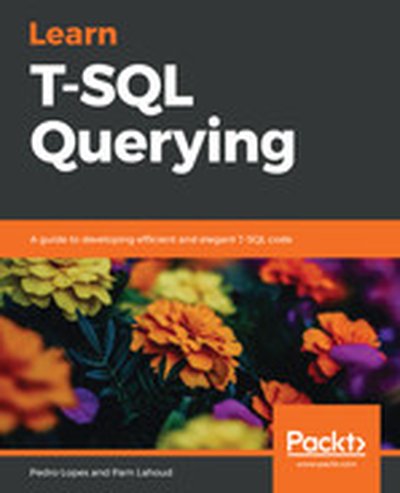
Learn T-SQL Querying

Dive into the world of T-SQL with 'Learn T-SQL Querying,' a book designed to enhance your database querying skills and help you master Microsoft's SQL Server and Azure SQL Database. Through this guide, you'll explore best practices, learn advanced techniques for analyzing execution plans, and create efficient T-SQL queries. What this Book will help me do Understand the fundamentals of query optimization to write performant T-SQL queries. Analyze query execution plans to identify and troubleshoot performance issues effectively. Utilize dynamic management views and functions to monitor and optimize query performance. Implement features like Query Store to streamline troubleshooting and maintain performance changes. Avoid common T-SQL anti-patterns and embrace best practices to ensure scalable query design. Author(s) Pedro Lopes and None Lahoud bring years of expertise in SQL Server and database systems. Pedro has extensive experience as a database engineer, where he specializes in query processing and optimization. None has a deep understanding of T-SQL development, focusing on practical solutions. Together, they provide in-depth insights and actionable advice. Who is it for? This book is perfect for database administrators, database developers, and data analysts at any level looking to improve their T-SQL expertise. Beginners will gain foundational skills in T-SQL querying, while experienced professionals will find advanced strategies for optimizing SQL Server performance. Readers aiming to master both practical querying and troubleshooting will benefit the most.

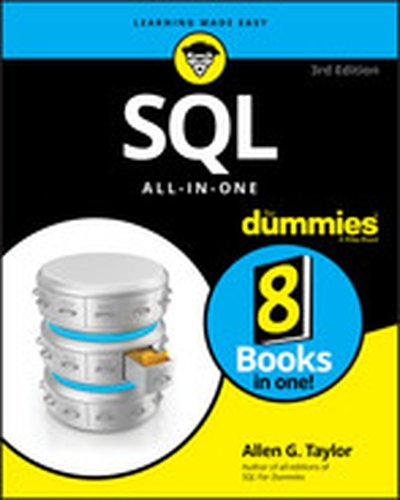
SQL All-In-One For Dummies, 3rd Edition

The latest on SQL databases SQL All -In-One For Dummies, 3rd Edition, is a one-stop shop for everything you need to know about SQL and SQL-based relational databases. Everyone from database administrators to application programmers and the people who manage them will find clear, concise explanations of the SQL language and its many powerful applications. With the ballooning amount of data out there, more and more businesses, large and small, are moving from spreadsheets to SQL databases like Access, Microsoft SQL Server, Oracle databases, MySQL, and PostgreSQL. This compendium of information covers designing, developing, and maintaining these databases. Cope with any issue that arises in SQL database creation and management Get current on the newest SQL updates and capabilities Reference information on querying SQL-based databases in the SQL language Understand relational databases and their importance to today’s organizations SQL All-In-One For Dummies is a timely update to the popular reference for readers who want detailed information about SQL databases and queries.

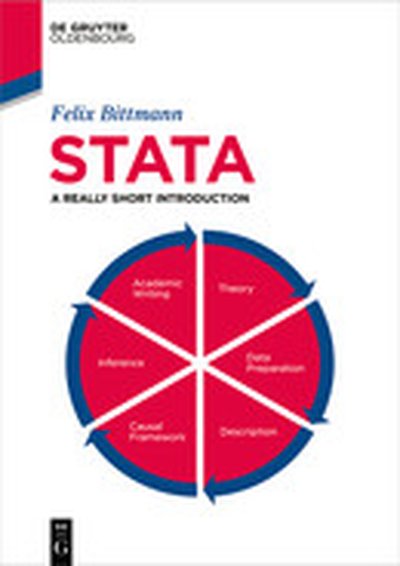
Stata

Stata is one of the most popular statistical software in the world and suited for all kinds of users, from absolute beginners to experienced veterans. This book offers a clear and concise introduction to the usage and the workflow of Stata. Included topics are importing and managing datasets, cleaning and preparing data, creating and manipulating variables, producing descriptive statistics and meaningful graphs as well as central quantitative methods, like linear (OLS) and binary logistic regressions and matching. Additional information about diagnostical tests ensures that these methods yield valid and correct results that live up to academic standards. Furthermore, users are instructed how to export results that can be directly used in popular software like Microsoft Word for seminar papers and publications. Lastly, the book offers a short yet focussed introduction to scientific writing, which should guide readers through the process of writing a first quantitative seminar paper or research report. The book underlines correct usage of the software and a productive workflow which also introduces aspects like replicability and general standards for academic writing. While absolute beginners will enjoy the easy to follow point-and-click interface, more experienced users will benefit from the information about do-files and syntax which makes Stata so popular. Lastly, a wide range of user-contributed software („Ados") is introduced which further improves the general workflow and guarantees the availability of state of the art statistical methods.

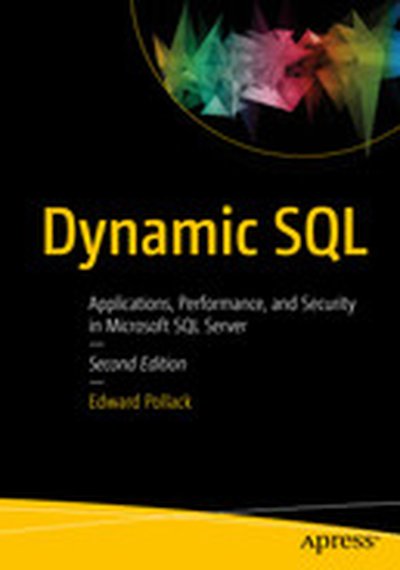
Dynamic SQL: Applications, Performance, and Security in Microsoft SQL Server

Take a deep dive into the many uses of dynamic SQL in Microsoft SQL Server. This edition has been updated to use the newest features in SQL Server 2016 and SQL Server 2017 as well as incorporating the changing landscape of analytics and database administration. Code examples have been updated with new system objects and functions to improve efficiency and maintainability. Executing dynamic SQL is key to large-scale searching based on user-entered criteria. Dynamic SQL can generate lists of values and even code with minimal impact on performance. Dynamic SQL enables dynamic pivoting of data for business intelligence solutions as well as customizing of database objects. Yet dynamic SQL is feared by many due to concerns over SQL injection or code maintainability. Dynamic SQL: Applications, Performance, and Security in Microsoft SQL Server helps you bring the productivity and user-satisfaction of flexible and responsive applications to your organization safely and securely. Your organization’s increased ability to respond to rapidly changing business scenarios will build competitive advantage in an increasingly crowded and competitive global marketplace. With a focus on new applications and modern database architecture, this edition illustrates that dynamic SQL continues to evolve and be a valuable tool for administration, performance optimization, and analytics. What You'ill Learn Build flexible applications that respond to changing business needs Take advantage of creative, innovative, and productive uses of dynamic SQL Know about SQL injection and be confident in your defenses against it Address performance concerns in stored procedures and dynamic SQL Troubleshoot and debug dynamic SQL to ensure correct results Automate your administration of features within SQL Server Who This Book is For Developers and database administrators looking to hone and build their T-SQL coding skills. The book is ideal for developers wanting to plumb the depths of application flexibility and troubleshoot performance issues involving dynamic SQL. The book is also ideal for programmers wanting to learn what dynamic SQL is about and how it can help them deliver competitive advantage to their organizations.

Microsoft Power BI Complete Reference

Design, develop, and master efficient Power BI solutions for impactful business insights Key Features Get to grips with the fundamentals of Microsoft Power BI Combine data from multiple sources, create visuals, and publish reports across platforms Understand Power BI concepts with real-world use cases Book Description Microsoft Power BI Complete Reference Guide gets you started with business intelligence by showing you how to install the Power BI toolset, design effective data models, and build basic dashboards and visualizations that make your data come to life. In this Learning Path, you will learn to create powerful interactive reports by visualizing your data and learn visualization styles, tips and tricks to bring your data to life. You will be able to administer your organization's Power BI environment to create and share dashboards. You will also be able to streamline deployment by implementing security and regular data refreshes. Next, you will delve deeper into the nuances of Power BI and handling projects. You will get acquainted with planning a Power BI project, development, and distribution of content, and deployment. You will learn to connect and extract data from various sources to create robust datasets, reports, and dashboards. Additionally, you will learn how to format reports and apply custom visuals, animation and analytics to further refine your data. By the end of this Learning Path, you will learn to implement the various Power BI tools such as on-premises gateway together along with staging and securely distributing content via apps. This Learning Path includes content from the following Packt products: Microsoft Power BI Quick Start Guide by Devin Knight et al. Mastering Microsoft Power BI by Brett Powell What you will learn Connect to data sources using both import and DirectQuery options Leverage built-in and custom visuals to design effective reports Administer a Power BI cloud tenant for your organization Deploy your Power BI Desktop files into the Power BI Report Server Build efficient data retrieval and transformation processes Who this book is for Microsoft Power BI Complete Reference Guide is for those who want to learn and use the Power BI features to extract maximum information and make intelligent decisions that boost their business. If you have a basic understanding of BI concepts and want to learn how to apply them using Microsoft Power BI, then Learning Path is for you. It consists of real-world examples on Power BI and goes deep into the technical issues, covers additional protocols, and much more.

Summary

Apache Spark is a popular and widely used tool for a variety of data oriented projects. With the large array of capabilities, and the complexity of the underlying system, it can be difficult to understand how to get started using it. Jean George Perrin has been so impressed by the versatility of Spark that he is writing a book for data engineers to hit the ground running. In this episode he helps to make sense of what Spark is, how it works, and the various ways that you can use it. He also discusses what you need to know to get it deployed and keep it running in a production environment and how it fits into the overall data ecosystem.

Preamble

Hello and welcome to the Data Engineering Podcast, the show about modern data management When you’re ready to build your next pipeline, or want to test out the projects you hear about on the show, you’ll need somewhere to deploy it, so check out Linode. With 200Gbit private networking, scalable shared block storage, and a 40Gbit public network, you’ve got everything you need to run a fast, reliable, and bullet-proof data platform. If you need global distribution, they’ve got that covered too with world-wide datacenters including new ones in Toronto and Mumbai. Go to dataengineeringpodcast.com/linode today to get a $20 credit and launch a new server in under a minute. Go to dataengineeringpodcast.com to subscribe to the show, sign up for the mailing list, read the show notes, and get in touch. Join the community in the new Zulip chat workspace at dataengineeringpodcast.com/chat Your host is Tobias Macey and today I’m interviewing Jean Georges Perrin, author of the upcoming Manning book Spark In Action 2nd Edition, about the ways that Spark is used and how it fits into the data landscape

Interview

Introduction How did you get involved in the area of data management? Can you start by explaining what Spark is?

What are some of the main use cases for Spark? What are some of the problems that Spark is uniquely suited to address? Who uses Spark?

What are the tools offered to Spark users? How does it compare to some of the other streaming frameworks such as Flink, Kafka, or Storm? For someone building on top of Spark what are the main software design paradigms?

How does the design of an application change as you go from a local development environment to a production cluster?

Once your application is written, what is involved in deploying it to a production environment? What are some of the most useful strategies that you have seen for improving the efficiency and performance of a processing pipeline? What are some of the edge cases and architectural considerations that engineers should be considering as they begin to scale their deployments? What are some of the common ways that Spark is deployed, in terms of the cluster topology and the supporting technologies? What are the limitations of the Spark programming model?

What are the cases where Spark is the wrong choice?

What was your motivation for writing a book about Spark?

Who is the target audience?

What have been some of the most interesting or useful lessons that you have learned in the process of writing a book about Spark? What advice do you have for anyone who is considering or currently using Spark?

Contact Info

@jgperrin on Twitter Blog

Parting Question

From your perspective, what is the biggest gap in the tooling or technology for data management today?

Book Discount

Use the code poddataeng18 to get 40% off of all of Manning’s products at manning.com

Links

Apache Spark Spark In Action Book code examples in GitHub Informix International Informix Users Group MySQL Microsoft SQL Server ETL (Extract, Transform, Load) Spark SQL and Spark In Action‘s chapter 11 Spark ML and Spark In Action‘s chapter 18 Spark Streaming (structured) and Spark In Action‘s chapter 10 Spark GraphX Hadoop Jupyter

Podcast Interview

Zeppelin Databricks IBM Watson Studio Kafka Flink

P

Pro Power BI Architecture: Sharing, Security, and Deployment Options for Microsoft Power BI Solutions

Architect and deploy a Power BI solution. This book will help you understand the many available options and choose the best combination for hosting, developing, sharing, and deploying a Power BI solution within your organization. Pro Power BI Architecture provides detailed examples and explains the different methods available for sharing and securing Power BI content so that only intended recipients can see it. Commonly encountered problems you will learn to handle include content unexpectedly changing while users are in the process of creating reports and building analysis, methods of sharing analyses that don’t cover all the requirements of your business or organization, and inconsistent security models. The knowledge provided in this book will allow you to choose an architecture and deployment model that suits the needs of your organization, ensuring that you do not spend your time maintaining your solution but onusing it for its intended purpose and gaining business value from mining and analyzing your organization’s data. What You'll Learn Architect and administer enterprise-level Power BI solutions Choose the right sharing method for your Power BI solution Create and manage environments for development, testing, and production Implement row level security in multiple ways to secure your data Save money by choosing the right licensing plan Select a suitable connection type—Live Connection, DirectQuery, or Scheduled Refresh—for your use case Set up a Power BI gateway to bridge between on-premises data sources and the Power BI cloud service Who This Book Is For Data analysts, developers, architects, and managers who want to leverage Power BI for their reporting solution

Microsoft Power BI Dashboards Step by Step, First Edition

Your hands-on guide to building effective Power BI dashboards Expand your expertise–and teach yourself how to create world-class Power BI business analysis dashboards that bring data to life for better decision-making. If you're an experienced business intelligence professional or manager, you'll get all the guidance, examples, and code you need to succeed–even if you've never used Power BI before. Successfully design, architect, and implement Power BI in your organization Take full advantage of any Microsoft Power BI platform, including Power BI Premium Make upfront decisions that position your Power BI project for success Build rich, live dashboards to monitor crucial data from across your organization Aggregate data and data elements from numerous internal and external data sources Develop dynamic visualizations, including charts, maps, and graphs Bring data to life with stunning interactive reports Ensure dashboard security and compliance Drive user adoption through effective training

Pro SQL Server on Linux: Including Container-Based Deployment with Docker and Kubernetes

Get SQL Server up and running on the Linux operating system and containers. No database professional managing or developing SQL Server on Linux will want to be without this deep and authoritative guide by one of the most respected experts on SQL Server in the industry. Get an inside look at how SQL Server for Linux works through the eyes of an engineer on the team that made it possible. Microsoft SQL Server is one of the leading database platforms in the industry, and SQL Server 2017 offers developers and administrators the ability to run a database management system on Linux, offering proven support for enterprise-level features and without onerous licensing terms. Organizations invested in Microsoft and open source technologies are now able to run a unified database platform across all their operating system investments. Organizations are further able to take full advantage of containerization through popular platforms such as Docker and Kubernetes. Pro SQL Server on Linux walks you through installing and configuring SQL Server on the Linux platform. The author is one of the principal architects of SQL Server for Linux, and brings a corresponding depth of knowledge that no database professional or developer on Linux will want to be without. Throughout this book are internals of how SQL Server on Linux works including an in depth look at the innovative architecture. The book covers day-to-day management and troubleshooting, including diagnostics and monitoring, the use of containers to manage deployments, and the use of self-tuning and the in-memory capabilities. Also covered are performance capabilities, high availability, and disaster recovery along with security and encryption. The book covers the product-specific knowledge to bring SQL Server and its powerful features to life on the Linux platform, including coverage of containerization through Docker and Kubernetes. What You'll Learn Learn about the history and internal of the unique SQL Server on Linux architecture. Install and configure Microsoft’s flagship database product on the Linux platform Manage your deployments using container technology through Docker and Kubernetes Know the basics of building databases, the T-SQL language, and developing applications against SQL Server on Linux Use tools and features to diagnose, manage, and monitor SQL Server on Linux Scale your application by learning the performance capabilities of SQL Server Deliver high availability and disaster recovery to ensure business continuity Secure your database from attack, and protect sensitive data through encryption Take advantage of powerful features such as Failover Clusters, Availability Groups, In-Memory Support, and SQL Server’sSelf-Tuning Engine Learn how to migrate your database from older releases of SQL Server and other database platforms such as Oracle and PostgreSQL Build and maintain schemas, and perform management tasks from both GUI and command line Who This Book Is For Developers and IT professionals who are new to SQL Server and wish to configure it on the Linux operating system. This book is also useful to those familiar with SQL Server on Windows who want to learn the unique aspects of managing SQL Server on the Linux platform and Docker containers. Readers should have a grasp of relational database concepts and be comfortable with the SQL language.

Collect, Combine, and Transform Data Using Power Query in Excel and Power BI, First Edition

Using Power Query, you can import, reshape, and cleanse any data from a simple interface, so you can mine that data for all of its hidden insights. Power Query is embedded in Excel, Power BI, and other Microsoft products, and leading Power Query expert Gil Raviv will help you make the most of it. Discover how to eliminate time-consuming manual data preparation, solve common problems, avoid pitfalls, and more. Then, walk through several complete analytics challenges, and integrate all your skills in a realistic chapter-length final project. By the time you're finished, you'll be ready to wrangle any data–and transform it into actionable knowledge. Prepare and analyze your data the easy way, with Power Query · Quickly prepare data for analysis with Power Query in Excel (also known as Get & Transform) and in Power BI · Solve common data preparation problems with a few mouse clicks and simple formula edits · Combine data from multiple sources, multiple queries, and mismatched tables · Master basic and advanced techniques for unpivoting tables · Customize transformations and build flexible data mashups with the M formula language · Address collaboration challenges with Power Query · Gain crucial insights into text feeds · Streamline complex social network analytics so you can do it yourself For all information workers, analysts, and any Excel user who wants to solve their own business intelligence problems.