
talk-data.com talk-data.com

Topic

Power BI

Microsoft Power BI

bi data_visualization microsoft

201

tagged

Activity Trend

16 peak/qtr
2020-Q1 2026-Q1

Activities

201 activities · Newest first

Discover how to supercharge analytics and AI workflows using Azure Databricks and Microsoft Fabric. This hands-on lab explores native AI/BI features in Azure Databricks, including ML-powered insights and real-time analytics. Learn multiple ways to serve data to Power BI, with a deep dive into Direct Lake mode with Fabric. Ideal for developers, data scientists, data analysts, and engineers modernizing BI with lakehouse architecture in the AI era.

Please RSVP and arrive at least 5 minutes before the start time, at which point remaining spaces are open to standby attendees.


Join this hands-on lab to design and deploy a modern, cloud-native analytics and AI solution using Azure Databricks, Microsoft Foundry, and Microsoft Copilot Studio. Work with the Zava-Litware scenario to perform data ingestion, orchestration with Lakeflow, AI-driven insights via Genie, mirrored catalog in Microsoft Fabric, Copilot Studio low-code automation, and advanced reporting in Power BI. Build a scalable, cost-efficient solution showcasing AI-powered analytics for business transformation.

Please RSVP and arrive at least 5 minutes before the start time, at which point remaining spaces are open to standby attendees.

Discover how Copilot is reshaping the data science experience in Microsoft Fabric and Power BI. From transforming raw data into actionable insights to generating stunning visualizations and reports, Copilot brings powerful new capabilities to your fingertips. You'll learn how to unlock Copilot in Fabric, explore what it can do, and ensure it's ready to elevate your analytics game. These tips and tricks will help you harness AI to work smarter, faster, and with more impact.

Join this hands-on lab to design and deploy a modern, cloud-native analytics and AI solution using Azure Databricks, Microsoft Foundry, and Microsoft Copilot Studio. Work with the Zava-Litware scenario to perform data ingestion, orchestration with Lakeflow, AI-driven insights via Genie, mirrored catalog in Microsoft Fabric, Copilot Studio low-code automation, and advanced reporting in Power BI. Build a scalable, cost-efficient solution showcasing AI-powered analytics for business transformation.

Please RSVP and arrive at least 5 minutes before the start time, at which point remaining spaces are open to standby attendees.
Innovation Session: Microsoft Fabric and Azure Databases - the data estate for AI

In today’s AI-driven economy, data isn’t just an asset, it’s your differentiator. Join us for major announcements across Microsoft Fabric, Power BI, Azure SQL, and Azure PostgreSQL, and see how these innovations come together to deliver a unified, intelligent data foundation for AI. Experience customer success stories, live demos, and an inside look at the roadmap shaping the future of analytics, transactional workloads, and real-time insights all in one integrated experience.

Discover how to supercharge analytics and AI workflows using Azure Databricks and Microsoft Fabric. This hands-on lab explores native AI/BI features in Azure Databricks, including ML-powered insights and real-time analytics. Learn multiple ways to serve data to Power BI, with a deep dive into Direct Lake mode with Fabric. Ideal for developers, data scientists, data analysts, and engineers modernizing BI with lakehouse architecture in the AI era.

Please RSVP and arrive at least 5 minutes before the start time, at which point remaining spaces are open to standby attendees.

Microsoft Power BI Visual Calculations: Simplifying DAX

Seasoned experts Jeroen ter Heerdt, Madzy Stikkelorum, and Marc Lelijveld help you master visual calculations in Power BI for transformative data insights Microsoft Power BI Visual Calculations: Simplifying DAX is a comprehensive guide that demystifies the innovative feature of visual calculations in Power BI. Jeroen, a Principal Product Manager at Microsoft, Madzy, a Data Analytics Consultant, and Marc, a Microsoft Data Platform MVP, bring their extensive expertise to this book, offering you a practical approach to mastering visual calculations. The book is designed to simplify DAX, making it accessible to beginners and empowering you to transform raw data into actionable insights. You will learn to implement visual calculations, understand their benefits, and apply them effectively in real-world scenarios, ultimately enhancing your ability to make data-driven decisions. By reading this book, you will: Understand the fundamentals of visual calculations in Power BI Create your first visual calculation with step-by-step guidance Explore advanced concepts like resetting context in visual calculations Compare visual calculations with other Power BI calculation options Master the performance characteristics of visual calculations Utilize specific functions designed for visual calculations Implement practical use cases like running sums and moving averages Enhance visual calculations with regular DAX expressions Optimize operational processes using data-driven insights Unlock the full potential of Power BI for strategic decision-making About This Book For Power BI users who want to simplify DAX and unlock the full potential of visual calculations without the usual complexities For business executives, managers, and data enthusiasts looking to transform raw data into actionable insights for strategic decision-making

Le groupe Egis conçoit et exploite des infrastructures complexes à l’échelle mondiale : autoroutes, aéroports, ferroviaire, bâtiments, services de mobilité, énergie, aménagement urbain et environnement. La diversité et le volume des données générées posent des défis majeurs en matière de gouvernance, d’industrialisation et de scalabilité.

Pour y répondre, Egis a déployé une infrastructure Data Mesh sur Azure, mise en place et opérée par une équipe dédiée. Cette équipe assure la conception, la gouvernance et la mise à disposition de l’architecture pour l’ensemble des Business Lines. L’infrastructure s’appuie sur :

• Stockage distribué avec ADLS Gen2,

• ETL et traitements big data avec Azure Data Factory et Databricks,

• Visualisation et partage sécurisé via Power BI Service et Delta Sharing,

• Des mécanismes de gouvernance avancés pour garantir interopérabilité et fiabilité.

Cette session présentera :

• Les choix d’architecture et patterns techniques pour mettre en place un Data Mesh distribué à l’échelle d’un grand groupe international

• Le rôle et l’organisation de l’équipe dédiée dans la mise à disposition et l’accompagnement des projets métiers

• Les enseignements pratiques tirés de cas d’usage concrets déjà en production


Une immersion au cœur de la mise en œuvre réelle du Data Mesh, pensée pour transformer la donnée en un actif accessible, fiable et exploitable à grande échelle par les équipes métiers et techniques.

DAX for Humans

Level up your Power BI skills by learning DAX in an easy, fun, and practical way using one core pattern that can be used to solve most problems Key Features Learn simple through advanced DAX in a clear, concise way using real-world examples Explore powerful techniques for debugging DAX and increasing efficiency Use artificial intelligence to write, refine, and troubleshoot your DAX formulas Purchase of the print or Kindle book includes a free PDF eBook Book Description Although DAX has been around for over a decade, many struggle to master the language primarily because DAX is often taught through the CALCULATE function, which is the most complex and unintuitive function in all of DAX. But what if DAX could be taught without CALCULATE? The result would be an incredibly intuitive and easy way to learn DAX. DAX for Humans stands the traditional approach to learning DAX on its head, foregoing the traditional, legacy methods of learning DAX for a more modern approach that focuses on core DAX concepts and not any specific function. Even if you know nothing about DAX, from the very first chapter you will learn the essentials of the DAX language, as well as a single pattern to solve the majority of DAX problems. From that point forward, you’ll explore how to work with the basic building blocks of the DAX language and apply what you learn to real-world business scenarios across customers, human resources, projects, finance, operations, and more. By the end of this book, you’ll be able to apply your DAX skills to simple, complex, and advanced scenarios; understand how to optimize and debug your DAX code; and even know how to efficiently apply artificial intelligence to help you write and debug your DAX code. What you will learn Master techniques to solve common DAX calculations Apply DAX to real-word, practical business scenarios Explore advanced techniques for tackling unusual DAX scenarios Discover new ideas, tricks, and time-saving techniques for better calculations Find out how to optimize and debug DAX effectively Leverage AI to assist in writing, troubleshooting, and improving DAX Who this book is for If you use Power BI but struggle with DAX or if you know DAX but want to improve and expand your skills, then this book is for you. Even if you have never used Power BI or DAX before, you will find this book helpful as you progress from the basics to mastery of the DAX language using real-world scenarios as your guide.

Face To Face
by Neil Rowlands (Intellectual Property Office)
BI

Teams in our organisations have both data and business requirements… all we have to do is train people how to use Power BI Desktop/Power Query and they can rapidly author their own MIBI reporting. By upskilling your existing staff your organisation will gain ownership of the outputs and reduce the need for contractors.

In this interactive session we will structure a 2-day Power BI training plan outline, giving all attendees an effective framework to use to deliver to their colleagues.

Here are 5 exciting and unique data analyst projects that will build your skills and impress hiring managers! These range from beginner to advanced and are designed to enhance your data storytelling abilities. ✨ Try Julius today at https://landadatajob.com/Julius-YT Where I Go To Find Datasets (as a data analyst) 👉 https://youtu.be/DHfuvMyBofE?si=ABsdUfzgG7Nsbl89 💌 Join 10k+ aspiring data analysts & get my tips in your inbox weekly 👉 https://www.datacareerjumpstart.com/newsletter 🆘 Feeling stuck in your data journey? Come to my next free "How to Land Your First Data Job" training 👉 https://www.datacareerjumpstart.com/training 👩‍💻 Want to land a data job in less than 90 days? 👉 https://www.datacareerjumpstart.com/daa 👔 Ace The Interview with Confidence 👉 https://www.datacareerjumpstart.com/interviewsimulator

⌚ TIMESTAMPS 00:00 - Introduction 00:24 - Project 1: Stock Price Analysis 03:46 - Project 2: Real Estate Data Analysis (SQL) 07:52 - Project 3: Personal Finance Dashboard (Tableau or Power BI) 11:20 - Project 4: Pokemon Analysis (Python) 14:16 - Project 5: Football Data Analysis (any tool)

🔗 CONNECT WITH AVERY 🎥 YouTube Channel: https://www.youtube.com/@averysmith 🤝 LinkedIn: https://www.linkedin.com/in/averyjsmith/ 📸 Instagram: https://instagram.com/datacareerjumpstart 🎵 TikTok: https://www.tiktok.com/@verydata 💻 Website: https://www.datacareerjumpstart.com/ Mentioned in this episode: Join the last cohort of 2025! The LAST cohort of The Data Analytics Accelerator for 2025 kicks off on Monday, December 8th and enrollment is officially open!

To celebrate the end of the year, we’re running a special End-of-Year Sale, where you’ll get: ✅ A discount on your enrollment 🎁 6 bonus gifts, including job listings, interview prep, AI tools + more

If your goal is to land a data job in 2026, this is your chance to get ahead of the competition and start strong.

👉 Join the December Cohort & Claim Your Bonuses: https://DataCareerJumpstart.com/daa https://www.datacareerjumpstart.com/daa

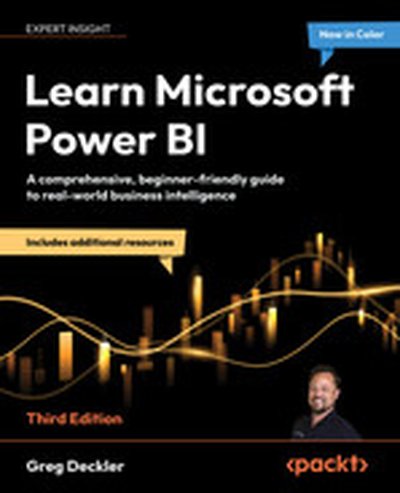
Learn Microsoft Power BI - Third Edition

This comprehensive guide provides the perfect introduction to Microsoft Power BI, offering practical examples to help you learn the key tools and concepts of data visualization and analytics. By exploring real-world use cases, you'll gain the skills necessary to manage data, build interactive dashboards, and unlock valuable business insights. What this Book will help me do Learn the fundamentals of Power BI and business intelligence. Understand advanced features like Microsoft Fabric and Copilot. Transform raw data into meaningful visualizations and reports. Design professional dashboards to convey data insights clearly. Deploy and share reports effectively within your organization. Author(s) Greg Deckler is a recognized authority in Microsoft Power BI, holding the title of a 7-time Microsoft MVP. With extensive experience in business intelligence, Greg is known for his ability to distill complex concepts into clear and practical advice. His approachable teaching style makes technical learning accessible and engaging. Who is it for? This book is ideal for aspiring data analysts or IT professionals looking to gain a solid foundation in Power BI. Beginners with no prior experience in Power BI or business intelligence will find it especially useful. It's also suitable for professionals transitioning from other BI tools. Whether you're looking to enhance your current career or start a new one, this book is for you.

Feeling behind on your data journey? Don't worry. Today, I'll list down the 13 signs that prove you're actually ahead (even if you're actually doing just some of these). ✨ Try Julius today at https://landadatajob.com/Julius-YT 💌 Join 10k+ aspiring data analysts & get my tips in your inbox weekly 👉 https://www.datacareerjumpstart.com/newsletter 🆘 Feeling stuck in your data journey? Come to my next free "How to Land Your First Data Job" training 👉 https://www.datacareerjumpstart.com/training 👩‍💻 Want to land a data job in less than 90 days? 👉 https://www.datacareerjumpstart.com/daa 👔 Ace The Interview with Confidence 👉 https://www.datacareerjumpstart.com/interviewsimulator ⌚ TIMESTAMPS 00:00 Introduction 00:05 #1 You can analyze data in Excel without panicking 00:52 #2 You know how to write basic SQL queries 01:17 #3 You can build a bar chart and scatter plot in Tableau or Power BI 01:59 #4 You can Google (or ChatGPT) your way through any error 02:45 #5 You can send me one portfolio project right now 03:45 #6 You talk about your data journey with friends and family regularly 05:50 #7 You’re actually applying to jobs (not just watching tutorials) 07:03 #8 You’ve joined a data community 07:48 #9 Your resume now includes (lots of) the right keywords 10:11 #10 You’ve optimized your LinkedIn for data roles 10:45 #11 A recruiter reaches out to you on LinkedIn 11:58 #12 You’ve had at least one real interview 12:52 #13 You’re comfortable not knowing everything (yet) 🔗 CONNECT WITH AVERY 🎥 YouTube Channel: https://www.youtube.com/@averysmith 🤝 LinkedIn: https://www.linkedin.com/in/averyjsmith/ 📸 Instagram: https://instagram.com/datacareerjumpstart 🎵 TikTok: https://www.tiktok.com/@verydata 💻 Website: https://www.datacareerjumpstart.com/ Mentioned in this episode: Join the last cohort of 2025! The LAST cohort of The Data Analytics Accelerator for 2025 kicks off on Monday, December 8th and enrollment is officially open!

To celebrate the end of the year, we’re running a special End-of-Year Sale, where you’ll get: ✅ A discount on your enrollment 🎁 6 bonus gifts, including job listings, interview prep, AI tools + more

If your goal is to land a data job in 2026, this is your chance to get ahead of the competition and start strong.

👉 Join the December Cohort & Claim Your Bonuses: https://DataCareerJumpstart.com/daa https://www.datacareerjumpstart.com/daa

The relationship between AI and data professionals is evolving rapidly, creating both opportunities and challenges. As companies embrace AI-first strategies and experiment with AI agents, the skills needed to thrive in data roles are fundamentally changing. Is coding knowledge still essential when AI can generate code for you? How important is domain expertise when automated tools can handle technical tasks? With data engineering and analytics engineering gaining prominence, the focus is shifting toward ensuring data quality and building reliable pipelines. But where does the human fit in this increasingly automated landscape, and how can you position yourself to thrive amid these transformations? Megan Bowers is Senior Content Manager, Digital Customer Success at Alteryx, where she develops resources for the Maveryx Community. She writes technical blogs and hosts the Alter Everything podcast, spotlighting best practices from data professionals across the industry. Before joining Alteryx, Megan worked as a data analyst at Stanley Black & Decker, where she led ETL and dashboarding projects and trained teams on Alteryx and Power BI. Her transition into data began after earning a degree in Industrial Engineering and completing a data science bootcamp. Today, she focuses on creating accessible, high-impact content that helps data practitioners grow. Her favorite topics include switching career paths after college, building a professional brand on LinkedIn, writing technical blogs people actually want to read, and best practices in Alteryx, data visualization, and data storytelling. Presented by Alteryx, Alter Everything serves as a podcast dedicated to the culture of data science and analytics, showcasing insights from industry specialists. Covering a range of subjects from the use of machine learning to various analytics career trajectories, and all that lies between, Alter Everything stands as a celebration of the critical role of data literacy in a data-driven world. In the episode, Richie and Megan explore the impact of AI on job functions, the rise of AI agents in business, and the importance of domain knowledge and process analytics in data roles. They also discuss strategies for staying updated in the fast-paced world of AI and data science, and much more. Links Mentioned in the Show: Alter EverythingConnect with MeganSkill Track: Alteryx FundamentalsRelated Episode: Scaling Enterprise Analytics with Libby Duane Adams, Chief Advocacy Officer and Co-Founder of AlteryxRewatch RADAR AI  New to DataCamp? Learn on the go using the DataCamp mobile appEmpower your business with world-class data and AI skills with DataCamp for business

Business intelligence has been transforming organizations for decades, yet many companies still struggle with widespread adoption. With less than 40% of employees in most organizations having access to BI tools, there's a significant 'information underclass' making decisions without data-driven insights. How can businesses bridge this gap and achieve true information democracy? While new technologies like generative AI and semantic layers offer promising solutions, the fundamentals of data quality and governance remain critical. What balance should organizations strike between investing in innovative tools and strengthening their data infrastructure? How can you ensure your business becomes a 'data athlete' capable of making hyper-decisive moves in an uncertain economic landscape? Howard Dresner is founder and Chief Research Officer at Dresner Advisory Services and a leading voice in Business Intelligence (BI), credited with coining the term “Business Intelligence” in 1989. He spent 13 years at Gartner as lead BI analyst, shaping its research agenda and earning recognition as Analyst of the Year, Distinguished Analyst, and Gartner Fellow. He also led Gartner’s BI conferences in Europe and North America. Before founding Dresner Advisory in 2007, Howard was Chief Strategy Officer at Hyperion Solutions, where he drove strategy and thought leadership, helping position Hyperion as a leader in performance management prior to its acquisition by Oracle.  Howard has written two books, The Performance Management Revolution – Business Results through Insight and Action, and Profiles in Performance – Business Intelligence Journeys and the Roadmap for Change - both published by John Wiley & Sons. In the episode, Richie and Howard explore the surprising low penetration of business intelligence in organizations, the importance of data governance and infrastructure, the evolving role of AI in BI, and the strategic initiatives driving BI usage, and much more. Links Mentioned in the Show: Dresner Advisory ServicesHoward’s Book - Profiles in Performance: Business Intelligence Journeys and the Roadmap for ChangeConnect with HowardSkill Track: Power BI FundamentalsRelated Episode: The Next Generation of Business Intelligence with Colin Zima, CEO at OmniRewatch RADAR AI  New to DataCamp? Learn on the go using the DataCamp mobile appEmpower your business with world-class data and AI skills with DataCamp for business

In today’s fast-paced business world, timely and reliable insights are crucial — but manual BI workflows can’t keep up. This session offers a practical guide to automating business intelligence processes using Apache Airflow. We’ll walk through real-world examples of automating data extraction, transformation, dashboard refreshes, and report distribution. Learn how to design DAGs that align with business SLAs, trigger workflows based on events, integrate with popular BI tools like Tableau and Power BI, and implement alerting and failure recovery mechanisms. Whether you’re new to Airflow or looking to scale your BI operations, this session will equip you with actionable strategies to save time, reduce errors, and supercharge your organization’s decision-making capabilities.