talk-data.com talk-data.com

Topic

Power BI

Microsoft Power BI

bi data_visualization microsoft

201

tagged

Activity Trend

16 peak/qtr
2020-Q1 2026-Q1

Activities

201 activities · Newest first

96 Common Challenges in Power Query: Practical Solutions for Mastering Data Transformation in Excel and Power BI

This comprehensive guide is designed to address the most frequent and challenging issues faced by users of Power Query, a powerful data transformation tool integrated into Excel, Power BI, and Microsoft Azure. By tackling 96 real-world problems with practical, step-by-step solutions, this book is an essential resource for data analysts, Excel enthusiasts, and Power BI professionals. It aims to enhance your data transformation skills and improve efficiency in handling complex data sets. Structured into 12 chapters, the book covers specific areas of Power Query such as data extraction, referencing, column splitting and merging, sorting and filtering, and pivoting and unpivoting tables. You will learn to combine data from Excel files with varying column names, handle multi-row headers, perform advanced filtering, and manage missing values using techniques such as linear interpolation and K-nearest neighbors (K-NN) imputation. The book also dives into advanced Power Query functions such as Table.Group, List.Accumulate, and List.Generate, explored through practical examples such as calculating running totals and implementing complex grouping and iterative processes. Additionally, it covers crucial topics such as error-handling strategies, custom function creation, and the integration of Python and R with Power Query. In addition to providing explanations on the use of functions and the M language for solving real-world challenges, this book discusses optimization techniques for data cleaning processes and improving computational speed. It also compares the execution time of functions across different patterns and proposes the optimal approach based on these comparisons. In today’s data-driven world, mastering Power Query is crucial for accurate and efficient data processing. But as data complexity grows, so do the challenges and pitfalls that users face. This book serves as your guide through the noise and your key to unlocking the full potential of Power Query. You’ll quickly learn to navigate and resolve common issues, enabling you to transform raw data into actionable insights with confidence and precision. What You Will Learn Master data extraction and transformation techniques for various Excel file structures Apply advanced filtering, sorting, and grouping methods to organize and analyze data Leverage powerful functions such as Table.Group, List.Accumulate, and List.Generate for complex transformations Optimize queries to execute faster Create and utilize custom functions to handle iterative processes and advanced list transformation Implement effective error-handling strategies, including removing erroneous rows and extracting error reasons Customize Power Query solutions to meet specific business needs and share custom functions across files Who This Book Is For Aspiring and developing data professionals using Power Query in Excel or Power BI who seek practical solutions to enhance their skills and streamline complex data transformation workflows
Microsoft Power Platform Solution Architect Certification Companion: Mastering the PL-600 Certification

This comprehensive guide book equips you with the knowledge and confidence needed to prep for the exam and thrive as a Power Platform Solution Architect. The book starts with a foundation for successful solution architecture, emphasizing essential skills such as requirements gathering, governance, and security. You will learn to navigate customer discovery, translate business needs into technical requirements, and design solutions that address both functional and non-functional needs. The second part of the book delves into the Microsoft Power Platform ecosystem, offering an in-depth look at its core components—Power Apps, Power Automate, Power BI, Microsoft Copilot, and Robotic Process Automation (RPA). Detailed insights into data modeling, security strategies, and AI integration will guide you in building scalable, secure solutions. Coverage of application life cycle management, which empowers solution architects to design, implement, and deploy Power Platform solutions effectively, is discussed next. You will then go through real-world scenarios, giving you a practical understanding of the challenges and considerations in managing Power Platform projects within a business context. The book concludes with strategies for continuous learning and resources for professional development, including practice questions to assess knowledge and readiness for the PL-600 exam. After reading the book, you will be ready to take the exam and become a successful Power Platform Solution Architect. What You Will Learn Understand the Solution Architect's role, responsibilities, and strategic approaches to successfully navigate projects Master the basics of Power Platform Solution Architecture Understand governance, security, and integration concepts in real-world scenarios Design and deploy effective business solutions using Power Platform components Gain the skills necessary to prep for the PL-600 certification exam Who This Book Is For Professionals pursuing Microsoft PL-600 Solution Architect certification and IT consultants and developers transitioning to solution architect roles

Bridging BI Tools: Deep Dive Into AI/BI Dashboards for Power BI Practitioners

In the rapidly-evolving field of data analytics, (AI/BI) dashboards and Power BI stand out as two formidable approaches, each offering unique strengths and catering to specific use cases. Power BI has earned its reputation for delivering user-friendly, highly customisable visualisations and reports for data analysis. On the other hand, AI/BI dashboards have gained good traction due to their seamless integration with the Databricks platform, making them an attractive option for data practitioners. This session will provide a comparison of these two tools, highlighting their respective features, strengths and potential limitations. Understanding the nuances between these tools is crucial for organizations aiming to make informed decisions about their data analytics strategy. This session will equip participants with the knowledge needed to select the most appropriate tool or combination of tools to meet their data analysis requirements and drive data-informed decision-making processes.

How do you transform a data pipeline from sluggish 10-hour batch processing into a real-time powerhouse that delivers insights in just 10 minutes? This was the challenge we tackled at one of France's largest manufacturing companies, where data integration and analytics were mission-critical for supply chain optimization. Power BI dashboards needed to refresh every 15 minutes. Our team struggled with legacy Azure Data Factory batch pipelines. These outdated processes couldn’t keep up, delaying insights and generating up to three daily incident tickets. We identified Lakeflow Declarative Pipelines and Databricks SQL as the game-changing solution to modernize our workflow, implement quality checks, and reduce processing times.In this session, we’ll dive into the key factors behind our success: Pipeline modernization with Lakeflow Declarative Pipelines: improving scalability Data quality enforcement: clean, reliable datasets Seamless BI integration: Using Databricks SQL to power fast, efficient queries in Power BI

Data Triggers and Advanced Control Flow With Lakeflow Jobs

Lakeflow Jobs is the production-ready fully managed orchestrator for the entire Lakehouse with 99.95% uptime. Join us for a dive into how you can orchestrate your enterprise data operations, from triggering your jobs only when your data is ready to advanced control flow with conditionals, looping and job modularity — with demos! Attendees will gain practical insights into optimizing their data operations by orchestrating with Lakeflow Jobs: New task types: Publish AI/BI Dashboards, push to Power BI or ingest with Lakeflow Connect Advanced execution control: Reference SQL Task outputs, run partial DAGs and perform targeted backfills Repair runs: Re-run failed pipelines with surgical precision using task-level repair Control flow upgrades: Native for-each loops and conditional logic make DAGs more dynamic + expressive Smarter triggers: Kick off jobs based on file arrival or Delta table changes, enabling responsive workflows Code-first approach to pipeline orchestration

Unified Advanced Analytics: Integrating Power BI and Databricks Genie for Real-time Insights

In today’s data-driven landscape, business users expect seamless, interactive analytics without having to switch between different environments. This presentation explores our web application that unifies a Power BI dashboard with Databricks Genie, allowing users to query and visualize insights from the same dataset within a single, cohesive interface. We will compare two integration strategies: one that leverages a traditional webpage enhanced by an Azure bot to incorporate Genie’s capabilities, and another that utilizes Databricks Apps to deliver a smoother, native experience. We use the Genie API to build this solution. Attendees will learn the architecture behind these solutions, key design considerations and challenges encountered during implementation. Join us to see live demos of both approaches, and discover best practices for delivering an all-in-one, interactive analytics experience.

Geo-Powering Insights: The Art of Spatial Data Integration and Visualization

In this presentation, we will explore how to leverage Databricks' SQL engine to efficiently ingest and transform geospatial data. We'll demonstrate the seamless process of connecting to external systems such as ArcGIS to retrieve datasets, showcasing the platform's versatility in handling diverse data sources. We'll then delve into the power of Databricks Apps, illustrating how you can create custom geospatial dashboards using various frameworks like Streamlit and Flask, or any framework of your choice. This flexibility allows you to tailor your visualizations to your specific needs and preferences. Furthermore, we'll highlight the Databricks Lakehouse's integration capabilities with popular dashboarding tools such as Tableau and Power BI. This integration enables you to combine the robust data processing power of Databricks with the advanced visualization features of these specialized tools.

Power BI and Databricks: Practical Best Practices

This session is repeated. Power BI has long been the dominant BI tool in the market. In this session, we'll discuss how to get the most out of PowerBI and Databricks, beginning with high-level architecture and moving down into detailed how-to guides for troubleshooting common failure points. At the end, you'll receive a cheat-sheet which summarizes those best practices into an easy-to-reference format.

Sponsored by: Microsoft | Leverage the power of the Microsoft Ecosystem with Azure Databricks

Join us for this insightful session to learn how you can leverage the power of the Microsoft ecosystem along with Azure Databricks to take your business to the next level. Azure Databricks is a fully integrated, native, first-party solution on Microsoft Azure. Databricks and Microsoft continue to actively collaborate on product development, ensuring tight integration, optimized performance, and a streamlined support experience. Azure Databricks offers seamless integrations with Power BI, Azure Open AI, Microsoft Purview, Azure Data Lake Storage (ADLS) and Foundry. In this session, you’ll learn how you can leverage deep integration between Azure Databricks and the Microsoft solutions to empower your organization to do more with your data estate. You’ll also get an exclusive sneak peek into the product roadmap.

How to Get the Most Out of Your BI Tools on Databricks

Unlock the full potential of your BI tools with Databricks. This session explores how features like Photon, Databricks SQL, Liquid Clustering, AI/BI Genie and Publish to Power BI enhance performance, scalability and user experience. Learn how Databricks accelerates query performance, optimizes data layouts and integrates seamlessly with BI tools. Gain actionable insights and best practices to improve analytics efficiency, reduce latency and drive better decision-making. Whether migrating from a data warehouse or optimizing an existing setup, this talk provides the strategies to elevate your BI capabilities.

Accelerating Analytics: Integrating BI and Partner Tools to Databricks SQL

This session is repeated. Did you know that you can integrate with your favorite BI tools directly from Databricks SQL? You don’t even need to stand up an additional warehouse. This session shows the integrations with Microsoft Power Platform, Power BI, Tableau and dbt so you can have a seamless integration experience. Directly connect your Databricks workspace with Fabric and Power BI workspaces or Tableau to publish and sync data models, with defined primary and foreign keys, between the two platforms.

Power BI and Microsoft Fabric have become the data hub for your organisation, providing everyone access to your critical and sensitive data. Whilst incredibly powerful, this also brings significant risk.
Including real world case studies, this session will look at how you can protect your organisation, your data, and yourself, through effective governance, auditing and disaster recovery within Power BI and Fabric.
This will cover effective planning, risk management, license reduction, FinOps, permissions monitoring, audit trails, and more.

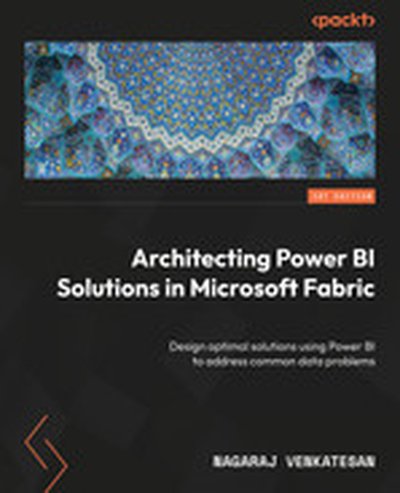
Architecting Power BI Solutions in Microsoft Fabric

This book is a comprehensive guide to building sophisticated and robust Power BI solutions that solve common data problems effectively. Written with hands-on professionals in mind, it provides essential insights and practical advice to help you choose the right tools and approaches for any BI task. Readers will learn to create performant, secure, and innovative business intelligence systems. What this Book will help me do Identify the scenarios where each Power BI component fits best. Apply secure and performance-conscious design principles when building BI solutions. Leverage Microsoft Fabric and other advanced integrations to maximize Power BI's capabilities. Implement AI-powered features such as Copilot and predictive modeling in Power BI. Facilitate collaboration and governance using Power BI's advanced features. Author(s) Nagaraj Venkatesan has over 17 years of professional expertise in data platform technologies and business intelligence tools. Through a rich career in data solution architecture, he has mastered the art of designing efficient and reliable Power BI implementations. This book reflects his passion for empowering professionals to make the most of Power BI. Who is it for? If you are a solution architect, data engineer, or Power BI report developer looking to elevate your skills in designing optimized Power BI solutions, this book is for you. Business analysts and data scientists can also benefit immensely from the book's coverage of self-service BI and data science integration. Some familiarity with Power BI will enhance your learning experience, but newcomers eager to learn will also find it invaluable.

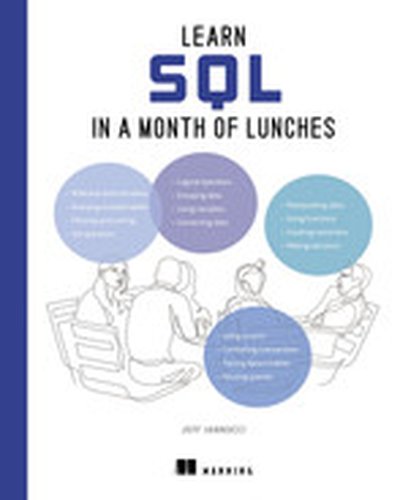
Learn SQL in a Month of Lunches

Use SQL to get the data you need in no time at all! Learn to read and write basic queries, troubleshoot common problems, and control your own business data in just 24 short lessons–no programming experience required! SQL has been designed to be as close to English as possible—anyone can learn it! Learn SQL in a Month of Lunches helps you add this lucrative and highly sought-after skill to your resume in just 24 fun and friendly lessons. The book emphasizes practical uses for the language in the real-world, so you’ll just learn the most useful skills for business data analysis. Inside Learn SQL in a Month of Lunches you’ll discover how to: Set up your first database with MySQL Write your own SQL queries See only the data you need from large datasets Connect different sets of data Analyze data with functions and aggregations Master basic data manipulation techniques Save queries in stored procedures and views Create tables to store data efficiently Read and improve SQL written by others If you use Excel, Tableau, or PowerBI to crunch business data, you’ve probably seen a lot of SQL already. And guess what? It’s easy to master the most useful parts of SQL! In just a few quick lessons, Learn SQL in a Month of Lunches will get you writing your own queries, modifying existing SQL statements, and working with data like a pro. 25-year SQL veteran Jeff Iannucci makes SQL a snap through hands-on lab exercises, relevant code examples, and easy-to-understand language. About the Technology SQL, Structured Query Language, is the standard way to query, create, and manage relational databases like SQL Server, PostgreSQL, and Oracle. It’s also a superpower for data analysts who need to go beyond spreadsheets and BI dashboarding tools. SQL is easy to read and understand, and with this book (and a little practice) you’ll be pulling data, tweaking tables, and cranking out amazing reports and presentations in no time at all! About the Book Learn SQL in a Month of Lunches introduces SQL to data analysts and other aspiring data pros with no prior experience using relational databases. In it, you’ll complete 24 short lessons, each of which teaches an essential SQL skill for retrieving, filtering, and analyzing data. You’ll practice each new technique with a friendly hands-on lab designed to take about 15 minutes, as you learn to write queries that deliver the exact data you need. Along the way, you’ll build a valuable intuition for how databases operate in real business scenarios. What's Inside Get the data you need from any relational database Filter, sort, and group data Combine data from multiple tables Create, update, and delete data About the Reader For students, aspiring data analysts, software developers, and anyone else who wants to work with relational databases. About the Author Jeff Iannucci is a Senior Consultant with Straight Path Solutions. For over 20 years, he has worked extensively with SQL in sectors such as healthcare, finance, retail sales, and government. Quotes An essential guide. Jeff has carefully developed each chapter to ensure clarity and comprehensiveness, making complex concepts accessible and practical. - Buck Woody, Microsoft The fastest and the most effective way to learn SQL, regardless of your background or technical knowledge level. - Kevin Kline, author of SQL in a Nutshell Explains concepts straightforwardly to help the reader grow their skills over a month of sessions. - Steve Jones, SQL Server Central Great selection of bite-sized, digestible courses to complement your lunch arrangement. It leaves you smarter every day. - Simon Tschöke, Databricks

Tag Manager Italia collaborated with CNH to design and implement a global GA4-based data strategy, unifying analytics across their extensive operations. This session explores the whole project, with a focus on how advanced tools like BigQuery and Databricks enabled data centralization, while custom Power BI dashboards and privacy-compliant frameworks empowered informed decisions and enhanced marketing and business outcomes.

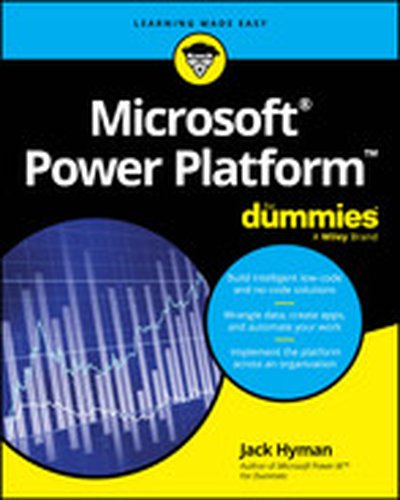
Microsoft Power Platform For Dummies

Build business intelligence with insight from a professional Microsoft Power Platform For Dummies covers the essentials you need to know to get started with Microsoft Power Platform, the suite of business intelligence applications designed to make your enterprise work smarter and more efficiently. You'll get a handle on managing and reporting data with Power BI, building no-code apps with Power Apps, creating simple web properties with Power Pages, and simplifying your day-to-day work with Power Automate. Written by a business consultant who's helped some of the world's largest organizations adopt, manage, and get work done with Power Platform, this book gets you through your work without working too hard to figure things out. Discover the tools that come with Power Platform and how they can help you build business intelligence Manage data, create apps, automate routine tasks, create web pages, and beyond Learn the current best practices for launching Power Platform in an organization Get step-by-step instructions for navigating the interface and setting up your tools This is a great quick-start guide for anyone who wants to leverage Power Platform's BI tools.

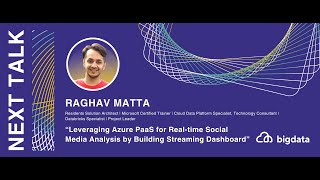
Raghav Matta: Leveraging Azure PaaS for Real-time Social Media Analysis

🌟 Session Overview 🌟

Session Name: Leveraging Azure PaaS for Real-time Social Media Analysis by Building Streaming Dashboard Speaker: Raghav Matta Session Description: In this session, Raghav and Sundar will delve into a practical business scenario focusing on real-time social media analysis using Azure PaaS offerings.

  1. They will begin by addressing a prevalent business challenge concerning social media sentiment analysis.

  2. Next, speakers explore a range of Azure services including Azure Functions, Logic Apps, Cognitive Services, Stream Analytics, PowerBI, and Azure Databricks.

  3. Moving forward, they will demonstrate how to gather live data in real-time utilizing Azure Cognitive Services Bing Web Search API. Subsequently, they will analyze the data using Azure Stream Analytics and visualize insights using PowerBI.

This course combines hands-on labs with theoretical curriculum aligned with the 'Exam AI-102: Designing and Implementing a Microsoft Azure AI Solution'.

For further information and resources, please refer to: https://docs.microsoft.com/en-us/azure/stream-analytics/stream-analytics-twitter-sentiment-analysis-trends https://microsoftlearning.github.io/AI-102-AIEngineer/Instructions/05-analyze-text.html 🚀 About Big Data and RPA 2024 🚀

Unlock the future of innovation and automation at Big Data & RPA Conference Europe 2024! 🌟 This unique event brings together the brightest minds in big data, machine learning, AI, and robotic process automation to explore cutting-edge solutions and trends shaping the tech landscape. Perfect for data engineers, analysts, RPA developers, and business leaders, the conference offers dual insights into the power of data-driven strategies and intelligent automation. 🚀 Gain practical knowledge on topics like hyperautomation, AI integration, advanced analytics, and workflow optimization while networking with global experts. Don’t miss this exclusive opportunity to expand your expertise and revolutionize your processes—all from the comfort of your home! 📊🤖✨

📅 Yearly Conferences: Curious about the evolution of QA? Check out our archive of past Big Data & RPA sessions. Watch the strategies and technologies evolve in our videos! 🚀 🔗 Find Other Years' Videos: 2023 Big Data Conference Europe https://www.youtube.com/playlist?list=PLqYhGsQ9iSEpb_oyAsg67PhpbrkCC59_g 2022 Big Data Conference Europe Online https://www.youtube.com/playlist?list=PLqYhGsQ9iSEryAOjmvdiaXTfjCg5j3HhT 2021 Big Data Conference Europe Online https://www.youtube.com/playlist?list=PLqYhGsQ9iSEqHwbQoWEXEJALFLKVDRXiP

💡 Stay Connected & Updated 💡

Don’t miss out on any updates or upcoming event information from Big Data & RPA Conference Europe. Follow us on our social media channels and visit our website to stay in the loop!

🌐 Website: https://bigdataconference.eu/, https://rpaconference.eu/ 👤 Facebook: https://www.facebook.com/bigdataconf, https://www.facebook.com/rpaeurope/ 🐦 Twitter: @BigDataConfEU, @europe_rpa 🔗 LinkedIn: https://www.linkedin.com/company/73234449/admin/dashboard/, https://www.linkedin.com/company/75464753/admin/dashboard/ 🎥 YouTube: http://www.youtube.com/@DATAMINERLT

Supercharge your lakehouse with Azure Databricks and Microsoft Fabric | BRK203

Azure Databricks enhances the lakehouse experience in Azure by seamlessly integrating data and AI solutions for faster value. Catalog data, schema, and tables in Unity Catalog are readily available, supporting data engineering, data science, real-time intelligence, and optimized performance, delivering blazing fast insights with Power BI.

𝗦𝗽𝗲𝗮𝗸𝗲𝗿𝘀: * Lindsey Allen * Robert Saxby

𝗦𝗲𝘀𝘀𝗶𝗼𝗻 𝗜𝗻𝗳𝗼𝗿𝗺𝗮𝘁𝗶𝗼𝗻: This is one of many sessions from the Microsoft Ignite 2024 event. View even more sessions on-demand and learn about Microsoft Ignite at https://ignite.microsoft.com

BRK203 | English (US) | Data

MSIgnite

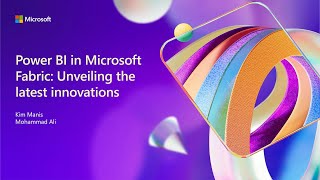
Power BI in Microsoft Fabric: unveiling the latest innovations | BRK202

Join us as we unveil the latest announcements for Power BI in Microsoft Fabric. Explore how Copilot's advanced AI capabilities are transforming data analytics by automating report creation, generating intelligent insights, and enhancing data visualization. Discover how Power BI seamlessly integrates to enable smooth data flow and enhance collaboration. We'll also share real-world success stories, demonstrating the profound impact of this innovation on data analytics.

𝗦𝗽𝗲𝗮𝗸𝗲𝗿𝘀: * Mohammad Ali * Kimberly Manis

𝗦𝗲𝘀𝘀𝗶𝗼𝗻 𝗜𝗻𝗳𝗼𝗿𝗺𝗮𝘁𝗶𝗼𝗻: This is one of many sessions from the Microsoft Ignite 2024 event. View even more sessions on-demand and learn about Microsoft Ignite at https://ignite.microsoft.com

BRK202 | English (US) | Data

MSIgnite

Collect, Combine, and Transform Data Using Power Query in Power BI and Excel, 2nd Edition

Transform your data analysis experience with Power Query, the ultimate tool for importing, reshaping, and cleansing data through a user-friendly interface. Whether youre using Power BI, Excel, or other Microsoft products, Power Querys capabilities are at your fingertips. Renowned Power Query experts Daniil Maslyuk and Gil Raviv guide you through mastering this indispensable tool, helping you eliminate tedious manual data preparation, tackle common issues, and avoid potential pitfalls. In this updated edition, youll delve into comprehensive analytics challenges, seamlessly integrating your skills into a realistic, final project. By the end, youll possess the expertise to handle any data and convert it into actionable insights. You will learn how to: Effortlessly prepare data by utilizing Power Query in Power BI and Excel to transform your data quickly and efficiently Overcome common data preparation problems with intuitive mouse clicks and straightforward formula edits Combine data from various sources, multiple queries, and mismatched tables with ease Reshape tables to suit your analysis needs Use the Power Query M formula language to create flexible data mashups and tailor transformations to your requirements Address and overcome collaboration challenges by using Power Querys powerful features Gain crucial insights from text feeds by enhancing your data analysis capabilities Profile data, diagnose queries, improve query performance, and more! About This Book For everyone who wants to get more done with Power Query in less time For business and financial professionals, developers, entrepreneurs, students, and others who need to efficiently manage and analyze data .