talk-data.com talk-data.com

Topic

Dashboard

data_visualization reporting bi

306

tagged

Activity Trend

23 peak/qtr
2020-Q1 2026-Q1

Activities

306 activities · Newest first

The Big Book of Dashboards

The definitive reference book with real-world solutions you won't find anywhere else The Big Book of Dashboards presents a comprehensive reference for those tasked with building or overseeing the development of business dashboards. Comprising dozens of examples that address different industries and departments (healthcare, transportation, finance, human resources, marketing, customer service, sports, etc.) and different platforms (print, desktop, tablet, smartphone, and conference room display) The Big Book of Dashboards is the only book that matches great dashboards with real-world business scenarios. By organizing the book based on these scenarios and offering practical and effective visualization examples, The Big Book of Dashboards will be the trusted resource that you open when you need to build an effective business dashboard. In addition to the scenarios there's an entire section of the book that is devoted to addressing many practical and psychological factors you will encounter in your work. It's great to have theory and evidenced-based research at your disposal, but what will you do when somebody asks you to make your dashboard 'cooler' by adding packed bubbles and donut charts? The expert authors have a combined 30-plus years of hands-on experience helping people in hundreds of organizations build effective visualizations. They have fought many 'best practices' battles and having endured bring an uncommon empathy to help you, the reader of this book, survive and thrive in the data visualization world. A well-designed dashboard can point out risks, opportunities, and more; but common challenges and misconceptions can make your dashboard useless at best, and misleading at worst. The Big Book of Dashboards gives you the tools, guidance, and models you need to produce great dashboards that inform, enlighten, and engage.
An Introduction to SAS Visual Analytics

When it comes to business intelligence and analytical capabilities, SAS Visual Analytics is the premier solution for data discovery, visualization, and reporting. An Introduction to SAS Visual Analytics will show you how to make sense of your complex data with the goal of leading you to smarter, data-driven decisions without having to write a single line of code – unless you want to! You will be able to use SAS Visual Analytics to access, prepare, and present your data to anyone anywhere in the world. SAS Visual Analytics automatically highlights key relationships, outliers, clusters, trends and more. These abilities will guide you to critical insights that inspire action from your data. With this book, you will become proficient using SAS Visual Analytics to present data and results in customizable, robust visualizations, as well as guided analyses through auto-charting. With interactive dashboards, charts, and reports, you will create visualizations which convey clear and actionable insights for any size and type of data. This book largely focuses on the version of SAS Visual Analytics on SAS 9.4, although it is available on both 9.4 and SAS Viya platforms. Each version is considered the latest release, with subsequent releases planned to continue on each platform; hence, the Viya version works similarly to the 9.4 version and will look familiar. This book covers new features of each and important differences between the two. With this book, you will learn how to: Build your first report using the SAS Visual Analytics Designer Prepare a dashboard and determine the best layout Effectively use geo-spatial objects to add location analytics to reports Understand and use the elements of data visualizations Prepare and load your data with the SAS Visual Analytics Data Builder Analyze data with a variety of options, including forecasting, word clouds, heat maps, correlation matrix, and more Understand administration activities to keep SAS Visual Analytics humming along Optimize your environment for considerations such as scalability, availability, and efficiency between components of your SAS software deployment and data providers

Learning Kibana 5.0

Learning Kibana 5.0 is your gateway to mastering the art of data visualization using the powerful features of the Kibana platform. This book guides you through the process of creating stunning interactive dashboards and making data-driven insights accessible with real-time visualizations. Whether you're new to the Elastic stack or seeking to refine your expertise, this book equips you to harness Kibana's full potential. What this Book will help me do Build robust, real-time dashboards in Kibana to visualize complex datasets efficiently. Leverage Timelion to perform time-series data analysis and create metrics-based dashboards. Explore advanced analytics using the Graph plugin to uncover relationships and correlations in data. Learn how to create and deploy custom plugins to tailor Kibana to specific project needs. Understand how to use the Elastic stack to monitor, analyze, and optimize various types of data flows. Author(s) Bahaaldine Azarmi is a seasoned expert in the Elastic stack, known for his dedication to making complex technical topics approachable and practical. With years of experience in data analytics and software development, Bahaaldine shares not only his technical expertise but also his passion for helping professionals achieve their goals through clear, actionable guidance. His writing emphasizes hands-on learning and practical application. Who is it for? This book is perfect for developers, data visualization engineers, and data scientists who aim to hone their skills in data visualization and interactive dashboard development. It assumes a basic understanding of Elasticsearch and Logstash to maximize its practicality. If you aim to advance your career by learning how to optimize data architecture and solve real-world problems using the Elastic stack, this book is ideal for you.

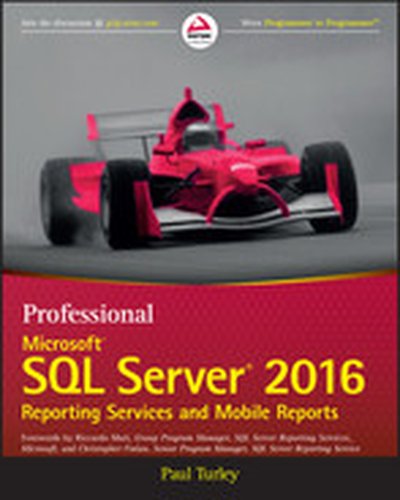
Professional Microsoft SQL Server 2016 Reporting Services and Mobile Reports

Optimize reporting and BI with Microsoft SQL Server 2016 Professional Microsoft SQL Server 2016 Reporting Services and Mobile Reports provides a comprehensive lesson in business intelligence (BI), operational reporting and Reporting Services architecture using a clear, concise tutorial approach. You'll learn effective report solution design based upon many years of experience with successful report solutions. Improve your own reports with advanced, best-practice design, usability, query design, and filtering techniques. Expert guidance provides insight into common report types and explains where each could be made more efficient, while providing step-by step instruction on Microsoft SQL Server 2016. All changes to the 2016 release are covered in detail, including improvements to the Visual Studio Report Designer (SQL Server Data Tools) and Report Builder, Mobile Dashboard Designer, the new Report Portal Interface, HTML-5 Rendering, Power BI integration, Custom Parameters Pane, and more. The Microsoft SQL Server 2016 release will include significant changes. New functionality, new capabilities, re-tooled processes, and changing support require a considerable update to existing knowledge. Whether you're starting from scratch or simply upgrading, this book is an essential guide to report design and business intelligence solutions. Understand BI fundamentals and Reporting Services architecture Learn the ingredients to a successful report design Get up to speed on Microsoft SQL Server 2016 Grasp the purpose behind common designs to optimize your reporting Microsoft SQL Server Reporting Services makes reporting faster, easier, and more powerful than ever in web, desktop and portal solutions. Compatibility with an extensive variety of data sources makes it a go-to solution for organizations across the globe. The 2016 release brings some of the biggest changes in years, and the full depth and breadth of these changes can create a serious snag in your workflow. For a clear tutorial geared toward the working professional, Professional Microsoft SQL Server 2016 Reporting Services and Mobile Reports is the ideal guide for getting up to speed and producing successful reports.

Beginning SQL Server Reporting Services

Learn SQL Server Reporting Services and become current with the 2016 edition. Develop interactive, dynamic reports that combine graphs, charts, and tabular data into attractive dashboards and reports to delight business analysts and other users of corporate data. Deliver mobile reports to anywhere and any device. Build vital knowledge of Reporting Services at a time when Microsoft's dominance in business intelligence is on the rise. turns novices into skilled report developers. The book begins by explaining how to set up the development environment. It then walks you through creating your first reports using the built-in wizard. After showing what is possible, the book breaks down and explains the skills needed to create reports from scratch. And not just reports! But also dashboards with charts, graphs, and maps. Each chapter builds on knowledge gained in the previous chapters with step-by-step tutorials. Beginning SQL Server Reporting Services boosts your skills and provides you additional career options. Don't be without those options. Grab and read this book today. Beginning SQL Server Reporting Services Build reports with and without the built-in wizard. Build interactive features such as drill-through reports. Build dashboards full of charts, graphs, and maps. Build mobile reports. What You Will Learn Set up your development environment. Organized projects and share components among reports. Create report using a wizard. Create reports from scratch, including grouping levels, parameters, and drill through features. Build interactive dashboard with graphs, charts, and maps. Deploy and manage reports for use by others in the business. Who This Book Is For Database professionals of all experience levels who have some experience in databases and want to make the leap into business intelligence reporting. The book is an excellent choice for those needing to add Reporting Services to their current list of skills, or who are looking for a skill set that is in demand for in order to break into IT.

Tableau: Creating Interactive Data Visualizations

Illustrate your data in a more interactive way by implementing data visualization principles and creating visual stories using Tableau About This Book Use data visualization principles to help you to design dashboards that enlighten and support business decisions Integrate your data to provide mashed-up dashboards Connect to various data sources and understand what data is appropriate for Tableau Public Understand chart types and when to use specific chart types with different types of data Who This Book Is For Data scientists who have just started using Tableau and want to build on the skills using practical examples. Familiarity with previous versions of Tableau will be helpful, but not necessary. What You Will Learn Customize your designs to meet the needs of your business using Tableau Use Tableau to prototype, develop, and deploy the final dashboard Create filled maps and use any shape file Discover features of Tableau Public, from basic to advanced Build geographic maps to bring context to data Create filters and actions to allow greater interactivity to Tableau Public visualizations and dashboards Publish and embed Tableau visualizations and dashboards in articles In Detail With increasing interest for data visualization in the media, businesses are looking to create effective dashboards that engage as well as communicate the truth of data. Tableau makes data accessible to everyone, and is a great way of sharing enterprise dashboards across the business. Tableau is a revolutionary toolkit that lets you simply and effectively create high-quality data visualizations. This course starts with making you familiar with its features and enable you to develop and enhance your dashboard skills, starting with an overview of what dashboard is, followed by how you can collect data using various mathematical formulas. Next, you'll learn to filter and group data, as well as how to use various functions to present the data in an appealing and accurate way. In the first module, you will learn how to use the key advanced string functions to play with data and images. You will be walked through the various features of Tableau including dual axes, scatterplot matrices, heat maps, and sizing.In the second module, you'll start with getting your data into Tableau, move onto generating progressively complex graphics, and end with the finishing touches and packaging your work for distribution. This module is filled with practical examples to help you create filled maps, use custom markers, add slider selectors, and create dashboards. You will learn how to manipulate data in various ways by applying various filters, logic, and calculating various aggregate measures. Finally, in the third module, you learn about Tableau Public using which allows readers to explore data associations in multiple-sourced public data, and uses state-of-the-art dashboard and chart graphics to immerse the users in an interactive experience. In this module, the readers can quickly gain confidence in understanding and expanding their visualization, creation knowledge, and quickly create interesting, interactive data visualizations to bring a richness and vibrancy to complex articles. The course provides a great overview for beginner to intermediate Tableau users, and covers the creation of data visualizations of varying complexities. Style and approach The approach will be a combined perspective, wherein we start by performing some basic recipes and move on to some advanced ones. Finally, we perform some advanced analytics and create appealing and insightful data stories using Tableau Public in a step-by-step manner.

Jumpstart Tableau: A Step-By-Step Guide to Better Data Visualization

This book simplifies the use of Tableau software functionality for novice users so that they can create powerful data visualizations easily and quickly. Since it is often very difficult and expensive to provide external training on BI tools, this book aims to equip the reader with the resource they need to do it themselves. Jumpstart Tableau covers the basic reporting and analysis functions that most BI users perform in their day-to-day work. These include connecting to a data source, working with dimensions and measures, developing reports and charts, saving workbooks, filtering, swapping, sorting, formatting, grouping, creating hierarchies, forecasting, exporting, distributing, as well developing various chart types. Each exercise in Jumpstart Tableau provides screenshots that cover every step from start to finish. The exercises are based on a comprehensive sample Excel-based data source that Tableau Software (version 9) has provided, which makes it very easy to duplicate the exercises on the real software. In addition, the book: Enables readers to develop reports, queries, and visualizations Perform data analysis Execute each function in a step-by-step manner Provides the basic hands-on ability which can enable users to work up to more advanced and complex Tableau functionality Shows how to integrate individual development of content, such as tables/charts and visualizations., onto a dashboard for an effective presentation

Learning Pentaho CTools

Learning Pentaho CTools is a comprehensive guide to building sophisticated and custom analytics dashboards using the powerful capabilities of Pentaho CTools. This book walks you through the process of creating interactive dashboards, integrating data sources, and applying data visualization best practices. You'll quickly gain the expertise needed to create impactful dashboards with ease. What this Book will help me do Master installing and configuring CTools for Pentaho to jumpstart dashboard development. Harness diverse data sources and deliver data in formats like CSV, JSON, and XML for customized analytics. Design and implement dynamic, visually stunning dashboards using Community Dashboard Framework (CDF). Deploy and integrate plugins, leverage widgets, and manage dashboards effectively with version control. Enhance interactivity by customizing dashboard components, charts, and filters to suit unique requirements. Author(s) None Gaspar, an expert in Pentaho and its tools, has been a Senior Consultant at Pentaho, where he gained in-depth experience crafting analytics solutions. He brings to this book his teaching passion and field expertise, combining theoretical insights with practical applications. His approachable style ensures readers can follow technical concepts effectively. Who is it for? This book is ideal for developers who are looking to enhance their understanding of Pentaho's CTools portfolio to build advanced dashboards. A working knowledge of JavaScript and CSS will enable readers to get the most out of this guide. Whether you aim to extend your analytics capabilities or learn the tools from scratch, this book bridges the gap between learning and application.

Excel Power Pivot and Power Query For Dummies

A guide to PowerPivot and Power Query no data cruncher should be without! Want to familiarize yourself with the rich set of Microsoft Excel tools and reporting capabilities available from PowerPivot and Power Query? Look no further! Excel PowerPivot & Power Query For Dummies shows you how this powerful new set of tools can be leveraged to more effectively source and incorporate 'big data' Business Intelligence and Dashboard reports. You'll discover how PowerPivot and Power Query not only allow you to save time and simplify your processes, but also enable you to substantially enhance your data analysis and reporting capabilities. Gone are the days of relatively small amounts of data—today's data environment demands more from business analysts than ever before. Now, with the help of this friendly, hands-on guide, you'll learn to use PowerPivot and Power Query to expand your skill-set from the one-dimensional spreadsheet to new territories, like relational databases, data integration, and multi-dimensional reporting. Demonstrates how Power Query is used to discover, connect to, and import your data Shows you how to use PowerPivot to model data once it's been imported Offers guidance on using these tools to make analyzing data easier Written by a Microsoft MVP in the lighthearted, fun style you've come to expect from the For Dummies brand If you spend your days analyzing data, Excel PowerPivot & Power Query For Dummies will get you up and running with the rich set of Excel tools and reporting capabilities that will make your life—and work—easier.

Excel Dashboards and Reports for Dummies, 3rd Edition

Make the most of your data using the power of Excel When you think of data, do you think of endless rows and columns in spreadsheets? Excel Dashboards and Reports For Dummies, 3 shows you how to make the most of your data—and puts an end to mind-numbing spreadsheets by exploring new ways to conceptualize and present key information. There's often a gap between handling data and synthesizing it into meaningful reports, and this approachable text bridges this gap with quick and accessible information that answers key questions, like how to meaningfully capture data trends, how to show relationships in data, and when it's better to show variances than actual data values. rd Edition As a leading spreadsheet application, Microsoft Excel is the go-to data software. This tool allows you to use dashboard reports that leverage gauges, maps, charts, sliders, and other visual elements to present complex data in a manner that's easy to understand. Using Excel dashboards effectively can improve your professional capabilities by leaps and bounds. Analyze and report on large amounts of data in a meaningful way Look at data from different perspectives, and better visualize the information you're presenting by quickly slicing data on the fly Automate redundant reporting and analysis functions, making your data analysis and reporting routine more efficient Create visualizations, dashboards, and what-if analyses that are as visually appealing as they are substantial Excel Dashboards and Reports For Dummies, 3 is a fantastic resource if you're looking to spice up your reporting! rd Edition

Kibana Essentials

Dive into "Kibana Essentials" and discover how to efficiently analyze data and create visually engaging visualizations and dashboards with Kibana. Whether you are new to Kibana or looking to enhance your skills, this book provides practical guidance to help you apply Kibana features to real-world scenarios. By the end, you'll have the skills to create and apply dashboards that run on Elasticsearch. What this Book will help me do Understand the core features and setup process of Kibana on both Windows and Ubuntu platforms. Master the Discover, Visualize, Dashboard, and Settings functionalities in Kibana. Utilize Elasticsearch's search capabilities to analyze data in Kibana. Create, customize, and share stunning visualizations and dashboards for various use cases. Gain advanced knowledge to tweak Kibana settings for optimized workflows. Author(s) None Gupta is an experienced author and data professional who has worked extensively with Kibana and Elasticsearch technologies. With a passion for simplifying complex concepts, None specializes in breaking down technical topics into digestible, actionable steps. Their practical approach ensures that learners can confidently apply knowledge immediately after reading. Who is it for? This book is for professionals or enthusiasts aiming to delve into data visualization using Kibana. Whether starting from scratch or familiar with similar tools, readers will find the foundational to advanced techniques invaluable. It's especially suited for those who want a practical, hands-on approach to mastering Kibana.

Creating Stunning Dashboards with QlikView

Explore the world of QlikView dashboards with this comprehensive guide that walks you through the entire process of creating effective and visually engaging dashboards for your business needs. From identifying KPIs to rolling out your application, this book provides actionable steps and best practices for delivering data-driven results. What this Book will help me do Define key performance indicators (KPIs) based on business objectives and goals. Design and structure dashboards using best practices in data visualization. Master creating various chart types, including bar, line, pie charts, and advanced visualizations, like heat maps. Integrate data from multiple sources, such as ERP systems and spreadsheets, into a cohesive dashboard. Learn the steps to develop mobile-optimized dashboards for accessibility on the go. Author(s) None Villafuerte, a seasoned expert in data visualization and QlikView development, brings a wealth of experience to this book. With years of hands-on work creating impactful dashboards for various business needs, the author's pragmatic and result-oriented approach provides readers with practical and insightful knowledge. Who is it for? The book is tailored for QlikView developers who already possess a basic understanding of scripting and dashboard layout design. It's ideal for professionals aiming to enhance their design and visualization skills. Additionally, business analysts or managers with a technical inclination could also benefit from its comprehensive approach to creating interactive dashboards. If building effective and appealing dashboards that drive business impact is your goal, this book is for you.

Dashboards for Excel

The book takes a hands-on approach to developing dashboards, from instructing users on advanced Excel techniques to addressing dashboard pitfalls common in the real world. Dashboards for Excel is your key to creating informative, actionable, and interactive dashboards and decision support systems. Throughout the book, the reader is challenged to think about Excel and data analytics differently—that is, to think outside the cell. This book shows you how to create dashboards in Excel quickly and effectively. In this book, you learn how to: Apply data visualization principles for more effective dashboards Employ dynamic charts and tables to create dashboards that are constantly up-to-date and providing fresh information Use understated yet powerful formulas for Excel development Apply advanced Excel techniques mixing formulas and Visual Basic for Applications (VBA) to create interactive dashboards Create dynamic systems for decision support in your organization Avoid common problems in Excel development and dashboard creation Get started with the Excel data model, PowerPivot, and Power Query

Learning SAP Business Objects Dashboards

"Learning SAP Business Objects Dashboards" is your definitive guide to mastering the creation of professional, interactive dashboards tailored for both desktop and mobile use. Whether you are starting with basics or looking to enhance your existing BI skill set, this book offers step-by-step guidance to build customizing and visually appealing dashboards using SAP Business Objects. What this Book will help me do Gain proficiency in using SAP BO Dashboard Designer to create compelling BI dashboards. Learn how to integrate data seamlessly into SAP dashboards for dynamic insights. Master the art of building interactive and responsive dashboards suitable for various devices. Explore advanced visualization techniques including maps, selectors, and styling. Understand how to ensure data security and successfully deploy your dashboards. Author(s) Taha Mahmoud is an experienced Business Intelligence consultant specializing in SAP technologies. With years of experience in crafting custom BI solutions, Taha brings a practical and approachable teaching style to the complex realm of dashboard design. His goal in writing this book is to impart practical skills to learners so they can confidently excel in their BI careers. Who is it for? This book is ideal for business analysts, BI developers, and data visualization enthusiasts aiming to learn or improve their SAP Business Objects dashboard skills. It requires basic knowledge of MS Excel and an analytical mindset. If you're tasked with presenting data in clear, impactful visuals or making interactive dashboards for your organization, this book is for you.

Data Visualization for Oracle Business Intelligence 11g

The only Oracle Press guide to creating effective visual presentations of business intelligence data quickly and easily Data Visualization for Oracle Business Intelligence 11g reveals the best practices for creating graphs, tables, maps, and other methodologies for presenting data-driven insights using one of the most common business intelligence front-end systems in the world, Oracle Business Intelligence 11 g. This information-rich guide offers clear instructions for building top-quality dashboards, analyses, and visualizations from real-world implementers and respected data visualization experts. You’ll learn everything from improving the readability of your tables to implementing the latest Advanced Trellis Chart features and from adding native map views of BI data to designing optimal dashboard layout strategies. You’ll see how to produce accurate, compelling, and professional graphics that will immediately enhance corporate decision making. Shows proven steps for extracting maximum impact from native features that are little known to the majority of BI users Covers dashboard strategy, including layout, design, navigation, master detail linking, action links, and prompts Addresses how to extend Oracle Business Intelligence 11 g with advanced languages and visualization systems such as JavaScript-based D3 and JQuery, R, and Oracle Application Development Framework Includes an associated web gallery showcasing the colors and graphics that render best digitally

podcast_episode
by Val Kroll , Julie Hoyer , Tim Wilson (Analytics Power Hour - Columbus (OH) , Moe Kiss (Canva) , Michael Helbling (Search Discovery)

Episode 002 finds Michael, Tim and Jim tackling one of the most important, powerful and sometimes frustrating deliverables to any business analyst: the dashboard. What exactly is a dashboard? What are they for? What should they accomplish? Why can't Tim and Jim agree on anything? Prepare for lots of strong opinions and stories from the trenches in this week's 40-minute power hour.

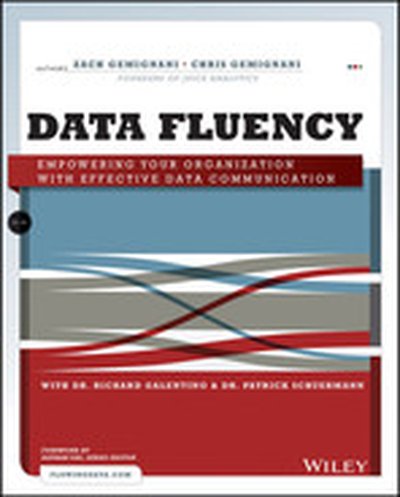
Data Fluency: Empowering Your Organization with Effective Data Communication

A dream come true for those looking to improve their data fluency Analytical data is a powerful tool for growing companies, but what good is it if it hides in the shadows? Bring your data to the forefront with effective visualization and communication approaches, and let Data Fluency: Empowering Your Organization with Effective Communication show you the best tools and strategies for getting the job done right. Learn the best practices of data presentation and the ways that reporting and dashboards can help organizations effectively gauge performance, identify areas for improvement, and communicate results. Topics covered in the book include data reporting and communication, audience and user needs, data presentation tools, layout and styling, and common design failures. Those responsible for analytics, reporting, or BI implementation will find a refreshing take on data and visualization in this resource, as will report, data visualization, and dashboard designers. Conquer the challenge of making valuable data approachable and easy to understand Develop unique skills required to shape data to the needs of different audiences Full color book links to bonus content at juiceanalytics.com Written by well-known and highly esteemed authors in the data presentation community Data Fluency: Empowering Your Organization with Effective Communication focuses on user experience, making reports approachable, and presenting data in a compelling, inspiring way. The book helps to dissolve the disconnect between your data and those who might use it and can help make an impact on the people who are most affected by data. Use Data Fluency today to develop the skills necessary to turn data into effective displays for decision-making.

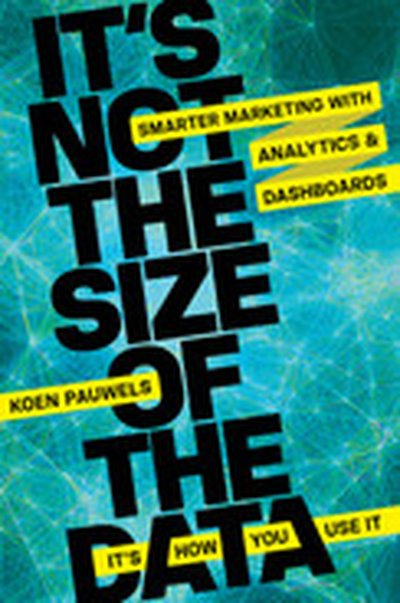
It's Not the Size of the Data -- It's How You Use It
Brand tracking, CRM programs, trade shows, online behavior tracking, satisfaction studies. Mounds of marketing metrics are generated across touchpoints and channels. It can be information overload--too much, too scattered. But locked in the vast quantity of information are accurate, data-driven answers to every marketing question. Analytic dashboards are transformative web-based tools that gather, syn the size, and visually display essential data in real time, directly connecting marketing with performance. World renowned marketing expert Koen Pauwels supplies a simple yet rigorous methodology and wealth of case studies to help any size organization, in any industry, turn data into productive action. He explains step by step how to: ● Gain crucial IT support ● Build a rock-solid database ● Select key leading performance indicators ● Design the optimal dashboard layout ● Use marketing analytics to improve decisions and reap rewards Gut decisions are outdated and downright dangerous. Whether you're trying to allocate resources between online and offline marketing, measure the ROI of specific efforts, or scale up a creative campaign, dashboard analytics bring scientific precision and insight to marketing efforts--with far better results.
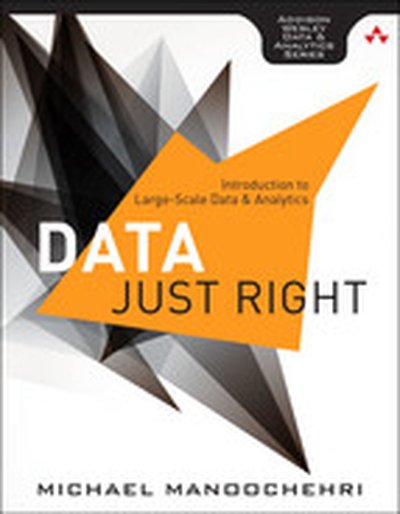
Data Just Right: Introduction to Large-Scale Data & Analytics

Making Big Data Work: Real-World Use Cases and Examples, Practical Code, Detailed Solutions Large-scale data analysis is now vitally important to virtually every business. Mobile and social technologies are generating massive datasets; distributed cloud computing offers the resources to store and analyze them; and professionals have radically new technologies at their command, including NoSQL databases. Until now, however, most books on “Big Data” have been little more than business polemics or product catalogs. is different: It’s a completely practical and indispensable guide for every Big Data decision-maker, implementer, and strategist. Data Just Right Michael Manoochehri, a former Google engineer and data hacker, writes for professionals who need practical solutions that can be implemented with limited resources and time. Drawing on his extensive experience, he helps you focus on building applications, rather than infrastructure, because that’s where you can derive the most value. Manoochehri shows how to address each of today’s key Big Data use cases in a cost-effective way by combining technologies in hybrid solutions. You’ll find expert approaches to managing massive datasets, visualizing data, building data pipelines and dashboards, choosing tools for statistical analysis, and more. Throughout, the author demonstrates techniques using many of today’s leading data analysis tools, including Hadoop, Hive, Shark, R, Apache Pig, Mahout, and Google BigQuery. Coverage includes Mastering the four guiding principles of Big Data success—and avoiding common pitfalls Emphasizing collaboration and avoiding problems with siloed data Hosting and sharing multi-terabyte datasets efficiently and economically “Building for infinity” to support rapid growth Developing a NoSQL Web app with Redis to collect crowd-sourced data Running distributed queries over massive datasets with Hadoop, Hive, and Shark Building a data dashboard with Google BigQuery Exploring large datasets with advanced visualization Implementing efficient pipelines for transforming immense amounts of data Automating complex processing with Apache Pig and the Cascading Java library Applying machine learning to classify, recommend, and predict incoming information Using R to perform statistical analysis on massive datasets Building highly efficient analytics workflows with Python and Pandas Establishing sensible purchasing strategies: when to build, buy, or outsource Previewing emerging trends and convergences in scalable data technologies and the evolving role of the Data Scientist

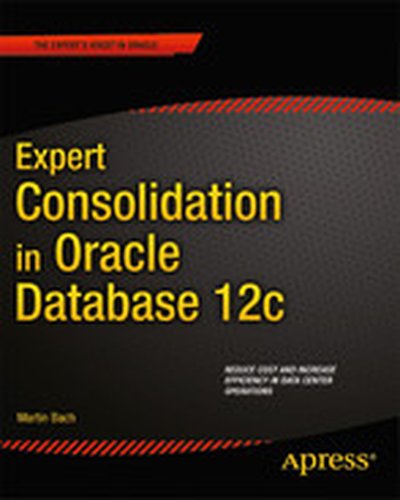
Expert Consolidation in Oracle Database 12c

Expert Consolidation in Oracle Database 12c is your key to reducing data management costs and increasing data center efficiency. Consolidation and cloud computing are converging trends sweeping the industry. The same technologies enabling cloud computing enable consolidation as well, leading to savings on all fronts from the amount of power used for servers to the amount of floor space consumed to the number of administrators needed to manage an installation. Yet the consolidation process can be a long and winding road. Success requires planning, and consideration to the impacts on supporting infrastructure. Expert Consolidation in Oracle Database 12c guides you through planning and implementing a consolidated Oracle Database installation using the many new features built into the latest release of Oracle's database management system. You'll learn to identify candidates for consolidation and to recognize instances that are best left stand-alone. The book guides in working with clustered systems and ASM storage in the consolidated environment. Focus is given to Oracle Enterprise Manager 12c Cloud Control as a monitoring and management dashboard. Always the goal is to drive towards a cost-effective environment that is efficient both in technology and people. Focuses on the new consolidation features in Oracle Database 12c Helps you evaluate and correctly decide when to consolidate Leads to cost savings and improved data center efficiency What you'll learn Master the new consolidation and cloud features in Oracle Database 12c Correctly decide when to consolidate and when to remain standalone Reduce cost by reducing demand for rack space, power, and floor space Streamline administration with Oracle Enterprise Manager 12c Cloud Control Ensure the correct supporting infrastructure for a rock-solid environment Safeguard your new consolidate infrastructure from disaster and data loss Who this book is for Expert Consolidation in Oracle Database 12c is aimed at database administrators involved in consolidation efforts, or who are interested in exploring Oracle Database 12c's strong support for consolidation and cloud computing.